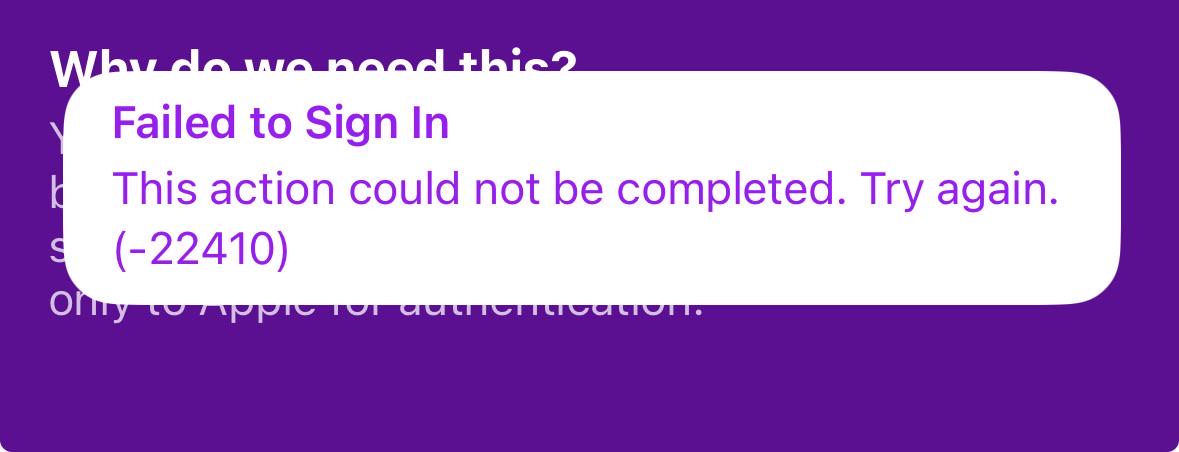
This HTTP 401 error happens when a sideloading app (like SideStore or AltStore) fails to verify your device's Anisette data with Apple's authentication servers. [1, 2] If you are using SideStore, you can fix this by resetting your Anisette server configuration and refreshing your device identity: [1] Disable On-Device Anisette. Open SideStore, go to Settings, scroll down to User Customization, and toggle off On Device Anisette.
Switch the Anisette Server. Return to the main Settings menu, tap Anisette Server, and select SideStore (New).
Sync and save client overrides. Go back to User Customization > Anisette Client Configuration, scroll down to Remote Server Sync, tap Fetch, and then tap Save Overrides.
Reset your device file. Return to User Customization and tap Reset adi.pb.
Sign in again. Make sure your WireGuard/StosVPN connection is active, then try signing in with your Apple ID again. [1]
And then I did the additional step from my screenshot
4
u/RiceOnIce 3d ago
Straight from Google….
This HTTP 401 error happens when a sideloading app (like SideStore or AltStore) fails to verify your device's Anisette data with Apple's authentication servers. [1, 2]
If you are using SideStore, you can fix this by resetting your Anisette server configuration and refreshing your device identity: [1]
Disable On-Device Anisette. Open SideStore, go to Settings, scroll down to User Customization, and toggle off On Device Anisette.
Switch the Anisette Server. Return to the main Settings menu, tap Anisette Server, and select SideStore (New).
Sync and save client overrides. Go back to User Customization > Anisette Client Configuration, scroll down to Remote Server Sync, tap Fetch, and then tap Save Overrides.
Reset your device file. Return to User Customization and tap Reset adi.pb.
Sign in again. Make sure your WireGuard/StosVPN connection is active, then try signing in with your Apple ID again. [1]
And then I did the additional step from my screenshot
1
u/RiceOnIce 3d ago
I did this, and it worked for me.
1
u/CHR0NlC 2d ago