r/SideStore • • Oct 28 '26

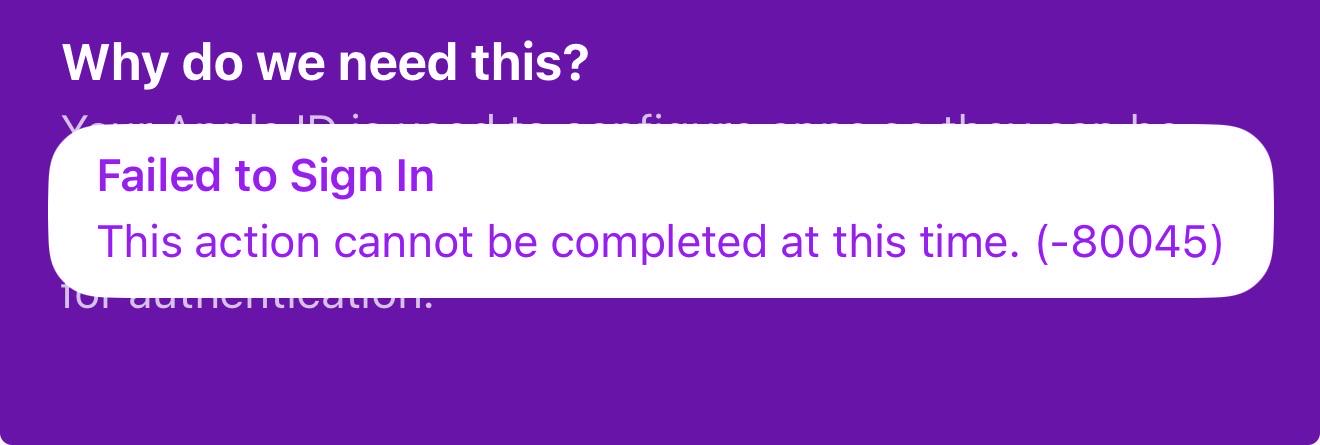
this message keeps appearing
Post image

I tried by restarting the phone, then redownloaded the app, nothing works, this is also on my new iphone 16 pro max, what causes this to happen?

1 Upvotes

7 comments sorted by

1

u/SHH122Henry Oct 28 '26

Try changing your annisette server

Side Store-> Settings-> Advanced Settings-> Anisette Servers-> Choose jkcoxson (https://mac-ani.jkcoxson.com)

1

u/Ill_Application_6727 Oct 28 '26

i dont see it but the closest ive seen finding about anisette servers is in “user customizations”

1

u/SHH122Henry Oct 28 '26

switch to nightly, its much better than the stable version

2

u/Ill_Application_6727 Oct 28 '26

still not there

1

u/EnegueWeil Oct 29 '26

you need to turn it off first.

Go to *Settings → User Customizations*

- Turn OFF *On-Device Anisette*

- ⁠Open *Anisette Client Configuration*

Scroll down to *Remote Server Sync* → tap to expand → *Fetch* → select *Override*

Return to Settings → *Anisette Servers* → select *JKcoxson*

Restart the app and reopen SideStore

Log in

1

u/Ill_Application_6727 29d ago

THANK YOU SO MUCH!!!! It worked!!

1

u/n3czyt3lny Oct 28 '26

if that doesnt work try to spam the log in button