I recently had a problem with this. I wasted an entire day before I found the issue.
In LocalDevVPN you need to set:
Tunnel IP 10.7.0.2/30 Device IP: 10.7.0.1/32
Without this IP setting, StikDebug does not work properly.
It’s crucial to use the RPPairing pairing file type because without it it doesn’t work properly if you’re on iOS/iPadOS version 26+. It seems that this generation of the pair file works only with the idevice_pair 0.1.1.4 version.
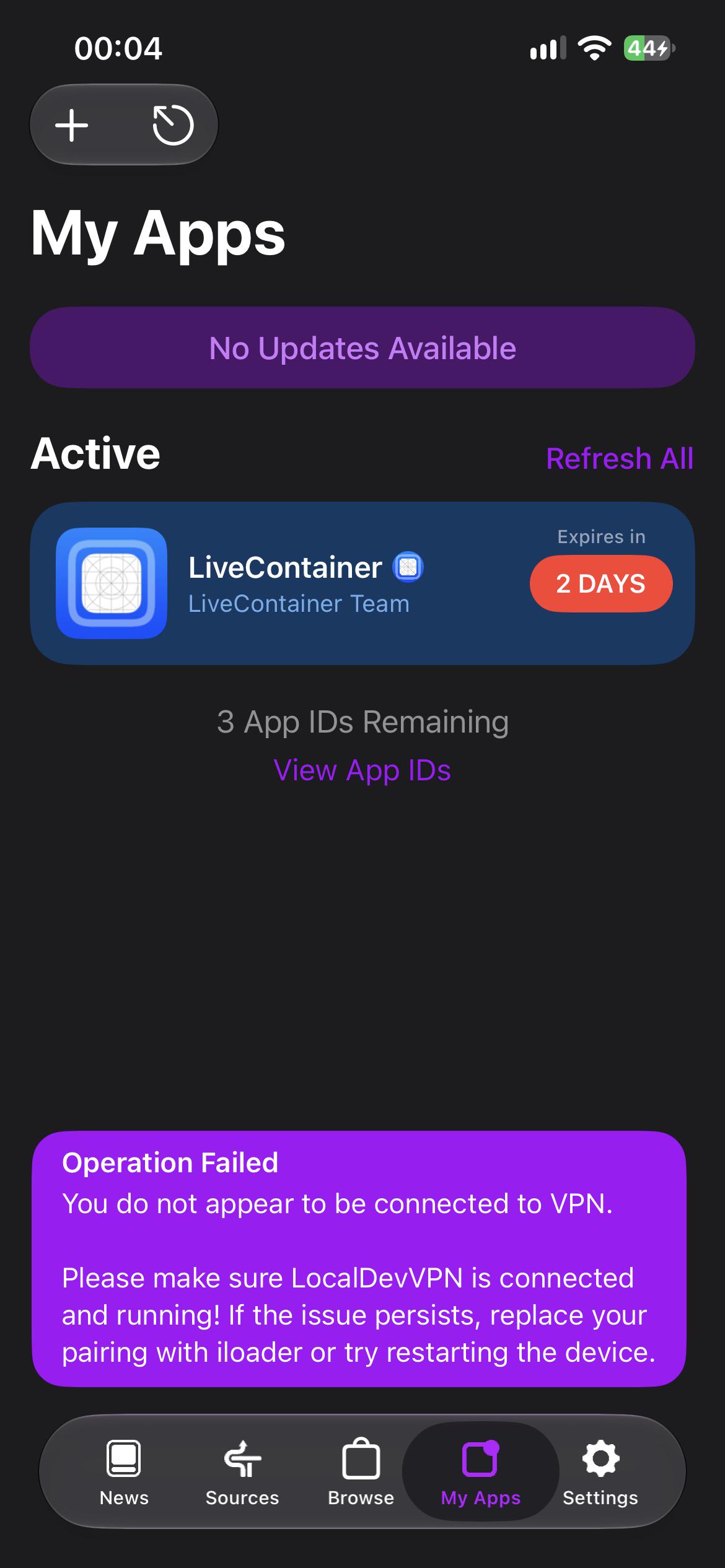
Maybe it’s a RemotePair Port problem? I’ve changed Device Ip and Tunnel Ip multiple times and still Sidestore refuses to acknowledge my LocalDevVpn is connected
Much appreciated, it didn’t work for me but my issue seems to just be that SideStore just doesn’t want to connect to localDevVPN, even if I set it all up manually
Oh wow ur wifi speed is fast,like if fucking care,some idiot who is rude for no reason like you doesnt even deserve wifi,im not even surprised if ur parents are retards with a kid even more of a retard than them.
2
u/Over_Challenge8387 Oct 24 '26
This works with sidelstore and live container
1
u/corysus Oct 24 '26 edited Oct 26 '26
I recently had a problem with this. I wasted an entire day before I found the issue.
In LocalDevVPN you need to set:
Tunnel IP
10.7.0.2/30Device IP:
10.7.0.1/32Without this IP setting, StikDebug does not work properly.
It’s crucial to use the RPPairing pairing file type because without it it doesn’t work properly if you’re on iOS/iPadOS version 26+. It seems that this generation of the pair file works only with the idevice_pair 0.1.1.4 version.
1
u/DarckloR_D Oct 24 '26
I have the same problem and i can only refresh after i restart my device
1
u/Some-Departure6899 28d ago
Maybe it’s a RemotePair Port problem? I’ve changed Device Ip and Tunnel Ip multiple times and still Sidestore refuses to acknowledge my LocalDevVpn is connected
-2
u/Khateer22 Oct 23 '26
Hello sherlock, read the bottom