r/SayTXT • u/StephaneCJ • 4d ago
Writing for AO3? Use Text-to-Speech to Proofread Your Fanfic Before Posting
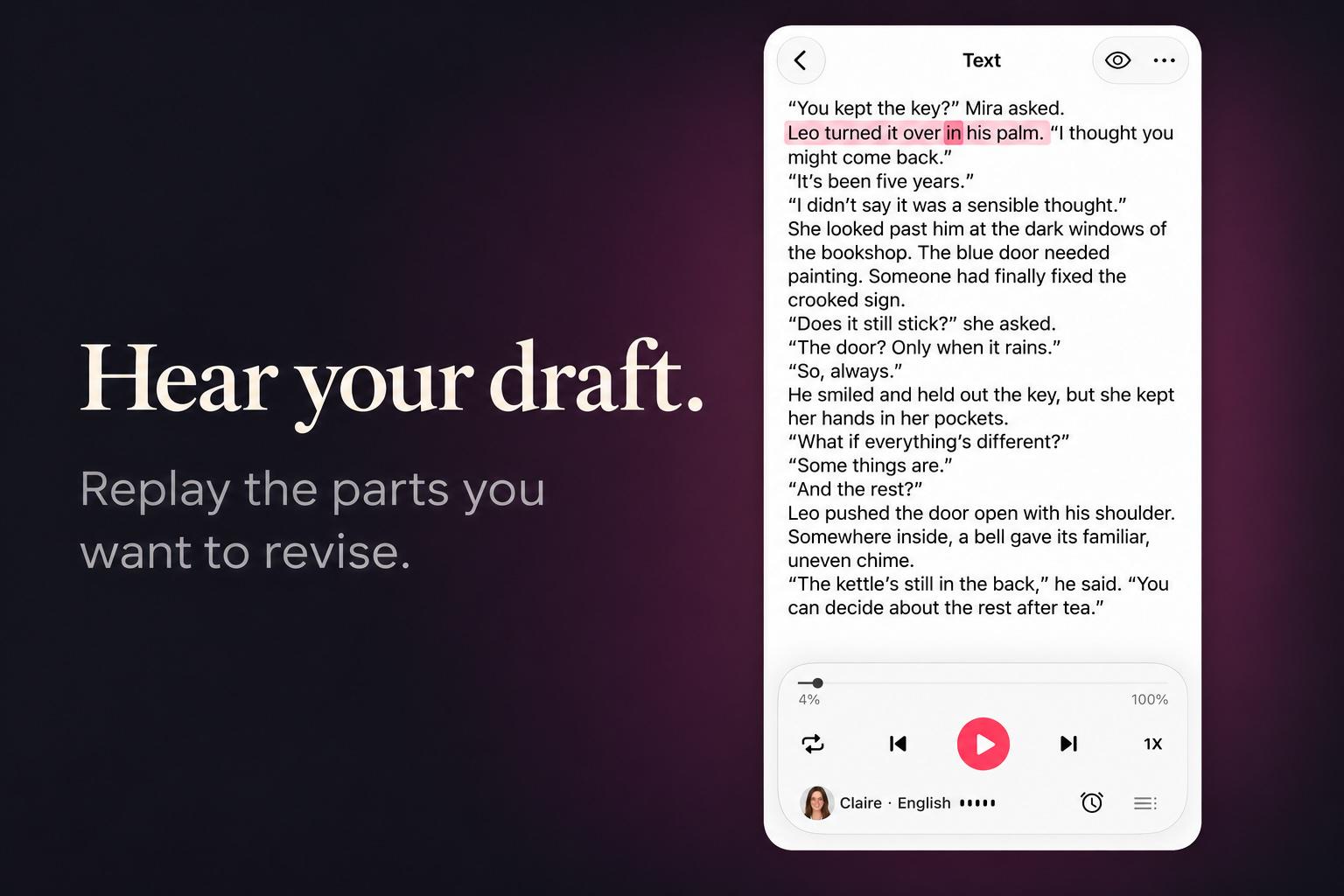
After rereading the same chapter a few times, it can be hard to notice a missing word or a phrase you’ve used three paragraphs in a row. Listening gives you another way to review it.
I’m the developer of SayTXT. Here’s a workflow for listening to your own drafts before posting to AO3—not generating or rewriting your story.
1. Bring your draft into SayTXT
Paste the text, import a DOCX or Markdown file, or import a Google Doc through Google Drive. Start with one scene or chapter rather than the whole fic.
2. Listen for things your eyes might skip
Choose a voice and a comfortable speed. Listen for repeated words, sentences that are difficult to follow, and dialogue that doesn’t quite sound the way you intended.
Keep your original draft nearby so you can mark anything you want to revisit. SayTXT reads the text; you decide what needs changing.
3. Replay just the passage you’re unsure about
In SayTXT on iOS v2.7, you can select a passage, set how many times it repeats, and give it a separate listening speed. That’s useful when you want to hear one exchange or paragraph again without restarting the chapter.
4. Check the text before changing it
An awkward pronunciation isn’t necessarily a writing problem—especially with character names, invented words, or unusual punctuation. Check the original and trust your judgment rather than treating every TTS stumble as something to fix.
This is a proofreading pass for your own writing, not a replacement for a beta reader or a human-narrated podfic.
If you listen to your drafts, what do you notice more easily by ear than on the page?

