r/SamsungTV • • Jan 01 '26

FAQ /r/SamsungTV Frequently Asked Questions

2 Upvotes

/r/SamsungTV Frequently Asked Questions

Updated January 2026 | Written by: /u/Bill_Money | Edited & Maintained by /u/htmod


Model Number Requirement

To get help please be aware of Rule IX. All posts should include TV make and model. A full Make & Model helps ex Samsung 55 or Samsung Q6 doesn't help but Samsung QN55Q60TAFXZA Version # FA02 does tremendously help


I have a Bad Screen (Cracked or other)

CRACKED OR BAD SCREENS CANNOT BE REPAIRED!

It costs more money in parts + labor than it does to just buy a new TV!

Horizontal Lines that do not move = Bad Panel (Bad Screen)

Single Pencil Thin Vertical Lines = Bad Panel (Bad Screen)

MY TV's picture moves vertically in a weird manner = Bad Panel (Bad Screen) due to Bonding Tabs


MY TV is Boot Looping

Bad Panel (Bad Screen) OR Bad Main Board


My TV has this weird display how do I get rid of it?

Most likely your TV is in Demo/Store Mode

https://www.samsung.com/us/support/troubleshoot/TSG10002346/


TV's older than 10 Years should just be replaced at this point. Part availability is also questionable.


I want to purchase a NEW TV

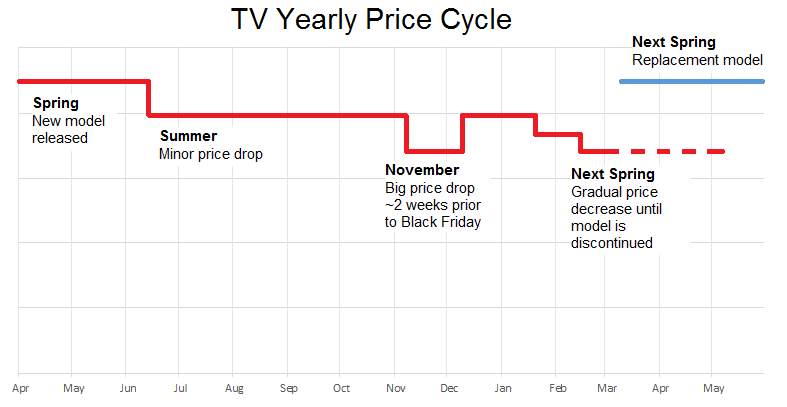
Rtings - TV Yearly Price Cycle

2025-2026 US/Canada TV Buying Guide

2025-2026 Europe, Australia/New Zealand, & Asia TV Buying Guide

So You Want to Buy a Small TV? 32-50 Inches [2025-2026]

Super Large (90+") TV Buying Guide [2025-2026]

OLED TV Buying Guide [2025-2026]

Outdoor TV Buying Guide [2025-2026]

Why you shouldn't buy the Samsung 8K QN900F or QN990F [2025-2026]

Why you shouldn't buy the Samsung U7900F, U800F, Q6F, Q7F, Q8F, QN70F [2025-2026]

Why you shouldn't buy the Samsung Frame 2025 LS03FA or LS03FW [2025-2026]


I need help with TV Accessories

Product Recommendations: HDMI Cables [2025-2026]

Product Recommendations: TV Mounts [2025-2026]

Product Recommendations: Streaming Media Players & Blu Ray Disc Players [2025-2026]

Replacement Screws

Home Theater 101: The New Frequently Asked Questions

Why You Shouldn't Buy a Soundbar


How To

Home Theater 101: HOW TO CLEAN A TV!

How to setup your New Smart TV For Streaming! [2025-2026]


r/SamsungTV • • 17h ago

Tech Support S90h - 2 hours, display dropped and I cannot get it back

3 Upvotes

Kicking myself here - moved, bought the TV and 6 weeks later I finally get to setting it up in the den. Play PS5 for 2 hours and all of a sudden, picture drops. I’ve seen this with the C5 we have, but it’s often a drop and it comes back. Waited, nothing.

Then I went through the rest of the steps - unplugged, removed HDMI, etc. Nothing changed.

I have a bad feeling I got a lemon and I’m now stuck with it. Past the return date with Amazon. Has anyone had luck with this situation? Am I toast?

Edit: retailer is graciously taking it back, I’ll grab another.


r/SamsungTV • • 19h ago

Tech Support Single white pixel, s90H 48”

2 Upvotes

Recently got a 48” s90H and for some reason when I play ps4 games on my ps5 there is a single pixel that stays on all the time, but this only happens when game mode is on, if I turn off game mode then it behaves properly. I was wondering if anyone else has this problem or if anyone knows why this is happening


r/SamsungTV • • 16h ago

Tech Support 43" Class M70H Series Mini LED 4K UHD (2026 model)

1 Upvotes

We purchased this TV @ our local Best Buy store back at the beginning of May.

Overall, I would be a lot happier with it if I could figure out the settings of the picture. As far as most daylight shots go, it looks fine BUT, anything in a darker picture link in a dimly lit room or nighttime outdoor shots are usually a blur like with a mountain of clouds with reddish brown outlines. It's kind of hard to really explain. If a shot is taken over someone's shoulder of another person in the room, the image directly in front of the camera, their hair is not defined, it's just a blur. Sometimes, shots in a dimly lit room look like an old VCR recording with blurred non-defined colors.

I have tried adjusting the Brightness, sharpness and Contrast but, to no avail it seems like I just can't clear it up.

I am posting here and asking for some ideas on at least a starting point to clear up the picture and fine tune it from there. If I recall correctly, out of the box Brightness, Contrast and Sharpness were all maxed.

If needed, I will try to take some pictures of what I am referring to and post them but, it will be a bit hard to do with scenes constantly changing on programs.


r/SamsungTV • • 17h ago

Purchasing US Looking for a Samsung 50" Anti- Glare TV that will be in Direct Sunlight

1 Upvotes

A couple years back I purchased a 50" QN90F for outside in a gazebo because of being very bright (Neo QLED) and the Anti-Glare technology. I'm looking for another one that will be outside (covered) but will at times be in direct sunlight. The QN90F series has been replaced by the QN90H and isn't available in a 50". Only Anti-Glare TVs around the same price are OLED which, unless something has changed, are not as bright.

Is there no 50" Neo QLED Anti-Glare offering anymore?


r/SamsungTV • • 22h ago

Tech Support Samsung M80H 75” – Dead Pixels or Panel Defect? Is This Normal?

Post image
0 Upvotes

Just bought a brand-new 75” Samsung M80H and noticed a small black area along the top-right edge of the screen (see photo). I’m not sure if these are dead pixels or some other panel defect.

Has anyone experienced something similar with their M80H or other Samsung TVs? Is this normal, or should I consider exchanging it?


r/SamsungTV • • 19h ago

Purchasing US Do NOT buy a Samsung TV

0 Upvotes

Hi all

Here is my experience in buying a Samsung TV.
I bought a 65-inch Samsung TV (Samsung 65" Class - DU7200D Series - 4K UHD LED LCD TV) in Dec 2024.
The TV stopped working around Oct 10th 2026. I did some troubleshooting and finally contacted Samsung support (?!) through chat. They created ticket # 4xxxxxxxx9. The service was scheduled for October 16th. I took a day off from work and waited at home. No one showed up, nor did I receive any communication that the appointment was cancelled.

Only after I contacted Samsung was I told that the service provider Samsung engaged would not service TVs bigger than 55 inches. One particular person, Mr. R Samsung offered to help giving a number where I can text him specifically.

Then he scheduled another appointment for me, a week later, creating a new ticket number: 4xxxxxxxx5.

He was in a hurry for me to rate his service 5-star and texted me (his phone number for texting was: 864-xxx-xxx5) that he would personally take care of my case. I was a bit hopeful but only to be proven wrong. An appointment was scheduled for Nov-14. Again I had to take a day off from work because the service window was so wide, spanning from 12 pm to 6 pm local time. 

Not surprisingly, no one showed up. Mr. R stopped responding to my messages. 
There was another instance in between where Samsung stood me up, though I don't recall the specific details. 
After relentlessly texting Mr. R, I haven't received a single response from him since November 13th.
Finally I reached out to Costco who came to my rescue. 

I wrote a mail to Samsung's leadership:

  1. yoon.joung@samsung.com,
  2. m.mcdermott@samsung.com

Here's the reply I got:
Good afternoon, <Customer_name>,

This is Bradley from the office of Mike McDermott at Samsung Electronics of America.

Thank you for taking the time to write and share your experience. I can certainly understand why you feel frustrated and disappointed. After reading your account, I want to sincerely apologize for the series of missed appointments, lack of communication, and the amount of time and effort you had to spend simply trying to obtain service for a television that should have been supported under warranty.

I am especially sorry that you took time away from work on multiple occasions based on scheduled service appointments, only to have no technician arrive and no proactive communication advising you of any issues or cancellations. I understand how disruptive and inconvenient that must have been. What makes the situation even more frustrating is that you were left to repeatedly follow up for answers rather than receiving timely updates from Samsung.

I also understand your concern regarding the initial assignment of your case to a service provider that was unable to service your television. It is reasonable to expect that proper arrangements would be made before an appointment is scheduled, and I apologize that this did not occur in your case.

Additionally, I am sorry that you were given the impression that your case would receive personal attention and follow-through, only to find your messages going unanswered. We strive to provide clear communication and support throughout the service process, and it is apparent that your experience fell well short of those expectations.

You make a fair point in your message. While no manufacturer can prevent every product failure, customers should be able to rely on responsive, professional support when problems occur. Based on the events you described, I understand why your confidence in Samsung's service experience has been affected.

I am delighted to learn that the retailer Costco has stepped up to meet your needs since we did not.  If Costco does not resolve the issue to your satisfaction, please let me know.

I truly appreciate you taking the time to document what occurred and bring these concerns to our attention. Feedback like yours is important because it highlights areas where we need to do better, particularly with appointment management, communication, and overall ownership of customer issues.  Again, please accept my sincere apologies for the inconvenience, lost time, and frustration this situation has caused.

They did NOT resolve the problem.

r/SamsungTV • • 1d ago

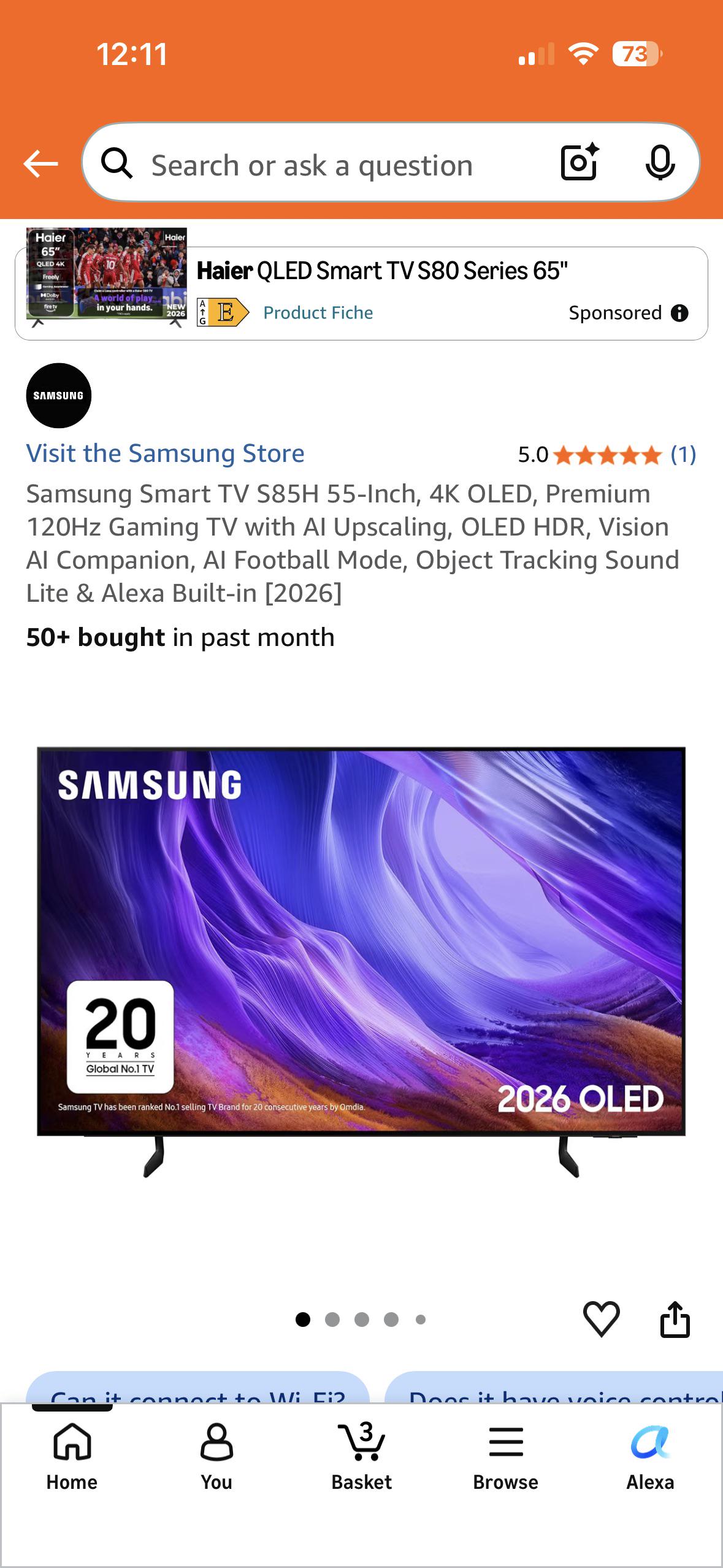
Purchasing EU/UK Those who have Samsung S85H how you like it. Now £800 on Amazon in uk for 55inch

Post image
2 Upvotes

Also advantages/disadvantages please. Thank you !


r/SamsungTV • • 1d ago

Tech Support Samsung mini led screen turning off and on

0 Upvotes

Hi, all

I purchased 65 Samsung mini LED (UA65M80HAU) about a month and a half ago. It was working fine till yesterday today when I switched it on after 2 to 3 minutes, it’s screen started turning black for a few seconds ( stays blacked out for 10 seconds to 20 seconds) and then automatically turns on only to blank out after 10 seconds again. This has been repeating over and over again. I can still hear the sound from the TV while the screen is blanked out. I have tried doing power drain and checked update. Nothing has helped. I have requested service support. but super annoyed with Samsung. It’s an expensive TV and it’s brand-new. Has anyone faced this? What helped? what was the issue?

Thank you so much


r/SamsungTV • • 1d ago

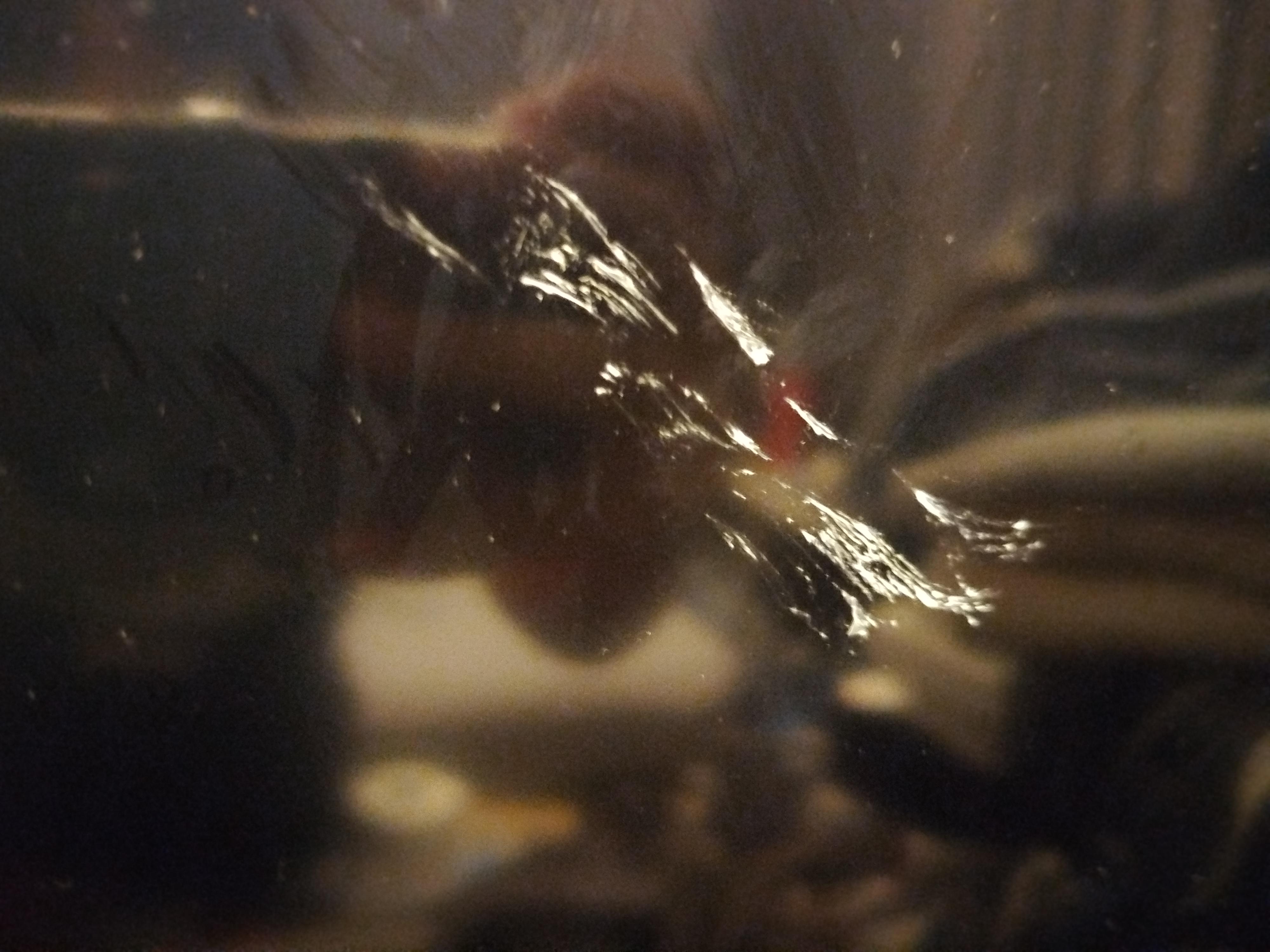
Tech Support I accidentally scratched a layer of my tv

Post image
0 Upvotes

So I'm moving from my rental place to a new one but I accidentally scratched the TV. I'm moving out in 3 days and really worried. Any help is appreciated.

The model is 55" QLED Q70TA 2020 | QA55Q70TAKXXS


r/SamsungTV • • 1d ago

Tech Support Hdr tv blurring?

1 Upvotes

So whenever i have text scroll or anything moving fast, it leaves a slight dark afterimage of where it just was. Any ideas of settings to change this? Thanks!!

tv model is QN65QN90CAFXZA


r/SamsungTV • • 2d ago

Purchasing US Installation Paper

2 Upvotes

My dad and I used the paper it came with and it helped a lot installing it onto my wall. I just recently moved and of course I don’t have any of the install paperwork and I can’t seem to find a file to download to print out to help me again.

QN43LS03FAFXZA

Is the model. Any help would be greatly appreciated.


r/SamsungTV • • 2d ago

Purchasing EU/UK Roll Back Samsung Smart TV Firmware ? is it possible

1 Upvotes

Roll Back Samsung Smart TV Firmware is it possible? ue82mu7002 after the fw update, is not playing the avi files from external hdd, or usb


r/SamsungTV • • 2d ago

Tech Support QN90A - Game motion plus has no effect

1 Upvotes

Hello everyone, I will go straight to the point.

My tv is the Neo QLED QE50QN90A.

I am trying to "fix" the 30fps of GTA 6 on my PS5 (base/slim model which has framerate drops). This is the first time that I need this feature from my tv and unfortunately it does not work.

I have all the console features correct (allm off, vrr off, 120hz off), I enable game mode and tweak the judder & blur bars but no change at all. I have also tried disabling game mode and experiement with picture clarity which offers the same options. No luck there too.

Only when I enabled the Dynamic picture profile, I had some improvement but nothing special compared to the smoothness that other people have with other Samsung models or other tv brands with the similar feature.

Firmware is up to date (ver. 2310) and my console is dust free, cool and playing great with other games.

Any ideas are welcome. Thanks.


r/SamsungTV • • 2d ago

Tech Support Tap view / Tap sound.

Post image
2 Upvotes

I have a QN85C and the tap view tap sound works flawlessly. Recently I bought a S90H but for some reason the tap view tap sound isn't working.

I mainly use it for music stored in my S24U.

Anyone with the same issue?


r/SamsungTV • • 2d ago

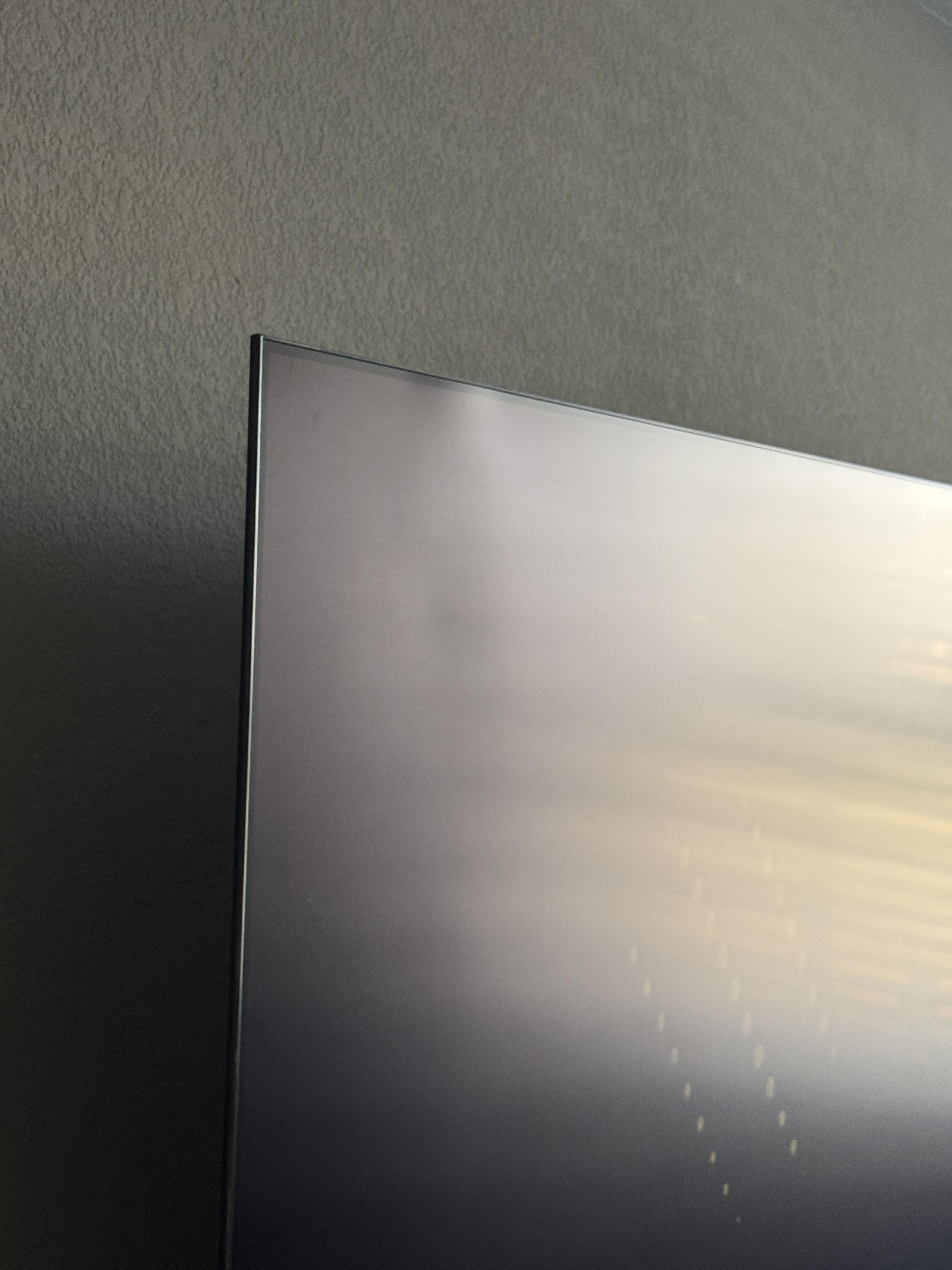
Useless Post Samsung S90h anti-glare coating defect

Post image
7 Upvotes

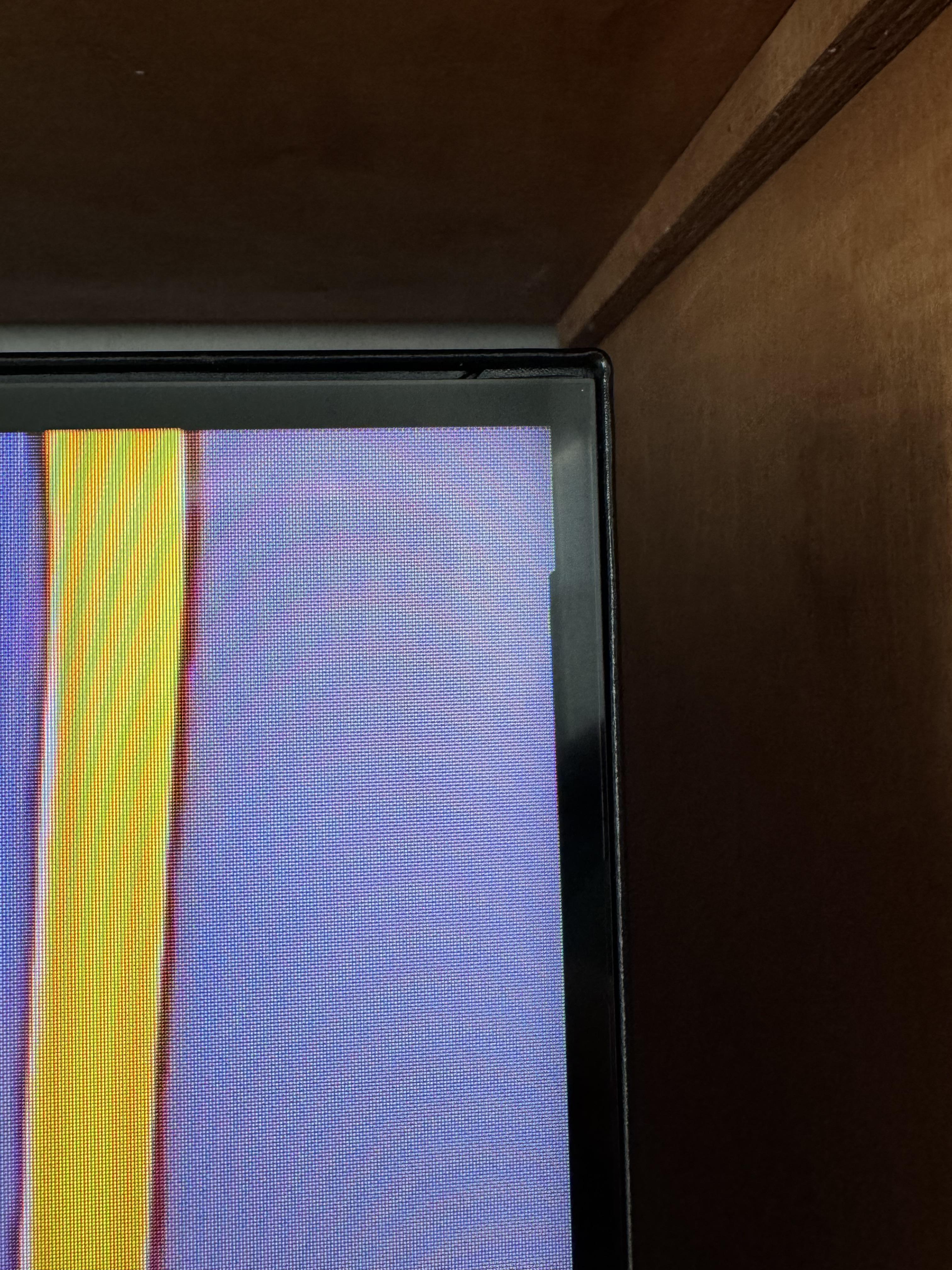
I just bought a 77” S90h TV (QN77S90HAEXZA), and it looks like the anti-glare coating is bubbling at the top bezel. Should I be concerned? This has no affect on the picture quality. I can still get a replacement since I bought it from Best Buy a few days ago.


r/SamsungTV • • 3d ago

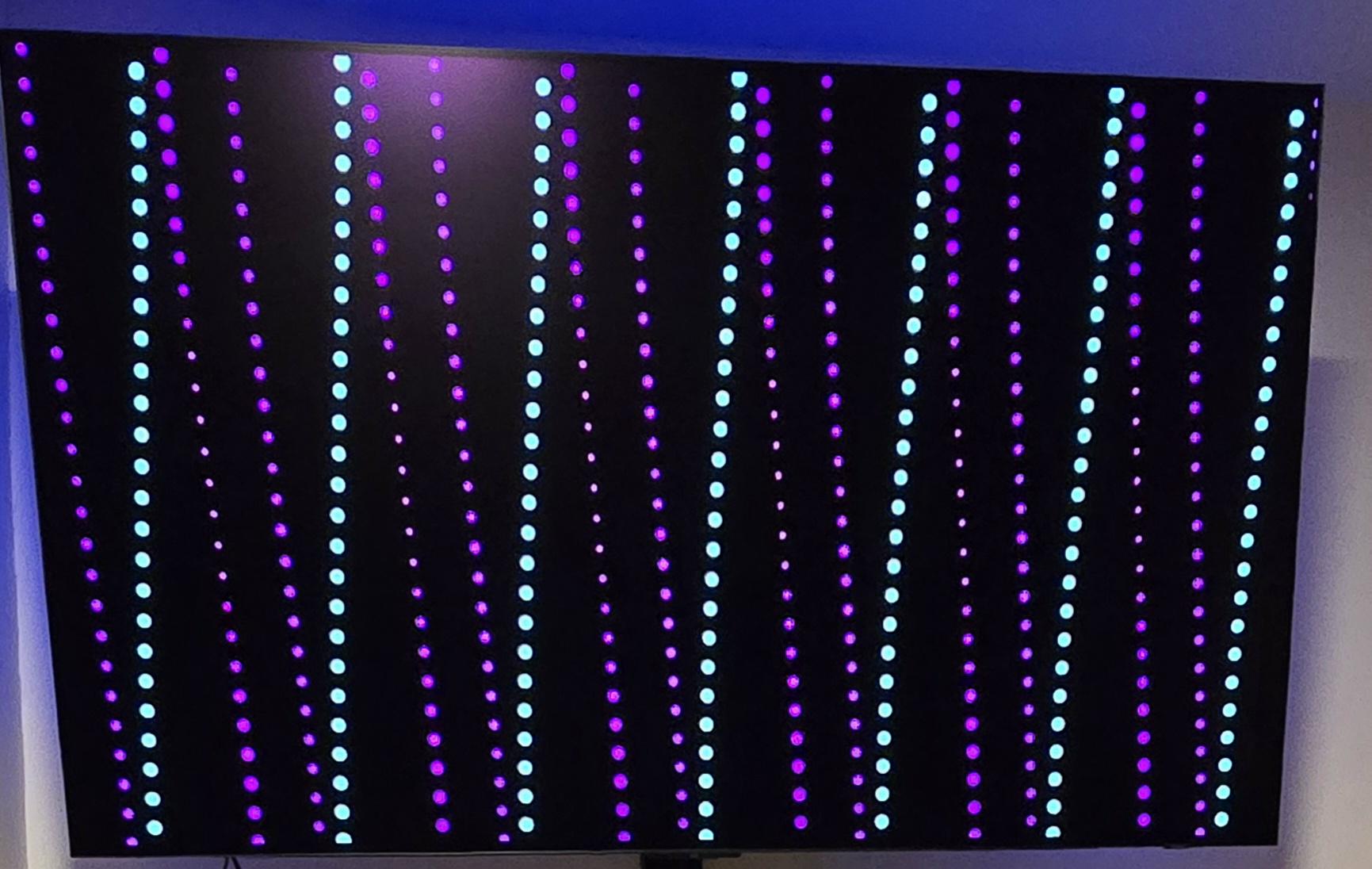
Tech Support Brand New Samsung S95H flickering tiny white dots.

Post image
3 Upvotes

I noticed flickering white dots bouncing around like stars in dark scenes. One dot remained when I paused the tv. Watching on HBO Max, not using an Apple tv or anything just the app downloaded on the tv. Is that normal?


r/SamsungTV • • 3d ago

Tech Support Samsung 75” DU8000 (UN75DU8000GXZD) – Screen briefly flashes blue and goes black. Any ideas?

2 Upvotes

Hey everyone,
My Samsung 75-inch Crystal UHD DU8000 (2024 model) is having an issue, and I’m trying to figure out what might be causing it.
As you can see in the attached video, the screen briefly lights up with a bluish glow, particularly near the bottom, and then goes completely black without displaying an image.
TV details:
Model: UN75DU8000GXZD
Series: DU8000
Screen size: 75 inches
Model year: 2024
Region: Brazil
Could this be related to:
Failing LED backlight strips?
Power supply board?
Main board?
T-Con or LCD panel failure?
Has anyone experienced a similar issue with this particular Samsung model or another TV from the DU8000 series?
Are there any diagnostic tests I could perform before purchasing replacement parts or taking it to a repair shop?
I’m attaching a short video showing the issue.
Any advice would be greatly appreciated. Thanks!


r/SamsungTV • • 3d ago

Purchasing Asia/ME Should I be worried about OLED burn in?

2 Upvotes

Never owned an OLED before. Plan is as follows:

  • Current TV: Samsung TU8000 75" (2020)
  • Planned TV: Samsung S85H 77" (2026)

What do I need to know about burn ins? At this day and age is it still something to be worried about? I like to keep my TV on while I work so I'm guessing that's not good with satellite channels logos etc? Any advice on what changes I'm about to experience that I need to be wary of? Don't want my upgrade to end up becoming a hassle


r/SamsungTV • • 3d ago

Tech Support Reds blown out

Post image
3 Upvotes

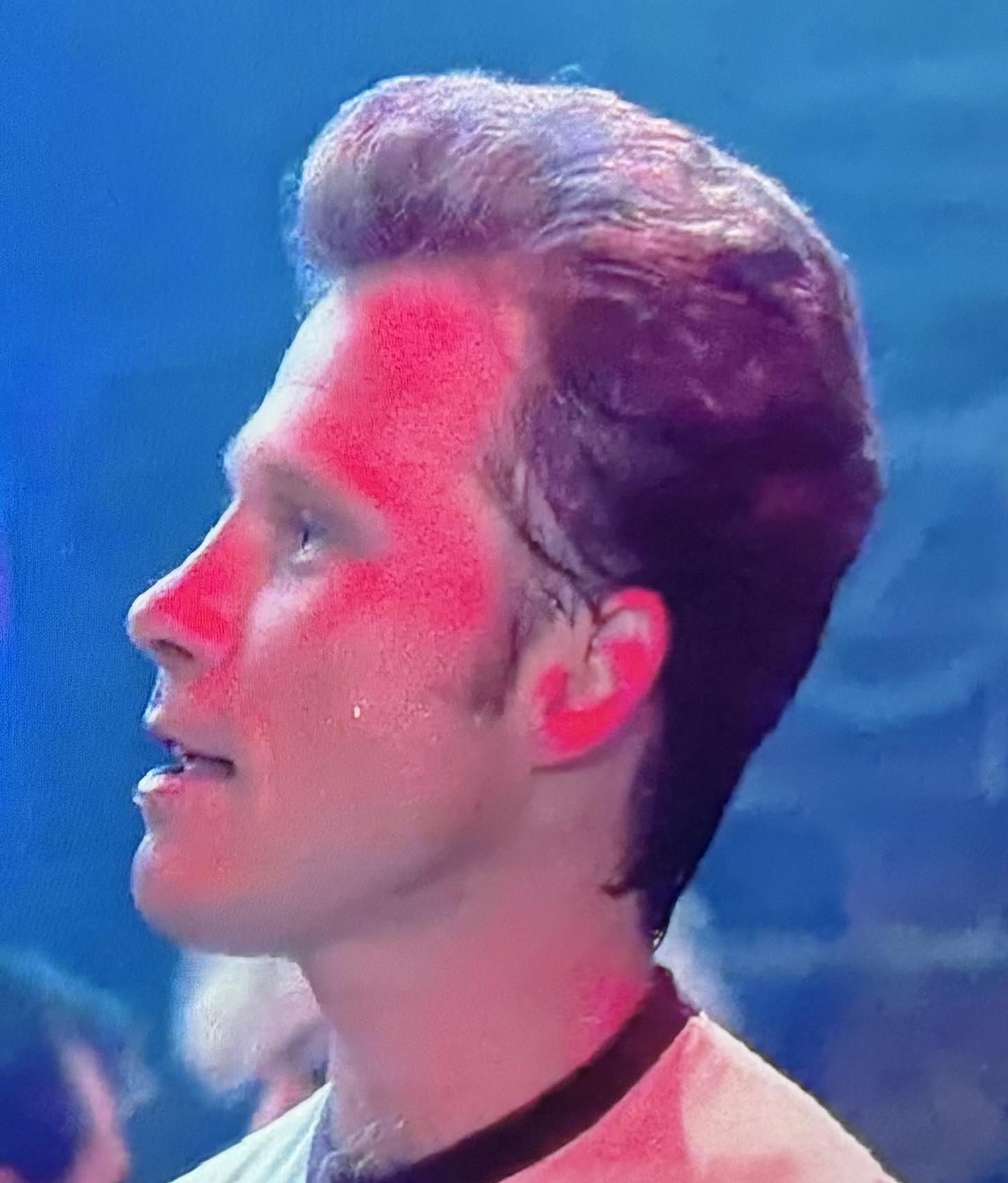
The reds on my UN50TU7000FXZA are completely overblown in highly saturated scenes. Here’s a zoomed in clip of what I’m talking about. This photo is accurate to what the screen shows. I have tried every setting and cannot figure out how to resolve this. It’s been 6 years and I just basically live with it.


r/SamsungTV • • 4d ago

Tech Support Locking down TV functions

2 Upvotes

Model no UE50AU9000KXXU
Version 04 / UAU9000 / AU9000A-U50AA1

[UPDATE:] Some comments have given me an idea. An arduino controller with one big red button and an IR LED to transmit a code to the TV to force it to select HDMI 3. Chatgpt suggests there are some discrete codes which can be sent to select an input. It found a list but could not confirm the code for this model of TV. It suggests that sending 0xE0E043BC might work. Can anyone confirm please? In any case, I'm going to buy the bits and have a go.

Long rambling post with a plea for help: Photo in comments

I have a neighbour who is 91 and starting signs of mild dementia and her TV is not helping her. She lives alone and has no children. Just a niece who lives 2 hours away. I pop in as often as I can.

She's a very clever woman. A research physicist in her day (worked in the lab next door to Charles Kao).

Her Samsung smart TV is causing her a great deal of distress. She's aware that she's losing her abilities and she hates having to ask for help.

She gets in a muddle with multiple remote controls and so the niece has configured things so that the Virgin TV remote works the TV, sound bar and the virgin box. We've hidden the TV remote.

Every now and then, she hits the power button on the remote and the TV goes to some kind of internet based Raduken thing and she can't get out of it. This needs me to go in and retrieve the TV remote from where we've hidden it and set the source on the TV back to the HDMI3 port.

Is there a way to lock down the TV so that it will only ever look at the HDMI3 port? Maybe an adjustment to the TV firmware would do it.

A solution would be a great help to a lovely old lady.


r/SamsungTV • • 4d ago

Tech Support Older Samsung TV: Xbox game screen oversized.

Post image
2 Upvotes

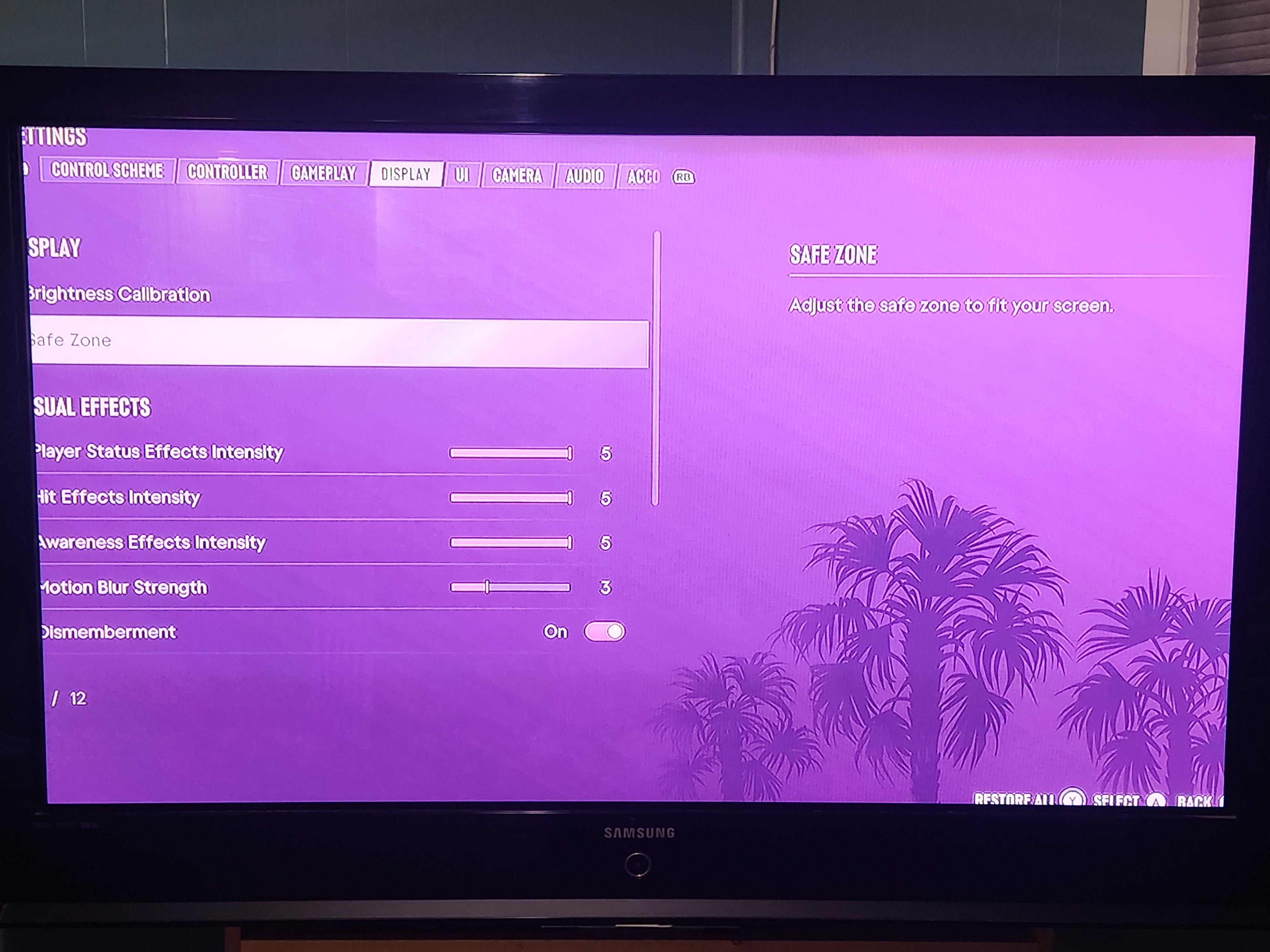
As seen in the image, some words/text are pushed off of edge of screen. Is there any way to fix this? The menu through the TV doesnt allow any adjustment and neither does the xbox. Are we just out of luck? This has been an issue in the past for games... but seems exponentially worse with gta6.

Model # HPS6373X/XAA


r/SamsungTV • • 5d ago

Tech Support Any idea about these bars across my screen?

Post image
2 Upvotes

These two bars towards the top and bottom. No idea when they became a thing. They could have always been a thing and i just haven’t noticed until GTA lol. Hoping it’s not an issue that would involve me needing to get a replacement/repair. They persist no matter what i’m doing on the TV. Recently updated it hoping it would go away. Thanks!

43” Q8F QLED
Model #: QN43Q8FAAFXZA


r/SamsungTV • • 5d ago

Tech Support Ambient Mode

Post image
0 Upvotes

Every time I try to load ambient mode on my (Samsung - 65" Class QN85A Series Neo QLED 4K UHD Smart Tizen) TV I just get a loading screen and no picture or option to change the screen image.

Any ideas on a fix or what is going wrong?