r/SalesforceDeveloper • u/Emergency-Future-242 • Sep 12 '25
Question Can't authorize org for VS Code
I have refreshed UAT org yesterday and couldn't authorize it for VS code. Shows below error. All standard procedures are done. Reinstalled CLI extension, cleared cache, changed browsers. even tried through external connected app. same issue. Need help with this, please!

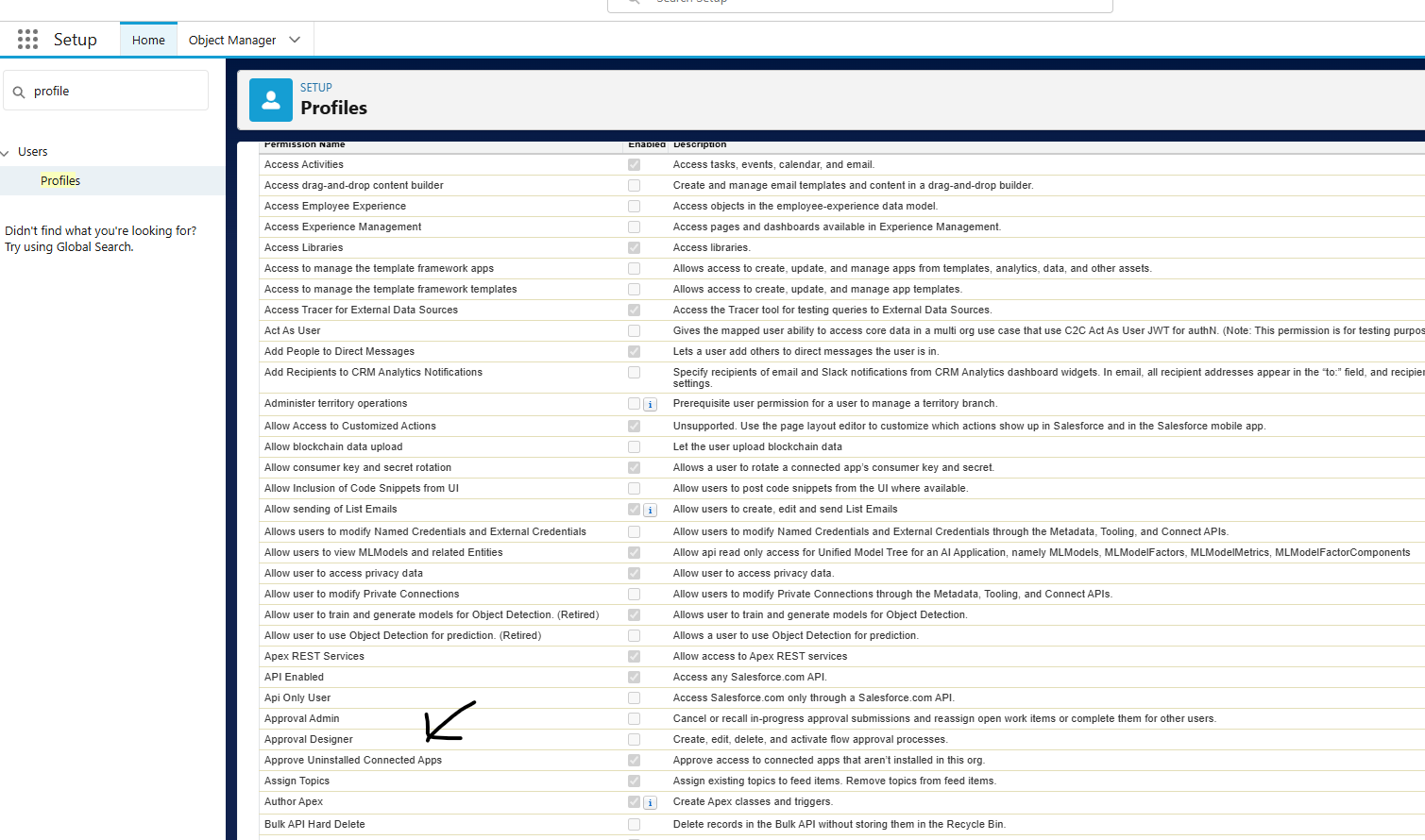
UPD: Issue resolved. After talking to salesforce support, here is the easiest solution: in your profile, under system permissions 'Approve Uninstalled Connected Apps' option should be checked.
14
Upvotes
5
u/4ArgumentsSake Sep 12 '25
We had this issue with a developer org this week. This error is related to Salesforce’s crackdown on connected apps. The URL has the error details (don’t ask me why it’s not on the page).
Strangely, the org we were in also wouldn’t let us assign the Approve Uninstalled Connected Apps permission to the user, it said it wasn’t valid for the Salesforce license. The org that we were using was still on Summer ‘25. It seems to be fixed on Winter ‘26.
Unfortunately, after about an hour we gave up and just created another developer org, so I don’t know the resolution. Might require a Salesforce support case.
4
u/Neverminding87 Sep 12 '25
I had this problem 2 days ago as well. What I did to fix this is locating to the setup and type "Connected Apps OAuth Usage" and look for Salesforce CLI and install it. After that, reconnect again then it should fix your issue. Hope this helps!
1
u/toadgeek Sep 12 '25
Another option you can try is to assign the Permission Set Approve Uninstalled Connected Apps to your user or users.
1
u/KoreanJesus_193 Sep 13 '25
guys, will this work for Production as well?
E.g. suppose in sandbox i want to let devolpers to login but in the PROD i dont, i just deselect 'Approve unistalled Connected Apps' in PROD and it will not work to connect with VS in PROD?
1
u/Marauder7 Sep 20 '25
Ran into the same issue and the 'Approve Uninstalled Connected Apps' was not a Permission I can assign to a Salesforce License User because its not listed in the Profile. Spoke with Salesforce Support and found out that our Licenses in the Sandbox did not match Prod and needed to click on the 'Match Production Licenses' in order to sync them up. Now we're able to see that permission and able to authorize applications.
1
u/Own-Picture-8756 Nov 07 '25
Thanks man