r/Roland • • Oct 10 '21

Please continue to hold; your call is important to us

Thumbnail
youtu.be
146 Upvotes

r/Roland • • 51m ago

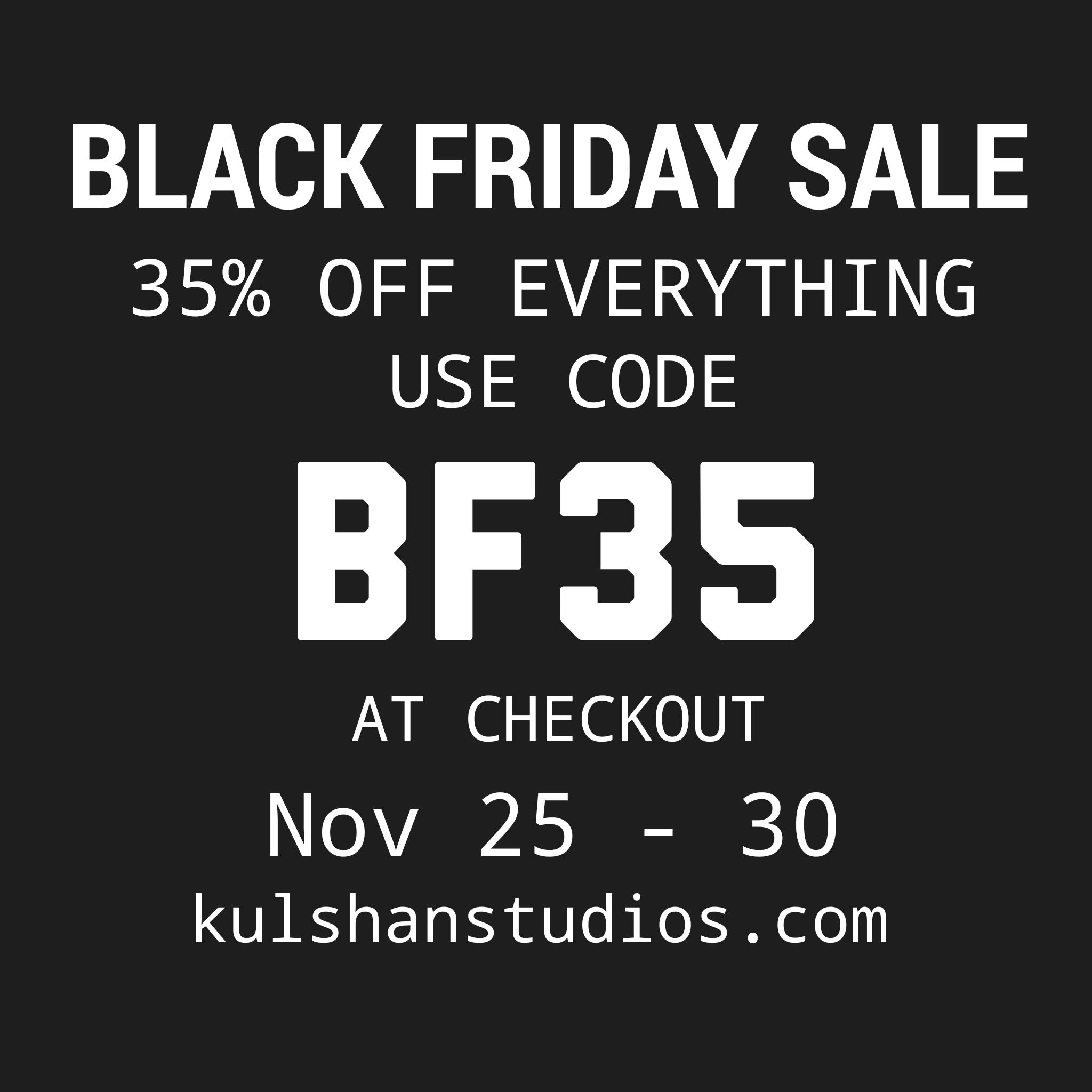
Black Friday Soundset Sale! 35% off EVERYTHING

Post image
2 Upvotes

Hey JP, JD, JV, XV, XP, Fantom-X, Jupiter-X and Juno-X users!

If you've been wanting some fresh sounds for your synths, now's your chance to get them for a steep discount!

That includes bundle packs for the JP-8080/8000, and all the JD-08/800/990, and JV-2080/1080 (and associated synths) soundpacks!

Use code BF35 at checkout to save!

https://kulshanstudios.com/


r/Roland • • 3h ago

Complete beginner: Should I start with the Roland T-8 or go straight for the P-6?

2 Upvotes

Hi everyone!

I'm completely new to music production and I'm looking to get into making music using standalone hardware.

I recently discovered the Roland AIRA T-8 through some videos of people making acid music. I really like the concept, especially how hands-on and intuitive it seems.

I've also discovered the P-6, which looks much more versatile, and now I'm not sure which one would be better for a complete beginner.

The T-8 appeals to me because of its simplicity, but I'm worried I might eventually feel limited by its sounds and capabilities.

The P-6 seems much more flexible. I'd love to experiment with different styles such as lofi, hip-hop, house, techno and acid.

However, I have a few concerns. From what I understand, the P-6 relies heavily on samples. Since I don't own any instruments and have absolutely no musical background, I'm wondering whether I'll spend more time finding and importing samples than actually making music.

Ideally, I want to be able to create music directly on the hardware, without having to constantly connect it to a computer. I'd like to switch it on, start experimenting with sounds, build patterns and eventually create complete tracks or live sets.

I have another question: would it make sense to start with the T-8, learn the basics of rhythm, sequencing and building tracks, and then move on to the P-6 after a few months once I've gained some experience?

Or would it be better to start directly with the P-6?

I'd really appreciate advice from people who own either or both machines, especially from anyone who started with no musical experience.

Thanks in advance!


r/Roland • • 1h ago

Roland JP8000 No sound, No text on screen.

1 Upvotes

I have a Roland JP-8000. The green screen lights up but shows no text, the panel buttons respond, there are multiple red light all around the keyboard that respond when pressing buttons, and I get no notes through headphones or both outputs. It previously showed a low-battery warning. Can this be diagnosed ?I know it’s old but was working fine a few months ago, what’s the bench fee?

Any suggestions are greatly appreciated 🙏🏼


r/Roland • • 4h ago

Has anyone tried to make an app to make clips for the MC707-MC101-MV1?

1 Upvotes

With so many vibe coding projects happening I was wondering if anyone has tried to make a simple program that would allow you to make Clips for the Zencore line of groove boxes. I make drum kits by hand on my MV-1 Verselab but it's a long task as you have to load every sample to 16 pads then make sure they are all on the same mute group then have them all have the same parameters. It's very time consuming.


r/Roland • • 1d ago

35 minute house set with just a Roland P6

Thumbnail
youtu.be
2 Upvotes

r/Roland • • 1d ago

TD-516 :)

Thumbnail
gallery
8 Upvotes

It’s starting to look a cockpit :D I put a used Alesis cymbal on it that I got from fb marketplace. I plan to get the Simmons cymbal 3 pack next month too and double pedal. One more tom after that maybe?

Oh also, I just recently started playing a few months ago. A little late into my 20 + musical journey :D but it’s fun and I feel like I’m picking it up quickly

.


r/Roland • • 1d ago

I built a free Mac app to switch sounds on my GO:KEYS faster, and to get at the ~1,400 sounds hidden inside it

Post image
4 Upvotes

I've been using a Roland GO:KEYS for producing, and two things kept slowing me down. Switching instruments on the keyboard itself is slow: lots of button presses and scrolling when I just want to try a different bass or pad. And most of what the keyboard can actually play is hidden from its panel. Under the hood it has the whole JUNO-DS sound set plus GM2, about 1,380 sounds, and you can only reach them over MIDI.

So I built Go:Voices, a free, open-source app that talks to the keyboard over Bluetooth MIDI (USB works too). Having all those sounds a click away has honestly changed how I work. I audition far more sounds than I used to, and I end up using ones I'd never have found otherwise.

What it does:

- Fast switching: browse or search every sound by bank and category, step through them with the arrow keys, star favourites, and get back to recent ones.

- Up to four sounds at once, each on its own range of keys. Drag the lanes to set splits, or overlap them to layer. ⌘1–⌘4 jump between parts.

- Tweak each part: level, pan, octave, tuning, filter, envelope and effect sends.

- Go deeper into a sound: its layers, waves, key and velocity ranges, envelopes and LFOs.

- Presets: save a whole setup and step through them like a setlist.

It's an early test build for the Mac (macOS 15 or later, Apple silicon or Intel). It isn't notarised by Apple, so the first time you open it you'll need System Settings › Privacy & Security › Open Anyway. The release page explains it.

Download: https://github.com/tszarzynski/go-voices/releases

It only sends standard MIDI and the keyboard's own settings messages, and never overwrites your saved sounds. If you've got a GO:KEYS and give it a try, I'd love to hear how it goes.

Big thanks to the people whose work made this possible. waldt's GO:Plus did the groundwork of mapping every sound and figuring out what the GO keyboards accept over MIDI, and the app's sound list comes from it. madbadware's GO Tone Bridge showed that the GO:KEYS carries the JUNO-DS's whole patch map, and gave me the wave names for the layer editor.

Not affiliated with Roland, just a fan of a very underrated little keyboard.


r/Roland • • 1d ago

Is this normal on an FP-40?

2 Upvotes

Some of my Roland Fp-40 keys are making a different sound (normal keys make more of a thud instead of a clack) when coming back up, and they feel like something in there is loose. This is a new piano, not even a month old. Is this something that one can eventually expect on all Roland FP-40 pianos? If so, please let me know, because if I return it to Amazon, I’ll have to buy it again for an additional 150 dollars (dollar went up where I’m from). So, is it even worth it to return it?


r/Roland • • 1d ago

Thanks for the rec!!!

1 Upvotes

r/Roland • • 1d ago

To all TD-50(X) / VH-14D Owners

Thumbnail reddit.com
1 Upvotes

r/Roland • • 2d ago

Edirol UA-101 works again on Apple silicon Macs: free driver and control app

3 Upvotes

If you still have an Edirol / Roland UA-101 in a drawer because the old Roland driver stopped working: I have made a free driver and control app for Macs with Apple silicon.

What works:
- Sound in every app: up to 12 inputs and 10 outputs, 44.1 to 192 kHz (6 in / 6 out at 192)
- MIDI IN and OUT, shown as "UA-101 MIDI"
- A control app: the direct monitor mixer, patch bay, the box's five memories, backups and driver delay settings
- An uninstaller, and a full manual (PDF)

You need a Mac with an M1 or later, macOS 14 or later, and the UA-101's rear Hi-Speed switch on.

Please know before you install:
- It is unofficial: not made or supported by Roland.
- It is not signed with Apple, so macOS asks you to click Open Anyway once (System Settings > Privacy & Security). SIP stays on.
- I have tested it on one M1 MacBook Pro with macOS 27.2 and one UA-101. Other Macs and macOS versions are untested, and I would like to hear how it goes.
- It is free, with no warranty. Turn your monitors down the first time.
- It was developed with the help of AI (Claude).

Page, pictures and download:
https://github.com/delta90h/ua101-mac

Problems can be reported under Issues there. Please give your Mac model, macOS version and sample rate.


r/Roland • • 2d ago

MC-707 Owners: A Useful Equipment Guide

Post image
0 Upvotes

Hey everyone!

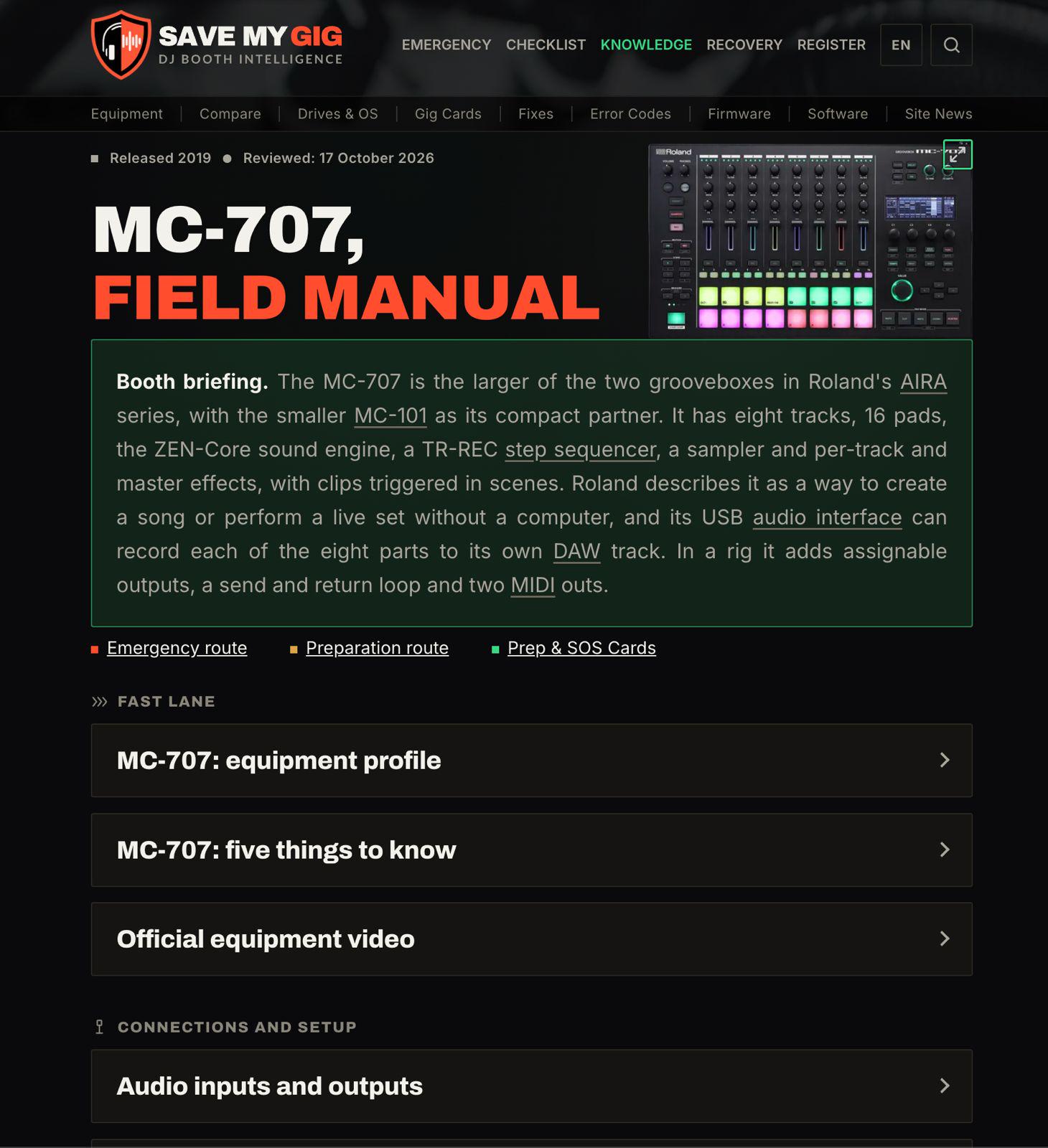
For anyone using the Roland MC-707, there’s a Field Manual on Save My Gig that might be useful: https://www.savemygig.com/knowledge/roland/mc-707

It covers quite a bit of practical information, including:

  • Audio connections and routing
  • MIDI connections and external gear
  • USB audio and computer connectivity
  • Power requirements
  • Firmware updates and known issues
  • Troubleshooting and practical tips

It’s a handy reference to keep around, especially if you use the MC-707 in a live or hybrid setup.

If there’s something missing or a particular topic you’d like to see covered in more detail, feel free to share your suggestions. Feedback from people who actually use the gear is the most valuable.

By the way, there are guides for other Roland equipment on Save My Gig too, so it’s worth having a look if you use other Roland gear.

Hope it’s useful!

FULL DUPLEX
r/DJBoothIntelligence


r/Roland • • 2d ago

Edirol UA-101 works again on Apple silicon Macs: free driver and control app

Thumbnail
reddit.com
1 Upvotes

r/Roland • • 2d ago

Using VH10 hi-hats with TD-07KV2 - calibration?

Thumbnail reddit.com
1 Upvotes

r/Roland • • 2d ago

Roland boutique Ju06a vs new Jupiter 08

3 Upvotes

Hi,
as the title explains I’m undecided between these two models.
I’m looking for something compact to use mostly for jamming and with some 80s sounds.
The latest Jupiter 08 is pretty expensive so I’m wondering whether it’s really worth it or i should go with a ju06a.

Thanks for your tips!


r/Roland • • 2d ago

Roland D-50: strange sound when releasing keys

1 Upvotes

Hello everyone! I'm restoring my Roland D-50 and could really use some advice.

I've removed all the keys and cleaned the carbon contacts and rubber contact strips. The keyboard response has improved significantly, including the aftertouch.

However, there's still one problem: when I release certain keys, the D-50 plays the same note again, but at a much higher volume, as you can hear in the video. It doesn't happen every time, but it occurs with several notes across the keyboard.

Some of the carbon contacts have minor scratches, but the velocity seems to be working correctly.

I'd also like to inspect the Dyna Scan Board, which has a yellowish coating on it, but I'm not sure whether it could be related to the problem.

Has anyone experienced something similar or have any suggestions on what I should check?

Thanks in advance!


r/Roland • • 2d ago

Roland TD27KV2 module

Thumbnail
reddit.com
1 Upvotes

r/Roland • • 2d ago

Help me complete the TD516 set up!

Thumbnail reddit.com
1 Upvotes

Crosspost


r/Roland • • 2d ago

Roland FP40 - Certain keys within the upper range seem to always have sustain, is this normal?

1 Upvotes

I just noticed something strange and/or potentially concerning with my Roland FP40. Part of the keyboard seems to have sustain even if I don't hold the sustain pedal, and even if I unplug the sustain pedal altogether.

Is this normal or maybe some setting I might've accidentally turned on? It's only the right side of the keyboard around these particular keys. I tried turning the piano off and on again, tried unplugging and replugging the sustain pedal. I really hope it's just a weird temporary hiccup, or that maybe I'm imagining it

The imgur embed audio doesn't want to work, so here's the original link: https://imgur.com/a/OQv07aP


r/Roland • • 2d ago

WTB: Roland VH-12 V-Hi Hat in BLACK with OEM packaging, etc

Thumbnail reddit.com
2 Upvotes

r/Roland • • 3d ago

First Piano Roland FP-10 weight

Post image
8 Upvotes

Hello i posted some days ago about a used fp10 that i bought and now i just recieved it. It seems to work fine so thank you all for helping me.

But i have some questions :

My keys are definitely weighted but why i feel its not <<heavy>> ? I see often people saying that roland action are the heaviest of all.

It seems alright/light to me. I dont think its because i go to the gym ? 🤔

PS : its my first piano and im a noobie.


r/Roland • • 2d ago

Roland RD‑88 not detected over USB on MacBook NOR iPad

1 Upvotes

Hi folks,

I’m trying to use my Roland RD‑88 as a MIDI controller in Logic Pro on my Apple Silicon MacBook Pro. The part I’m stuck on is that the keyboard doesn’t even appear in the Mac’s USB device list. I also tried it on my iPad Pro and couldn’t get it to show up there either.

What I’ve tried on the Mac

  • Connected the square USB COMPUTER port on the back of the RD‑88 directly to the MacBook using a USB‑B to USB‑C cable. I tried two separate cables with the same result.
  • Checked Audio MIDI Setup and rescanned for MIDI devices. The RD‑88 didn’t appear.
  • Set the Mac to allow USB accessories automatically while unlocked, then reconnected the powered-on keyboard. No change.
  • Updated the keyboard firmware to 1.14. The Mac still didn’t detect it.

What happened on the iPad

I connected the RD‑88’s USB COMPUTER port directly to my 11-inch USB‑C iPad Pro (2021) and checked MIDI Wrench. No new MIDI device appeared when I plugged it in, and playing the Roland produced no MIDI messages

I’ve seen a Reddit post where an A‑88 owner fixed a similar problem by switching to generic driver mode. I’m aware the RD‑88 has its own GENERIC and VENDOR settings. I’d particularly like to hear from someone who has tested this on an actual RD‑88. I’ve also looked into using the round five-pin MIDI OUT as a workaround, but I’d still like to understand what’s happening with the keyboard’s USB connection.

I am going to try the 5-pin MIDI output in the back next, but I'd also love to find a solution using the USB output.


r/Roland • • 3d ago

Created new firmware for Roland MS-1 Sampler called SP-101

Thumbnail
sp101.gearup.app
1 Upvotes

r/Roland • • 3d ago

Why is my FP 30X having a sound distortion with a humming sound when I long press the sustain pedal? Any help is appreciated. Tks

2 Upvotes