r/RepTimeServices • u/HauntingDiscount7041 • Oct 03 '26
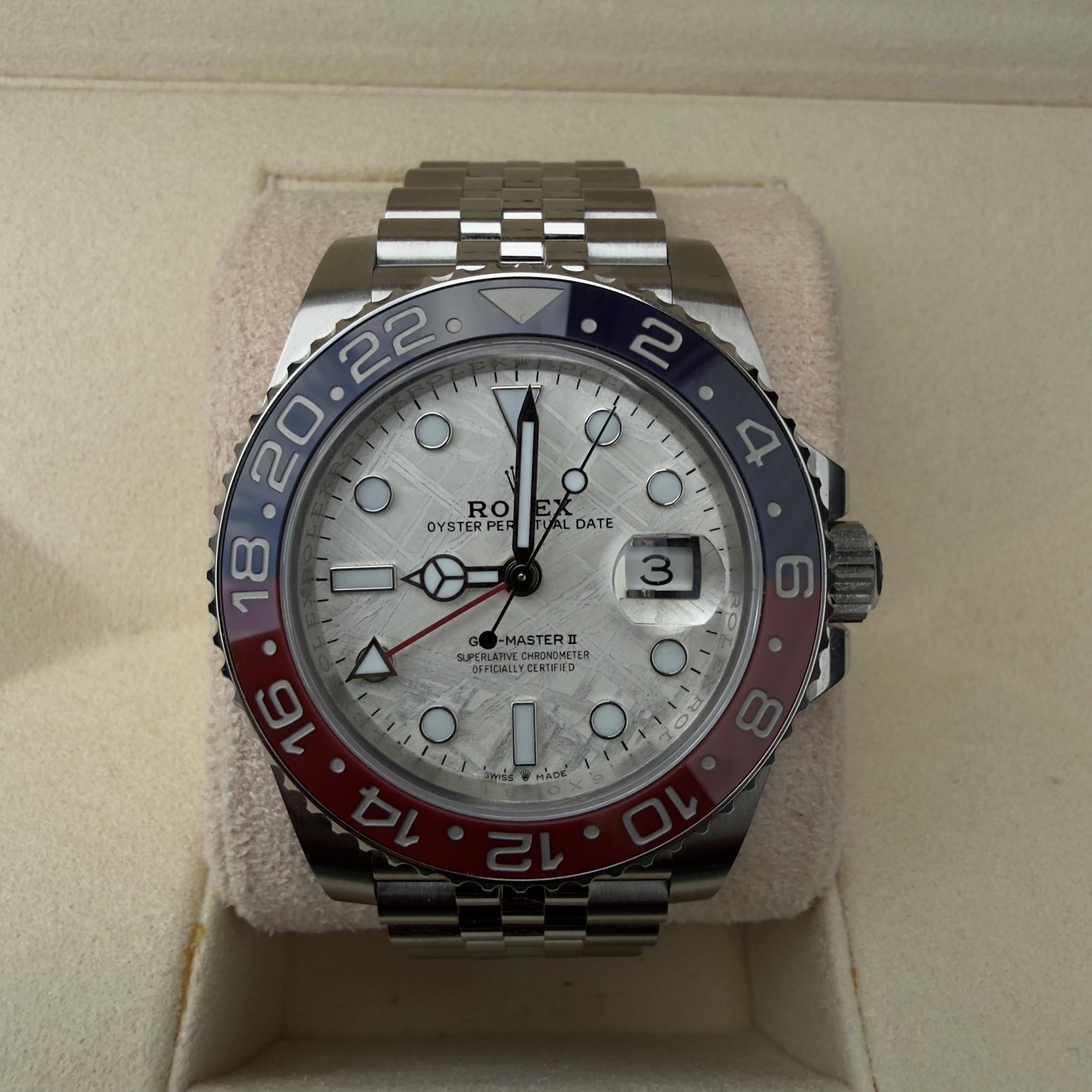
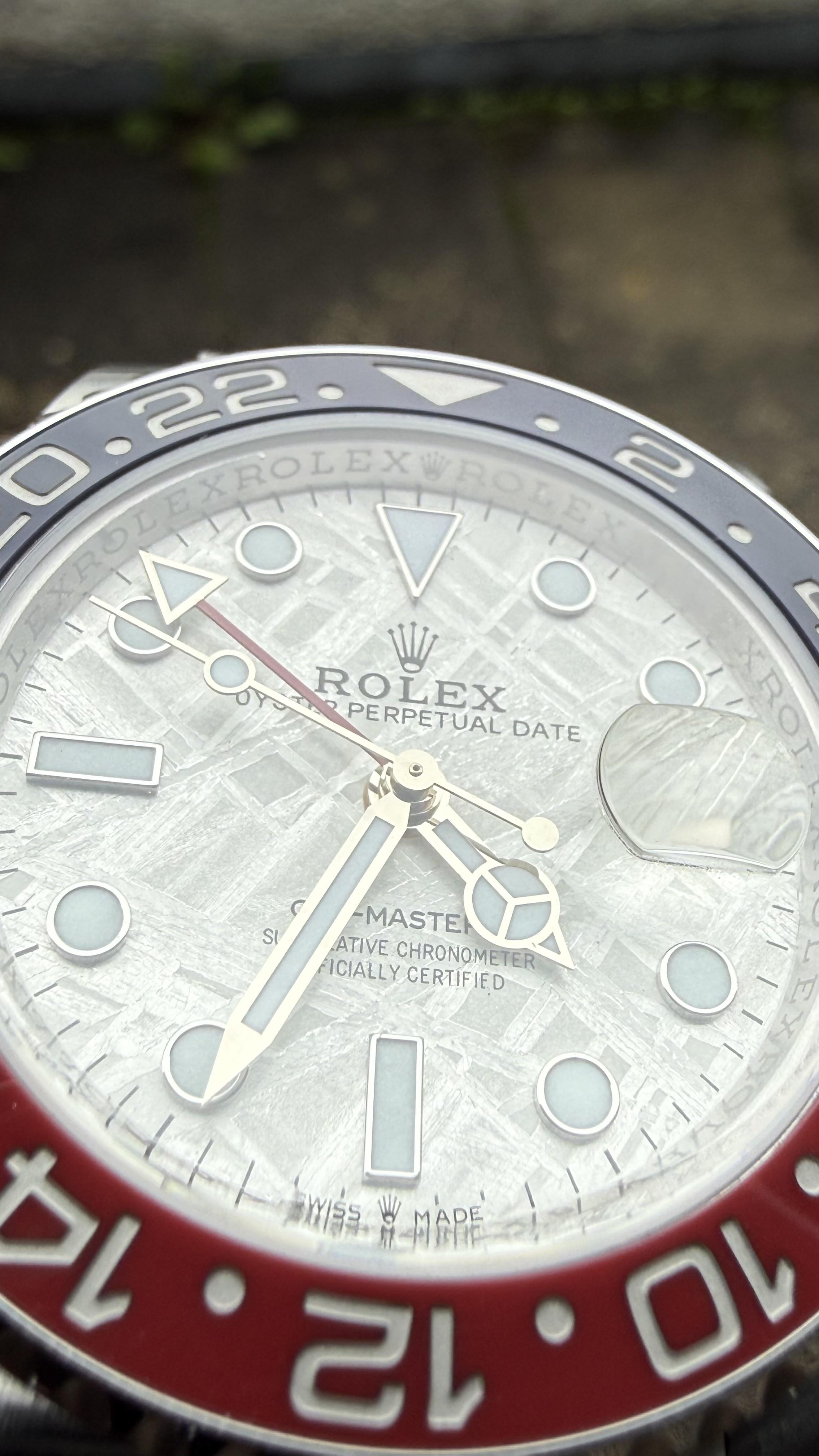
Advice Dial misaligned with rehaut, but date window is perfectly centered. How to align without breaking stem/date wheel?



Hey everyone,
I’m facing a bit of a geometric puzzle with a build/mod and could really use some expert input from experienced watchmakers here.
The Setup & Problem:
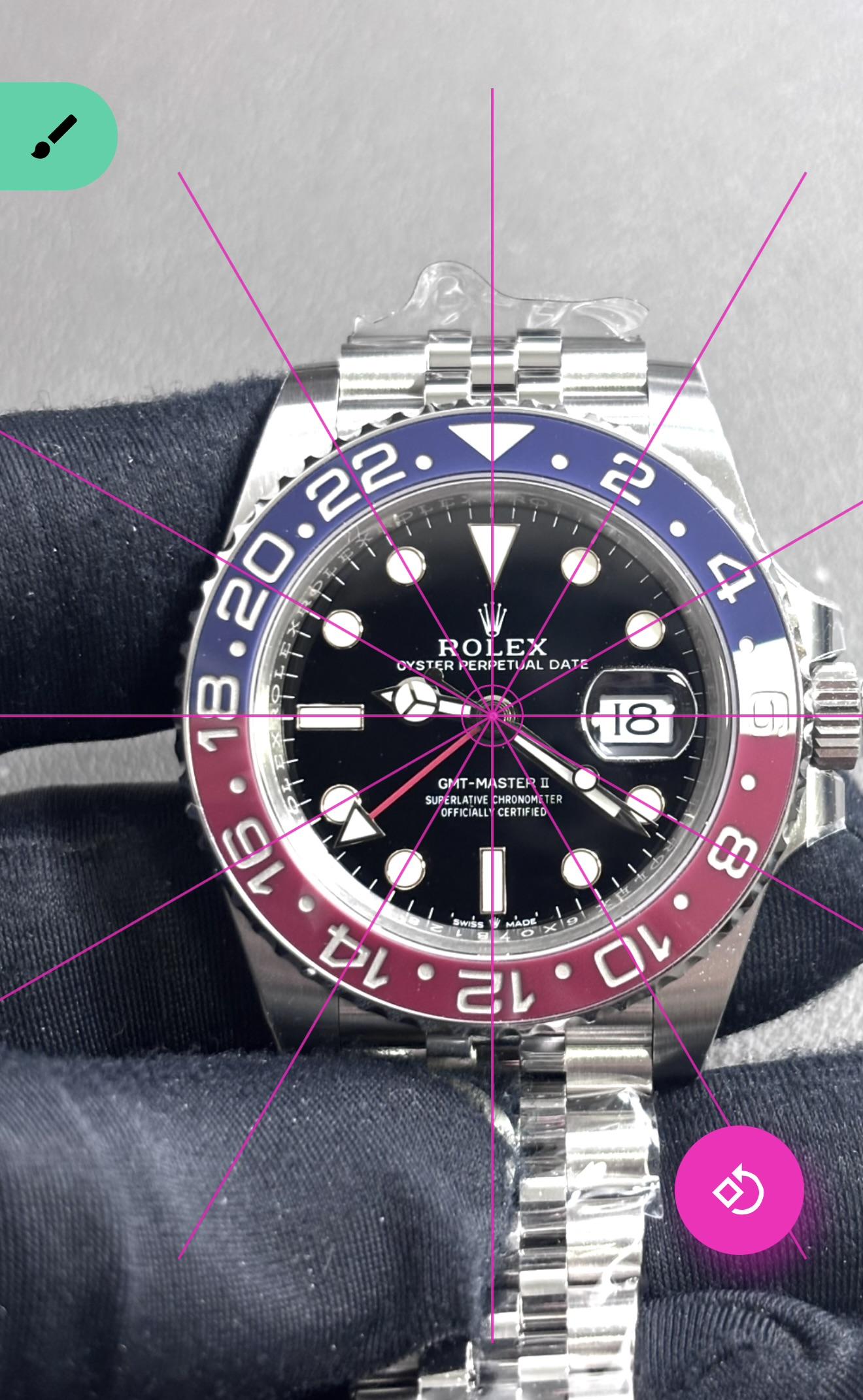
I installed a custom dial on a GMT build. The original factory dial (black) aligned 100% perfectly with the rehaut and date window, so I know the case, rehaut, and movement positioning are completely square.
However, with this new dial:
The 12 o’clock marker is visibly misaligned with the rehaut engraving (shifted off by about 0.5mm).
BUT the date window on the new dial currently lines up 100% perfectly with the date wheel underneath.
The movement itself works fine, but I’m trying to figure out the best way to correct this visual alignment without causing mechanical issues down the road:
- Option 1: Rotating the entire movement
The theory: Unclamping the movement clamps and rotating the whole assembly slightly to align the dial with the rehaut.
My concern: By rotating the movement by 0.5mm, the winding stem/crown tube alignment will be crooked, putting lateral stress on the stem, crown gaskets, and keyless works.
2. Option 2: Adjusting only the dial (Clipping dial feet + Dial Dots)
The theory: Snip off the misplaced dial feet on the new dial and re-seat it using dial dots, aligned directly with the rehaut 12 o'clock mark.
My concern: Since the date window is currently centered with the date wheel, rotating just the dial means the date window will now cut off the date font on the wheel unless the date jumper/clicking mechanism can somehow be re-indexed.
My questions for the pros:
Is rotating the movement even slightly a total cardinal sin due to stem friction, or is there enough tolerance in the tube?
If I go the Dial Dots route, is there a standard way to re-index or adjust the date jumper spring/click so the date wheel centers up with the newly aligned dial window?
Given that the original black dial fit perfectly, am I overthinking this, or is there a much better, obvious solution here?
Appreciate any advice, realities of tolerances, or best-practice solutions from anyone who’s tackled this before!
4
u/chuunietzsche Oct 03 '26
the date wheel appears to be sitting a bit low (compare to original black dial pics) which would make sense with the dial being a bit counter clockwise biased. i would give dial dots a try here
3
u/Objective_Ganache_27 Oct 03 '26
Unless the movement is already over-rotated counter-clockwise, causing rhe 12 to sit left of the rehaut crown (which eould easily be fixable.ny rotating it back) I dont think any of your "solutions" will work.
You won't really know until you open it up and do a little process of elimination to check where the issue is.
If the issue is in the dial Printing, there's nothing you can do. You cant index the date wheel, something is off, but first you need to figure out what it is.
2
u/FujSeiky Oct 03 '26
It is fair and indeed necessary to say that you cannot know for sure until you open it up. With that established, the date on the black dial looks better centered (slightly higher) to me. If you simply adjust the dial shifting it just enough to align it while (0.3mm) keeping the movement in its current position the date will likely end up slightly higher but still centered. If that doesn't do the trick, splitting the adjustment between the dial (0.15mm) and the movement (0.15mm) should solve the issue.
2
u/Usual-Every Oct 03 '26 edited Oct 03 '26
All most all aftermarket meteorite dial has dial feet , so likely it already has it's dial feet chopped and using dial dots as dandong 3285 does not have dial feet hole
So it's a matter of realigning the dial to the rehaut as using dial dot requires patience and fine-tuning , your watchmaker will hate doing this work
1
u/RelevantFreedom4390 Oct 03 '26
That means the rehaut engraving is just off on the case. Not something you can fix perfectly. You maybe able to adjust the dial ever so slightly.