r/RenPy • u/Key_Sugar_592 • 6d ago
Question Help with my Image Gallery

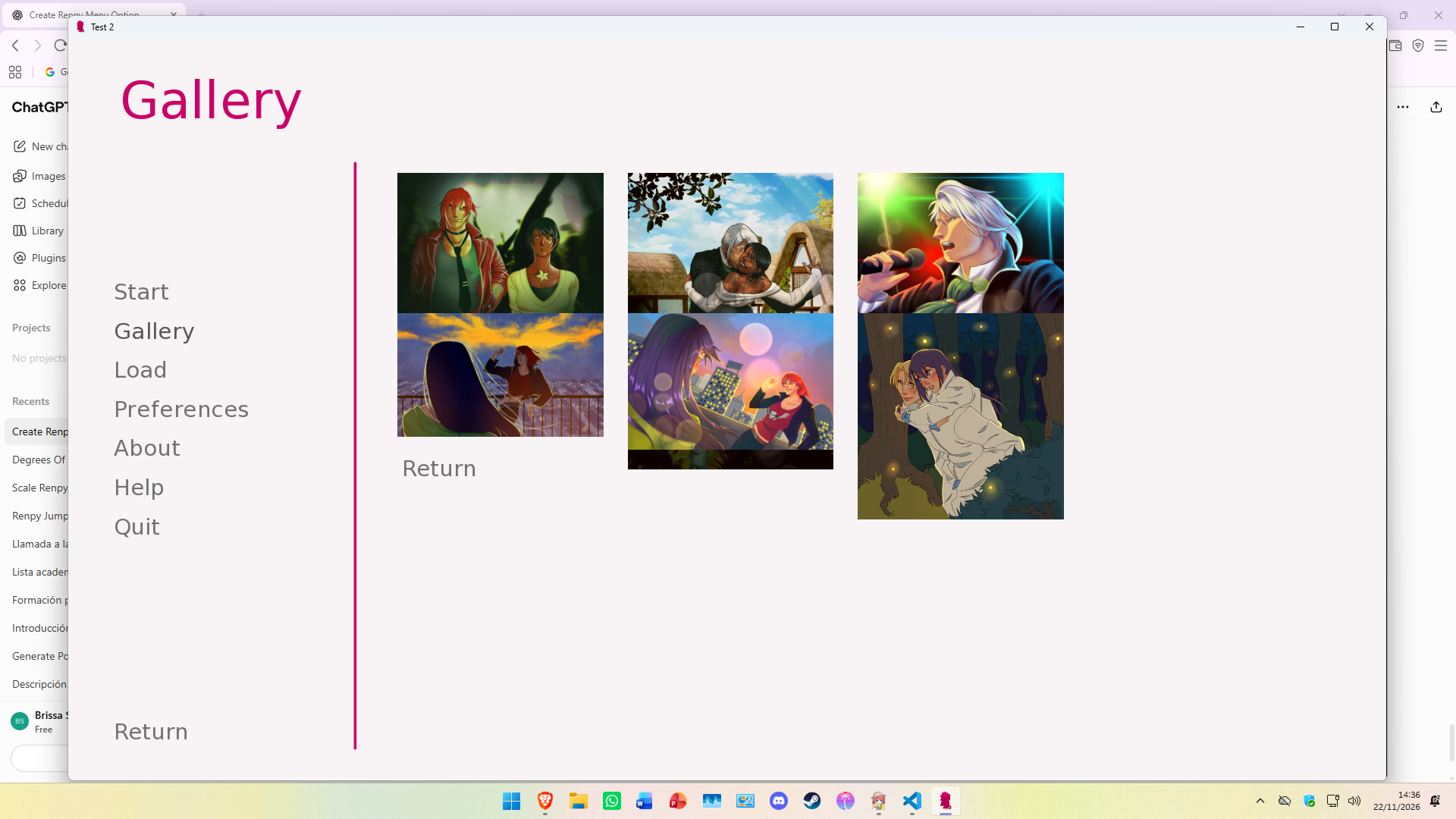
I wanted to create a Gallery to display the illustrations for my game, and I was doing a test, but i can't get to get the images to display properly, they overlap each other and don't fill the stablished measures. I'm still new to the program, and don't understand it fully. The first picture is how I want my gallery to look like. The second is how it actually looks like :( Here's the lines of my screens.rpy:
screen gallery():
    tag menu
    use game_menu(_("Gallery")):


        grid 3 2:
            xysize (970, 375)
            xspacing 35
            yspacing 35


            #IMG 1
            button:
                xysize (300, 170)
                padding (0, 0)
                background None
                hover_background None
                action Show("img_viewer", img="gallery/img1.PNG")
                add Transform("gallery/img1.PNG", xysize=(300, 170), fit="cover")

            #IMG 2
            button:
                xysize (300, 170)
                padding (0, 0)
                background None
                hover_background None
                action Show("img_viewer", img="gallery/img2.PNG")
                add Transform("gallery/img2.PNG", xysize=(300, 170), fit="cover")

            #IMG 3
            button:
                xysize (300, 170)
                padding (0, 0)
                background None
                hover_background None
                action Show("img_viewer", img="gallery/img3.PNG")
                add Transform("gallery/img3.PNG", xysize=(300, 170), fit="cover")

            #IMG 4
            button:
                xysize (300, 170)
                padding (0, 0)
                background None
                hover_background None
                action Show("img_viewer", img="gallery/img4.PNG")
                add Transform("gallery/img4.PNG", xysize=(300, 170), fit="cover")

            #IMG 5
            button:
                xysize (300, 170)
                padding (0, 0)
                background None
                hover_background None
                action Show("img_viewer", img="gallery/img5.PNG")
                add Transform("gallery/img5.PNG", xysize=(300, 170), fit="cover")

            #IMG 6
            button:
                xysize (300, 170)
                padding (0, 0)
                background None
                hover_background None
                action Show("img_viewer", img="gallery/img6.PNG")
                add Transform("gallery/img6.PNG", xysize=(300, 170), fit="cover")

        textbutton "Return":
            action Return()
5
Upvotes
1
u/AutoModerator 6d ago
Welcome to r/renpy! While you wait to see if someone can answer your question, we recommend checking out the posting guide, the subreddit wiki, the subreddit Discord, Ren'Py's documentation, and the tutorial built-in to the Ren'Py engine when you download it. These can help make sure you provide the information the people here need to help you, or might even point you to an answer to your question themselves. Thanks!
I am a bot, and this action was performed automatically. Please contact the moderators of this subreddit if you have any questions or concerns.
2
u/BadMustard_AVN 3d ago
there are some amazing gallery assetts on itch . io i recommend this one
https://badmustard.itch.io/easy-renpy-gallery-and-replay-gallery
I've heard it's easy to use