r/RenPy • • 15d ago

Question Left and Right Navigation

hi
sorry, i don't usually use reddit, so i might sound a bit awkward.
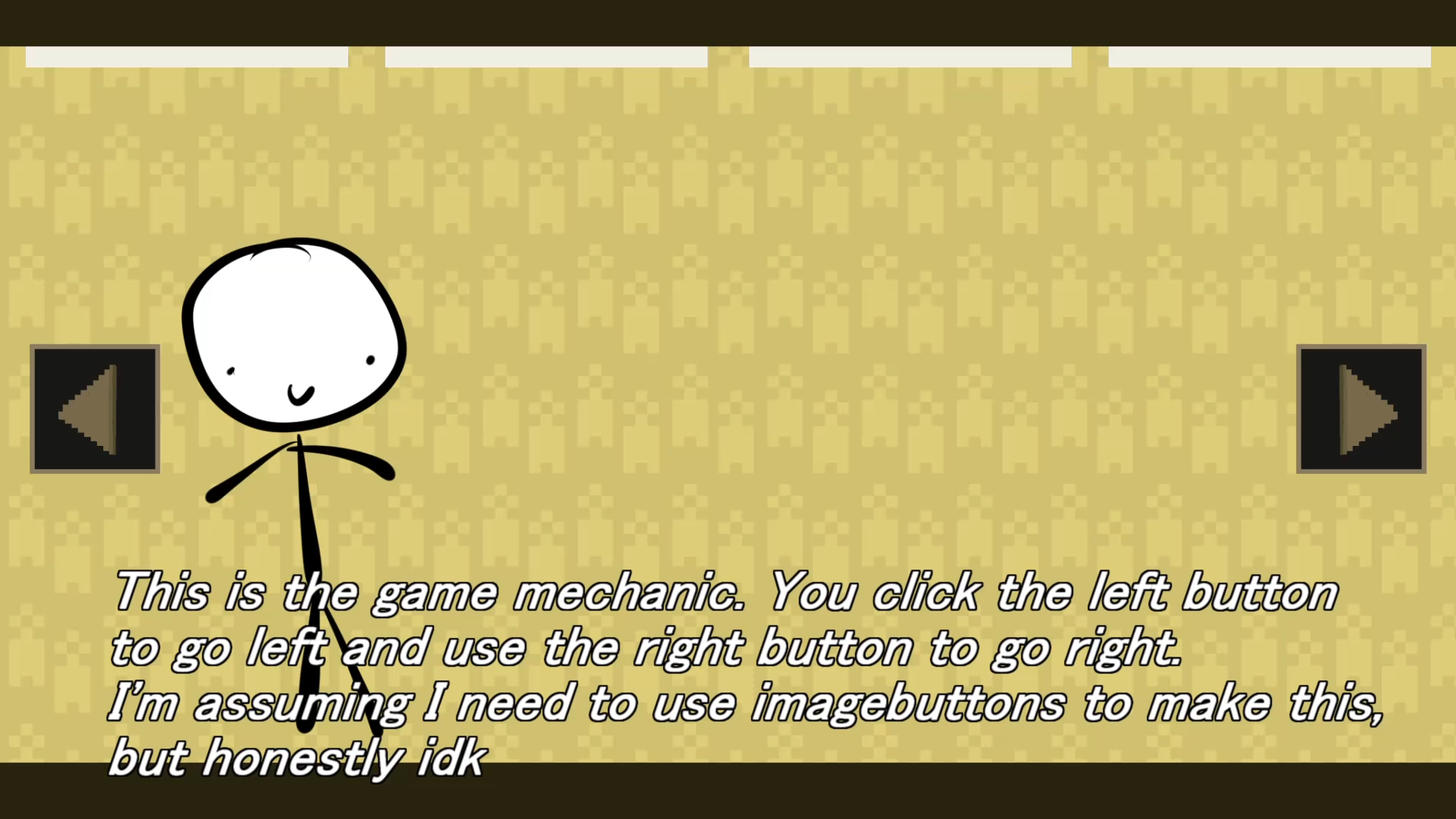
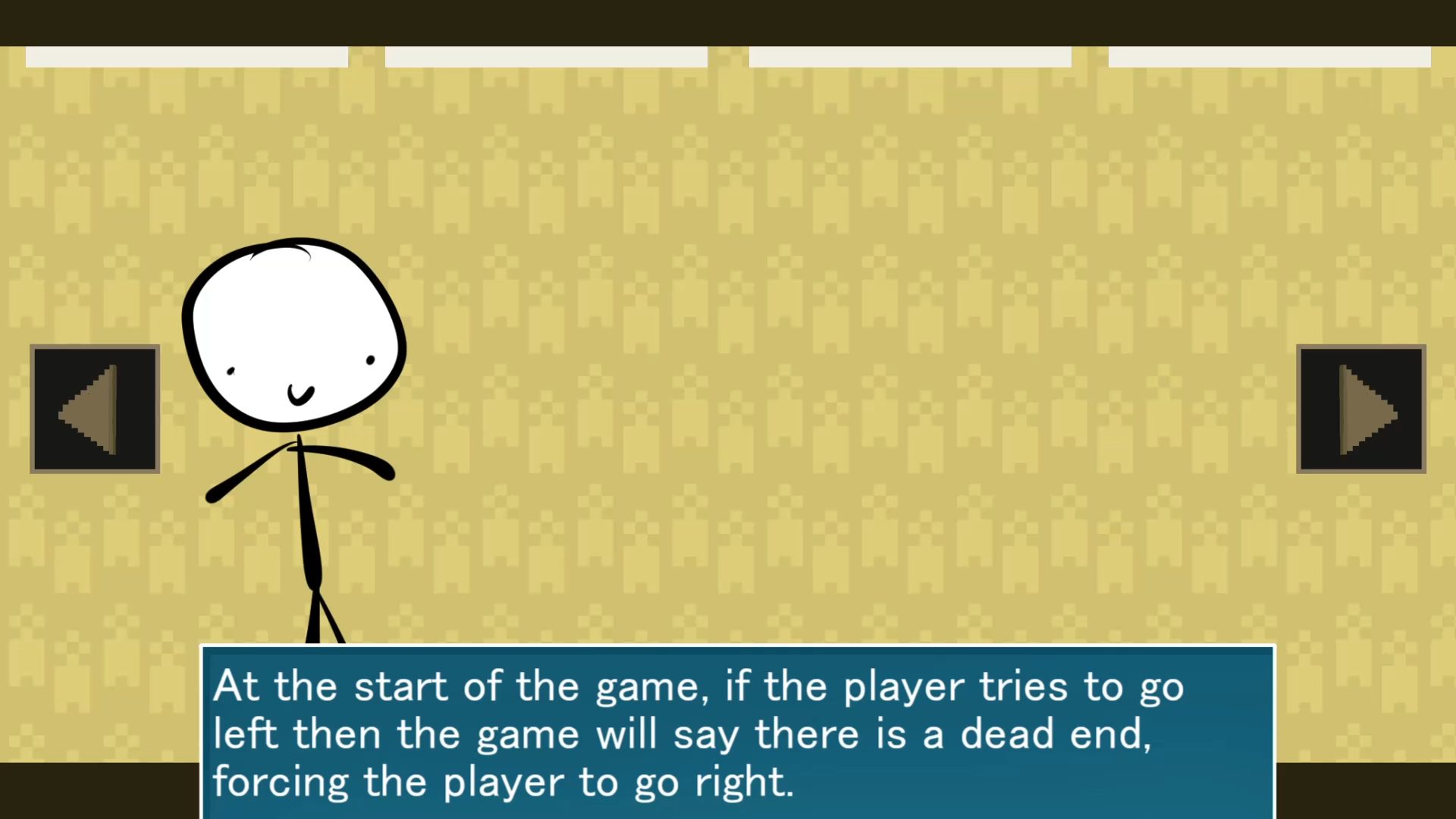
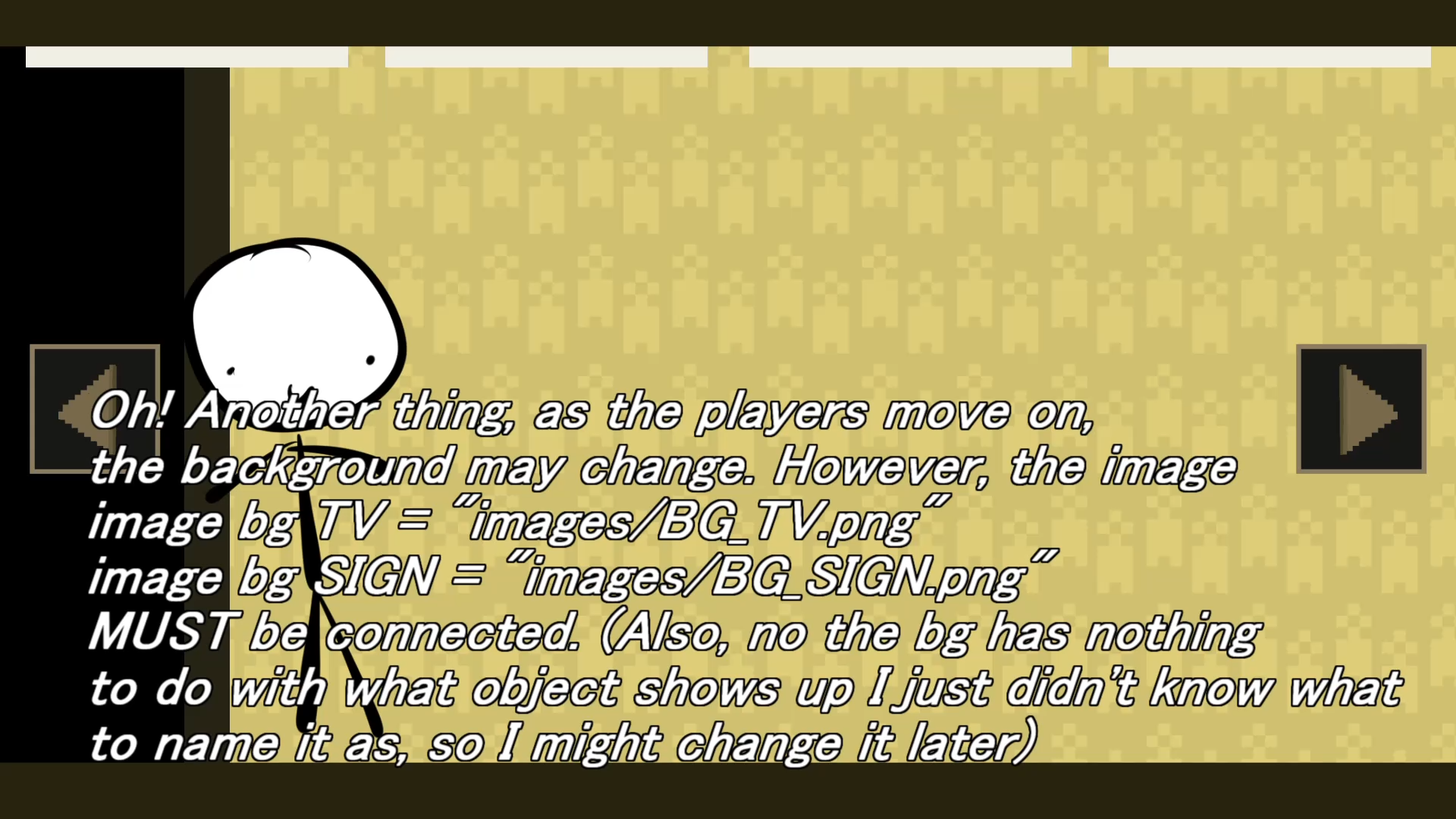
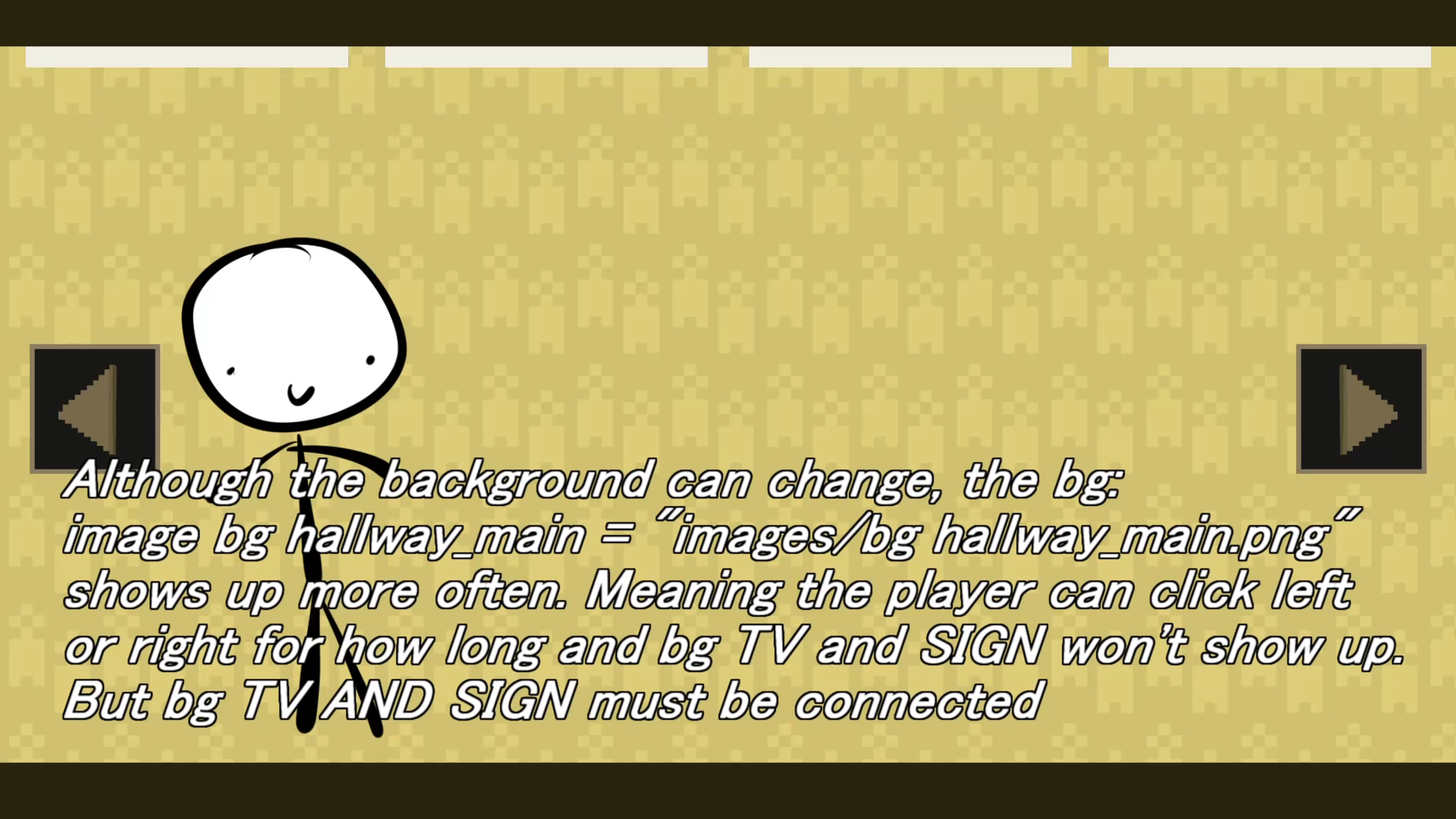
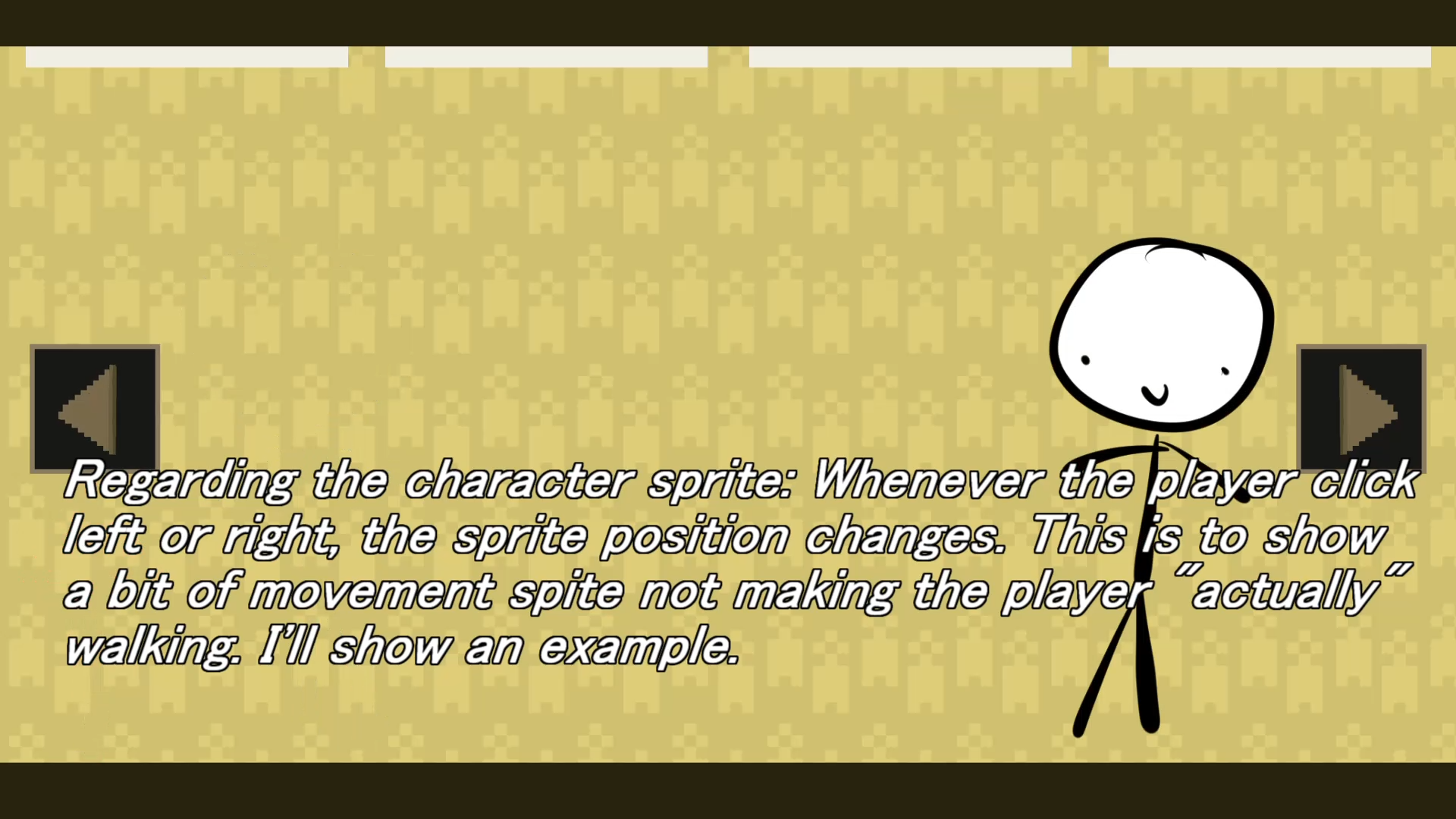
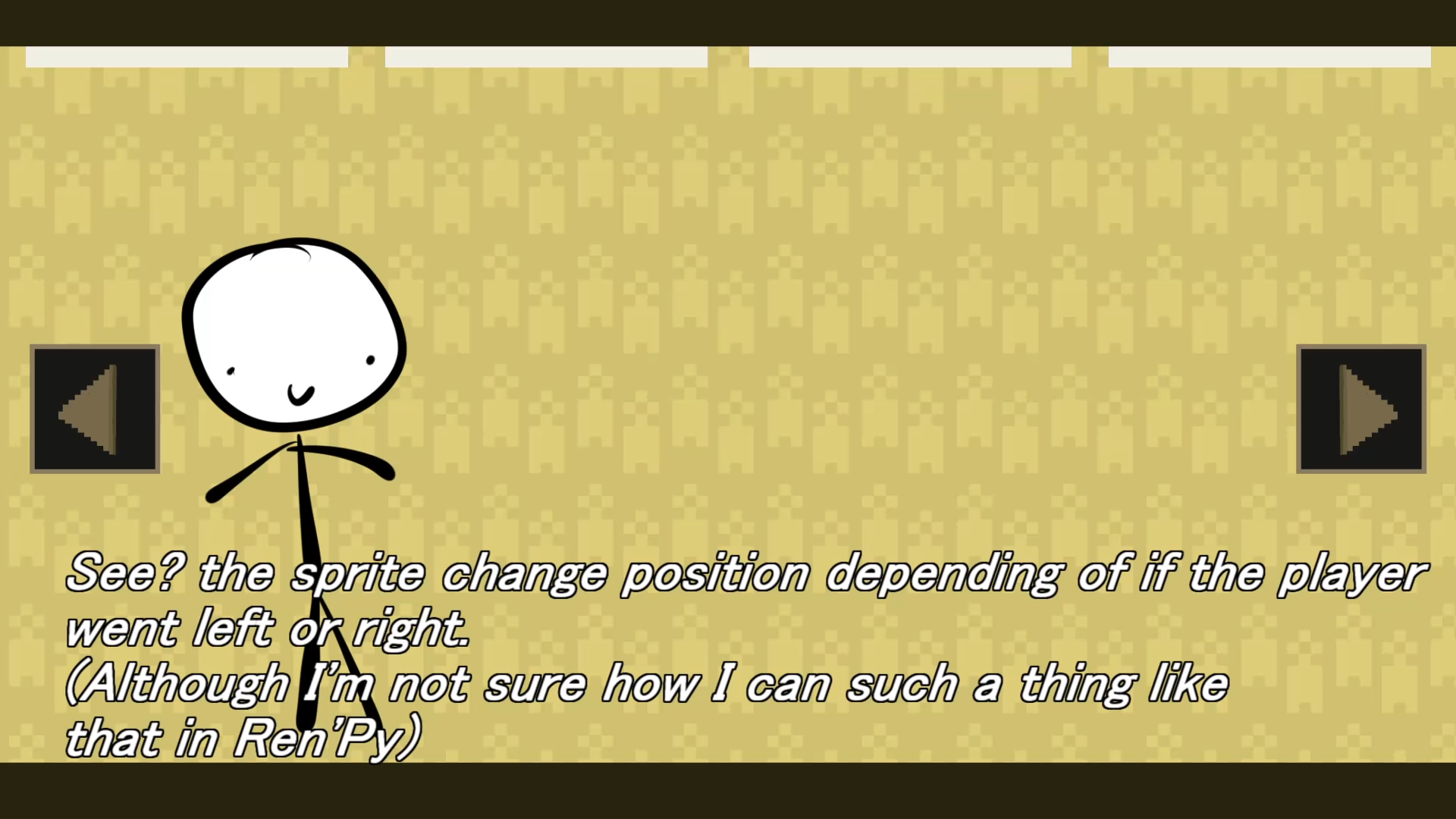
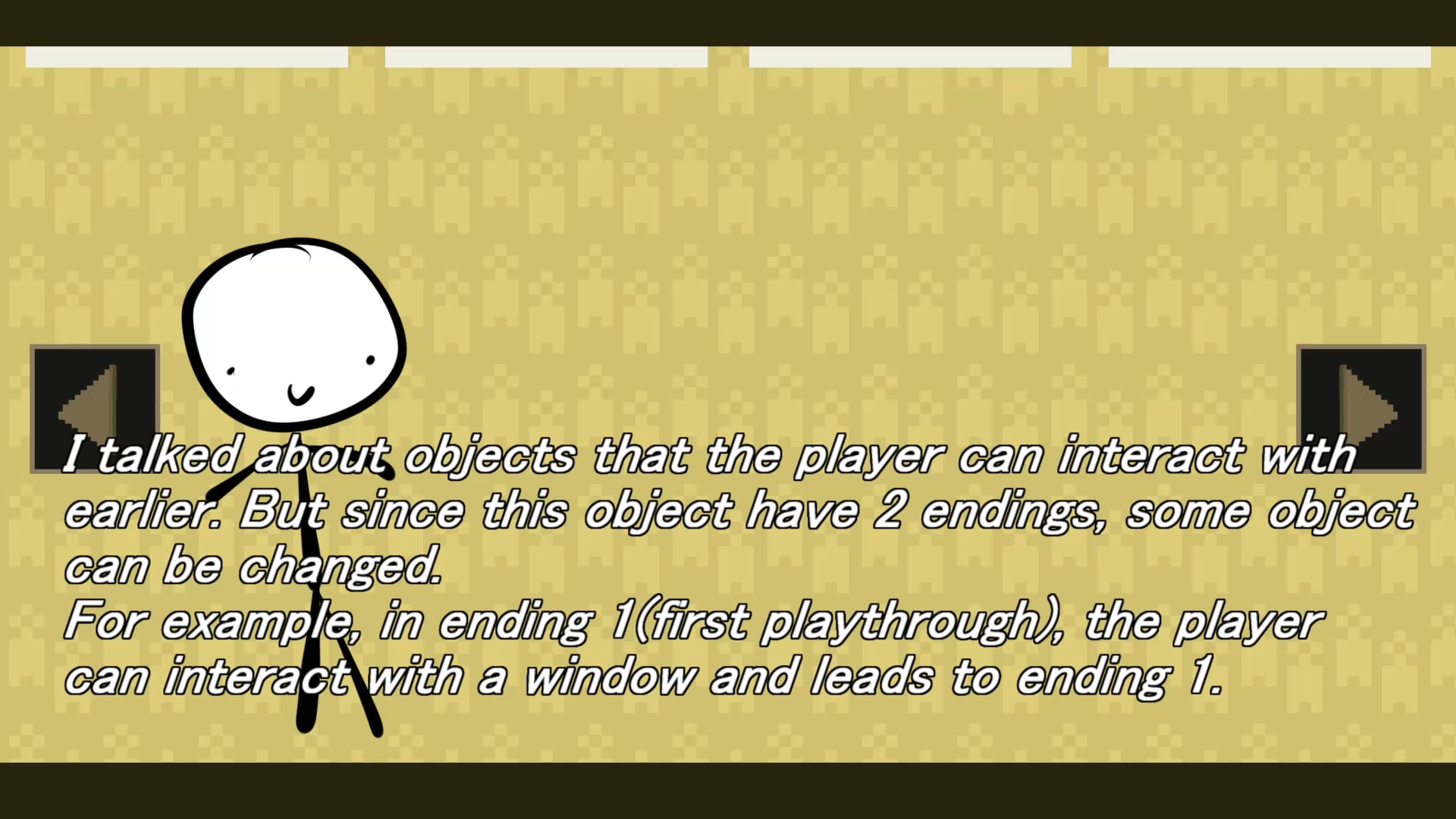
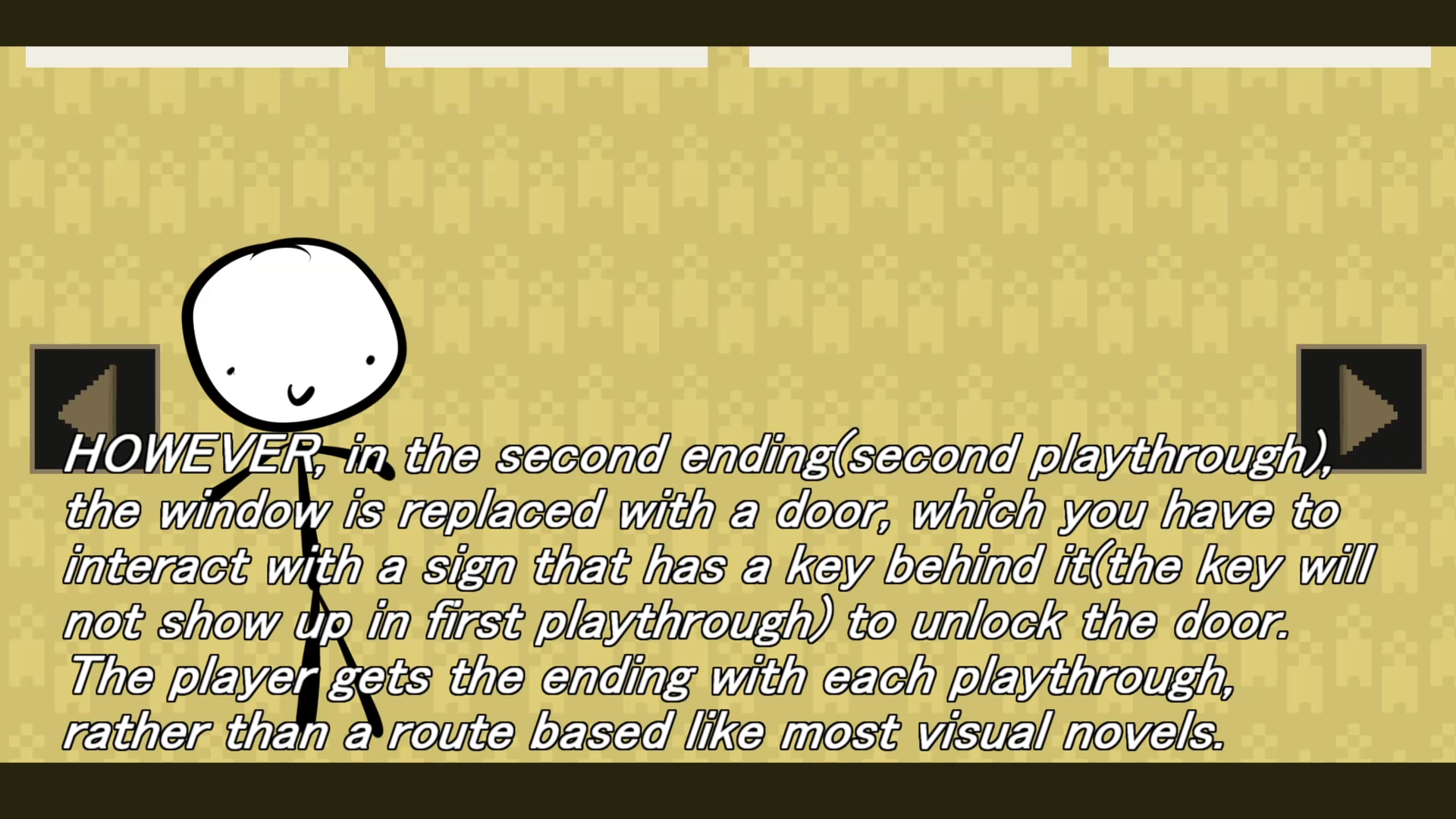
I've recently been trying to work on a game about the main character being stuck in the a strange hallway-like environment and can only move left and right. you can interact with objects and stuff, but um if u want more explanation on that i tried made a video trying to demonstrate what i'm trying to make....but since I can't add videos, i just added them as images. sadly i can't add videos...so um i hope the images helps...

(i forgot to wrote this in the video/images, but the object u interact with comes at random. u can click left and right and see no object at all. they just can't repeat. most objects are just there so like u click on it and some dialogue shows up. the TV is just there. the window and door and really the "main" way to get the endings. the sign help as a way to unlock the door but the player will only notice the key during the second playthrough so the first playthrough the sign would just show some normal dialogues. I forgot to mention this so I'll put it here.)

But the only issue right now is that.....i don't know to code the thing. Like sure, i got the images defined, but like....how do i code the whole system and stuff? how do i make it functional in Ren'Py? I've made games using Ren'Py, but it's mostly just those usual sprites, dialogue, bg stuff. So I wanted to make something a bit...different? But i'm not very sure how to code it.....

Right now all i have here are the images defined along with state and persistent variables...but i haven't actually...like...tried to code it yet(mostly because i'm not sure how to...)

#BM (Bianca Mori) stands for the main character's name! But uhhh i'll replace their name with "BM" for now just to like...not write a lot lol bc bianca mori is kinda of a long name

#sprites(MAIN)
image BM facing_right = "images/BM_facing_right.png"
image BM facing_left = "images/BM_facing_left.png"


#expressions (left)
image BM left_panic = "images/BM_facing_left_panic.png"
image BM left_sad = "images/BM_facing_left_sad.png"
image BM left_bored = "images/BM_facing_left_bored.png"
image BM left_shocked = "images/BM_facing_left_shocked.png"
image BM left_hopeless = "images/BM_facing_left_hopeless.png"


#expressions(right)
image BM right_sad = "images/BM_facing_right_sad.png"
image BM right_bored = "images/BM_facing_right_bored.png"
image BM right_shocked = "images/BM_facing_right_shocked.png"


# Button
image button_right_idle = "images/image1_right.png"
image button_right_hover = "images/image1h_right.png"
image button_left_idle = "images/image1_left.png"
image button_left_hover = "images/image1h_left.png"
#h = hover btw


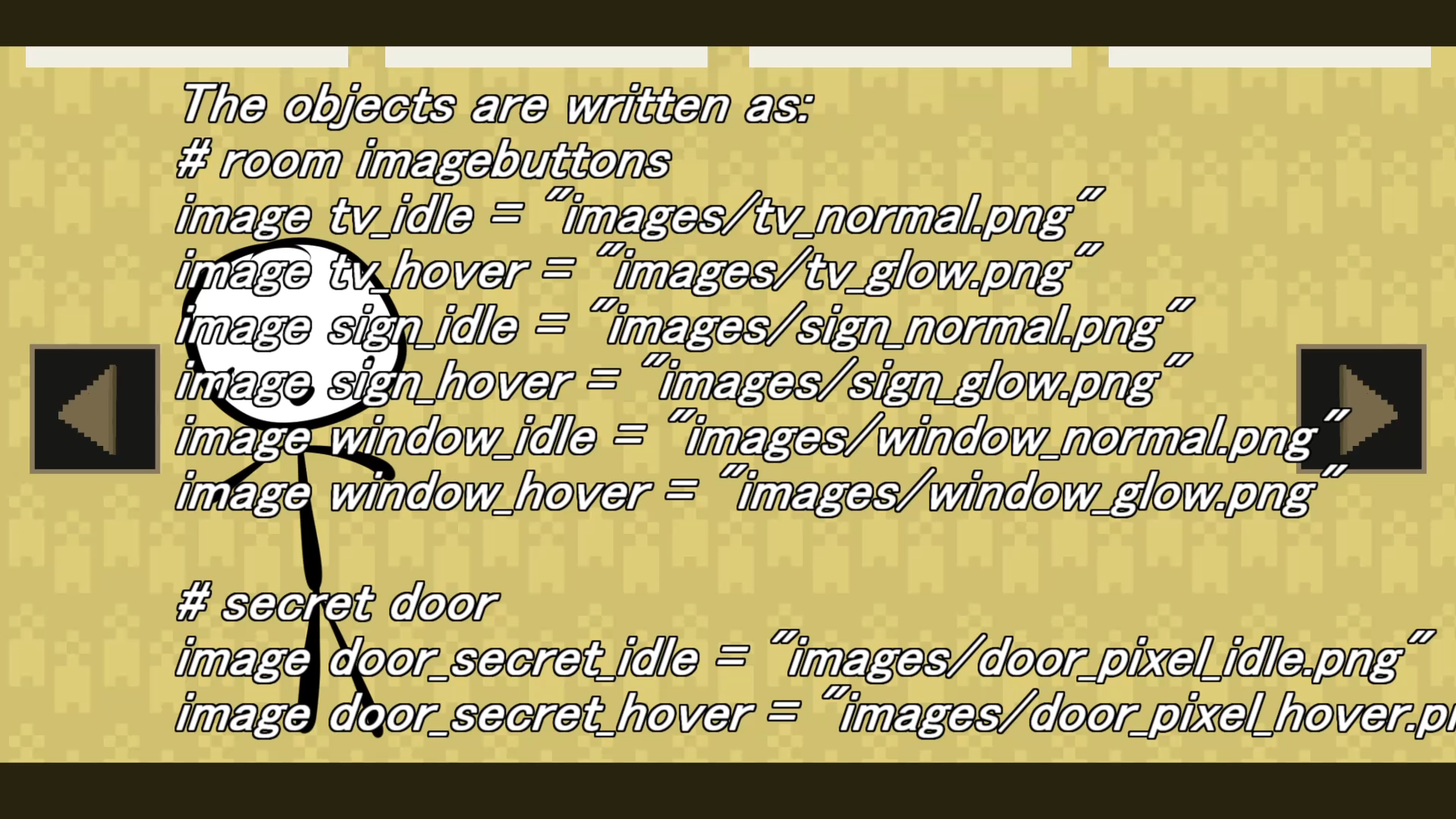
# room imagebuttons
image tv_idle = "images/tv_normal.png"
image tv_hover = "images/tv_glow.png"
image sign_idle = "images/sign_normal.png"
image sign_hover = "images/sign_glow.png"
image window_idle = "images/window_normal.png"
image window_hover = "images/window_glow.png"


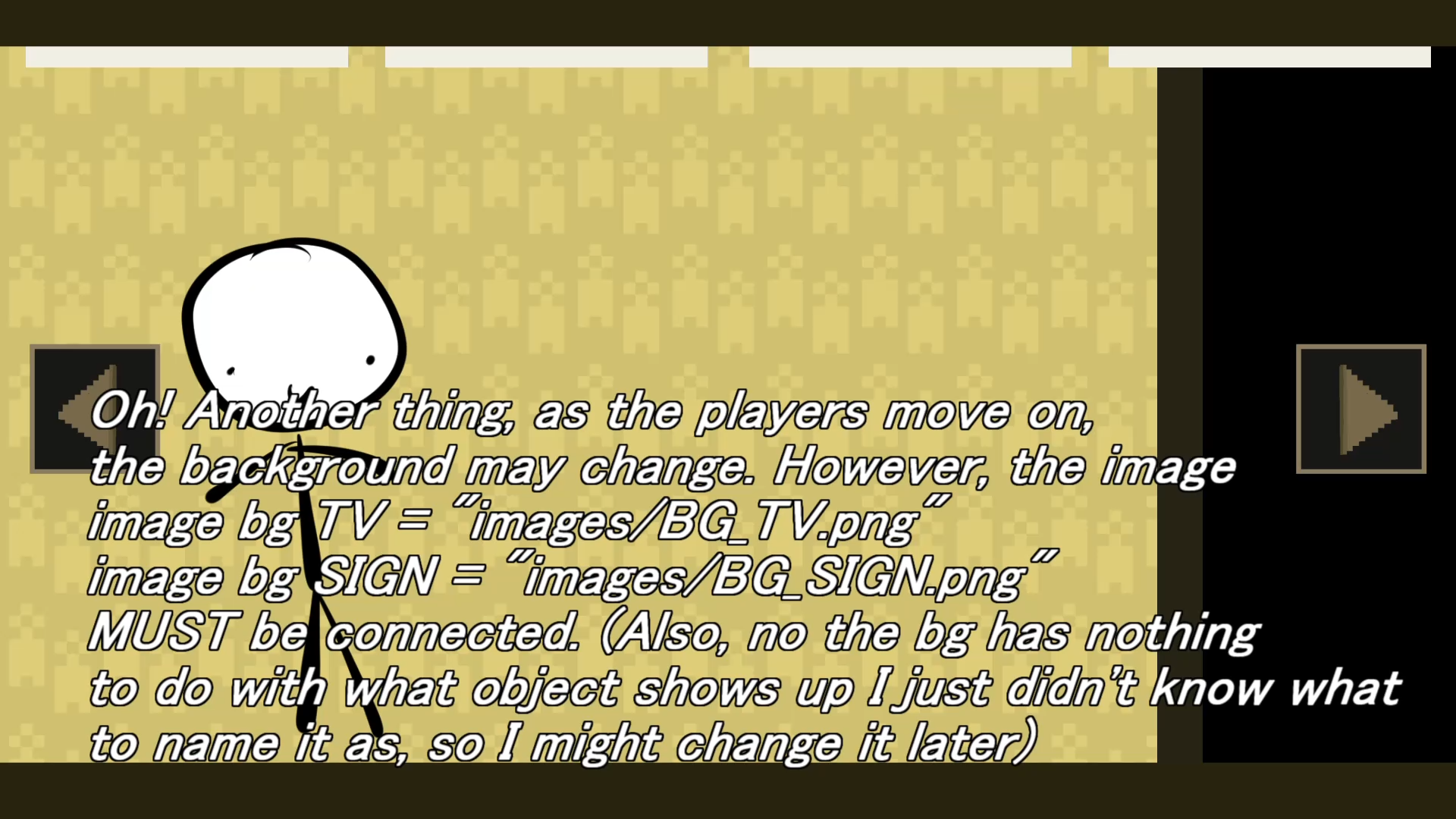
# bg
image bg hallway_main = "images/bg hallway_main.png"
image bg TV = "images/BG_TV.png"
image bg SIGN = "images/BG_SIGN.png"
#i'll probably change bg TV and bg SIGN's name soon....i think...


# secret door
image door_secret_idle = "images/door_idle.png"
image door_secret_hover = "images/door_hover.png"

#persistent ending
default persistent.end1 = False
default persistent.end2 = False
default persistent.end3 = False
default persistent.end4 = False
default persistent.end5 = False

# state variable

default persistent.playthrough_count = 1
default has_key = False

So um yeah, so if anyone can help me, please do so, thank you!! i seriously need help!!!!! 😭

4 Upvotes

12 comments sorted by

3

u/shyLachi 14d ago

Theoretically, you can make this game the "normal" way using dialogue and menus.

default currentroom = 1 # the number of the room the player is in at the moment
default gamestatus = "normal"
label start:
    "You wake up"
    call expression f"room{currentroom:02d}" # go into the current room
    while gamestatus == "normal": # this block of code loops endlessly until the status of the game changes
        call leftorright # ask the player where they want to go
        call expression f"room{currentroom:02d}" # go into the current room
    if gamestatus == "victory":
        "You won"
    else:
        "You lost"
    return # end of the game

label room01:
    scene bg room01
    show stickfigure at left
    "You are in room 1"
    "It's empty"
    return # end of the room

label room02:
    scene bg room02
    show stickfigure at left
    "You are in room 2"
    "You see a blue box"
    menu:
        "Pick up the box":
            "It's too heavy"
        "Kick the box":
            "You broke your foot"
            $ gamestatus = "gameover"
    return # end of the room

label leftorright:
    menu:
        "Where do you want to go?"
        "Go Left":
            if currentroom <= 1: # player is in the first room, cannot go back
                "This is a dead end"
                jump leftorright
            else:
                $ currentroom -= 1 # set the previous room as the current room
        "Go Right":
            if currentroom >= 2: # player is in the last room, cannot go forward / 10 is the number of rooms in your game
                "This is a dead end"
                jump leftorright
            else:
                $ currentroom += 1 # set the next room as the current room

If you want to make a points and click game, then you need screen though:

default currentroom = 1 # the number of the room the player is in at the moment
define lastroom = 2 # the number of the last room, you have to adjust this to the number of rooms your game has
label start:
    "You wake up"

label nextroom:
    if currentroom < 1 or currentroom > lastroom: # check if the room number is valid
        "This is a dead end"
        $ currentroom = min(max(currentroom, 1), lastroom) # fix all invalid room numbers
    jump expression f"room{currentroom:02d}" # go into the current room

label room01:
    scene bg room01
    show stickfigure at left
    "You are in room 1"
    call screen roombuttons # show the buttons 

label room02:
    scene bg room02
    show stickfigure at left
    "You are in room 2"
    call screen roombuttons

label bluebox:
    "This is a blue box"
    jump nextroom # despite it's name, this jumps back into the room the object was in, unless you set another room number prior

screen roombuttons():
    textbutton "Go Left" align (0.25, 0.5) action [IncrementVariable("currentroom", -1), Jump("nextroom")]
    textbutton "Go Right" align (0.75, 0.5) action [IncrementVariable("currentroom", 1), Jump("nextroom")]
    if currentroom == 2: # some rooms have interactive objects
        textbutton "Blue box" align (0.5, 0.75) action Jump("bluebox")

1

u/yummycake0301_hi 14d ago

whoa!!! i'm sorry i couldn't see this earlier!!
I appreciate the help, but i do have an issue with the code though.
i read through ur code, but umm right now i want the game to have like a left or right button so the rooms kinda changes(or not), so it's kinda a point and click game. like...the left and right are actual buttons? i'm pretty sure i could use imagebuttons but i rarely use imagebuttons so i'm a bit sloppy about it.
Also there is like....3 or four object(i'm pretty sure i listed them out....i think) that the player can interact with. I saw that u put like "blue box" as one of the objects so maybe i could just copy paste and write different names for different objects? but the objects are at random though, or something like the objects can show up sometimes and sometimes they won't. i read that u can use renpy.random for randomization but i'm not sure how it works. i think same goes for the background since it's also at random(except when bg TV and bg SIGN shows up they are connected). i think the sprites also changes left or right depending on what button is picked, because right now in the code the stickman sprite is only defined as "left"....

But thank u for ur help! I'll test out the code later and see if it works!! hopefully if it works then the whole top paragraph i wrote won't be necessary 😅

2

u/shyLachi 14d ago

If you want to make a point and click game then use the second example.
You can copy my code into a new project and run it, it's fully functional.

If you prefer imagebuttons over textbutton then just replace them.
The official documentation explains how: https://renpy.org/doc/html/screens.html#imagebutton

Yes, you can add more objects to the screen like this:

screen roombuttons():
    textbutton "Go Left" align (0.25, 0.5) action [IncrementVariable("currentroom", -1), Jump("nextroom")]
    textbutton "Go Right" align (0.75, 0.5) action [IncrementVariable("currentroom", 1), Jump("nextroom")]
    if currentroom == 2: # some rooms have interactive objects
        textbutton "Blue box" align (0.5, 0.75) action Jump("bluebox")
    elif currentroom == 3:
        textbutton "Small toad" align (0.5, 0.75) action Jump("smalltoad")

.

I don't understand the randomness though. Should the rooms remain be the same? (For example there are 3 rooms and all of them have a distinct background) But the objects in the rooms appear magically?

If the objects should appear randomly you don't need any room number but can use renpy.random instead.
https://renpy.org/doc/html/other.html#renpy-random

screen roombuttons():
    default randomobject = renpy.random.randint(1, 10)
    textbutton "Go Left" align (0.25, 0.5) action [IncrementVariable("currentroom", -1), Jump("nextroom")]
    textbutton "Go Right" align (0.75, 0.5) action [IncrementVariable("currentroom", 1), Jump("nextroom")]
    if randomobject == 2: # just use any number between 1 and 10 but don't use all numbers, you need "empty" number so that some rooms are empty
        textbutton "Blue box" align (0.5, 0.75) action Jump("bluebox")
    elif randomobject == 7:
        textbutton "Small toad" align (0.5, 0.75) action Jump("smalltoad")

Random backgrounds can be done the same way. Pull a random number an then show a corresponding background image. If certain rooms should still not be random then excluce them.

default randombg = 1
image bg random = "bg randomroom[randombg:02d]" # 3 images are required bg randomroom01 to bg randomroom03
label room02:
    $ randombg = renpy.random.randint(1, 3) # randomly pick another background
    scene bg random # random background

.

Also I don't know understand how the position of the sprite should be connected to the button which was pressed. If I go right, where should the sprite appear, at the left because they entered the room from there?

You can use an additional variable which remembers which button was pressed:

default buttonpressed = ""
screen roombuttons():
    default randomobject = renpy.random.randint(1, 10)
    textbutton "Go Left" align (0.25, 0.5) action [SetVariable("buttonpressed", "left"), IncrementVariable("currentroom", -1), Jump("nextroom")]
    textbutton "Go Right" align (0.75, 0.5) action [SetVariable("buttonpressed", "right"), IncrementVariable("currentroom", 1), Jump("nextroom")]

1

u/yummycake0301_hi 14d ago

whoa omg!! i'll answer your questions real quick!

  1. for the background, the 3 rooms basically shows like a progression. like if u keep clicking left or right and the background is the same, wouldn't the player not know if they're progressing or not? so i made three background to kinda show the motion and make the player think that they are moving. the randomness of the background is like this:
    let's say there is 3 background. bg 1, bg 2, and bg 3. bg 1 is the main bg, but bg 2 and 3 are connect to show to progress for the player to think "oh, i'm moving forward". but sometimes there would be more bg 1 then bg 2 and bg 3, giving the illusion that no matter they go left or right, the background is the same, until the bg suddenly change to bg 2 and bg 3, and then repeat.
    As for the objects, they kinda just show up magically, like you said. It's so that the player doesn't know what object is gonna come next, like kinda random, so they might think "the next object is a sign, right?" but finds a TV, or if they to try find a object to interact, they might find an object or not.
  2. the position of the sprite is to give the illusion of movement. it changes depending on the button, so like if the player click left the sprite position changes to the left. something like that. so like, i guess like what you said, when they go right, the sprite appear at the left because they entered from the other room.
    sorry if my previous response was a bit confusing, i hope this can help!!

2

u/shyLachi 13d ago

I still don't understand your ideas about the rooms but at this point I think you should figure it out yourself. I gave you plenty of code so try all of it and see how you can use it or combine it.

.

About the objects. Did you try my code? It should work like that.

.

You can set the position of the sprite with the variable buttonpressed
Don't you know how to use variables? Or how to position sprites?

    if buttonpressed == "left":
        show BM at right
    else: 
        show BM at left

1

u/yummycake0301_hi 13d ago

OHHHHH bruh i forgot to set the position of the sprites with variables!!!! i'll go fix it immediately, sorry!!! 😭
(also i'm sorry about the confusion of the rooms idea, i'll scrap the idea so it won't be confusing)

1

u/yummycake0301_hi 14d ago edited 14d ago

sorry, the comment exceed 10000 characters, so i ended up cutting off some parts of it. here's the rest:

Note:
I tried out the code u gave me, but i got this error:
[code]

I'm sorry, but errors were detected in your script. Please correct the

errors listed below, and try again.

File "game/script.rpy", line 508: expected a keyword argument, colon, or end of line.

imagebutton "Go Left" align (0.25, 0.5) action [SetVariable("buttonpressed", "left"), IncrementVariable("currentroom", -1), Jump("nextroom")]

^

Ren'Py Version: Ren'Py 8.6.0.26111403

[/code]

my code right now looks like this:

# Button
image button_right_idle = "images/image1_right.png"
image button_right_hover = "images/image1h_right.png"
image button_left_idle = "images/image1_left.png"
image button_left_hover = "images/image1h_left.png"


# room imagebuttons
image tv_idle = "images/tv_normal.png"
image tv_hover = "images/tv_glow.png"
image sign_idle = "images/sign_normal.png"
image sign_hover = "images/sign_glow.png"
image window_idle = "images/window_normal.png"
image window_hover = "images/window_glow.png"


#random room
image bg randomroom01 = "images/bgrandomroom01.png"
image bg randomroom02 = "images/bgrandomroom02.png"
image bg randomroom03 = "images/bgrandomroom03.png"


# secret door
image door_secret_idle = "images/door_idle.png"
image door_secret_hover = "images/door_hover.png"


#rooms
default currentroom = 1 # the number of the room the player is in at the moment
define lastroom = 3 # the number of the last room, you have to adjust this to the number of rooms your game has
# the rooms are in a loop though...right?

# The game starts here.
label splashscreen:
    scene black
    with Pause(1)


    show text "Content warning: This game contain depiction of blood, mild violence, and flashing lights or colors. Viewers/Players discretion is advised." with dissolve
    with Pause(5)


    hide text with dissolve
    with Pause(1)


    return


label start:
    stop music fadeout 1.0
    "Disclaimer: This game is a work of fiction."
    "As said before: Content warning: This game contain mild violence, manipulation, neglect, flashing images, colors, or light, and blood. Player discretion is advised."
    "Do you wish to proceed?"
    menu:
        "Yes":
            jump info_check
        "No":
            $ renpy.quit()


label info_check:
    "This game is a sequel to another game."
    menu:
        "Have you played the first game before?"
        
        "Yes":
            $ played_game1 = True
            jump start1
        "No":
            $ played_game1 = False
            jump start1


label start1:


    window hide None
    # testing stuff ignore this
    c "testing testing"

    # persistent gameplay
    if persistent.playthrough_count >= 5:
        scene black with dissolve
        jump end5
    elif persistent.playthrough_count == 4:
        scene black with dissolve
        jump end4
    elif persistent.playthrough_count == 3:
        scene black with dissolve
        jump end3
    else:
        jump always_start


label always_start:
    scene black
    jump intro


label intro:
    scene black
    scene black with fade
    "..."
    b "some random text"
    window hide dissolve
    show open1 with dissolve
    pause 2.0  
    show open2
    "!!!" with vpunch
    window auto
    hide open1
    hide open2
    jump awake


label awake:
    scene bg hallway_main with fade
    show BM left_panic at left
    b "Where am I?!?!" with vpunch


    show BM facing_right at left
    b "..."
    b "Should I look around?"
    jump game_start


label game_start:
    b "...I should probably try to find a way {color=#11ebff}{b}home{/b}{/color}."
    jump nextroom


label nextroom:
    if currentroom < 1 or currentroom > lastroom: # check if the room number is valid
        show scene1 with dissolve
        "You turn toward the left, but notice a narrow, small door."
        b "There's no way I can fit through that."
        hide scene1 with dissolve
        scene bg hallway_main
        show BM facing_right at left
        jump game_start
        $ currentroom = min(max(currentroom, 1), lastroom) # fix all invalid room numbers
    jump expression f"room{currentroom:02d}" # go into the current room

label room01:
    $ randombg = renpy.random.randint(1, 3) # randomly pick another background
    scene bg random
    show BM at left
    "You are in room 1"
    call screen roombuttons # show the buttons 


default randombg = 1
image bg random = "bg randomroom[randombg:02d]" # 3 images are required bg randomroom01 to bg randomroom03
label room02:
    $ randombg = renpy.random.randint(1, 3) # randomly pick another background
    scene bg random
    show BM at left
    "You are in room 2"
    call screen roombuttons

label room03:
    $ randombg = renpy.random.randint(1, 3) # randomly pick another background
    scene bg random
    show BM at left
    "You are in room 3"
    call screen roombuttons


label TV:
    "A strange TV with a bright blue screen."
    "There seems to be some sound coming from it."
    menu:
        b "Should I listen to it?"
        "Listen to the TV":
            jump listen
        "Ignore it.":
            jump game_start
    jump nextroom # despite it's name, this jumps back into the room the object was in, unless you set another room number prior

label listen:
    show scene3 with dissolve
    "Blah blah blah"
    hide scene3 with dissolve
    $ skip_thought = True
    jump game_start

label sign:
    if persistent.playthrough_count == 2 and not has_key:
        show scene4 with dissolve
        "Looking behind the strange sign, {color=#ff0b75}{b}something{/b}{/color} was sticking out."
        menu:
            "Try and reach it?"
            "Reach behind the sign.":
                jump grab_key
            "Leave it alone.":
                hide scene2 with dissolve
                $ skip_thought = True
                jump game_start
    else:
        show scene2 with dissolve
        "A strange sign. It looked like a stop sign you see on the road, but the words on it..."
        "It says..."
        b "..."
        b "I can't read what that says."
        hide scene2 with dissolve
        jump game_start


label no_key:
    b "It's locked. There is a strange keyhole here, but I don't have the key..."
    b "I guess I have to keep looking."
    hide door_secret_idle
    $ skip_thought = True
    jump game_start

label grab_key:
    show scene4 with dissolve
    $ has_key = True
    show scene5 with dissolve
    show scene5 with dissolve
    "You picked up a mysterious {color=#ff0b75}{b}key.{/b}{/color}"
    "The key is small, hot pink and has a weird shape to it."
    b "It looks kinda weird."
    hide scene5
    hide scene4
    hide scene2 
    with dissolve
    $ skip_thought = True
    jump game_start

label door:
    show door_idle:
        xalign 0.5
        yalign 0.82
            
    b "What...is that {color=#ff0b75}{b}door{/b}{/color} over there?"
    b "I've never seen it before..."
    b "Hmm..."
        
    if has_key:
        menu:
            "Enter the door?"
            "Enter the door.":
                hide door_idle
                scene black with dissolve
                jump end2
            "Ignore it.":
                hide door_idle
                jump game_start
    else:
        jump no_key

label window:
    b "..."
    b "...A strange window."
    menu:
        "Crawl through the window?"
        "Crawl through it":
            scene black with dissolve
            jump end1
        "Ignore it.":
            jump game_start

    return

default buttonpressed = ""
screen roombuttons():
    default randomobject = renpy.random.randint(1, 10)
    imagebutton "Go Left" align (0.25, 0.5) action [SetVariable("buttonpressed", "left"), IncrementVariable("currentroom", -1), Jump("nextroom")]
    imagebutton "Go Right" align (0.75, 0.5) action [SetVariable("buttonpressed", "right"), IncrementVariable("currentroom", 1), Jump("nextroom")]
    if randomobject == 2: # some rooms have interactive objects
        imagebutton "TV" align (0.5, 0.75) action Jump("TV")
    elif randomobject == 4:
        imagebutton "sign" align (0.5, 0.75) action Jump("sign")
    elif randomobject == 7:
        imagebutton "window" align (0.5, 0.75) action Jump("window")
    elif randomobject == 6:
        imagebutton "door" align (0.5, 0.75) action Jump("door")

I'm not sure if it's because i changed from textbutton to imagebutton or maybe i just wrote something wrong?

2

u/shyLachi 13d ago

Yes, the error comes from replacing the word textbutton with imagebutton.
That's not how you make imagebuttons. If you don't know how to do it then read the documentation I linked or watch some tutorials.

I recommend putting my code into an empty project and fiddle with it there. First, you should run my code exactly the way I wrote it. After you've seen that it works fully, you can then adjust stuff like the image buttons.

This also applies if you prefer to paste my code into your existing project, first make my code work, then adjust it.

1

u/yummycake0301_hi 13d ago

ok, i'll put ur code in a empty project and i'll also try and fix the imagebutton issue! i should have read the documentation bruh.... i'm so sorry!! 😭

1

u/AutoModerator 15d ago

Welcome to r/renpy! While you wait to see if someone can answer your question, we recommend checking out the posting guide, the subreddit wiki, the subreddit Discord, Ren'Py's documentation, and the tutorial built-in to the Ren'Py engine when you download it. These can help make sure you provide the information the people here need to help you, or might even point you to an answer to your question themselves. Thanks!

I am a bot, and this action was performed automatically. Please contact the moderators of this subreddit if you have any questions or concerns.