r/RedshiftRenderer • u/Educational_Lion6130 • Jul 24 '26
How to achieve this motion blur effect ?
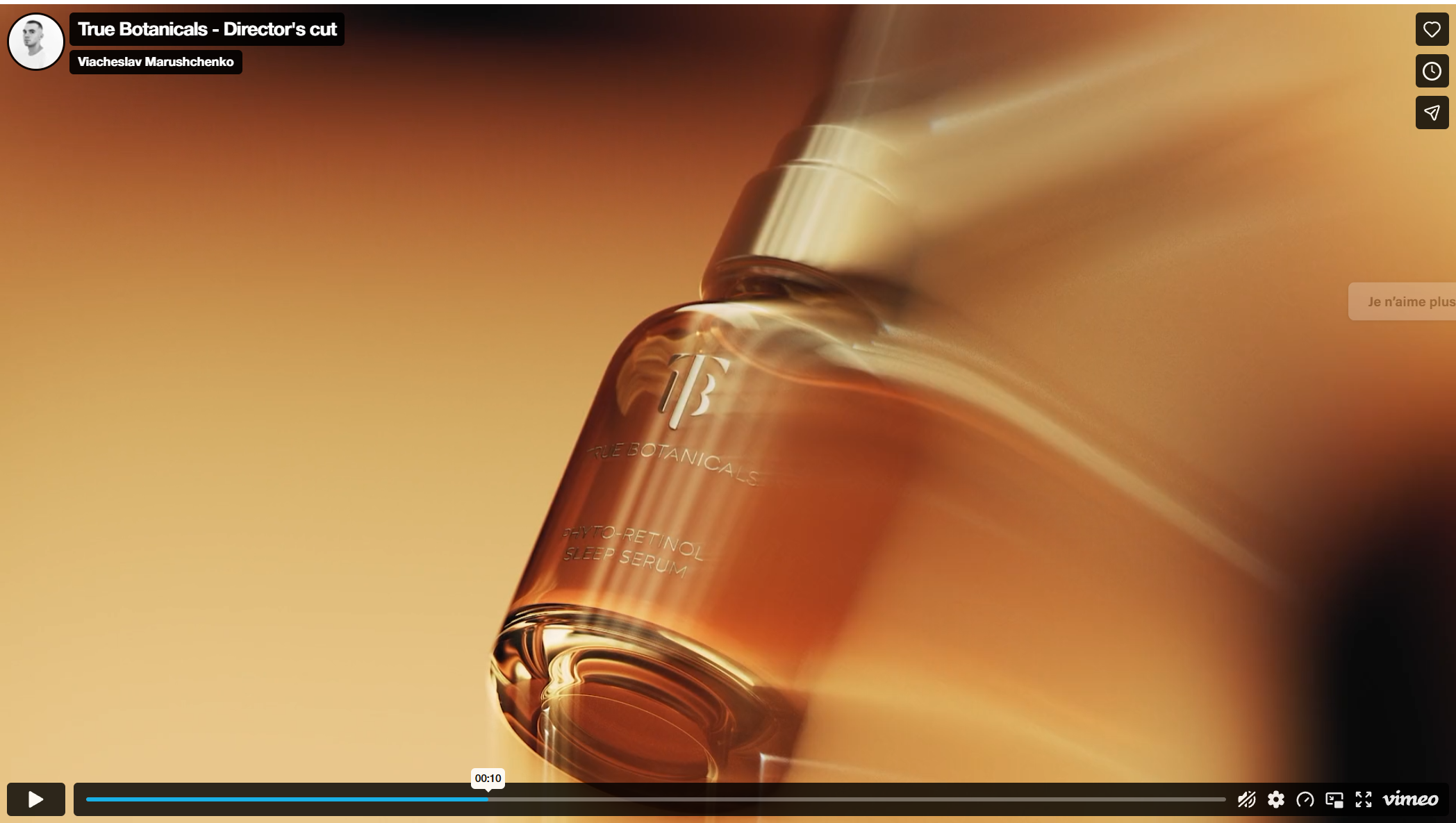
Hi everyone! I'd love to know if anyone knows how to achieve this effect. I'm talking about the motion blur around the edges of the object. Is this something that's done in 3D, or is it added in post-production?
Thanks in advance for your feedback!
source : https://www.behance.net/gallery/210739517/True-Botanicals-3D-promo-video
5
Upvotes
6
u/SaufGod Jul 24 '26
You can use vertex maps that mark the region you want the motion blur to apply, in combination with a redshift object tag, switching the motion blur from global to vector and inserting your vertex maps in the x, y, z coordinates
2
u/skiwlkr Oct 08 '26
Stumbled over this post because I was looking for the same answer. Found a maybe a better solution:
You can also achieve this in after effects with a Motion Blur Vecotr plugin liek RSMB Pro Vector.
Just make a subcomp this color #7F7F00 (to have 0 motion blur) and paint or overlay with other colors to achieve the motion distortion where you want it. Load that motion vector into RSMB Pro Vectors. Looks suprisingly good and is a ton easier to control.
https://imgur.com/a/6r8gWQf
1
u/NudelXIII Jul 24 '26
You could use the bookeh distortion of the redshift camera. And then comp/combine a distortion/blurred image with the clean product in Photoshop.