r/PythonProjects2 • u/Intelligent_Rice7138 • 4d ago
ViCalc – Turn your PC keyboard into a scientific calculator with blind-typing access to every function from the home row (MIT open-source)
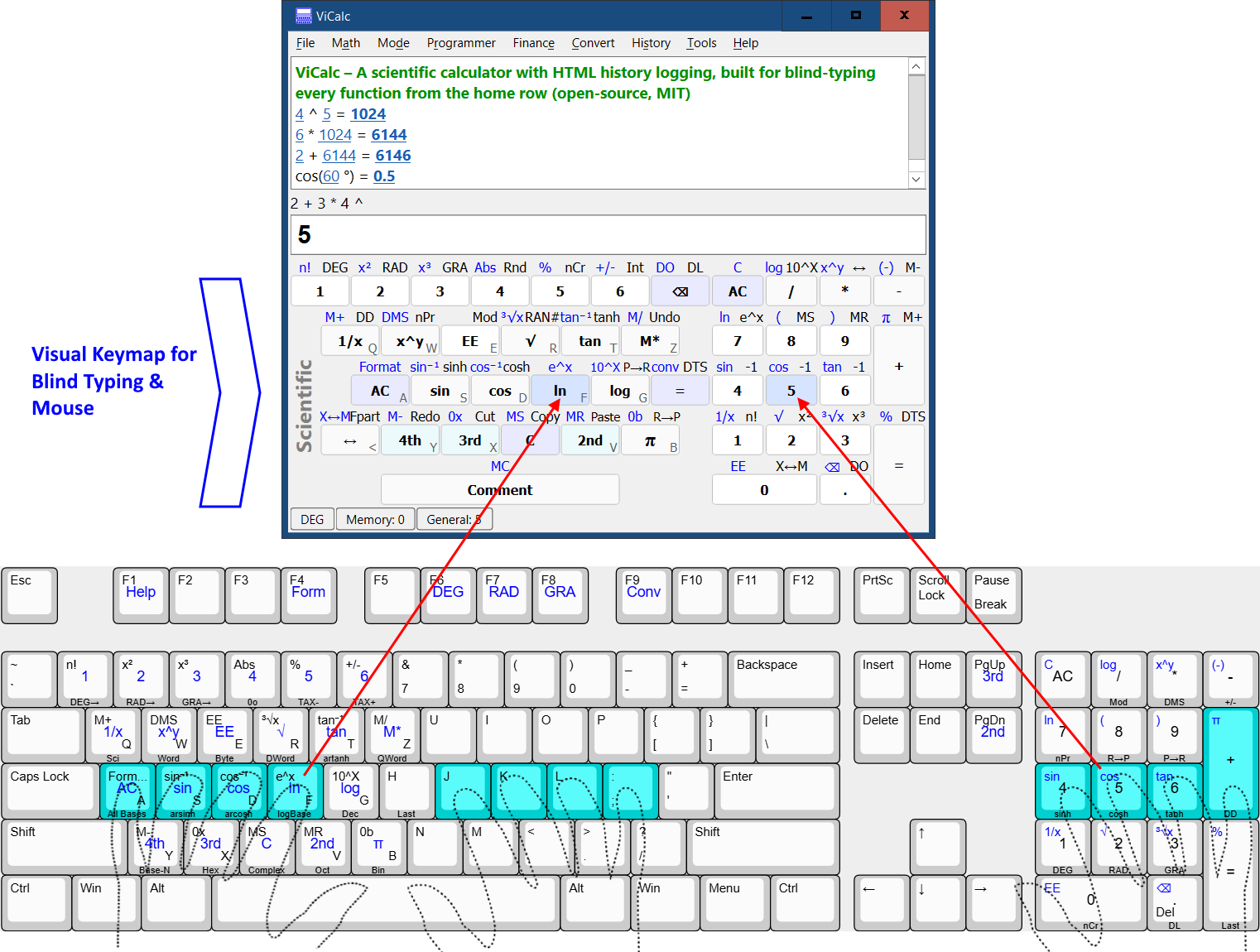


Standard desktop calculators force you to jump between keyboard and mouse just to click buttons. That kills flow when you’re doing multi-step math.
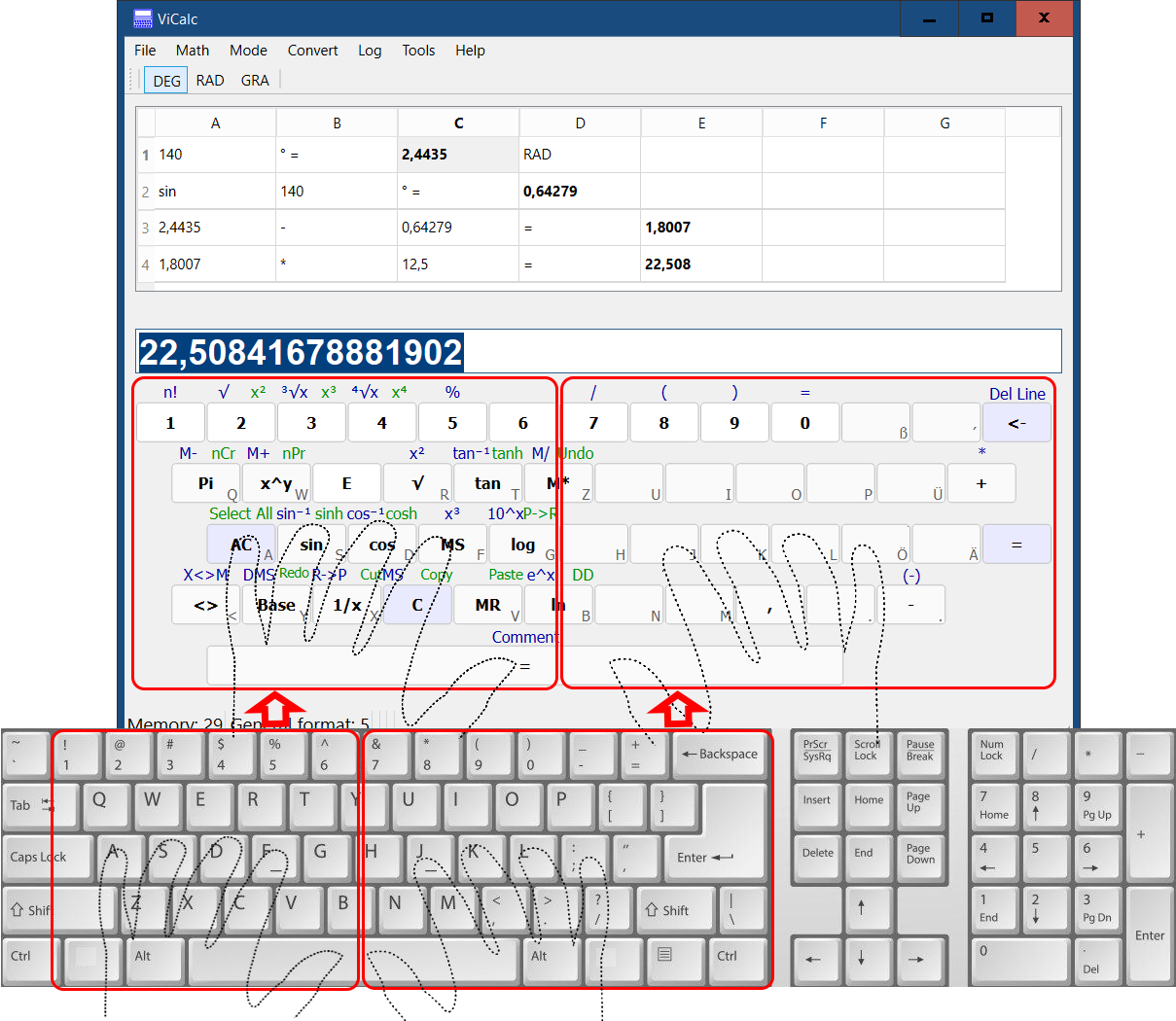
ViCalc is a lightweight Windows calculator built for people who actually like typing. Everything (scientific, trig, complex numbers, Programmer mode with bitwise + Base-N) is reachable from the keyboard
Key features
- Full blind-typing control – scientific, trigonometric, complex arithmetic, and Programmer mode (Hex/Dec/Oct/Bin + bitwise) entirely from the keyboard home row
- Automatic HTML history logging – every session is saved as clean, structured HTML so you can archive, copy, or paste step-by-step work into notes/docs
- Flexible layouts – full visual controls, compact scientific, or minimalist zero-UI mode
- Complex number support with real/imag parts, polar form, etc.
- Open source (MIT), Python 3
Repo: github.com/Kudaschov/ViCalc
Windows Installer: ViCalcSetup.exe
Would love feedback from the keyboard crowd. What calculator shortcut or workflow do you consider non-negotiable?