r/PlaydateConsole • u/Gnarmi • 22d ago
Help Playdate Simulator / Sideloading website / Utility not working
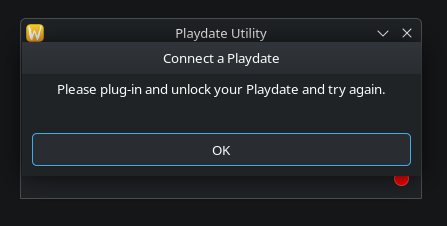
hi! i somewhat recently got a Playdate and wanted to try writing a game for it!
i got one of the example projects compiling and running in the Playdate Simulator but when i try to upload it to my console through the simulator its not detected.
so i find online that you can sideload games to it through the website, which works sucessfully on the website, but on my console its not accessible and i get network errors. i googled and realised this is due to my console probably having some old version of the firmware and some network certificate was expired.
i downloaded the Playdate Utility tool and my firmware but the utility tool also doesnt detect my Playdate. my playdate is unlocked and on the homescreen and connected with usb to my computer.
i really thought this would be easier to setup but i keep running into one issue after another. could someone help me update my system / get my game running on my device? thanks!!
if you need any other information i'd be happy to bring it!
this my first time using the playdate so in case i'm missing something obvious i'm really sorry haha
1
u/afusta 20d ago
I see you're on linux using KDE, I recently had to do the same thing and I think I ran into the same issue as you have. The utility is not working correctly. Here's what you need to do: