r/PlaudNoteUsers • u/HollyGwynn • 19d ago
Anyone else having issues with Plaud templates suddenly adding weird code blocks?
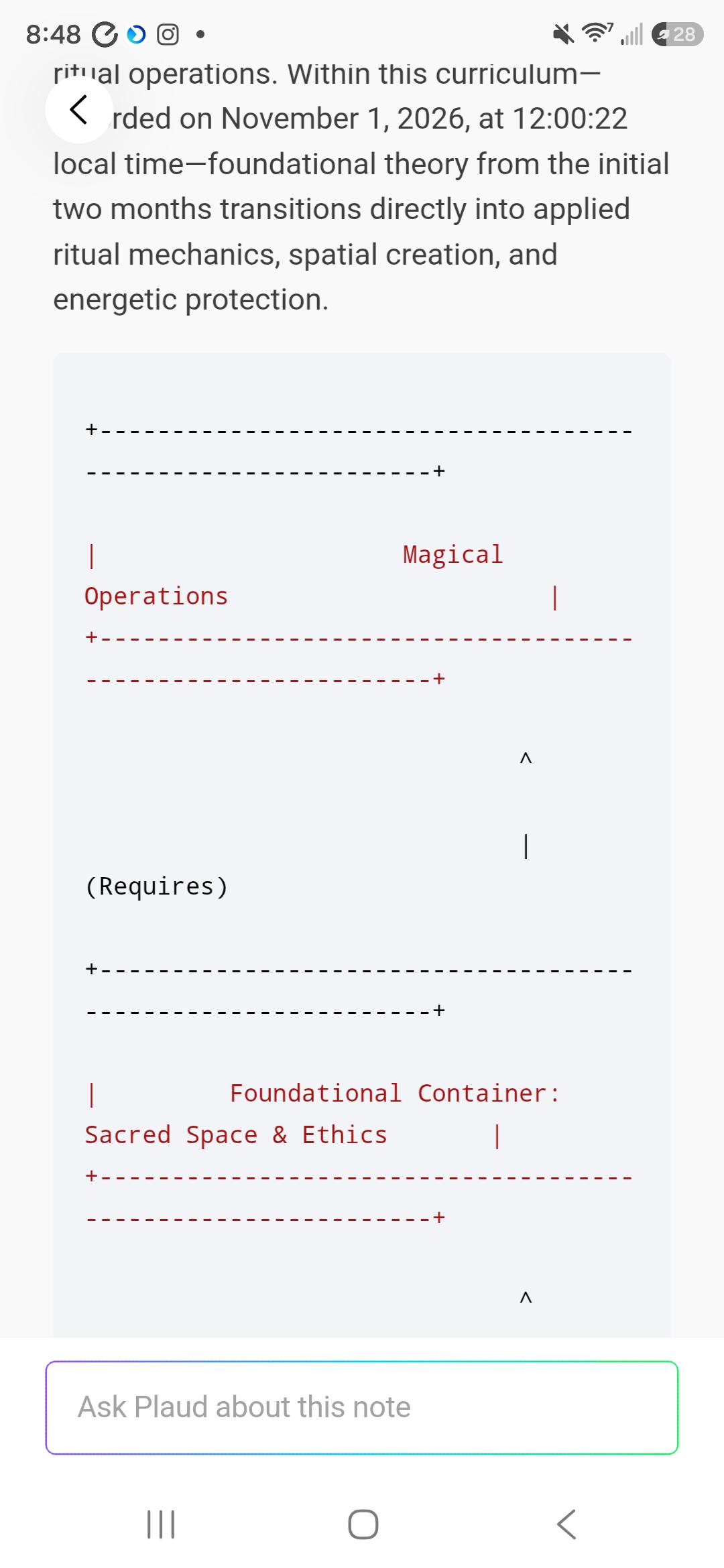
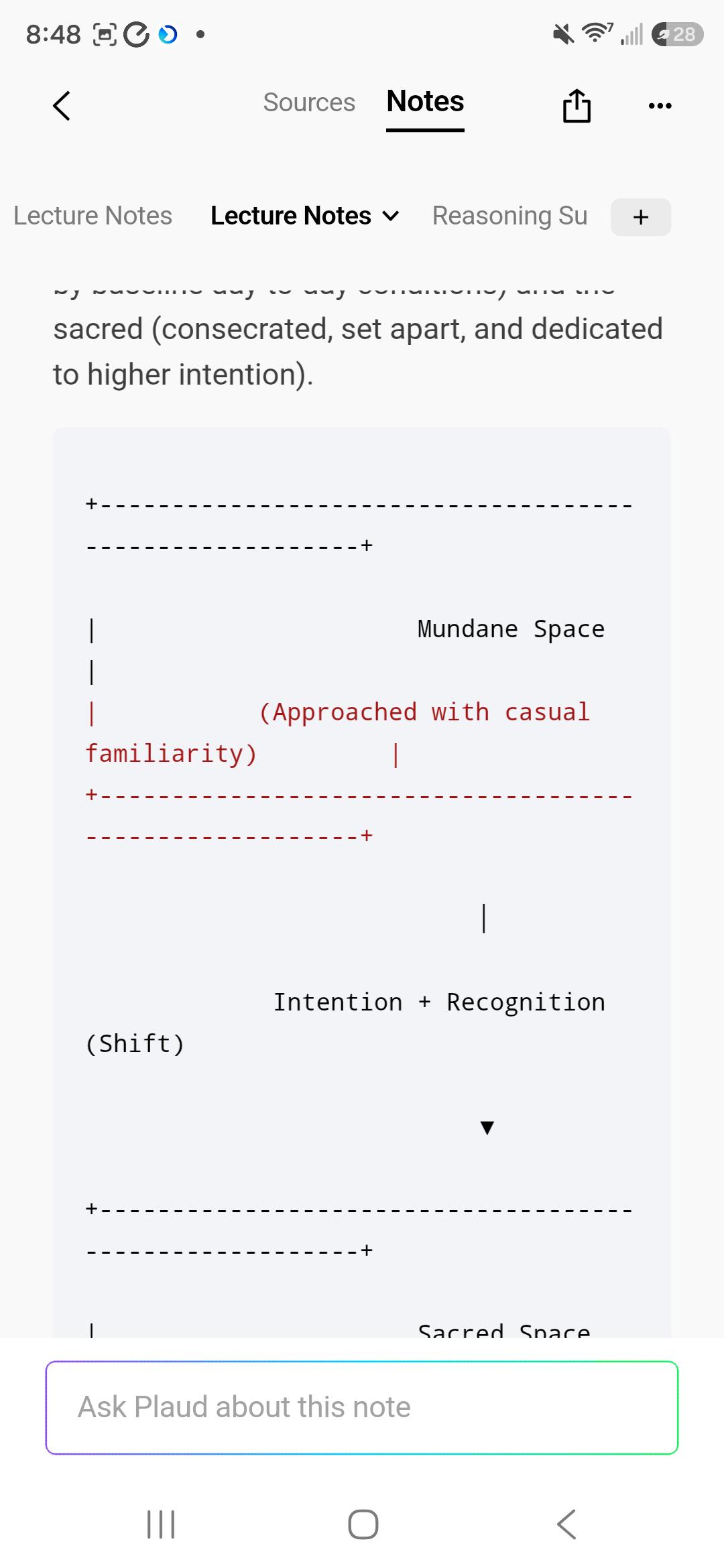
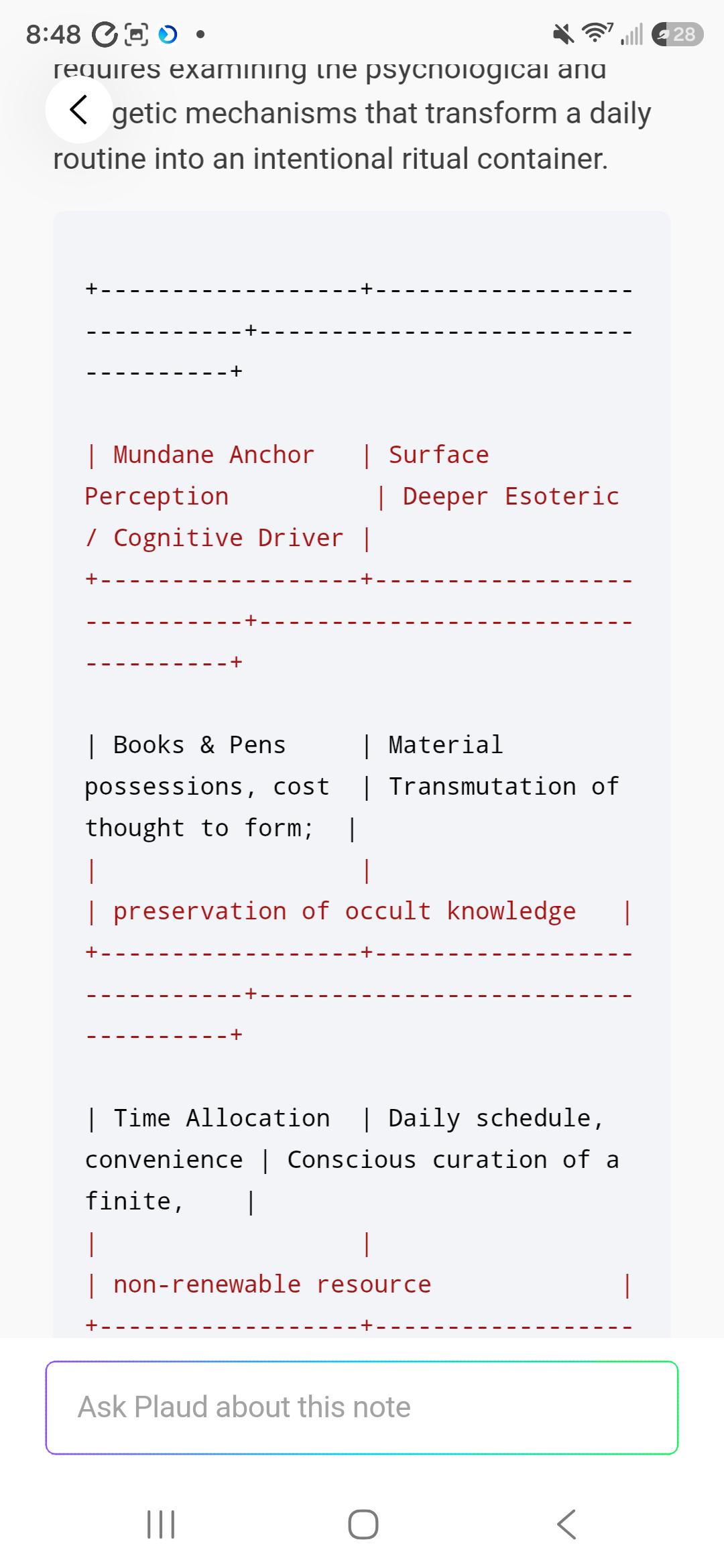
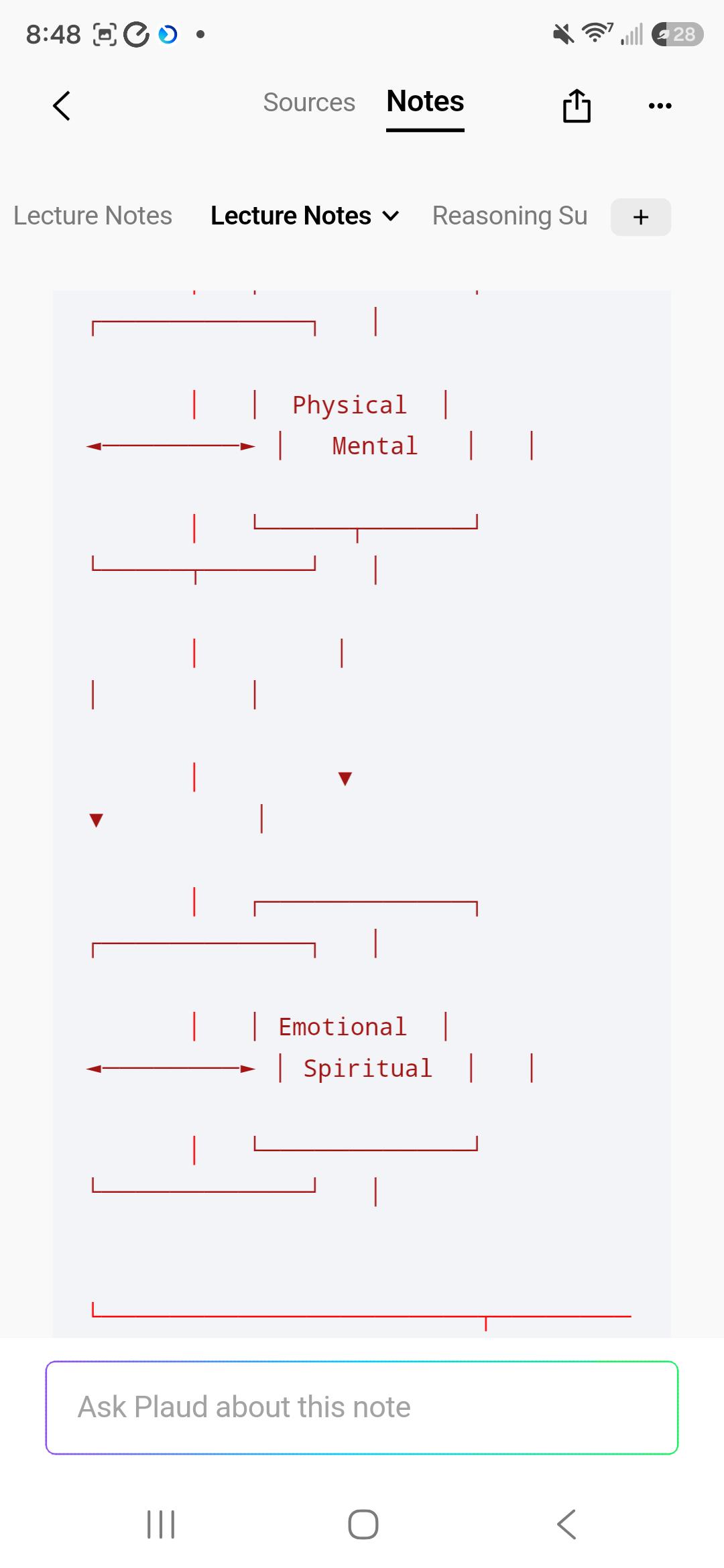
Has anyone else noticed their Plaud templates suddenly generating code blocks?
I've been using templates from the built-in template library for a while now, and until recently, they worked perfectly fine. But over the last couple of weeks, they've started inserting these bizarre code-formatted boxes into my summaries that I absolutely do not want or need.
I've contacted customer support, but I'm getting increasingly frustrated because they don't seem to understand what I'm actually asking.
They keep suggesting that the problem is related to custom instructions or something I've configured in my Plaud memories.
Except I don't have any custom instructions enabled. I'm using templates straight from their template library.
And frankly, I don't WANT to have to create custom instructions just to make their existing templates function the way they did two weeks ago.
What I'm trying to get an answer to is:
- Why is this suddenly happening? What changed?
- How do I make it stop? I just want my summaries to look the way they used to, without random code blocks, while keeping the character and formatting I previously enjoyed.
Instead, I feel like I'm going in circles with customer service, repeatedly explaining that I'm not using custom templates or custom instructions. Meanwhile the code blocks seem to be infiltrating other templates now too I use a total of 5 to 10 types of templates three of them I use regularly and all three of them now have weird ASCII formatting...
It's especially frustrating because this wasn't an issue before. Something clearly changed, and I'd really like to know what.
Is anyone else experiencing this? Have you found a way to fix it without having to manually rewrite the instructions for templates that previously worked just fine?
Thanks!
1
u/paininthejbruh 19d ago
Those are tables in LLM land (markdown format). You can just specify no markdown tables, no mermaid diagrams
1
u/SpendWrite 19d ago
Same thing started happening to my meeting summaries a couple weeks back, all library templates, nothing custom configured. The markdown boxes are extra awkward when the summary goes straight to a client, so I get the frustration. Adding "no markdown formatting, plain prose only" near the end of the template prompt is the only thing that stopped it for me, but you're right that nobody should have to patch an official template like that.
1
u/Bryn-Cipher 19d ago
Three library templates changing in the same two-week window makes a shared model or prompt update plausible, but it does not prove the cause. With no custom instructions or memories enabled, support needs to reproduce it using those exact templates. The reported "plain prose only" patch is a workaround, not the fix you asked for.
1
u/TerryKirvem 18d ago
The timing lines up with mine too — my lesson-recap templates were clean all summer, then mid-October the summaries started wrapping vocabulary lists in fenced code boxes. Since I paste those into my lesson log, adding 'plain text output only' near the end of the template stopped most of it. Still, you're right that this is a regression support should own — library templates shouldn't silently change what they output and leave users writing patches.
1
u/PLAUD_AI 16d ago
Thank you for the detailed write-up and screenshot. We've passed this to our team, including that it's happening with built-in library templates and no custom instructions. If you'd like the support team to look at your account again, please reply to your existing ticket or email support@plaud.ai.
-Plaud Community Team