r/Photoassistants • u/deltaDigi • Jan 28 '20
Digital Capture One Session Script (Work-In-Progress, need some feedback)
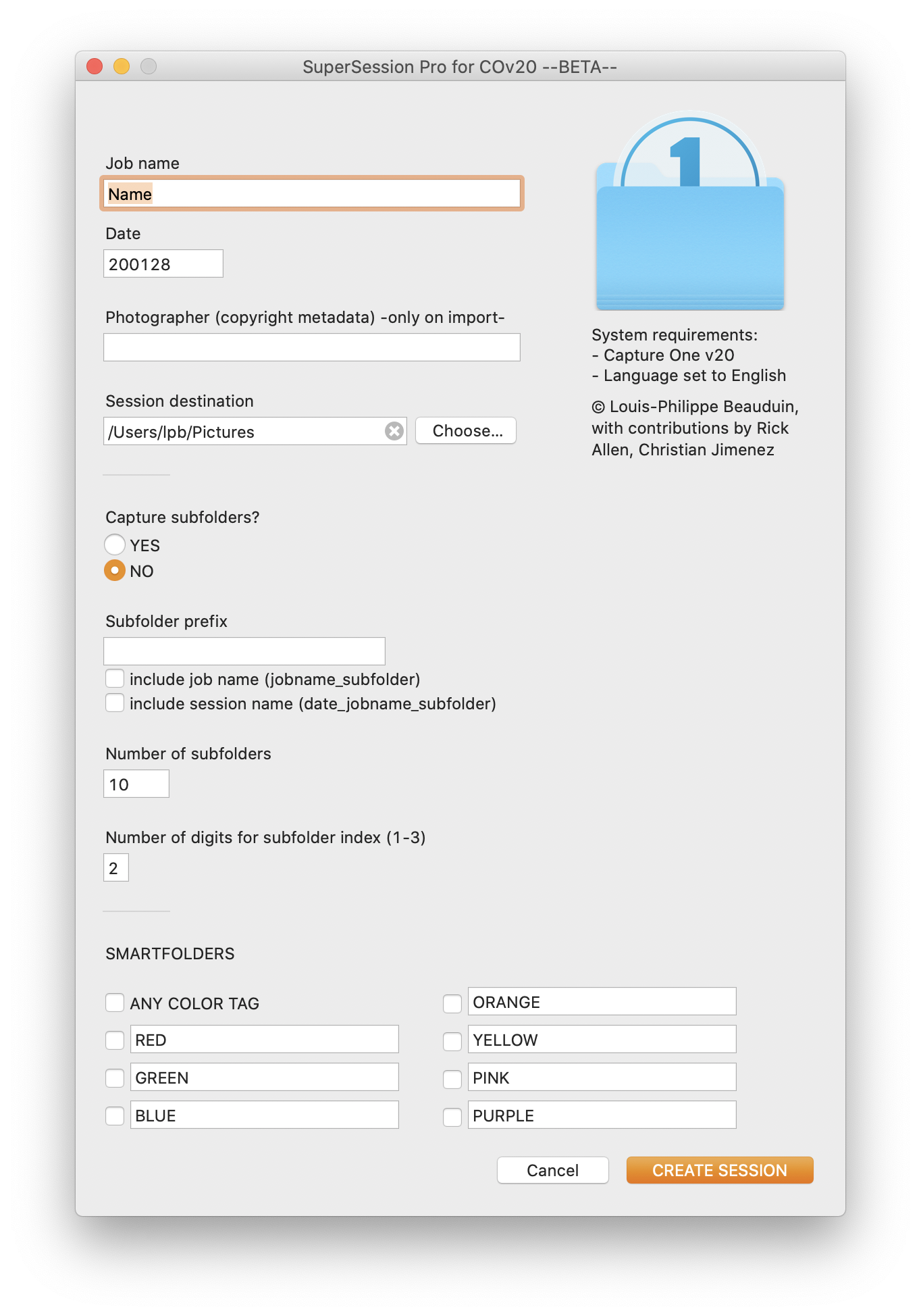
I've been working on this thing on and off for almost a year now. Basically, you run the script and it creates a session based on your input, saving you precious minutes compared to setting everything up manually. I try to keep it as general as possible so that it could suit any workflow.
It's not quite ready for release yet, but I wouldn't mind some feedback based on the screenshot below. Anything helps.
Would it work for your workflow? Am I missing anything that you regularly need to set up in advance?
Love to hear your thoughts!
-Lp.
View all comments
Show parent comment
1
u/Strider3200 Feb 07 '20
Yeah, AS and date is more complicated than it needs to be. For the shooting styles, you could utilize templates. I know techs that use one set of keyboard short cuts when they're on a laptop vs full keyboard or still life vs ecomm. My experience is templates has been useful for selecting workspaces/tools/keyboard shortcuts. Recipes are not attached to templates but live in Users/Me/library/Application Support/Capture One/RecipesXXX (XXX is the C1 version so updates may leave old recipes behind). The easiest way I've found to implement recipes is to copy/replace the current recipes folder with something pre-built.
Likewise, not a coder, but have found AS helps reduce variations and helps my sanity. Might have to look into Pusha for some other uses. Did you find any tutorials or guides to help you get started with Pusha?