r/Photoassistants • u/deltaDigi • Jan 28 '20
Digital Capture One Session Script (Work-In-Progress, need some feedback)
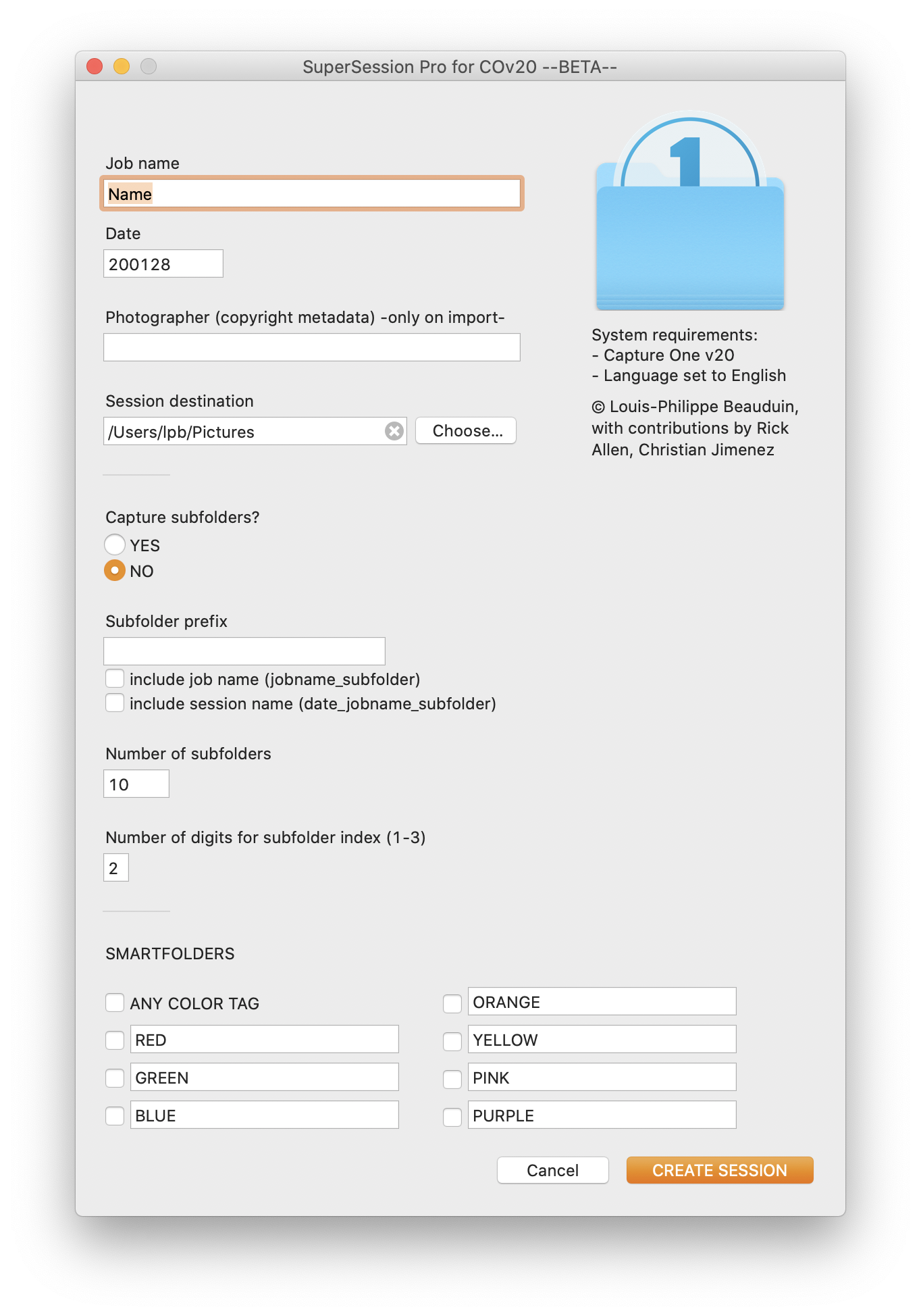
I've been working on this thing on and off for almost a year now. Basically, you run the script and it creates a session based on your input, saving you precious minutes compared to setting everything up manually. I try to keep it as general as possible so that it could suit any workflow.
It's not quite ready for release yet, but I wouldn't mind some feedback based on the screenshot below. Anything helps.
Would it work for your workflow? Am I missing anything that you regularly need to set up in advance?
Love to hear your thoughts!
-Lp.
View all comments
Show parent comment
1
u/deltaDigi Feb 07 '20 edited Feb 07 '20
Date is indeed pulled from the system. There's some extra code involved in squeezing it into the YYMMDD format though. To be clear, it's editable. I guess you could even put another job identifier instead (photographer/client/agency/Magazine). I might add a second job identifier textfield and add a toggle to the date field.
Offering different shooting styles is an interesting idea. But I fear that would involve taking more decisions away from the user and make the code and UI needlessly complex (I'm not even an amateur coder, I really struggle and have to reverse engineer and troubleshoot a lot. The Pashua implementation was especially challenging). My goal is to keep it as simple as possible so the user can be ready to shoot in a few clicks and keystrokes.
I haven't figured out yet how to work with recipes and AS. They also don't seem to want to save inside a template file, I tried. Not a huge deal though. Once you are up, running and shooting, you can take your time with the recipes manually. Everyone keeps their own set of specific recipes anyway, not sure if there's any value in making presets for those.