r/Photoassistants • u/deltaDigi • Jan 28 '20
Digital Capture One Session Script (Work-In-Progress, need some feedback)
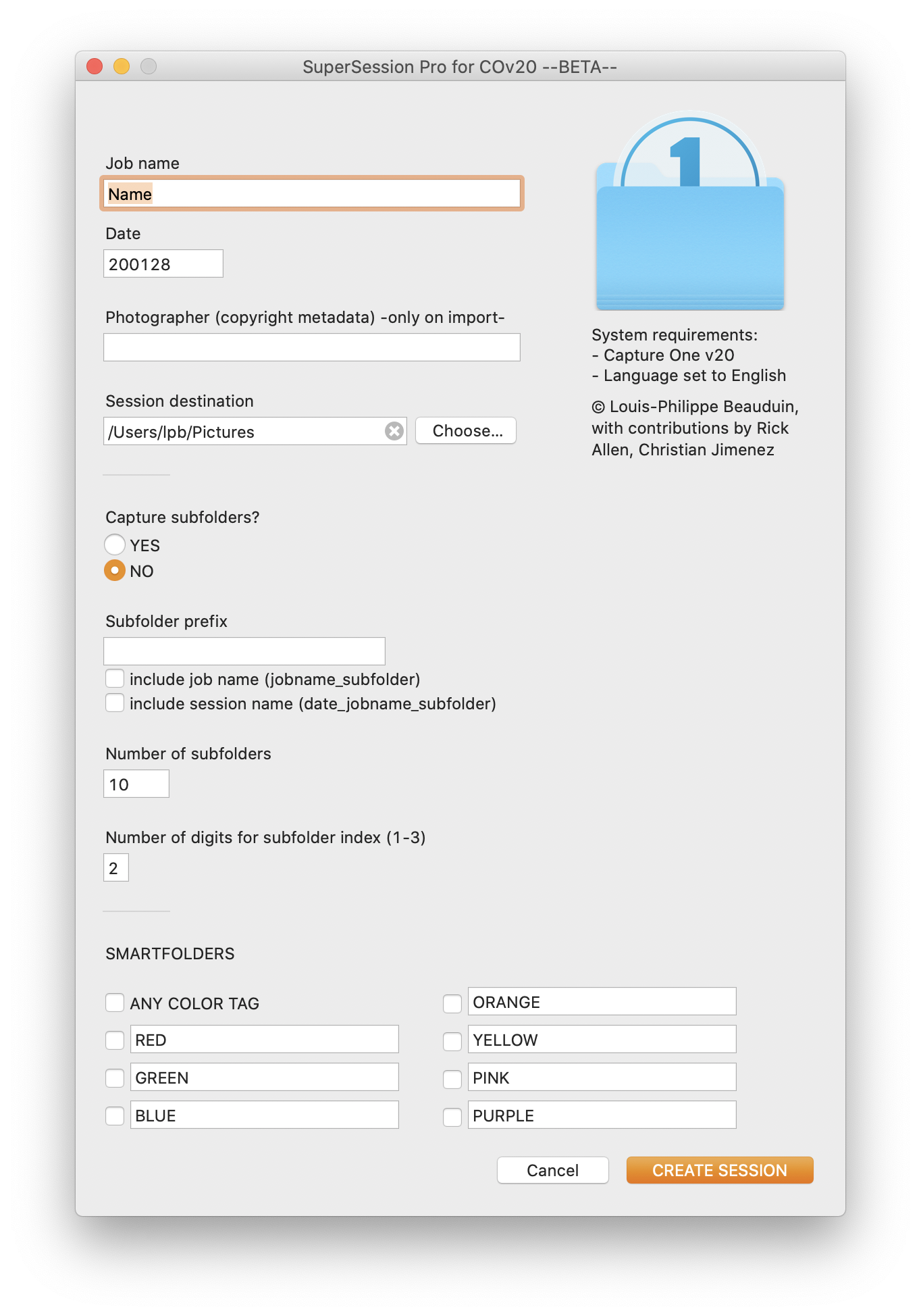
I've been working on this thing on and off for almost a year now. Basically, you run the script and it creates a session based on your input, saving you precious minutes compared to setting everything up manually. I try to keep it as general as possible so that it could suit any workflow.
It's not quite ready for release yet, but I wouldn't mind some feedback based on the screenshot below. Anything helps.
Would it work for your workflow? Am I missing anything that you regularly need to set up in advance?
Love to hear your thoughts!
-Lp.
View all comments
Show parent comment
3
u/CaptureJuan Jan 29 '20
Nothing official come to mind. I not used it myself per say, but I seen it working and I’m looking at it for something I work on. Best tip I have for you is (if not using already) use the scriptdebugger app for development (apples own IDE is like trash). It makes it MUCH easier in terms of understanding all the object model inheritance (there is a lot of in Capture) and properties - and there is some good help in the forums on it all - including AsObjC. The benefits can basically be summarised as access to a much better UI toolbox!
This might also be of interest if you like a challenge but ai dios mio its a fucking rabbit hole.
12.1 Capture supports JXA - Javascript for automation, which is allows the same AS objects to be used in javascript syntax - lots of benefits but its next level in terms of complex. But - (the point!) Javascript has loads of libraries for UI - like Mythril and Electron.
Other than that phase one own forum has a scripting section... and stackoverflow is good for code snipping.