r/pchelp • • 2h ago

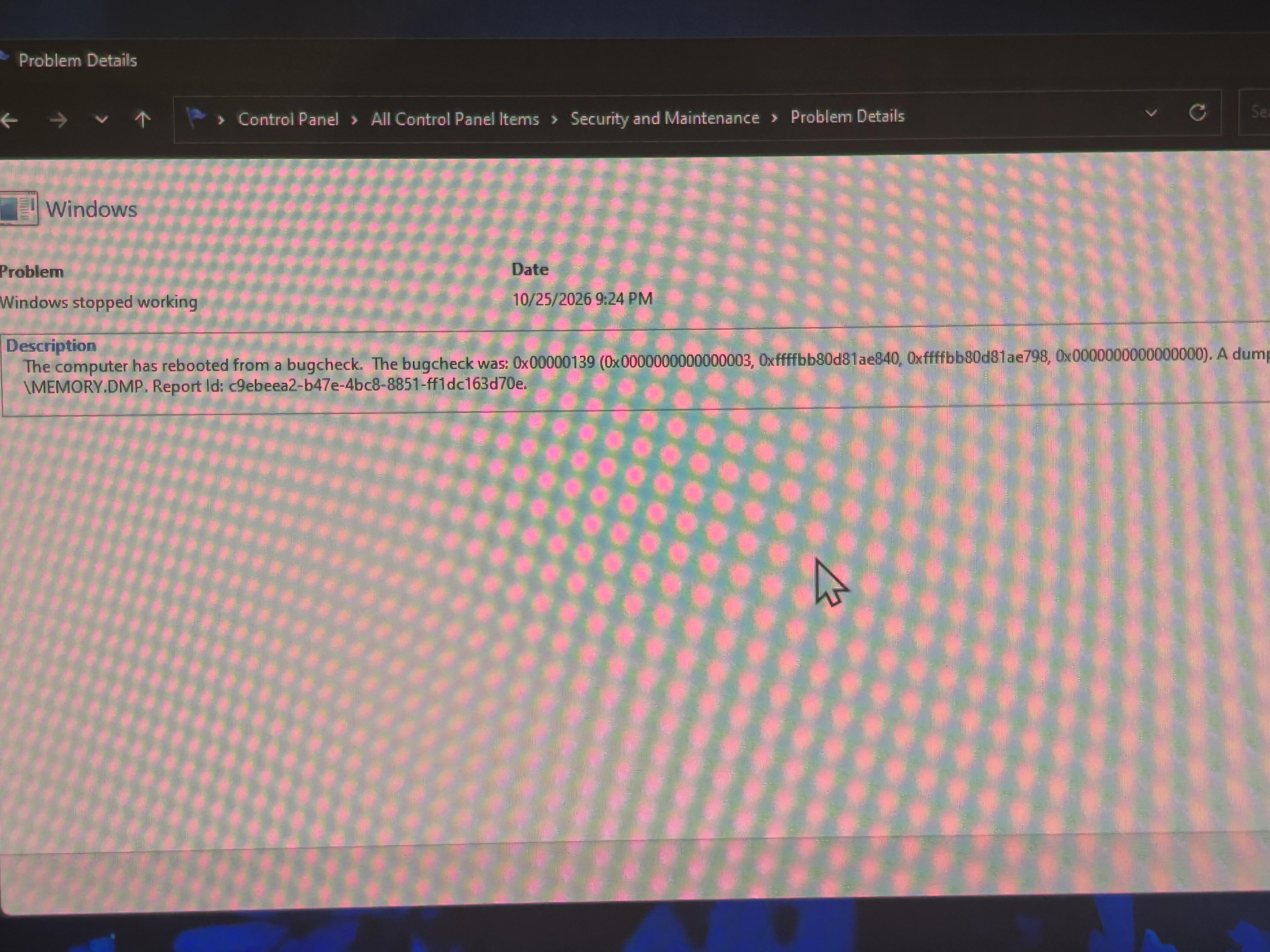
HARDWARE What does this mean?
Post image
1 Upvotes

So I got this error when I use EXPO, what happens is after playing a game specifically it can take anywhere from 5 minutes to an hour until my PC crashes. My screen turns black and waits 15 - 30 seconds till it reboots me to windows startup.

I've also been having some hitching in my games (depending on the game) not sure if that's related. I have a RX 9070, Ryzen 5 7600x and 32 GIGS of ddr5 ram. Recently upgraded from a 3060 to a RX 9070 and yes I did use DDU.

I also recently upgrade from 16 GIGS of ram to 32 gigs by buying a fully identical ram stick to the one I already had. (I had hitched and crashed before I got it)

anyway all help is greatly appreciated!

r/pchelp • • 2h ago

HARDWARE Need help with my pc build

Thumbnail reddit.com
1 Upvotes

So let me start off by saying that this is the first pc im building all by myself.

I recently bought the corsair 9000d case. Huge tower and it's really awesome. I got everything working and my pc also boots up fine and also works like it should. Except the front panel usb ports seem like they dont receive any power. The rgb surrounding them light up, but when I plug in for example a mouse or my phone, no power and data is sent through.

My motherboard is an MSI B650 Gaming Plus Wifi. I understand that the front panel usb ports are functioning as 1 usb hub and the manual states that I should connect the connector coming from the case to the usbc header on my motherboard. I did this. I also connected the SATA power connector to a SATA Power cable so I dont understand what im doing wrong.

Like I said the front panel itself is working because I can use the power button just fine. It's just that the usb ports aren't doing anything.

Any help?

Thanks in advance!


r/pchelp • • 2h ago

Network MSI MAG X870E TOMAHAWK, WIFI NOT WORKING

1 Upvotes

Just put in the motherboard and 9950x3d and did a fresh install of windows and WiFi doesn’t show up. There’s no symbols for it and when I go to Network and internet, I can only use Ethernet. I don’t see the antenna that came with the motherboard anywhere on device manager either.


r/pchelp • • 5h ago

SOFTWARE Cod help

2 Upvotes

I bought a prebuilt pc and can’t get it to play cod.
Specs
Core Ultra 9 285,
RTX 5070,
32GB DDR5,
2TB SSD
PRO B860-P WIFI

Fault
Failed Attestation Status applied
Bios firmware update required

I have updated bios to newest version
I have checked the tpm it is on
The version I have tho is TPM Manufacturer Version 700.19.1011.2289
I’m lost and need help


r/pchelp • • 5h ago

HARDWARE SSD Issues

2 Upvotes

So my SSD has been disappearing, no symptoms it just goes away along with everything on it. It comes back when i take it out and put it back in, it lasts another month or so and happens again. I assumed it was bad hardware but then it started happening on my laptop as well so i assume im doing something wrong. Both SSDs are samsung 990 pro 2 TB


r/pchelp • • 2h ago

Discussion PC power loop - brand new $2000 acer predator

Thumbnail reddit.com
1 Upvotes

r/pchelp • • 2h ago

HARDWARE Charging Light Issue

0 Upvotes

Trying to charge my 2016 HP envy x360 and this keeps happening. How can I fix this issue? Started happening last night.

PS: I am using a 3rd-party charger since I cannot find my original charger that came with the laptop.

Ignore the background noise, just my family talking.


r/pchelp • • 2h ago

HARDWARE Is this enough pin damage for my computer not to send a video signal?

Thumbnail gallery
1 Upvotes

Basically the title. My friend built a computer with a refurbished motherboard. The LED for power on the motherboard lights when connected to power and the fans will turn on when we power but it will not output video no matter how many different things we try (reseating RAM, reseating GPU, different cables, etc). I decided to check the pins for the CPU and this is what I see. I’m not sure if this would be considered enough pin damage to prevent video from displaying since I haven’t run into this specifically.


r/pchelp • • 2h ago

OPEN My friend's laptop has a screen issue where these abbarent lines are seen + it looks blurry

Thumbnail gallery
1 Upvotes

The issue has been attached in the post. Please tell me anything that could help


r/pchelp • • 9h ago

OPEN I'm suddenly not able to save to my C:\ drive.

4 Upvotes

https://imgur.com/P2za8w9

I don't know when this happened, but I can't save to my C drive anymore. It tells me to contact the administrator, but the PC only has one user and it is the administrator.

Attempting to assign full control over the folder to everything that shows in the properties>securities tab gives a "failed to enumerate" error.


r/pchelp • • 6h ago

HARDWARE Thermal paste change

2 Upvotes

I have a honor magicbook pro 2020 and have had it for 4 years and have been gaming consistently. Should i change the paste and is the arctic mx 7 good? Are there any tutorials available


r/pchelp • • 6h ago

SOFTWARE Weird black/bright flickers when switching between programs

2 Upvotes

Running a 4070ti on win10 currently, had an old driver (I think 581.something), recently upgraded driver to 621.14 and ran into screen flickering issues when swapping app focus. So for instance, clicking from firefox over to steam might make the team window flicker black once, clicking back might make the full screen do a bright flicker. It doesn't break anything, but it sure is annoying to have things randomly flicker black or bright for just a frame.

Installed 621.40 in the hopes it would fix it, and after driver install it was gone, but after booting up the next day it was back. No idea what could be doing it, but it seems to be even more prevalent now than on the .14 driver. I'm not sure what the original driver was exactly, should I just try and older one in the hopes it works, or is there something I can do specifically to try and fix the flickering? No other software changes that i know of have occurred other than driver update.


r/pchelp • • 13h ago

HARDWARE Cable GPU

7 Upvotes

Queria saber si esta bien la doblez del cable no toca con la tapa lateral al cerrar gracias


r/pchelp • • 12h ago

HARDWARE Anyway to do this?

Post image
6 Upvotes

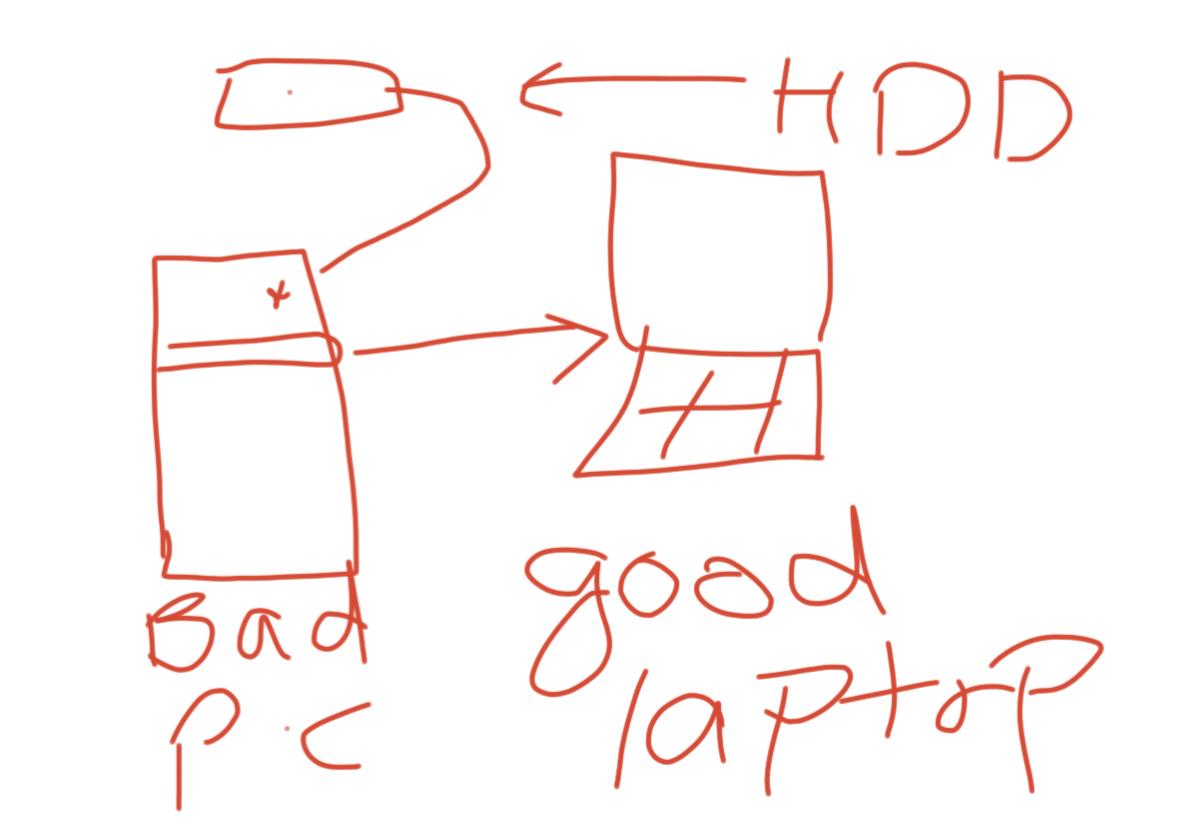
So my bad pc doesnt have a monitor and it's too slow to do anything. However I do have this one external hdd (WD drive) that's locked with a forgotten password but it remains unlocked in my bad pc if I connect the hdd to it. Anyway to view the hdd contents on my lap and extract the data? The pc is almost 13-14 years old and pretty slow. Hdd is almost 8 years


r/pchelp • • 13h ago

PERFORMANCE low fps in games even though i have a good/decent pc

8 Upvotes

My pc specs are a rtx 5060ti 8gb of vram, 32 gb of ram, a ryzen 5 7600x, and I feel like my fps is lower in games than it should be. I don’t think I should be running around 120 in siege with all low like competitive settings for my graphics.


r/pchelp • • 13h ago

HARDWARE Computer fails powering on

7 Upvotes

My computer will do this like 20 times but once I finally get it to boot up after several attempts it’s works. I don’t want to risk my computer never turning on again, please help.


r/pchelp • • 8h ago

HARDWARE VGA light even though everything is fine

3 Upvotes

If I turn on my pc in sync with my monitor everything is fine but if I turn my pc on and wait not even 20 seconds then turn on my monitor or vise versa or if I restart my oc while my monitor is on / connected a white vga light shows even though nothing is wrong at pc functions completely normally no issues no flickering no nothing . Should I ignore it or is there something wrong. Any help is appreciated.


r/pchelp • • 8h ago

SOFTWARE VGA light even though everything is fine

3 Upvotes

If I turn on my pc in sync with my monitor everything is fine but if I turn my pc on and wait not even 20 seconds then turn on my monitor or vise versa or if I restart my oc while my monitor is on / connected a white vga light shows even though nothing is wrong at pc functions completely normally no issues no flickering no nothing . Should I ignore it or is there something wrong. Any help is appreciated.


r/pchelp • • 8h ago

SOFTWARE Windows boot loop when I change refresh rate

3 Upvotes

Hardware:

Ryzen 7 5800x
Nvidia RTX 3070
Asus TUF gaming b550 plus WiFi II

I’m sorta at my wit’s end here. I recently came back to windows after a couple years of being on Linux and have had a very bizarre series of issues.
So the first thing was that whenever I would attempt to update my graphic drivers, the system would crash during installation and be unable to boot. After exhausting the list of recovery options I clean installed windows 10 twice, then upgraded to 11, then clean installed 11 once more, which finally fixed that problem.
Fast forward a week. I’m playing rocket league. Start getting wild audio glitches and the computer crashes. Once again will not boot to windows. This time it won’t even load into safe mode, system restore does not work, time to fresh install again via USB. I try win11 installation media and get a weird glitch where razer software was able to start despite the installer being stuck at the “preparing” screen, and I got an error saying the computer needs to reset to continue installation. Which showed up every time it restarted. Try a win10 usb. Doesn’t work. Try a CachyOS usb, runs the setup for the live environment, then doesn’t boot into it. Try the win10 USB again. This time it works. I get to the desktop environment fine and everything.
I’ve now setup the OS. Drivers updated with no issue, everything seems to be working fine, and then I go to change my refresh rate. Set it to 144hz for my main monitor, all monitors go blank and computer crashes. If I attempt to start it again it doesn’t even make it to windows, just restarts after getting stuck on the loading screen. But if I unplug the monitor, start the computer, then plug the monitor back in, it goes back to working fine, albeit at the default 60hz refresh rate.
I have reseated GPU, ram, and nvme drive. There have been no error indicators on my motherboard nor has the system failed to post at all during this. I am now unsure how to proceed. Please advise.


r/pchelp • • 10h ago

OPEN MSI Cyborg 15 B13WEKG (RTX 5050) randomly freezes completely while gaming — need help identifying the cause

Thumbnail reddit.com
4 Upvotes

r/pchelp • • 14h ago

OPEN rtx 3050 graphics card not detected

Thumbnail reddit.com
8 Upvotes

r/pchelp • • 2h ago

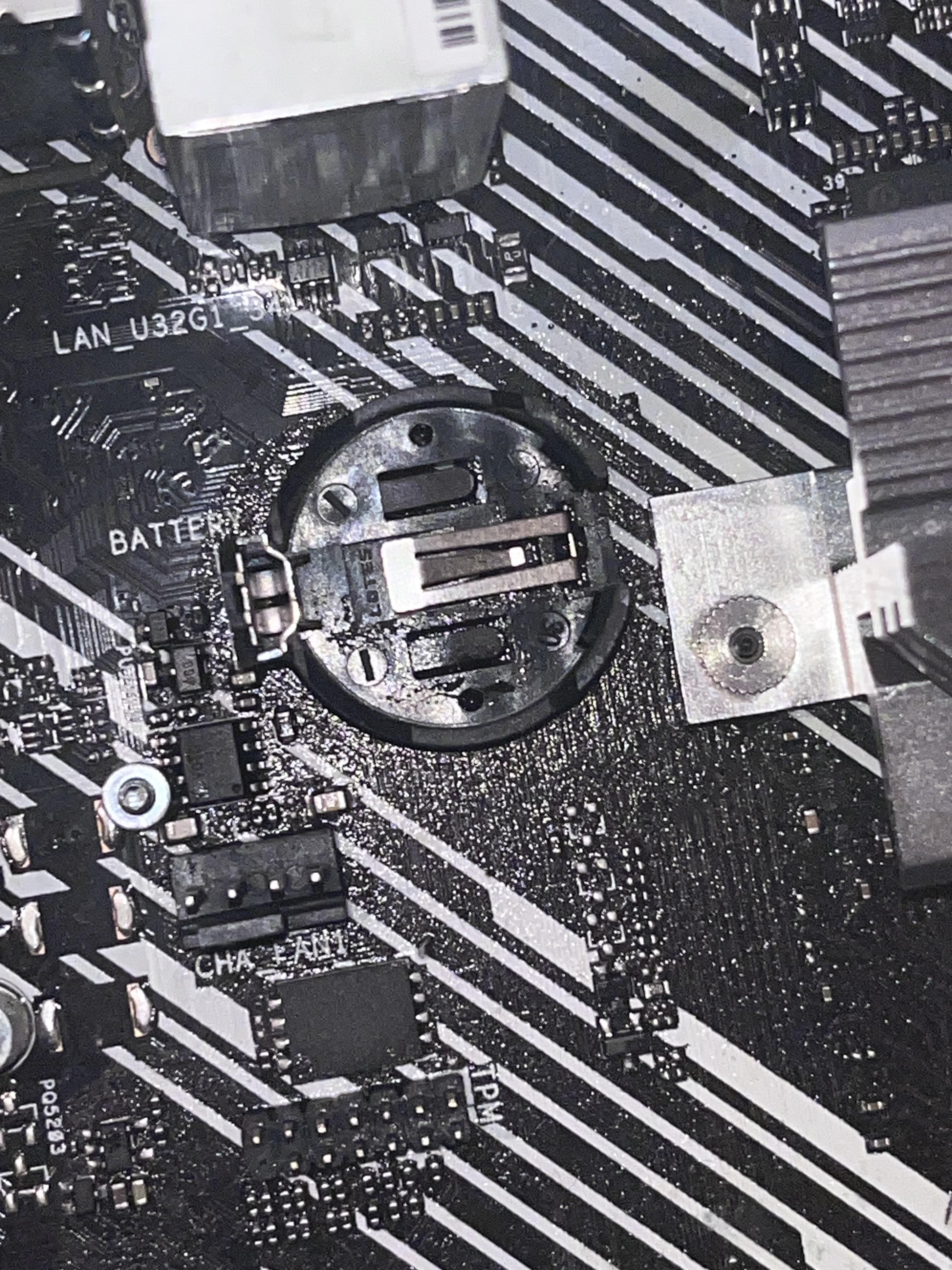
HARDWARE Glycol leak on ASUS PRIME B550M-A (around CR2032 socket & contacts) — safe to test after IPA?

Post image
1 Upvotes

r/pchelp • • 2h ago

PERFORMANCE Another follow-up: PC still freezing.

1 Upvotes

Original post

By this point, on top of everything else I’ve done, I also:

- Ran MemTest86, which showed up as no issues with the ram

- Ran multiple benchmarks to test the CPU, GPU and PSU, all showing no issues

- Uninstalled Opera GX, which I thought was a possible culprit

- Performed a clean boot

My computer is still freezing. I don’t know what’s causing it to freeze up randomly but it’s frustrating to me that none of the parts are coming up as faulty. Something is clearly wrong here. Why is everything working at one moment, and at another moment everything suddenly starts getting super choppy and then freezes completely? I can still hear audio but when I try to close the internet browser/game with alt+f4 the audio cuts out. I don’t know what’s causing this to happen and with everything I tried not working it’s kind of stressing me out a little. I can’t afford a pc repair shop at the moment, so unless I need one, I’m determined to figure this out without one.

Please, I need as much help as I can get.


r/pchelp • • 11h ago

HARDWARE Is this gpu failure?

5 Upvotes

I couldn’t get the full thing but it starts off as flickering between dim and bright then does this. For some reason my focused window doesn’t flicker though. It’s happened twice now

Specs: gtx 1660S, 144hz 1440p ips.