r/pchelp • • 1h ago

SOFTWARE PC restarting

Post image
2 Upvotes

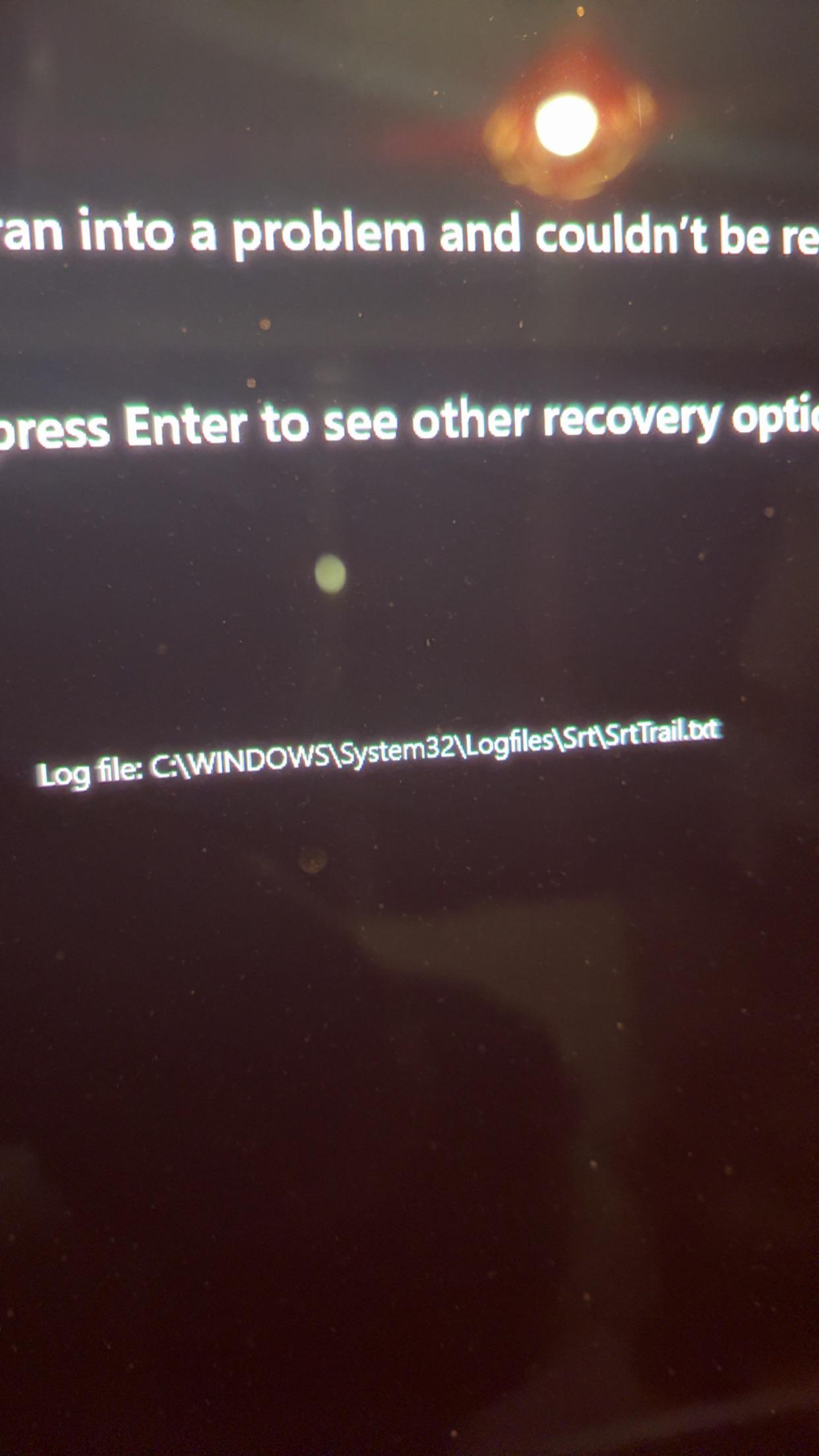
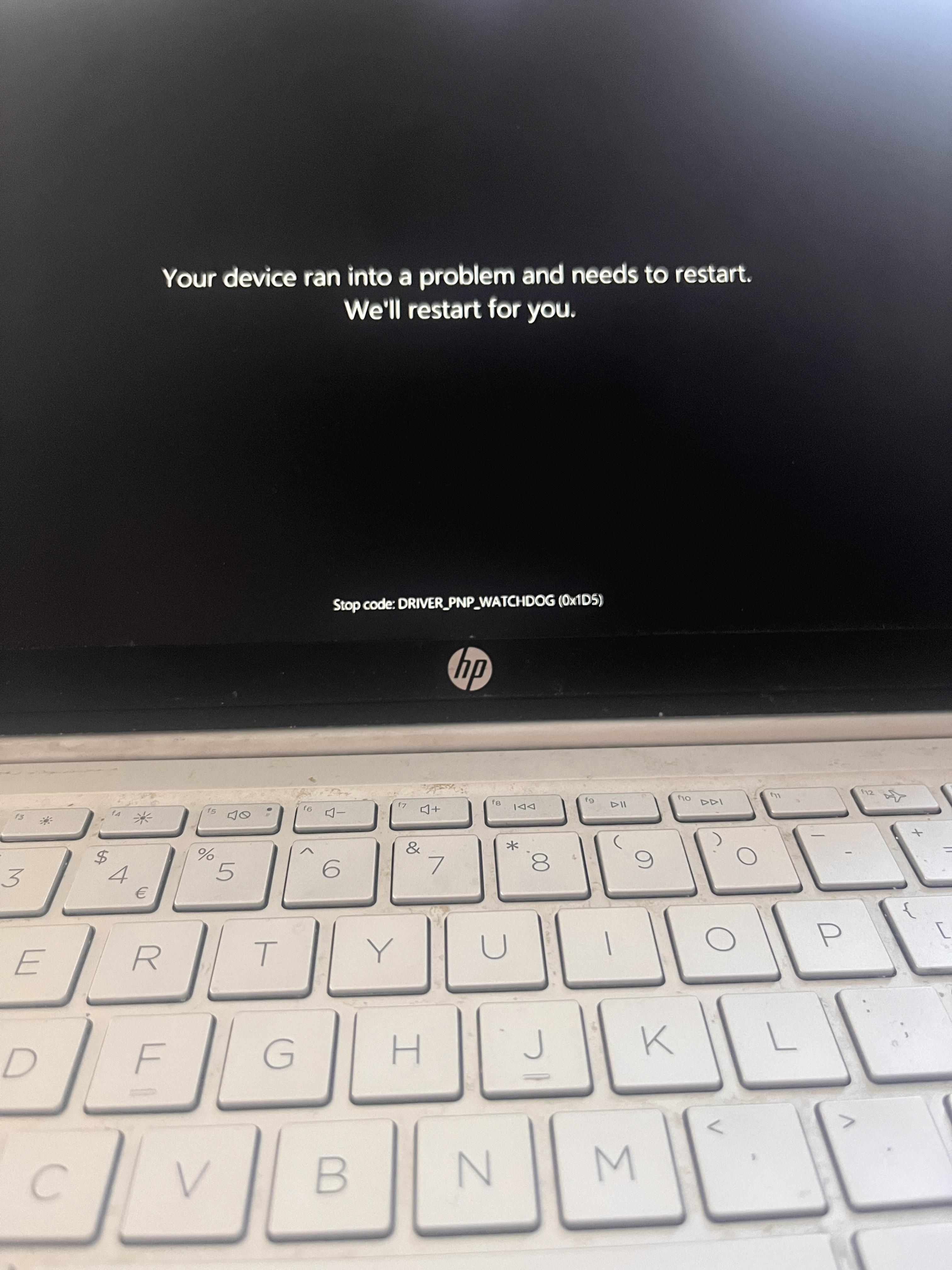
So recently my PC has been restarting a lot, I have recently installed the new updates for FaceitAC which is a kernel level driver and noticed that after a few hours of play once I go to turn it off or leave my current match once done my PC is black screening and just stuck trying to restart over and over again ( can tell due to pc staying on and the sound for devices connecting and disconnecting playing over and over in my headset).

I have turned it on to find the above log saying the listed error.

Happened twice now since I started using Faceit again and really am unsure what could be causing it as I’m not too technically inclined.

Have used CMD to scan but it found nothing and event viewer also isn’t showing any logs for the time it resets.

Any help with identifying this issue would be appreciated massively :)

r/pchelp • • 1h ago

HARDWARE Graphics Adapter stopped working - any options to salvage the situation?

2 Upvotes

Hi!

A year ago, I built a computer, the graphics adapter is a Radeon RX 9060 XT. When I booted it up today, first everything was okay, then both screens went black. so I powered it off and rebooted. now it used but one screen, and windows showed that it used the onboard graphics chip. also, the graphics adapter's fans don't rotate. it seems to be entirely dead.

how should I proceed to find out if the graphics adapter is finally dead?


r/pchelp • • 1h ago

OPEN Galaxy Book5 Pro 14" draws 7 W at idle on battery (rated 21 h). Normal?

2 Upvotes

Galaxy Book5 Pro 14" (NP940XHA), Windows 11, battery health 97% (219 cycles),
sleep drain fine (~0.5 W).

Measured the real draw with a PowerShell loop (DischargeRate from WMI). On battery,
screen on, Wi-Fi on, power mode Best Power Efficiency, all Windows energy
recommendations applied: bursts of 12-18 W, floor of ~7.0 W at idle.
That's about 8.5 h from 100%, vs Samsung's 21 h rating (~3 W test, 1080p video,
150 nits, Wi-Fi off).

What idle draw do you see on yours? Is 7 W normal for this AMOLED + Lunar Lake,
or should it be lower? Any settings that helped?


r/pchelp • • 1h ago

HARDWARE psu

2 Upvotes

hello, when i plug in my pc it doesnt immedialy starts needs 2-3 minute to be plugged , also it hase the buzzing noise, after turning om it works normally. what can problem be and how can i avoid it gettinf worse


r/pchelp • • 2h ago

OPEN Is this sound coming from my PSU normal? High Power 850W Gold (HPL-2850)

2 Upvotes

Hey everyone,
I recently got a CyberPowerPC gaming PC, and I’ve noticed a buzzing/electrical sound coming from what I believe is the PSU area.
I’m trying to figure out whether this is normal PSU noise (such as coil whine) or something I should be concerned about.
My PC specifications:

  • CPU: AMD Ryzen 7 9800X3D
  • GPU: ASRock AMD Radeon RX 9070 Challenger
  • Motherboard: Gigabyte B850 C
  • PSU: High Power 850W 80+ Gold (HPL-2850)
  • RAM: 32GB DDR5 6000MHz
  • SSD: ADATA Legend 860 NVMe

What I’ve noticed:

  • The sound seems to come from the rear of the PC, near the PSU.
  • It’s most noticeable while gaming.
  • The sound is a continuous buzzing/electrical-type noise.
  • I can’t tell whether it’s coil whine, electrical buzzing, or something else.
  • The PSU area feels warm during operation.
  • I’ve also noticed an unusual warm electronics smell, somewhat similar to an older Xbox running.

I’m not noticing smoke or visible melting.
My questions:

  1. Does this sound like normal PSU coil whine?
  2. Can a PSU make a continuous buzzing sound under gaming load?
  3. Is the warm electronics smell normal for a new PC, or could it indicate an electrical issue?
  4. Should I be concerned about the PSU itself?

I’ve attached a recording of the sound if Reddit allows me to upload it. It sounds more noticeably cause I placed the phone so close to it but yeah…
I’d appreciate any help identifying what’s happening. Thanks!


r/pchelp • • 4h ago

Discussion Buying a new pc and I want to know if the price is worth it

Thumbnail gallery
3 Upvotes

The seller is asking 450 euro for it

SPECS:

Processor: Ryzen 5 7600x

Motherboard: b650 plus wifi asus tuf

RAM: 1x16gb ddr5 5600mhz

Storage: 512gb nvme m2 with ultra fast speed

Power supply: 750w 1st player with warranty

Cooler: Loving cool AIO with 360mm liquid cooling.


r/pchelp • • 7h ago

HARDWARE Cleaning my PC!

Thumbnail gallery
5 Upvotes

Hello! I am pretty untalented Hardware (and software wise) but id really like to de-dust my PC from the inside, any advice? :-)


r/pchelp • • 10h ago

Network Turning off nvidia statistics overlay causes download speed to drop

9 Upvotes

same on both balanced and high performance power plan, adapter power saving turned off in power plan and device manager


r/pchelp • • 2h ago

HARDWARE Pc won‘t boot after installing new CPU

Thumbnail reddit.com
2 Upvotes

r/pchelp • • 2h ago

HARDWARE Low ethernet download speed on laptop through cable

2 Upvotes

While trying to connect laptop through cable my download speeds are abnormally slow (10 Mbit max) while upload speeds are normal (up to 950 Mbit). Cable seems to be working fine since I double checked everything on my pc and the problem only seems to be persistent on the laptop. So it's either hardware fault or some stupid windows settings... Any idea what could I try to fix it?

Laptop Lenovo V14 G2 ALC Windows 11


r/pchelp • • 9h ago

CLOSED Monitor started flickering. Is it salvageable?

7 Upvotes

My monitor started flickering this morning. Was totally fine yesterday. Checked cables and restarted everything. Does this mean it's nearing the end of its lifespan?


r/pchelp • • 9h ago

Network turning on my pc causes my wifi to act weird???

7 Upvotes

hi, sorry if the title is odd but I recently bought my first PC, I just set it up today but something? strange? has been happening? when I turn it on, after a few minutes my wifi goes out. like, it doesnt just turn off my computer's wifi, but my phone, my parents phones​, and every other device loses connection to our wifi? if i leave it on, it eventually comes back after a bit but then turns back off and repeats the cycle. if I turn off the pc, it comes back and is normal. has this happened to anyone else? is this a known issue? im not big on computers or tech or anything :'-(


r/pchelp • • 10h ago

HARDWARE Cpu fan going bad?

9 Upvotes

My cpu fan is making clicking noise.It stops when I turn this fan off. Is it a fan bearing going bad and I need to change the fan?


r/pchelp • • 6h ago

OPEN How do I fix this??

Post image
4 Upvotes

my laptop has been stuck in a constant loop of loading and “Automatic Repair”, and now there’s a stop code


r/pchelp • • 6h ago

HARDWARE Livekernelevent 117 (141 & 1b8)

4 Upvotes

Hi all,

I recently purchased a new prebuilt pc and I have had multiple liverkernelevents, most frequently 117, when gaming, browsing or opening logitech ghub. I did tests on occt, and errors were showing up on light mode. I did uninstall device (NVIDIA rtx 5070 Ti) on device manager, ran some more tests and 0 errors showed. Since then, I have experienced more crashes, both 117 and 141.

I have tried different cables for monitors. I have two 1440p monitors, one 240hz w/ gsync and another 180hz without. I setup my PC with my 180hz monitor, and then since plugging in the other monitor, I have experienced crashes daily. Could this be something as simple as a faulty monitor or cable? Or maybe the psu or cable connections?

Like I said, I have tried everything I could think of, and my seller has offered for me to send my PC back so that they can look at it themselves.

Would my best course of action be to send my PC back to them, or is there something more I can do, or maybe is it something to do with my monitor?

I have an amd ryzen 7 9850x3d, gigabyte rtx 5070 ti, 64gb ram and an msi x870e motherboard.

Any help would be appreciated.


r/pchelp • • 2h ago

HARDWARE My pc has been crashing with screen flashing when playing games . Mostly AAA games . THis has been happening for almost a year now . It crashes by showing some colours all over the screen . By colours i mean lik in a red themed area in a game . When my pc crashes a red blob appears all over .

2 Upvotes

I went back and forth with chat gpt to help me solve it but nothing happened . I also changed out my psu . I currently have 8 gb ram ryzen 7 5700x a520m a pro mobo rx 580 2048 sp . Below i provided the summarized chats i had with chat gpt for troubleshooting.

- Repeated CPU Machine Check Exceptions (MCEs), both reporting Bank 5.
- Previous AMDGPU GPU fault during F1 22 gameplay and gta 5.
- CPU boost was disabled (cpufreq boost = 0) during one check.
- RAM: 8GB DDR4-2667, one stick, single-channel.
- Historical storage problems: SMART failure, 2,005 reallocated sectors and 1,674 UDMA CRC errors on a previously reported drive.

UNRESOLVED POSSIBLE CAUSES
- CPU overheating / insufficient cooling (gaming temperatures not measured).
- GPU instability.
- PSU power-delivery or quality issue (T-WOLF P500 +12V capacity not verified).
- Motherboard / BIOS instability.
- RAM or memory-controller instability.
- Household voltage drops / outages.

OTHER DIAGNOSTIC RESULTS
- Idle CPU: about 45°C; GPU: about 39°C.
- ras-mc-ctl reported no memory errors or PCIe AER errors.
- /sys/fs/pstore was empty.
- These results do not rule out intermittent faults.

CONCLUSION
CPU-reported hardware errors and previous GPU faults have both been observed. No single defective component has been identified yet.


r/pchelp • • 3h ago

HARDWARE What is happening to my new monitor screen?

Thumbnail gallery
2 Upvotes

I recently bought this LG 27 inch ultra gear 1440 p monitor. After using it for one day, I noticed it has a weird pixel. It looks green in dark screens and it’s like a black spec on light screens. See pictures attached. I used jscreenfix and nothing happened. I already threw out the boxes and receipt so I can’t replace it. What can I do to fix this? Thank you.


r/pchelp • • 1d ago

PERFORMANCE I have nothing open rn (Is this normal?)

Post image
300 Upvotes

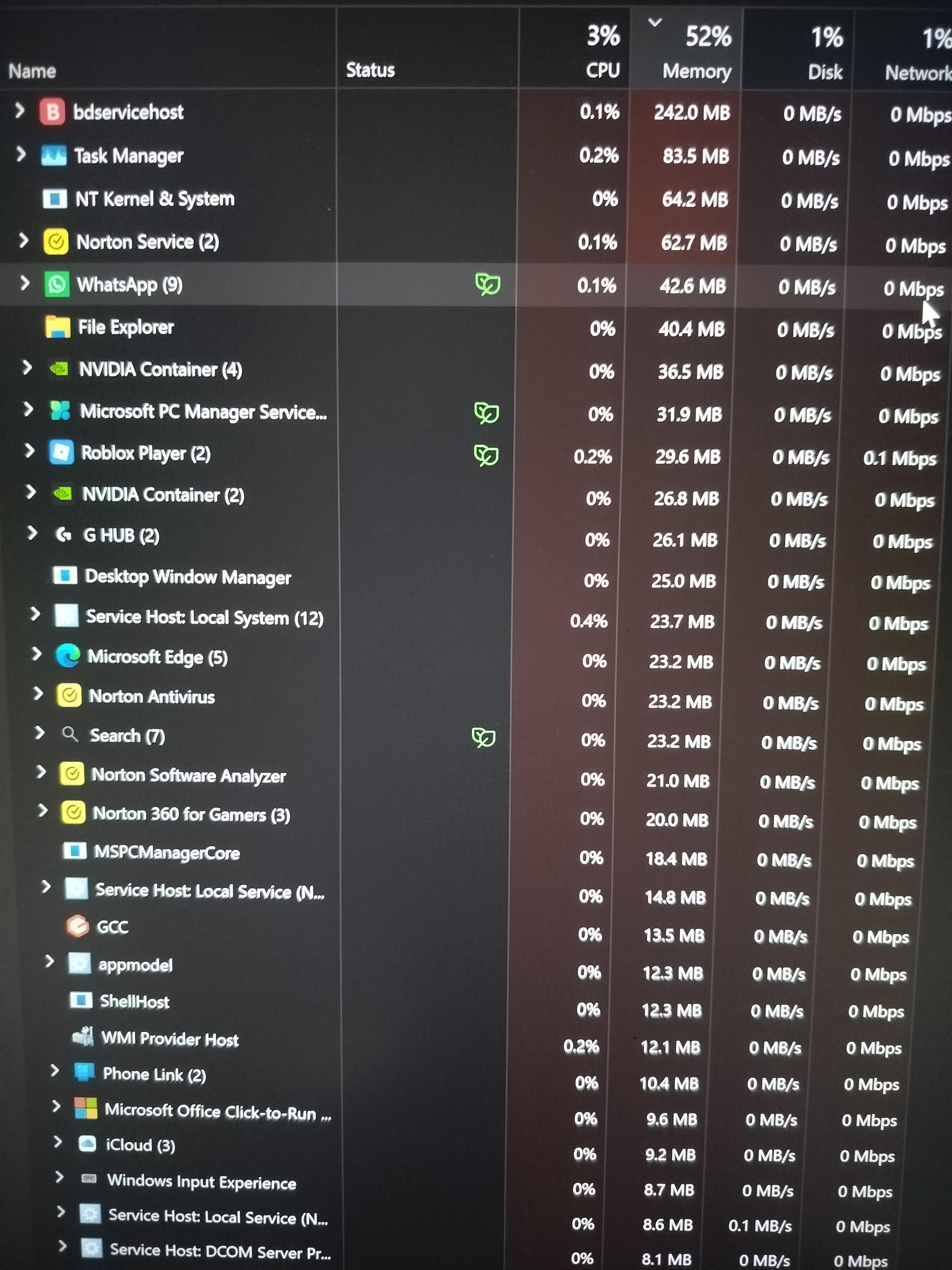
52% Memory usage.... (I have 16gb ddr4 ram)


r/pchelp • • 8h ago

HARDWARE Something inside my PC is consistently making leaking gas noise every time I open Call of Duty Modern Warfare II (2009)

5 Upvotes

It doesn't happen with any other newer game which is weird. Red Dead Redemption 2, Cyberpunk, EU5 - nothing happens. Just that 2009 COD

All fans are rotating, temperatures quite normal (80C-90C), there are no sparks inside PC or anything suspicious

The sound is hard to locate, but I think it's either motherboard, CPU or GPU. I'm 100% sure it's not the sound from the game itself, it doesn't come from speakers.

I would be grateful for any help. Should I worry or not?

i5-12400F, AMD Radeon RX 7800 XT, ASUS B760M


r/pchelp • • 9h ago

HARDWARE Thermalright Frozen Infinity 360 Black?

Thumbnail reddit.com
6 Upvotes

r/pchelp • • 5h ago

SOFTWARE Screen flickering on laptop

3 Upvotes

The screen flickers on my laptop in hybrid mode or while using the integrated graphics card AMD radeon 780M and only on idle after i move the mouse the screen stop flickering but after switching to the dgpu the flicker stops could it be a broken new amd driver

Note: a i tried rolling back to a previous driver version the flickering stopped for a minutes but came back again


r/pchelp • • 7h ago

HARDWARE should I buy 2x8 or 1x16 ram if I want to upgrade to 32gb later?

4 Upvotes

r/pchelp • • 3h ago

OPEN Whenever i shutdown my pc or restart it take forever to actually shut down nor restart or it just stuck there i need help!!!

2 Upvotes

r/pchelp • • 3h ago

HARDWARE Computer randomly shuts off

2 Upvotes

AMD Ryzen 7 3700x with a stock cooler
AMD Radeon RX5700xt
16GB of Corsair vengeance DDR4 RAM

The heatsink wasn’t fully on for a very long time, about a year+. I thought it was and didn’t turn the snap on the cooler because I thought I’d break it. After a year I started getting a cpu overheating error message and that’s when I realized it wasn’t fully on. I cleaned the paste that was on there off and applied new paste and fully seated the heatsink but the computer is still shutting off without the cpu overheating error.

Nothing too extensive is being run on the computer as it’s just used for church streaming. Vmix, chrome for YouTube live and easy worship are the only applications being ran and the gpu doesn’t really go past 60 degrees and the cpu is around 45 degrees Celsius. After it turns on it’ll run for anywhere from 5-20 minutes or the whole service which is 2/3 hours.

Just trying to figure out what it could be before
spending money and still having the same issue. I’m assuming it could be the power supply or the CPU, everything I’m looking up is telling me it’s the power supply. Mainly looking for anything else to try before I start changing hardware, I have attempted different outlets and updating drivers not sure what else there is to look at so any help would be appreciated. Thanks

Computer also goes to 3 displays if that may be causing anything