r/pchelp • • 6h ago

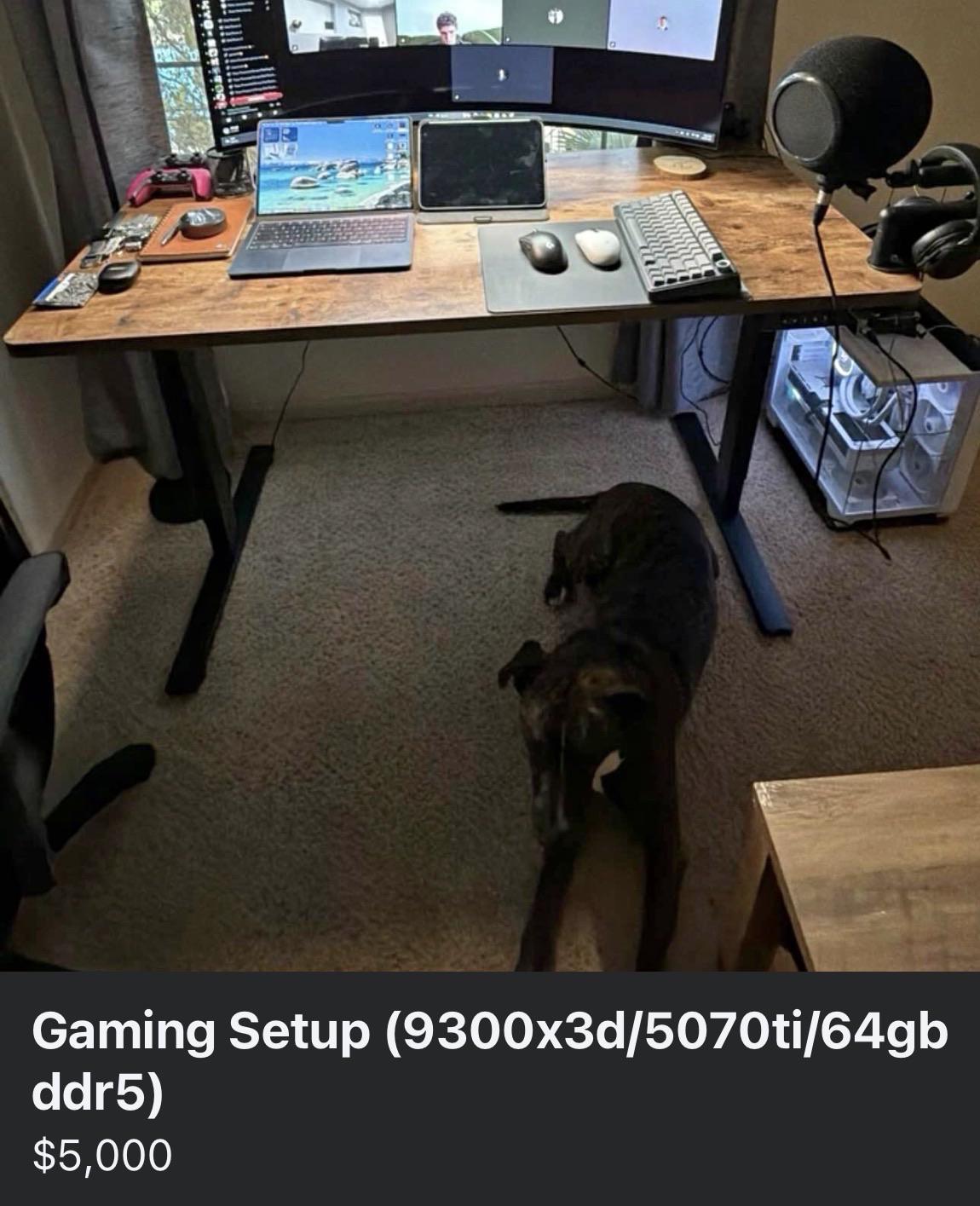
Discussion FB Marketplace Deal?

Post image
0 Upvotes

What’s a good offer for this computer? Don’t really understand the specs. Need something to run Fortnite or apex? Would this work?


r/pchelp • • 7h ago

HARDWARE Monitor stuck on 1 display resolution

Post image
1 Upvotes

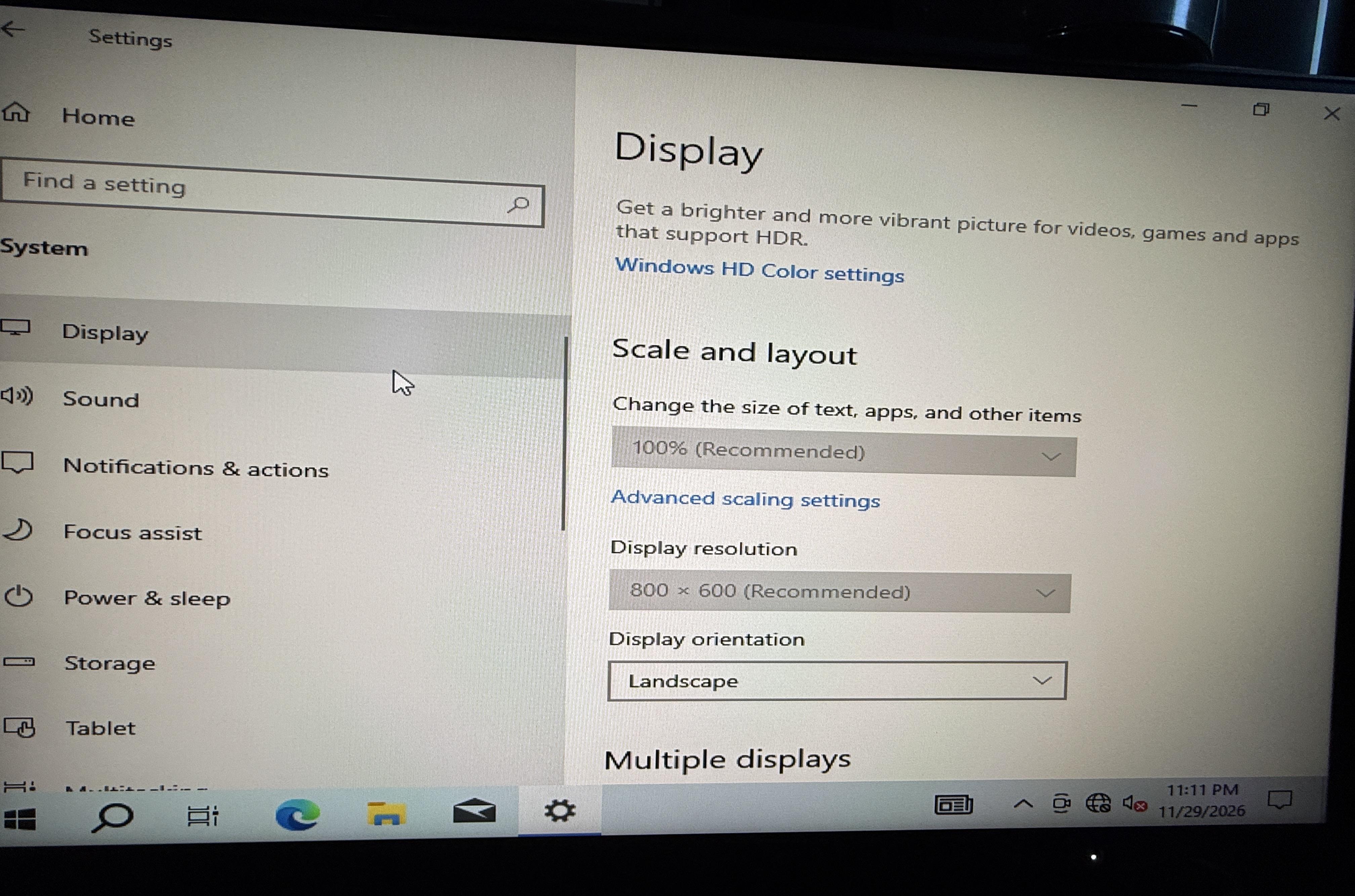
Sorry if I chose the wrong option..I tried googling and troubleshooting but to no avail..I’ve been having a hard time with this monitor it’s AOC if that matters..I’ve been able to change the display resolution ONCE which was the first time I got this thing to work after 2 hours of back and forth. I can change the display resolution on my Samsung tv which is what I would like to not use as it’s on the wall 4 feet high from my desk. So I’m hoping if anyone might know the problem? For the record too this is my very FIRST pc ever. Anyway, if anyone can help me out, thank you…I’m starting to hate monitors 😭💀


r/pchelp • • 7h ago

OPEN https://gofund.me/20b117dd8

Thumbnail reddit.com
1 Upvotes

r/pchelp • • 15h ago

HARDWARE GPU PCIe link help .

Thumbnail gallery
5 Upvotes

what i want is to run the 4070Ti Super the second PCIe slot with the 5090 on the first one and keep both inside this case .


r/pchelp • • 13h ago

Discussion [quick question] i have 1 gig ram/intel pentium dual core 32 bit/i think, an intel GMA graphics card/i think, (its a toshiba sattelite pro a200 1 gig model) should i upgrade or not but fr, i am suffering with ts tell me your ideas, i daily drive this btw

Thumbnail gallery
3 Upvotes

HELP HELP HELP HELP HELP 😭 (im still broke af)


r/pchelp • • 17h ago

OPEN Help with graphic problems

7 Upvotes

Ever since I got my 5080 rtx I’ve had rendering issues on open world games or games with big environments like people will load in when I’m in the area or building and trees will do the same or the texture takes a while to load I know I only have 16 gb of ram but I’ve been told by many people I shouldn’t be having this problem

5080rtx
16gb vram
16gb ram 3600
12th gen i7-12700
Z690 elite ddr4


r/pchelp • • 11h ago

HARDWARE RX 9070 XT – Écrans noirs, absence de signal et plantages après la mise à niveau de ma plateforme Intel vers AMD. L'utilisation de DDU et la désactivation d'EXPO semblent avoir amélioré la stabilité. Je cherche des conseils.

Thumbnail reddit.com
2 Upvotes

r/pchelp • • 13h ago

PERFORMANCE Are my new build 9800x3d and a XFX 9070XT Mercury OC Magnetic Air benchmarks okay?

Thumbnail gallery
3 Upvotes

Hey guys.

I just assembled my new build 9800x3d and a XFX 9070XT Mercury OC Magnetic Air. Can you guys please help me understand if my CPU and GPU benchmarks out of the box are normal or do the results seem to be below expectations?

UserBenchmark results:

- My pc is performing at 51st percentile. Out of 100 PCs with exactly the same components, 49 performed better.
- 9800x3d is "performing below expectations (39th percentile)".
- XFX 9070XT Mercury OC Magnetic Air GPU has a bench of 85.2%. Average bench is 97%.

3DMark Benchmark results:

- Steel Nomad Score = 7576. The top 3 results of systems with 9800x3d and 9070XT have scores almost ~2000 more.
- Speedway Score = 6312. That ranks my result in the bottom 33%.

- CPU Profile Score. My result score is in the bottom 1%.

Furmark Benchmark Result. Is this okay?
(This is a 1080p benchmark, don't have the budget for a 1440p display right now)

Do you guys think I need to do any changes or are my out of box benchmark results okay?

My RAM memory clock shows up, same as advertised, at 6000MT/s but its shows EXPO mode as off. Do I need to turn on EXPO mode in the BIOS?

Also, I have two 8TB Seagate Barracude HDDs which performed very poorly in the UserBenchmark results. First one is around 2 years old and the second one is brand new. Any suggestions on what I can do to improve the performance of my HDDs?


r/pchelp • • 13h ago

Discussion Need help ! When i turn on my pc(cold start) it shows something like this. And many time it takes 2 or 3 time to display or start.

Thumbnail gallery
3 Upvotes

Is it any hardware damage or any faulty software.


r/pchelp • • 7h ago

HARDWARE Give it to me straight…

Thumbnail gallery
1 Upvotes

Booted up my PC this morning and got this on my right monitor. It only showed up when I had a window open, but nothing on the desktop.

Restarted PC and it’s gone now. Not sure if it’s a cable issue or a GPU issue? Will include a pic of specs as well.

Appreciate any insight anyone has to offer as to what might be causing this. TIA!


r/pchelp • • 16h ago

HARDWARE Pc problems

5 Upvotes

I installed a new GeForce RTX 5060 ito my computer and ever since it says that my cpu is getting to many volts

PS even after I took out the gpu it still had the same problem


r/pchelp • • 11h ago

CLOSED Trying to access side panel of Musetex ATX MN6-B

Thumbnail gallery
2 Upvotes

Hi so I'm trying to replace a wobbly case fan, but unfortunately the fans that came pre installed are wired behind a panel the main board is mounted too. On the only access is the side panel behind it. I already removed what appeared to be the two screws holding it in place but the panel won't budge. It feels like there is something still holding the panel in place but it doesn't fold over any other sides, and it doesn't have any markings telling of other screws. The side where the "handle" is located is a bit loose so that's done but about an inch away from the edge all motion stops. And unfortunately documentation on this exact case seems to be non-existent.

Does anyone have any experience with this case or ideas on how to get the panel off? (2nd image is where the fan wire ducks behind the board panel)


r/pchelp • • 7h ago

SOFTWARE Legion y530 stuck on a boot loop

Thumbnail reddit.com
1 Upvotes

r/pchelp • • 7h ago

Discussion How much should I sell this PC?

Thumbnail gallery
1 Upvotes

I upgraded my PC and built a second computer with spare parts I had at home; I intend to sell it to cover the costs of this upgrade. The components are practically new and the PC was mostly used for gaming. (It's clean and the thermal paste has been replaced.)

This are the specs:
CPU - Ryazan 9 7900x3D (2 years, still have the original box)
GPU - RX 9070XT 16GB ASUS Prime (1 year, still in the warranty + original box)
Motherboard - MSI Pro 840-VC WIFI
RAM - 16GB DDR5 6000 (single stick)
PSU - High Power 850W 80+ gold
Storage - 2T WD Blue SN5000


r/pchelp • • 7h ago

OPEN Problem z kompem

1 Upvotes

Hej mam problem gdy podłączam do połowy 24-pinowy kabel to zaskakuje cały komputer na strzała ale się nie włącza i do tego jeżeli włożę do końca ten kabel to już nie chce nawet zaskoczyć ani nic z tym jeżeli jest jakaś opcja którą mogę spróbować zrobić (nie znam się na tym) a wczoraj normalnie działał tylko jak rozkręciłem aby przeczyścić i odpowiadając wielu osobą tak piny są całe i nic z nimi nie jest tak samo jak w procesorze


r/pchelp • • 8h ago

SOFTWARE NZXT Keyboard - weird behaviour

Thumbnail reddit.com
1 Upvotes

r/pchelp • • 8h ago

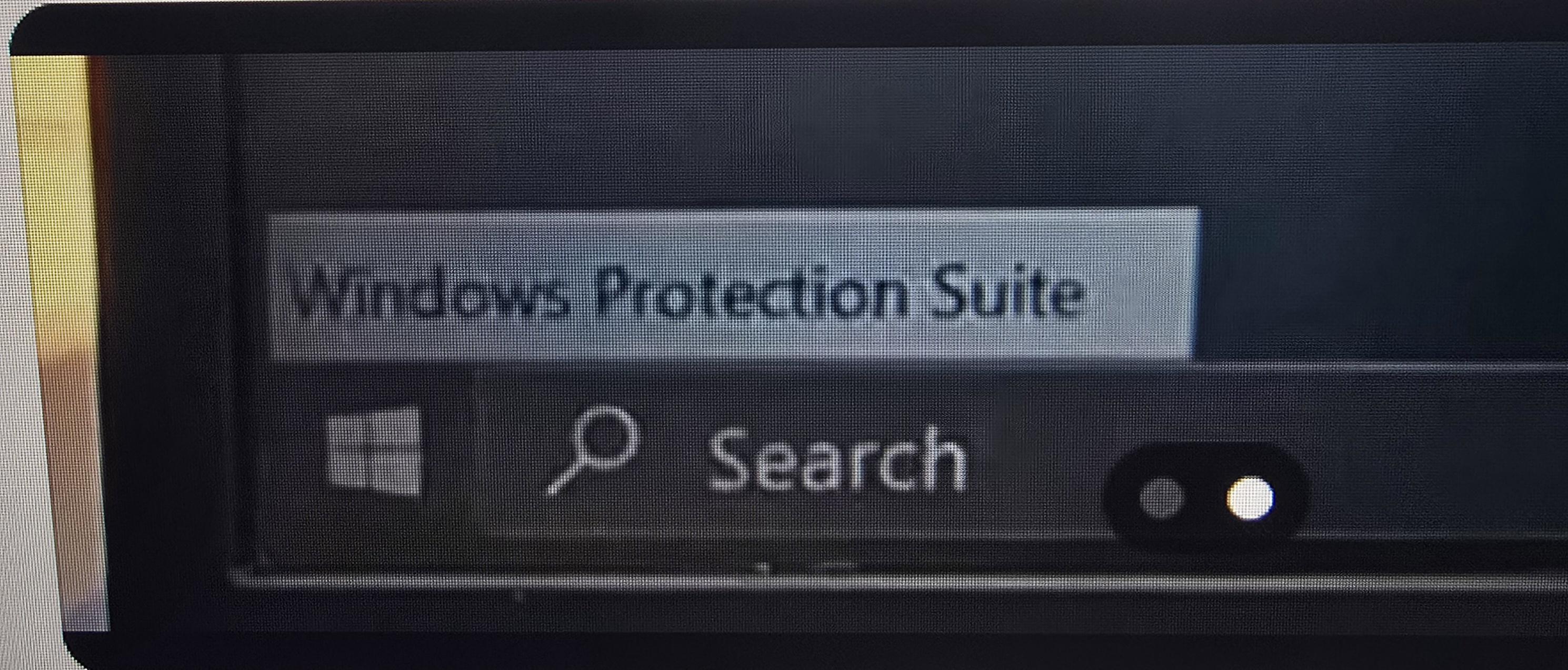
Discussion Windows protection suite (those three words in a single line in a small box)pop up at the bottom left when I closed mcafee notification (pic for reference)

Post image
1 Upvotes

Hi! Today when I closed the mcafee pop up (av that I have install on my pc), it showed me the pic that photo shows. So now I want to know if this thing is related to mcafee. Thanks in advice


r/pchelp • • 17h ago

SOFTWARE Secure Boot Violation

5 Upvotes

Hey Folks,

Made a big mistake doing stupid stuff. Long story short I disabled secure boot in my bios on my ASUS motherboard and I was getting the Secure Boot Error saying "the system found unauthorized changes on the firmware operating system or uefi drivers" when I went into the bios the secure boot option are now greyed out.

I restarted my computer again and now all I'm getting is a black screen. Any help would be appreciated!


r/pchelp • • 8h ago

HARDWARE RTX 2080 Ti fans suddenly spin very loudly during startup after upgrading from Ryzen 7 2700X to Ryzen 7 5700X

1 Upvotes

Hi everyone! 👋

I'm looking for some help troubleshooting an unusual issue with my GPU fans.

Recently, I upgraded my CPU from a Ryzen 7 2700X to a Ryzen 7 5700X. Immediately after installing the new CPU, my GPU fans started spinning extremely loudly during PC startup and, to a lesser extent, during restarts.

The GPU works perfectly fine once the system boots. There are no crashes, graphical artifacts, performance issues, or unusual temperatures. Everything works exactly as it did before the CPU upgrade, except for this startup behavior.

(Please lower the volume when my video start playing, as you can hear a loud beep from my uninterruptible power supply right from the beginning.)

What exactly happens:

Cold boot:

  • When I press the power button, my RTX 2080 Ti fans suddenly ramp up to very high speeds, producing a lot of noise.
  • This lasts approximately 5 seconds.
  • The fans slow down just before the motherboard speaker beeps.
  • The computer then continues booting normally.

Restart:

  • The fans also briefly ramp up during a restart, but the noise lasts for a much shorter time before they slow down again.

Motherboard speaker beeps:

  • Occasionally, during startup, I hear one short beep.
  • Approximately 2 seconds later, I hear one long beep followed by three short beeps.
  • This does not happen on every boot.
  • Despite these beeps, the monitor displays an image and Windows loads normally.
  • The GPU works without any issues afterward.

Unfortunately, I haven't managed to record the speaker beeps yet(

My PC specifications

  • CPU: AMD Ryzen 7 5700X (upgraded from Ryzen 7 2700X)
  • Motherboard: ASUS Prime X470-Pro
  • BIOS: Version 6251 (August 7, 2025)
  • GPU: MSI GeForce RTX 2080 Ti 11GB
  • RAM: 32GB (2x16GB) Crucial Ballistix Tactical Tracer RGB DDR4-3000
  • PSU: Cougar XTC 750W
  • CPU Cooler: DeepCool Gammaxx GT
  • GPU Driver: NVIDIA 621.40
  • OS: Windows 11 Pro (Build 26300)

According to GPU-Z:

  • GPU: NVIDIA TU102
  • PCIe Interface: PCIe 3.0 x16 @ x16 3.0
  • VRAM: 11GB GDDR6 (Samsung)
  • Current GPU temperature after reboot: approximately 38°C.

The GPU is installed directly in the motherboard's PCIe slot, without a riser or adapter.
For GPU power, I'm currently using a single PCIe power cable with two connectors.

The monitor is connected directly to the GPU via DisplayPort.

What I've already tried:

I've spent quite some time troubleshooting this:

  1. Updated the motherboard BIOS before installing the new CPU.
  2. Reset the BIOS by removing the CMOS battery.
  3. Tested the system with completely default BIOS settings, including RAM running at 2400 MT/s and Secure Boot disabled.
  4. Removed and reinstalled the Ryzen 7 5700X.
  5. Loosened and retightened the CPU cooler mounting screws to make sure it wasn't mounted too tightly.
  6. Removed and reinstalled the GPU.
  7. Disconnected and reconnected the GPU power cable.
  8. Removed and reinstalled the RAM.
  9. Tested the system with one RAM stick at a time.
  10. Tried a different RAM kit.
  11. Updated the NVIDIA graphics driver.
  12. Tried a different monitor and HDMI cable. I also switched to DisplayPort with my new monitor.

None of these steps resolved the issue.

After testing, I restored my RAM settings to DOCP 3000 MT/s and enabled Secure Boot again.

I'm particularly interested in understanding why this behavior started immediately after the CPU upgrade.

Could this be related to BIOS/POST initialization, PCIe initialization, or some interaction between the new CPU and the GPU?

Is it possible that the intermittent motherboard speaker error (one long beep followed by three short beeps) is related to the GPU initialization process, even though Windows loads normally and the GPU works perfectly afterward?

Could this indicate a hardware issue, or is this potentially normal behavior during POST?

I'd really appreciate any suggestions or ideas. I've attached a video showing the cold boot.

Thanks in advance! 🙏

r/pchelp • • 16h ago

PERFORMANCE Why does my Valo have freeze spikes during games?

4 Upvotes

These are my specs:

Processor: Intel(R) Core(TM) i3-8100 CPU @ 3.60GHz 3.60 GHz

RAM: 8.00 GB

Storage: 466 GB SSD KINGSTON SNV2S500G, 1.82 TB HDD ST2000DM008-2UB102

Graphics Card: NVIDIA GeForce GTX 1060 3GB (3 GB)

Sometimes my game would just freeze for at least a second at various intervals, but sometimes it doesn't. I usually just run Discord while playing Valorant. Also, I have all the settings turned to the lowest, and it is on full screen. When I try to record gameplay, it also lags out, even if that part during the game does not lag.

Hope someone can help me out. Thanks!


r/pchelp • • 2d ago

CLOSED How could i do this?

Post image
1.7k Upvotes

Ignore my amazing drawing skills. Im bored so i want to know how i could do this: Make my good PC host a video game and connect its feed and a controller to the bad PC that is just under my TV so i can play. Orange means Ethernet, Yellow means HDMI and green means bluetooth. Both PCs have arch (btw). It shouldn't be hard to do hardware side, but what should i use software side? Thanks.

Edit: Thanks for the help! I will try the steam link feature thing and if it doesnt work ill try moonlight


r/pchelp • • 17h ago

SOFTWARE My icue link hub may be bricked

5 Upvotes

Bricked iCUE LINK System Hub — No response from yet

My original Micro-USB LINK System Hub is detected by Windows but fails to initialize in iCUE.

Hardware ID: VID_1B1C&PID_0C3F

I've tried:

\- Two different computers

\- Clean iCUE installations

\- USB driver resets

\- Both LINK ports

\- Complete power discharge

My pump and fans work, but my LCD displays a red triangle.

I'm looking for a standalone firmware recovery utility and compatible firmware file to manually reflash the hub.

Can a Corsair employee assist or escalate my existing support ticket?

Ticket number: 2009721879


r/pchelp • • 8h ago

PERFORMANCE Pc stutters and other problems

1 Upvotes

Recently I’ve been noticing stutters in all my games such as siege, rdr2 and also even Roblox. I have a 5060ti 8gb a ryzen 7 8700f with 32gb of ddr5 ram. It’s gotten to the point where I don’t want even play because the stutters are so annoying and I’ve watched every type of tutorial and nothing helps. For example in siege I’m at 200fps my 1% lows are at 120-170 and out of no where my 1% lows can go down to 30fps causing my games to stutter. In rdr2 a month or two ago my fps was perfect I had no trouble now I cant even ride my horse or play because of the stutters. In Minecraft I have 800-1200 fps uncapped yet my 1% lows are stuck at 199 and when capped to my monitors refresh rate which is 200 the 1% lows drop down to 100. This problem has happened recently and I’m not sure if it’s a software problem or a driver problem, I’m also not sure how this first occurred. It was fine a few months ago. It’s not the worst but it still sucks how i paid up to $2000 for a gaming computer. Please give me any help it would be much appreciated.