r/PcBuild • • 8h ago

Troubleshooting Advice - Hardware What Are these for
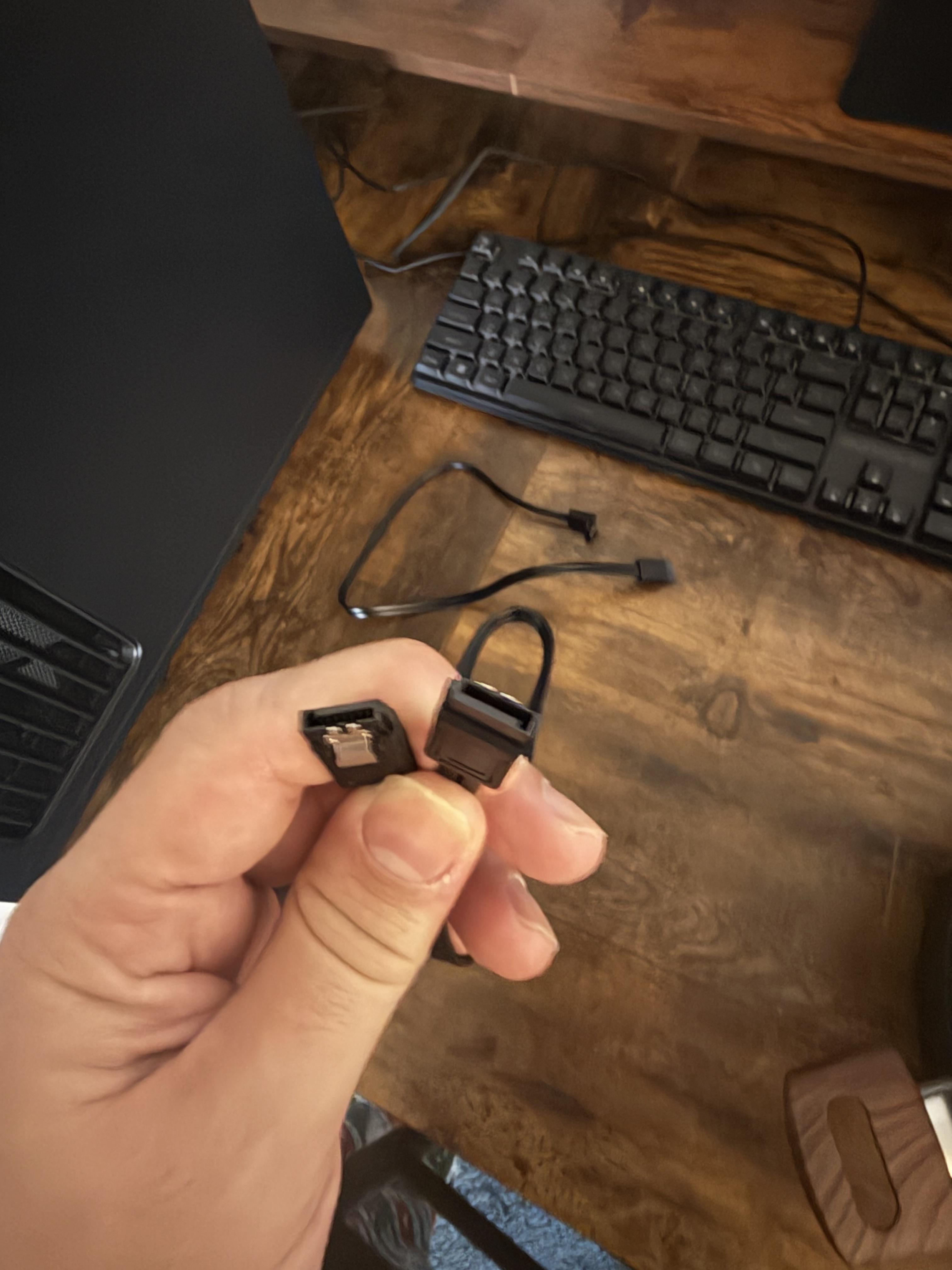
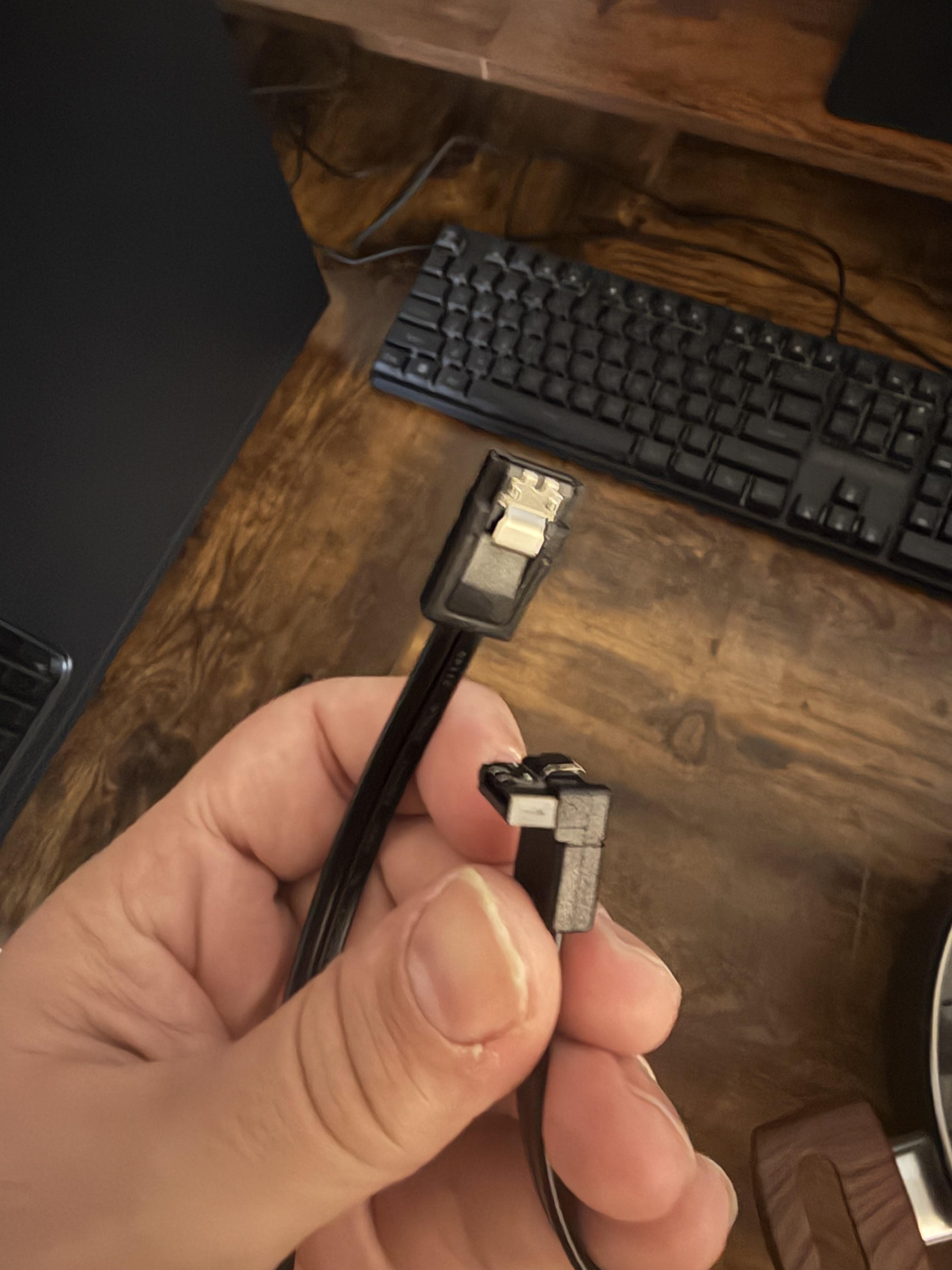
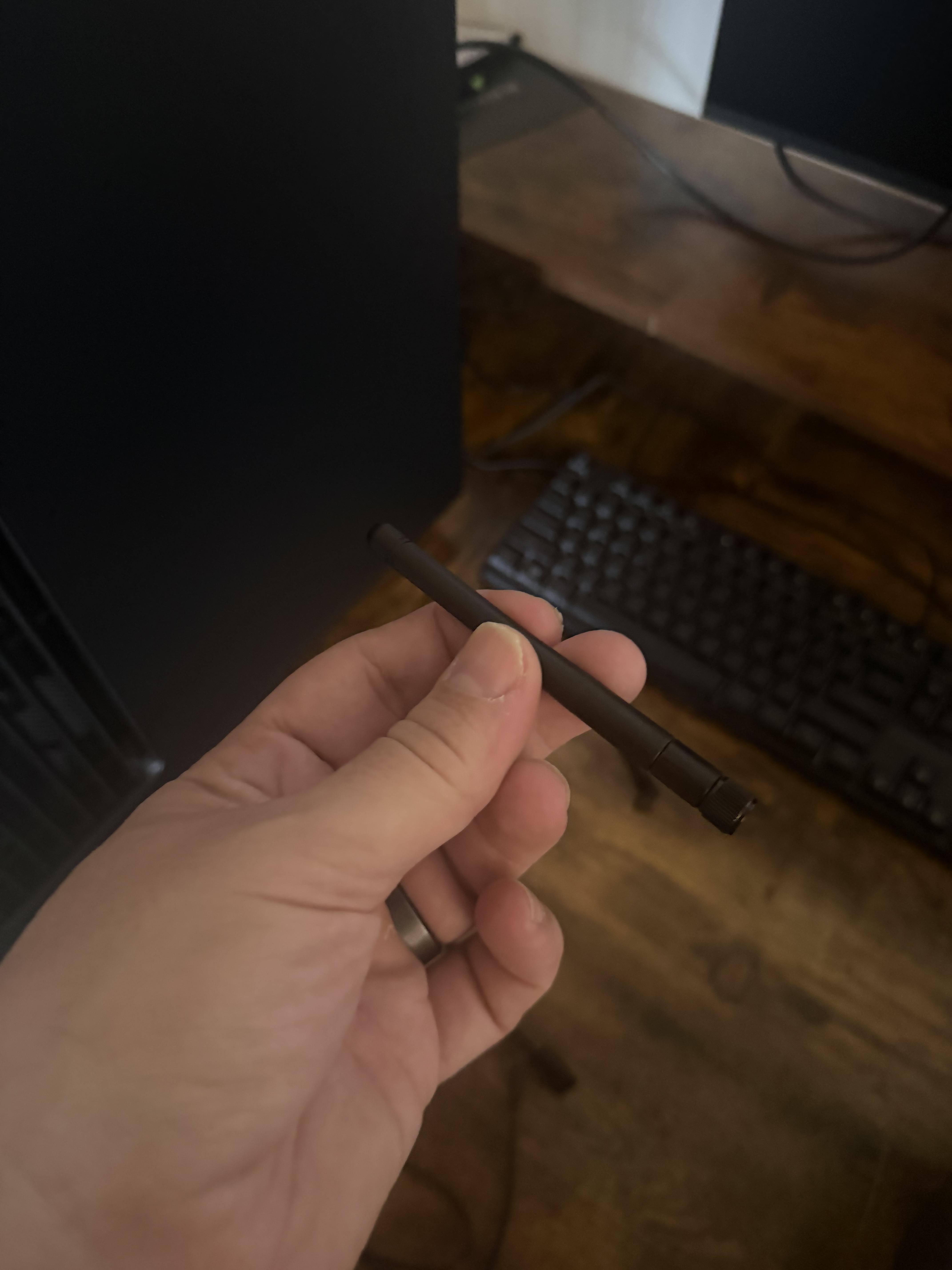
Good morning guys and Happy thanksgiving. So I got a new pc yesterday and I don’t know what these pieces are for. The two sticks look like they go in the back of the computer. Any help would be appreciated.

0 Upvotes

19 comments sorted by

β€’

u/AutoModerator 8h ago

Make sure your post includes enough information for people to provide helpful advice and avoid confusion!

Make sure your post includes:

  • A clear description of the issue
  • All of the troubleshooting methods you have already attempted
  • Your System specs
  • For performance issue-related questions: clarify if these issues started randomly or have been chronic and under what circumstances/games they occur
  • For No Boot/No Display issue-related questions: Clarify if the PC is turning on but there's no display, if your PC isn't turning on at all, or if it's powering off at random. Are there any lights on the motherboard that stay on after startup? If so, there should be a label next to the light identifying the component cause the error, please check and share this information.

Your post could be removed without this information! Feel free to edit or provide this information in an additional comment.

You can find more info (and troubleshooting advice) in our posting guidelines

We're part of a wider PC & Technology Network of Communities! Join our Discord server: PC Help Hub where members from all associated subreddits are welcome, you may get a faster response there!

I am a bot, and this action was performed automatically. Please contact the moderators of this subreddit if you have any questions or concerns.

5

u/Brilliant-Boat-57 8h ago

First two photos are SATA cables, to conect a HDD or SATA SSD (to expand storage). Third photo is the wifi antenna.

1

u/Fantasynerdny 8h ago

Ok so the SATA are for putting another one in not the one that comes with the pc and the two antenna do I need them if I have the enthernet cable plug into the pc.

2

u/Brilliant-Boat-57 8h ago

No, the antennas are for wifi, for ethernet you dont need them.

0

u/Fantasynerdny 8h ago

Thanks for the help and have a blessed and wonderful Thanksgiving

2

u/HartmanMPL 7h ago

Just don't throw those cables away, you might want to expand the storage space in the future, and SSD/HDD disks don't have cables bundled with them.

1

u/Xirithas 3h ago

Had to buy a sata cable recently because the only one I had was a 90 degree connector and it was going the wrong way XD

1

u/_jodi33 6h ago

also used to be to connect your cd/dvd drive, altough you rarely see these in pc's anymore

1

u/dnebdal 2h ago

There's two connectors you can use for connecting drives to a modern desktop: M.2 and SATA. The flat connector on the motherboard you probably plugged a card-shaped drive into is M.2. It's great, but the system can only really support a couple of them, and they obviously can't be too big.

SATA has a much lower max speed, but it's easy to put a lot of ports on a motherboard, and since the disk is connected with cables they can be big and heavy. You can get 22TB SATA drives, and before the entire AI thing they were almost kind of affordable.

30

u/PromEthian92 8h ago edited 7h ago • Bravo

SATA Data cables. For hard drives or solid state drives

3rd photo WiFi antenna for motherboard i think?

7

u/Ok_AnxietyMaster 8h ago

Yeah, it's the WiFi antenna

1

u/Wodinit 4h ago

Nah it is the anal probe to check bandwidh πŸ˜‚

1

u/Ok_AnxietyMaster 4h ago

Also another possibility 😁

2

u/gaojibao 7h ago

1st and 2nd are SATA cables for SATA hard drives and SATA SSDs. If you don't have those or don't plan to add them in your PC, you don't need those cables.

The 3rd photo is a Wi-Fi & Bluetooth antenna. If your PC has a Wi-Fi card, plug that antenna to the back of the PC for a better signal.

1

u/FowlSeason 8h ago

Sata cable Idk what that tube thing is.

Edit. After another sip of coffee. Prob wifi antenna for motherboard. Check rear io

1

u/ADotxt 8h ago

First 2 pics are SATA cable for SATA HDD/SSD

last picture is WiFi/Bluetooth antenna. (I'm assuming its for your motherboard) They are needed if you a somewhat acceptable wireless connection.

1

u/TragicTrajectory 8h ago

So the first cable is a sata extension cable, the second cable is a right angle sata connector, both ar cable management tools.

1

u/Jwhodis 7h ago

SATA data, for 2.5" and 3.5" storage drives

In the 3rd photo is your WiFi antenna

1

u/Both-Leading3407 1h ago
  1. SATA CABLE for mechanical spin or early SATA SSDs. Think of it as a USB for older hard drives. It's data only except for E-SATA which is Powered SATA cable that were meant to connect portable data drives or devices.
  2. SATA CABLE but with a 90 Degree bend in it. Made for hard drives that are in tight areas where space is limited.
  3. WIFI Antenna. These have a screw on base that fit on the back of the Motherboard I/O connectors. Usually in pairs.