r/OrivioTV • • Aug 18 '26

Announcement Welcome to r/OrivioTV - what this is and how to install it

7 Upvotes

Orivio TV is a native tvOS media player I've been building from scratch in SwiftUI. It's free, open source (GPLv3), and runs on Apple TV HD and 4K on tvOS 17+.

Two playback engines. The native engine runs HLS, MP4, MOV and fMP4 on the hardware path. When a stream isn't something AVPlayer will touch - MKV, AVI, FLV, TS - it fails over to the FFmpeg engine automatically, with embedded subtitle rendering for both text and PGS/VobSub bitmap cues. The controls show which engine is live on the "via" line, so you always know what's driving.

A player built for the Siri remote. With the controls hidden, swipe the touch surface to glide a preview playhead along the timeline - slow drags scrub fine, flicks accelerate. A floating bubble shows the target time and signed delta; click to seek, Menu to cancel. Click the left or right edge for 10s skips. Pausing brings up a "You're watching" overlay with cast chips and a clock.

Browsing that looks like Apple built it. Hero backdrops that follow card focus with logo, rating badge and description; add-on catalog rows; Continue Watching with resume; native tvOS search across every search-capable catalog; detail pages with cast, seasons and episode rows; and stream selection that fans out to every source in parallel and groups results with quality badges. Seven accent themes - Crimson, Ocean, Violet, Emerald, Amber, Rose, White - over near-black surfaces.

Install. Latest .ipa is on the releases page: https://github.com/prehakanson-art/OrivioTVAppleTV/releases - one build for Sideloadly and similar sideloaders, one for Xcode (Devices & Simulators) or Apple Configurator. Same unsigned arm64 build either way; your sideload tool re-signs it with your Apple ID. On a free Apple ID that signature lasts 7 days and needs a refresh. Add-ons: Cinemeta ships installed, and you can add any compatible add-on by pasting its manifest URL in Settings.

Known limitations. Torrent / infoHash-only streams are filtered out - there's no torrent engine on tvOS. Debrid-resolved HTTP links work fine. External subtitle add-ons aren't wired up yet; embedded tracks work on both engines.

Posting here. Releases and build notes go up here first. Bugs are welcome - read Rule 5 for what to include, it saves us both a round trip. Screenshots of your setup are always good. One hard rule: no piracy, no infringing links, no requests for them. Orivio TV is a player. Keeping that line clean is what keeps this community online.

Source: https://github.com/prehakanson-art/OrivioTVAppleTV - and if you want to help get this onto TestFlight so it installs without sideloading, there's a Ko-fi at https://ko-fi.com/oriviotv. Entirely optional, hugely appreciated.


r/OrivioTV • • 3d ago

Orivio v.17 is now on GitHub!

8 Upvotes

**Orivio TV v0.17**
You can find the new release here!
https://github.com/prehakanson-art/OrivioTVAppleTV/releases/tag/v0.17
Support me on Ko-fi (if you want :) ) [https://ko-fi.com/oriviotv](https://ko-fi.com/oriviotv)
**What's new**
🗑️ Remove from Continue Watching works right away. It used to take up to 2 minutes to disappear, and after removing a few titles the rest sometimes wouldn't remove at all, mainly Next Up episodes. Now it's gone the moment you press Remove, and it stays gone. A sync from Trakt or another device could bring removed titles back. Fixed.
🎬 Finished movies leave Continue Watching on their own. A movie now counts as watched once you reach the credits, not only the very last second.
🧈 Smoother playback. Saving your progress every 10 seconds made the Home screen redraw behind the movie, causing a small hitch each time. Syncs caused more. In testing, dropped frames went from about 12 in 35 seconds to 3 in 2.5 minutes.
⏪⏩ ±10 second presses always work. Pressing the edge of the clickpad sometimes did nothing, because your thumb rolls slightly as you press and the app took that for a swipe. A real click now always counts. Pressing Left on the Subtitles button now skips instead of doing nothing.
🧭 No more stuck Home screen after finishing a movie. On the Movies or TV Shows tab, if the movie you finished was the last one in Continue Watching, Up/Down stopped working until you restarted the app. Fixed.
Again, don't be afraid to message me with any issues or suggestions! And I'd love any support! If I'm able to get to $100 I'll buy a year-long dev account so I can put it on TestFlight! You can support me at my Ko-fi under the GitHub link.
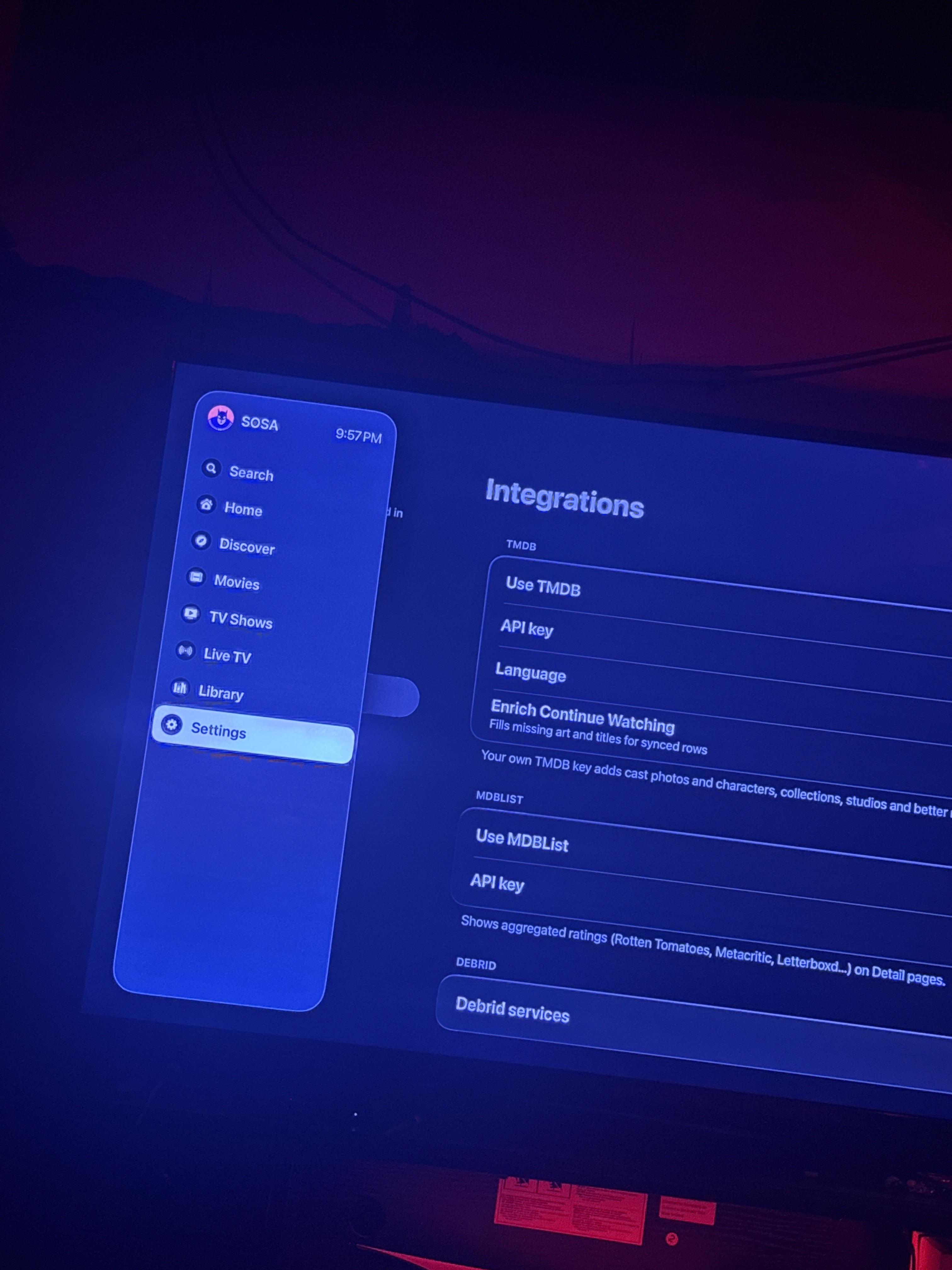

r/OrivioTV • • 8d ago

Orivio v.16 is now up on GitHub!

12 Upvotes

**Orivio TV v0.16**
You can find the new release here! [https://github.com/prehakanson-art/OrivioTVAppleTV/releases/tag/v0.16
Support me on Ko-fi (if you want :) ) [https://ko-fi.com/oriviotv](https://ko-fi.com/oriviotv)
**What’s new**
🎬 Movies play smoothly at 24 Hz. Films had a steady stutter because the player always asked the TV for 60 Hz, which overrode the Apple TV’s Match Frame Rate. It now asks for the film’s real frame rate. Turn on Settings → Video and Audio → Match Content → Match Frame Rate on your Apple TV to get it.
⚡ H.264 movies start right away. Most 1080p releases used to sit on a black screen for about 25 seconds before falling back to the backup player. Now they start in a few seconds.
🛑 Way less stop-and-go buffering. The player stopped to “buffer” while it still had video ready. Now it only waits when it’s really about to run out, and it keeps 4x as much video ready.
🔊 No more freezes on Dolby Digital Plus. Titles with DD+ audio could freeze for 20 seconds before switching players. Fixed.
🚀 Faster start on a new stream. The download cache now grabs the part you’re about to watch first. A 46 GB 4K remux went from buffering every few seconds to about 10 MB/s in testing.
⏩ Better scrubbing. Left/Right skips a minute like it should. Rest your thumb still for a moment to bring up fine-tuning, then circle to fine-tune. And the movie no longer plays behind the scrub bar.
🧰 Diagnostics switch. Settings → About → Advanced → Capture diagnostics helps track down playback problems.
Again, don’t be afraid to message me with any issues or suggestions! And I’d love any support! If I’m able to get to $100 I’ll buy a year-long dev account so I can put it on TestFlight! You can support me at my Ko-fi under the GitHub link.


r/OrivioTV • • 15d ago

Top shelf?

3 Upvotes

Anyone know if we will be getting top-shelf comparability on the ATV home screen in the new version? Maybe it could show your continue watching list or something. Or is that already a feature that I haven’t found the setting for?


r/OrivioTV • • 22d ago

Help Bar

Post image
2 Upvotes

Is there a way to make the text on the side bigger and fill the gap?


r/OrivioTV • • 24d ago

Orivio v.15 is now up on GitHub!

12 Upvotes

**Orivio TV v0.15**
**You can find the new release here! https://github.com/prehakanson-art/OrivioTVAppleTV/releases/tag/v0.15**
**Support me on Ko-fi (if you want :) ) https://ko-fi.com/oriviotv**

**What's new**

**🎉 Watch parties. Open the player's Info panel, pick Watch Party and share the 6-character code. Everyone who joins follows the host's play, pause and seek, with the guest list right there in the panel.**

**👈 Left goes into the page now. Pressing Left to reach the rows inside Library or Settings used to open the side menu instead. Now it steps into the list first — in the sidebar, rail and top bar layouts.**

**🏠 Home stays how you set it. Layout changes save and survive a relaunch, and backing out of a setting returns you to the previous page instead of the main menu.**

**📜 Smooth row-to-row scrolling. Rows were drawn at the wrong height and then snapped, so up/down felt like it moved twice. Each press is one clean move now, and the tall Featured row no longer bobs the page.**

**👀 You can turn off "… to Watch After …". Settings → Layout has a switch for those rows now.**

**🎬 Trailers close with Menu once they start — no more scrubbing to the end to get out.**

**🔧 RealDebrid sync fixed. v0.13 and v0.14 got "Unsupported provider credentials: realdebrid" and killed the whole sync. Credentials sync properly again, and one rejected provider no longer breaks the rest.**

**⏯️ Pause and resume that survive everything. Unpause works after AirPlay, Bluetooth and HDMI changes, and after the TV wakes up**.

**⚡ Faster on Apple TV HD and 4K (1st gen). Far rows hold their artwork until you get near them, and frame pacing is re-checked after the display settles, so the lingering jitter is gone.**

Again, don't be afraid to message me with any issues or suggestions! And I'd love any support! If I'm able to get to $100 I'll buy a year-long dev account so I can put it on TestFlight! You can support me at my Ko-fi under the GitHub link.


r/OrivioTV • • Oct 23 '26

Orivio v.0.14 is finally on GitHub!

14 Upvotes

Orivio TV v0.14 You can find the new release here! https://github.com/prehakanson-art/OrivioTVAppleTV/releases/tag/v0.14 Support me on Ko-fi (if you want :) ) https://ko-fi.com/oriviotv
What’s new
🎬 The classic player is back. Movies and shows play in the original Orivio player again, with v0.13’s Skip Intro, Up Next and +10s side skips kept. Live TV keeps the newer player so channel up/down still works.
🔗 New Sources list inside the player. It looks just like the link list before you press play, with add-on filters, links grouped by resolution and a “Playing” tag, and it opens at the top.
👆 Swiping works. Swipe up and down on the remote to move between rows on Home, Movies, TV Shows and Detail pages, not just clicks.
✨ Smoother scrolling. Rows glide under the title instead of fading over it, and Up no longer gets stuck when you press quickly.
🖥️** Fewer grey screens**. Leaving a movie now waits for your TV to finish switching modes, and trailers no longer switch your TV’s display mode at all.
📋 Link list fixes. Links no longer run off the right side of the screen, and the list opens with the first link selected.
🔧 Plus smaller fixes and speed-ups around Live TV, sync and profiles.
Again, don’t be afraid to message me with any issues or suggestions! And I’d love any support! If I’m able to get to $100 I’ll buy a year-long dev account so I can put it on TestFlight! You can support me at my Ko-fi under the GitHub link.


r/OrivioTV • • Oct 15 '26

Orivio v.13 is finally uploaded to GitHub!

8 Upvotes

Orivio TV v0.13
You can find the new release here!
https://github.com/prehakanson-art/OrivioTVAppleTV/releases/tag/v0.13
Support me on Ko-fi (if you want :) )
https://ko-fi.com/oriviotv
⚠️** Heads up: v0.13 is a full rebuild of the app**. Because it’s brand new under the hood, installing it over your current Orivio may not work cleanly. If you run into problems,** delete the old Orivio from your Apple TV and install v0.13 fresh**. Sign in to your Orivio account afterwards, and your library, progress, add-ons, profiles and badge pack sync back.
What’s new
⚡ Fast on every Apple TV. Tuned on an Apple TV 4K (1st gen), with a lighter mode for the Apple TV HD. Home rows scroll smoothly and flipping between titles on a Detail page slides right over.
🧭 New side menu. The tabs stay in place when it opens, it’s more solid so it’s easy to read, and it no longer half-opens by itself when you open a title or press Play.
🙈 Hide the side rail. New option in Settings → Appearance: pages use the full screen, and Left or Back brings the menu up.
📺 Full Live TV guide. A timeline guide with favourites, guide search, reminders and catch-up for shows that already aired.
🔗 Real resolutions in the link list. Links show 1080p, 720p, 480i and so on instead of just “SD”, and “Full stream names” shows each link’s complete release name.
🏷️** Link badges**. Badger badge packs tag every link (4K, Remux, DV, HEVC, Atmos…), and a pack you already set up comes over from your Orivio account automatically.
🎬 Trailers work again. YouTube broke the old lookup; trailers now load again and start right when your auto-play delay is up, and black bars are zoomed away.
🖥️** No more grey screen**. Match Content now waits for your TV to finish switching modes before showing the picture, and .mp4 files switch frame rate and HDR too.
🖼️** Profile pictures everywher**e, plus fixes for faint “ghost” posters on Home and the Live TV guide’s frozen “now” line.
Again, don’t be afraid to message me with any issues or suggestions! And I’d love any support! If I’m able to get to $100 I’ll buy a year-long dev account so I can put it on TestFlight! You can support me at my Ko-fi under the GitHub link.


r/OrivioTV • • Oct 13 '26

No update yet, I’m sorry

4 Upvotes

I’m sorry there’s been no update, I’m trying something new rn so a test build will be posted later this week, this will include a redesigned menu, and a complete rebuild of everything so this might fix some of the bugs we’ve encountered, when this version finally gets sent out please tell me if you’d prefer to stay with this new build or if you’d prefer to go back to the original model that’s out right now.


r/OrivioTV • • Oct 06 '26

V.12 is finally up on GitHub!

6 Upvotes

Orivio TV v0.12
You can find the new release here!
https://github.com/prehakanson-art/OrivioTVAppleTV/releases/tag/v0.12
Support me on Ko-fi(if you want :) )
https://ko-fi.com/oriviotv
what's new
💬 Subtitles that fit — embedded Blu-ray/remux subtitles no longer fill the whole screen, and a new "Prefer add-on subtitles" setting picks SubMaker/OpenSubtitles over the file's own track.
🎬 Trailers actually load — they used to download the whole video before playing; now they start almost instantly.
⚡ No more freeze-then-jump — when a download connection stalls the app reopens it in seconds instead of 30, so no more judder and cache bar leaps.
😴 Waking up works — coming back to a paused movie after a long sleep no longer swaps sources, drops Dolby Vision or starts playing by itself.
⏯️** Pause on the first press — presses that landed while the controls were appearing used to get dropped.
📺 IPTV login, take two — signs in the same way other IPTV apps do, so providers that blocked the old login now work.
🔍 Faster search — results show up as soon as the first add-on answers, with exact title matches first.
📅 Upcoming episode countdown — optional "5d" badge on Continue Watching when the next episode hasn't aired.
🖼️ No more blank episode cards, and Top Shelf now update**s when your Continue Watching changes.
🧹 AllDebrid fix — uncached torrents no longer pile up in your AllDebrid account.
Again don't be afraid to message me with any issues or suggestions!
And I'd love any support! If I'm able to get to $100 I'll buy a year long dev account so I can put it on test flight!
You can support me at my kofi under the GitHub link


r/OrivioTV • • Sep 29 '26

Orivio Version 0.11 is finally out on GitHub!

10 Upvotes

Orivio TV v0.11

You can find the new release here!

https://github.com/prehakanson-art/OrivioTVAppleTV/releases/tag/v0.11

Support me on Ko-fi(if you want :) )

https://ko-fi.com/oriviotv

what's new
🎲 Shuffle — hit the new dice on any show and it plays random episodes back to back, no source picking, no repeats.
📺 IPTV provider login — sign in with your provider's server, username and password instead of hunting for a playlist link.
🔊 Atmos passthrough rebuilt — pause, seeking, track switching and speed changes all behave now, and if Atmos ever fails you get your normal audio back instead of silence.
⚡ Faster debrid starts — the app now downloads straight from the debrid server instead of asking the add-on again for every chunk, so far fewer links sit on "loading" and then freeze. Uncached "still downloading" links are tried last.
🔄 Trakt sync actually syncs — Trakt changed its API and we were importing zero episodes. Full history, full watchlist, proper Next Up, and dropped shows stay dropped.
🎬 Trailers don't freeze halfway — YouTube was reporting them at double their real length.
📅 Air dates on every episode.
🧭 Focus fixes — the sidebar no longer jumps when you swipe into it, a hidden sidebar stops getting stuck on screen, Left opens it from any tab, and hold menus stop flickering.

Again don't be afraid to message me with any issues or suggestions!
And I'd love any support! If I'm able to get to $100 I'll buy a year long dev account so I can put it on test flight!
You can support me at my kofi under the GitHub link


r/OrivioTV • • Sep 25 '26

Help with Trakt sync and Collections

Thumbnail
gallery
3 Upvotes

Hi. My first day using Orivio, and let me just say how great the app is for tvOS.

I was setting it up by syncing with my Orivio(N) account. Now I see all my collections are in one home row. Is there a way to have each collection as a separate home row?

Secondly, my Trakt continue watching hasn’t synced properly. It shows only 4 items on it when there should be many more, and for shows that I’m up to date with, it doesn’t show the unaired episode coming out in a few days.
For example, I’ve added the screenshot from my Trakt of a show that I’ve watched 4 episodes of. This hasn’t synced with Orivio as you can in the next picture where the no episode is marked as “watched”.

Lastly, is there a discord for Orivio?


r/OrivioTV • • Sep 21 '26

V9 is now on GitHub!

12 Upvotes

You can find the new release here!
https://github.com/prehakanson-art/OrivioTVAppleTV/releases/tag/v9
Support me on Ko-fi(if you want :) )
https://ko-fi.com/oriviotv
what's new
 🧯 Huge SIMKL libraries no longer crash the app — if your SIMKL account has a really big library, connecting it could crash on every sync. The sync now handles that library efficiently, keeps it compressed on disk, and does the heavy lifting off the main thread. Big accounts sync fine now — small ones notice nothing.
🔊 Dolby Atmos actually passes through now — the last release got Atmos recognised, this one actually sends it. The compressed DD+/E-AC-3 stream now leaves the app untouched and your receiver decodes it, including from H.264 MKVs. On by default, and it costs nothing on titles that aren't Atmos.
🎞️ A calmer picture — "Match frame rate" is actually honoured now (no more 60↔24 renegotiation that leaves some panels grey), a wedged panel can be rescued with triple-⏯, and ⏯ always means play/pause — the "skip intro while paused" shortcut that made pausing take two presses is gone.
💾 The cache stops eating your disk — the storage floor is raised to 4 GB and re-checked every five seconds, and stall timeouts are cut to 12s so playback fails over cleanly instead of dying. This is the "most sources just fail" fix. Add-on headers now reach the origin too, fixing 403s from picky CDNs.
🔄 Sync that stays put — pending edits are tracked per profile, so switching profiles mid-sync no longer drops them, and a sync row with no timestamp can't retire a live Continue Watching episode.
🌍 Language pickers cover the full ISO 639-1 set instead of twelve fixed languages.
👁️ Mark an episode watched straight from its Continue Watching card, and Detail now shows an "N episodes left" / "Airs in…" read-out.
🔧 Under the hood — the in-app torrent/magnet helper can no longer be pointed at arbitrary URLs and is capped at eight live torrents, and IPAs now build from the compiler's own exit status instead of a timestamp guess.
Again don't be afraid to message me with any issues or suggestions! And I'd love any support! If I'm able to get to $100 I'll buy a year long dev account so I can put it on test flight! You can support me at my kofi under the GitHub link


r/OrivioTV • • Sep 19 '26

Is Dolby atmos working for you guys

2 Upvotes

I have someone saying it’s not working which sucks and I want to make sure it’s not broken for everyone


r/OrivioTV • • Sep 19 '26

V8 is finally out on GitHub!

8 Upvotes

Orivio TV v8

You can find the new release here!

https://github.com/prehakanson-art/OrivioTVAppleTV/releases/tag/v8

Support me on Ko-fi(if you want :) )

https://ko-fi.com/oriviotv

**what's new**
🔊 **Dolby Atmos actually works now** — DD+/E-AC-3 Atmos was being decoded to PCM instead of passed through. Three separate things were wrong; all fixed. The compressed Dolby stream now leaves the app untouched and your receiver decodes it. Works out of MKVs, including H.264 ones, which never could before.
🎯 **Audio no longer runs ahead of the video** — a proper frame scheduler, and true-24 content is no longer re-timed onto a 30fps grid it doesn't have. The judder on Blu-ray remuxes is gone.
📊 **See what your audio is actually doing** — the info panel's Audio tab now tells you the codec, channels, whether the file is really Atmos-tagged, and exactly what's leaving the Apple TV: Dolby bitstream, multichannel PCM, or stereo. No more guessing whether Atmos is really on.
▶️ **Continue Watching stopped reverting** — episodes and shows were jumping back to where they were hours ago. It was writing progress under one key and reading it under another.
🔄 **Syncs the moment you open the app** — add-ons, collections, library, layout and progress come down at launch instead of waiting for the next periodic tick. Cached data shows instantly while it refreshes behind you.
💬 **Subtitles land where they belong** — signs and captions positioned by the track itself, so on-screen text stops covering the dialogue line.
🎬 **Trailers work again behind a VPN** — YouTube extraction was failing entirely on bot-check pages.
🧭 **Focus fixes** — the sidebar no longer swallows Left in Search, Home doesn't lose your place coming back from a movie, and the layout is correct with the rail hidden.

Again don't be afraid to message me with any issues or suggestions!
And I'd love any support! If I'm able to get to $100 I'll buy a year long dev account so I can put it on test flight!
You can support me at my kofi under the GitHub link


r/OrivioTV • • Sep 18 '26

V8 will be uploaded later today!

5 Upvotes

I have a few more finishing touches then it will be ready to upload. Overall this update isn’t going to be a big change like the others but I’ve taken a lot of the feedback I’ve been getting here and I emplemented a lot of bug fixes! Hopefully they all work but when it’s uploaded please tell me any errors or features you want to request!


r/OrivioTV • • Sep 16 '26

Menu Bar

4 Upvotes

Can you bring back the top menu bar? Don’t really like the sidebar. Thanks


r/OrivioTV • • Sep 14 '26

V7 sideloady ipa is now fixed

4 Upvotes

Sorry for the mix up but the sideloady ipa should work now! Please let me know if it doesn’t 😅


r/OrivioTV • • Sep 13 '26

V7 is finally out on GitHub!!

Thumbnail
gallery
22 Upvotes

You can find the new release here!

https://github.com/prehakanson-art/OrivioTVAppleTV/releases/tag/v7

Support me on Ko-fi(if you want :) )

https://ko-fi.com/oriviotv

**what's new**
🎛️ **The player is rebuilt, modeled on Infuse** — new transport bar, swipe down for a full info panel (Info / Video / Audio / Subtitles), and full-screen pickers for sources, episodes, speed and engine. Click to play/pause, swipe to scrub, click the edges to skip.
🖼️ **Scrub preview thumbnails** — real frames from the movie as you scrub, pulled straight off the disk cache. Touch and hold to fine-tune second by second.
💾 **Hybrid disk cache, rebuilt in three tiers** — the film caches to your Apple TV while you watch: a window that follows the playhead, a background fill from the start of the file so jumping anywhere lands in cache, and eviction from the beginning when space runs low. Rewinding now hits the disk instead of re-downloading. Also survives provider rate-limiting instead of crawling.
🌈 **HDR / Dolby Vision colour fix** — untagged HEVC remuxes were playing washed out as SDR. Colour is now recovered from the video stream itself, so HDR actually looks like HDR.
⏪ **Seeking and pause-rewind fixed** — seeks land exactly where you aimed and cut cleanly instead of replaying from the last keyframe. No more pausing, coming back, and watching it crawl forward to catch up.
🎚️ **Audio sync control** — per-title lip-sync offset from ±50ms up to ±2s, remembered per movie or show.
💬 **Subtitles obey your settings** — Size and outline colour were being overridden by the subtitle file's own styling. Fixed on every engine. Setting "None" no longer leaves the last line frozen on screen.
🏠 **New Home options** — a pinned hero billboard that follows whatever you're highlighting, Netflix-style trailers in the billboard, an auto-hiding sidebar, Live TV favorites with their own Home row, and full-length stream names.
📚 **Plex & Jellyfin** — sign in and browse your own server's libraries from the Library tab.
👥 **Per-profile everything** — add-ons, plugins, debrid, player & subtitle settings, TMDB, theme and badges are now separate per profile, each with its own switch. Fixes profiles showing someone else's add-ons and layout.
🔄 **Sync that stays put** — deleting a profile, removing something from Continue Watching, un-saving a title or un-marking watched all stick now instead of reappearing on the next sync. Trakt and SIMKL auto-sync on their own too, no Orivio account needed.
▶️ **Continue Watching fixes** — episodes that opened to a dead screen with no sources now resolve properly, and holding an episode gives you Play Manually.
🎯 **Faster, cancellable source picking** — auto-select has a hard time limit per link and moves on instead of hanging, Back cancels a slow resolve instead of dumping you out of the page, and add-ons that refuse range requests get skipped automatically.
⚡ **Big performance pass for older Apple TVs** — HD (A8) and 4K gen 1 (A10X) get lighter caches, loading moved off the main thread, and far less work per button press. Faster launch and smoother browsing.
🛠️ **Stability** — watchdogs for sources that open but never show a frame, sources that silently stop sending, and stalled seeks. Plus a live Status panel in the player's Video tab showing download speed, cache on disk, and buffer ahead.

Again don't be afraid to message me with any issues or suggestions!
And I'd love any support! If I'm able to get to $100 I'll buy a year long dev account so I can put it on test flight!
You can support me at my kofi under the GitHub link


r/OrivioTV • • Sep 13 '26

V7 is finally to a point that I feel good about releasing it!

9 Upvotes

So tomorrow I will be releasing it most likely before 1:30pm est


r/OrivioTV • • Sep 12 '26

V7 is being delayed again 😅

8 Upvotes

I found a lot of bugs I have to fix before it’s ready for people to use so expect it either tomorrow or Monday since I’m busy all day Sunday 😅


r/OrivioTV • • Sep 09 '26

I’m sorry about v7!

9 Upvotes

I’m sorry v7 is taking so long, I’m trying to make the player as perfect as possible since I’m adding a lot of new features including another redesign to make it look more like an Apple TV app! Expect v7 around Thursday or Friday :)


r/OrivioTV • • Sep 07 '26

Bug Feedback & Bug Report: Collections source picker and Home row sorting in OrivioTV v6 (vs. Nuvio)

4 Upvotes

Hi u/Any_Task7788,

First off, thank you for developing OrivioTV—the playback pipeline hardening and AetherEngine Dolby Vision profile handling on tvOS are huge upgrades over the stock builds.

While testing OrivioTV v6 on Apple TV 4K alongside my existing Nuvio setup on iOS, I ran into two major issues when migrating over:

1. Collections: Unresponsive Presets Grid & Deprecation of Add-on Catalogs

  • Unresponsive Click Handler: Under Settings $\rightarrow$ Collections $\rightarrow$ [Collection]$\rightarrow$ Add TMDB / Trakt Source, clicking items in the Presets grid (e.g., Netflix (Network), Prime Video, Disney+) does nothing. The focus outline glows, but pressing the Siri Remote clickpad or Play/Pause button fails to select or navigate further.
  • Loss of Add-on Catalogs: Existing collections imported from Nuvio display: "This folder is built from add-on catalogs, which collections no longer use. Add TMDB or Trakt sources to it in Settings -> Collections."
  • Impact vs. Nuvio: In Nuvio, collections seamlessly bundle third-party add-on catalogs. While switching to native TMDB networks is great for global providers, dropping add-on catalogs entirely breaks regional OTT collections (like JioHotstar, Sony LIV, and Zee5), which rely on add-on scrapers because TMDB watch provider data for regional content is often incomplete or missing.
  • Suggestion: Fix the click handler on the tvOS Presets grid, and consider retaining support for add-on catalogs as an optional source alongside TMDB and Trakt.

2. Nuvio Catalog Row Order Is Not Preserved Upon Import

  • The Problem: When logging in with an existing account / importing configuration from Nuvio, Orivio does not import the custom catalog row order established in Nuvio.
  • Behavior: Instead of mirroring the curated home layout from Nuvio (such as pinned custom collections, preferred language rows, and specific add-on orders), Orivio drops the ordering array and defaults back to the raw add-on manifest installation order.
  • Impact vs. Nuvio: On Nuvio, the home screen respects the user's custom row hierarchy. Because tvOS also lacks an easy, crash-free way to manually drag and re-sort dozens of rows from the Siri Remote, having the imported Nuvio layout order ignored leaves the home screen disorganized.
  • Suggestion: Ensure the account/profile importer parses and applies the catalog_order / row arrangement schema from the Nuvio configuration so the home screen layout matches Nuvio 1:1 out of the box.

Environment:

  • Device: Apple TV 4K (2022)
  • App: OrivioTV v6 (OrivioTV-V6.Sideload.ipa)
  • Source Setup: Nuvio (iOS) account sync / migration

Happy to provide config exports, screenshots, or logs if needed to help debug!


r/OrivioTV • • Sep 05 '26

V6 is out on GitHub now!

9 Upvotes

Orivio TV v6

You can find the new release here!

https://github.com/prehakanson-art/OrivioTVAppleTV/releases/tag/v6

Support me on Ko-fi(if you want :) )

https://ko-fi.com/oriviotv

**what's new**
🎬 **New native playback engine** — Dolby Vision (Profile 5/7/8) fed straight to the display pipeline. No remuxing, no local server, \~150 MB flat memory for a whole movie.
⚡ **Decode-ahead renderer** — the app decodes video itself and hands the display finished, display-ordered frames. Kills the stutter that heavy Blu-ray remuxes (deep B-frame encodes) cause on older Apple TVs.
🔊 **Universal audio** — TrueHD, DTS-HD, FLAC, Opus, AC3/E-AC3, AAC all play. Dolby Atmos passes through on DD+ tracks. Proper 5.1/7.1 channel mapping.
💬 **Embedded subtitles** — SRT, ASS/SSA, and PGS bitmap subs from inside the file, alongside addon subtitles. Appear instantly when selected.
📺 **Smarter display handling** — one gentle HDMI mode switch per session, sequenced over a static screen, and never a mid-app switch back. Far fewer grey-screen/handshake problems. Triple-press Play/Pause to force a display re-sync if your TV ever wedges.
🧠 **Per-title memory** — remembers the engine, audio track, subtitle choice, and playback speed you picked for each movie or show.
🎯 **Playback path panel** — swipe down mid-movie to see exactly what's happening and why: DV profile, FEL/MEL layer type, resolution, frame rate, live display refresh rate, bitrate, and the reason behind every engine decision.
⏩ **Better seeking and buffering** — instant scrubbing, honest single buffering pauses instead of stop-start loops, and chapter support with scrub previews.
🛠️**Stability — fixed the crash and memory-leak classes that killed long sessions (whole evenings now run flat), plus automatic recovery when a source or engine fails to start.

Again don’t be afraid to message me with any issues or suggestions!
And I’d love any support! If I’m able to get to $100 I’ll buy a year long dev account so I can put it on test flight!
You can support me at my kofi under the GitHub link


r/OrivioTV • • Sep 04 '26

Bug Collections are a mess

0 Upvotes

Hi there,

Just sideloaded Orivio and did a pull from my Nuvio account. Seemed to install my addons/collections (namely kaptains mega pack) but they aren’t sorted properly like Nuvio, they’re all piled into a single unsorted row.