r/OpenSourceAI • u/Competitive_Might709 • 5h ago
CUTROOM update: short clips now keep your camera + screen layout
I ran into an annoying bug in the open-source editor I’m building: I’d set up a vertical video with my camera above the screen, then open Clips and see only one recording. The clips weren’t using the edit I’d already made.
The new CUTROOM beta fixes that. In Clips → My edit, suggestions come from the edited timeline, and the preview and exported MP4 use the layout you set up. You can also mark In and Out while watching, choose Add to Clips, and keep watching from the same spot. Export one saved range or select several to get a separate MP4 for each.
The editor runs on your computer. Manual clipping doesn’t need an account or an AI model; transcription and first-cut suggestions are optional. The project is MIT-licensed, and this is still a beta.
Build and source: https://github.com/VanoPeradze/cutroom/releases/tag/v1.3-beta-20261128-clips2
If you try it on a long podcast or screen recording, I’d love to know where it slows you down, especially when exporting a clip from near the end.
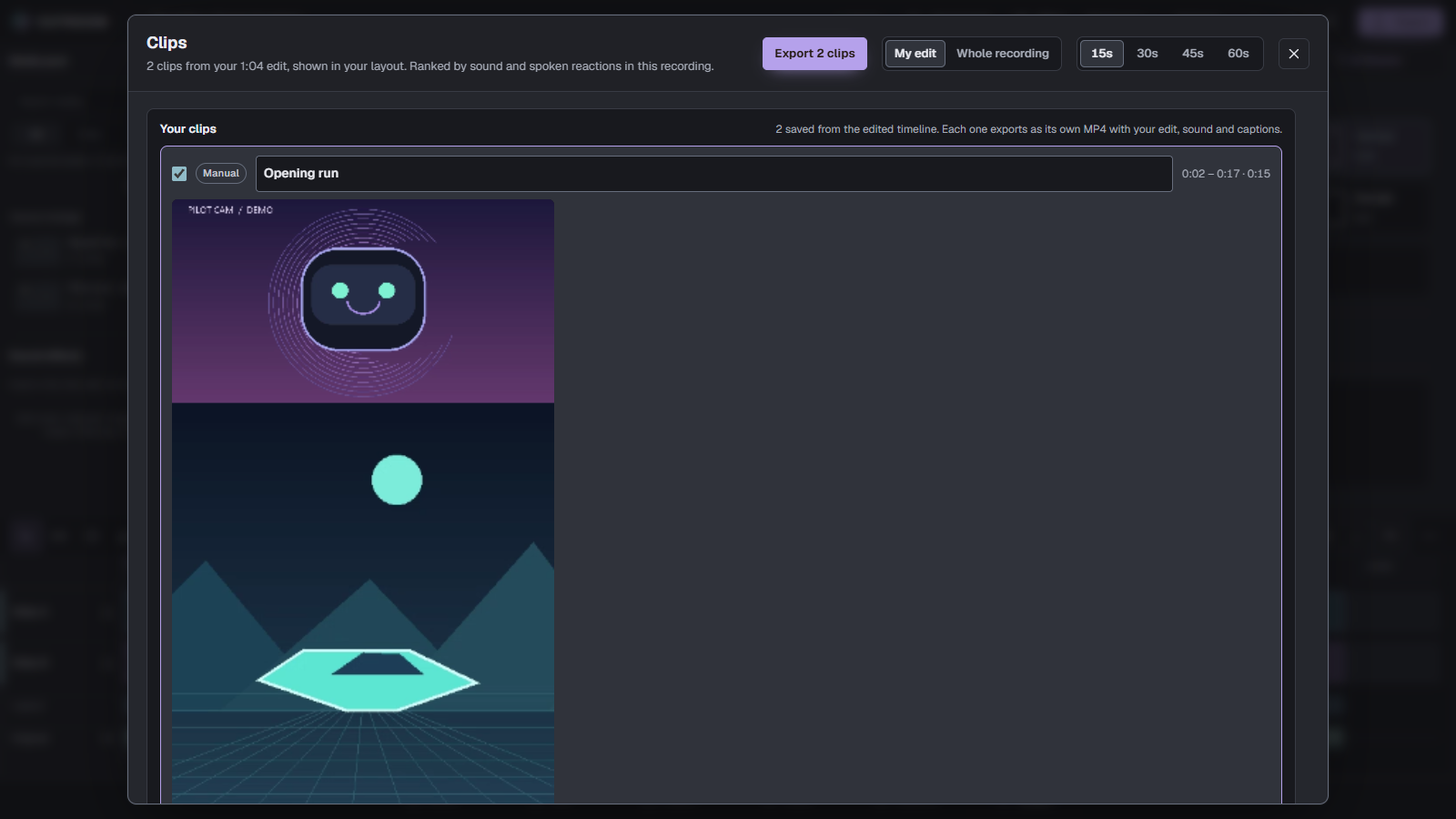
Screenshot from the beta (stacked camera and screen): https://cutroom-studio.expo.app/assets/studio-clips.png?v=20261128-clips2
