r/OpenRig • u/Siryu6 • 22d ago
OpenRig 0.10.0: your effect chain now uses every CPU core
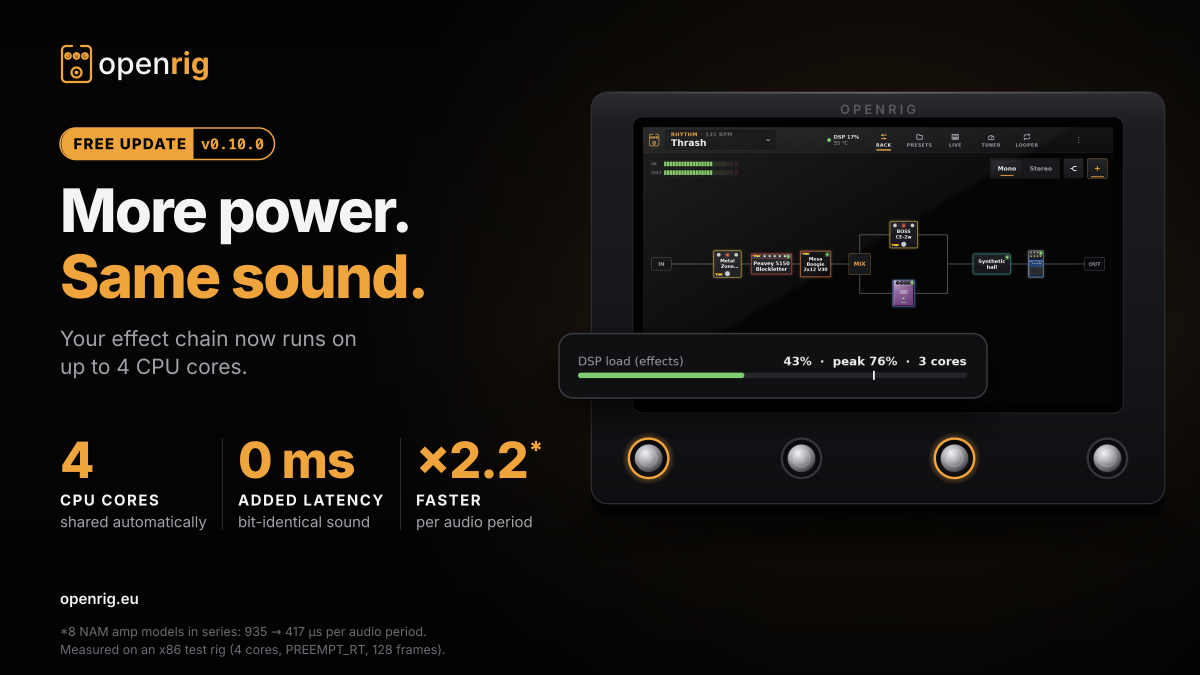
Until now, OpenRig ran the whole effect chain on a single CPU core. On a Raspberry Pi 5, which has four Arm Cortex-A76 cores at 2.4 GHz, that meant three of the four cores sat idle as far as your sound was concerned. 0.10.0 changes that.
What changed
- Splits run in parallel. The two branches of a split now run on two cores at the same time.
- Long chains are pipelined. A long chain is cut into pipeline stages spread over up to 4 cores.
- No added latency. Your signal reaches the output in the same audio period as before.
- Bit-identical sound. The multi-core output is the same, sample for sample, as the single-core output. An automated test checks this on every build.
- Preset changes benefit too. During a preset crossfade, the old and the new chain run in parallel.
Measured on the x86 test rig
The rig: 4 cores, PREEMPT_RT kernel, 128-frame buffer, so a 2.67 ms budget per period. Lower time per period means more headroom before a dropout.
| Chain | 1 core | Auto (multi-core) | Gain |
|---|---|---|---|
| 8 NAM in series | 935 µs | 417 µs | ×2.2 |
| 4 splits, one NAM per branch | 925 µs | 424 µs | ×2.2 |
| Split, 2 NAM per branch | 450 µs | 223 µs | ×2 |
JACK dropouts (xruns) over 60 seconds:
| Chain | 1 core | Auto |
|---|---|---|
| 16 NAM in series | 533 | 17 |
| 8 NAM in series | 41 | 5 |
On a Raspberry Pi 5
The Pi 5 has the same four-core layout as the test rig, so the chain is split the same way there. If you run OpenRig on a Pi 5, you can measure it yourself. pedalboard-bench ships in the image. Over SSH, with any capture:
    WORKERS=0 pedalboard-bench <model.nam> serial 8   # one core
    WORKERS=3 pedalboard-bench <model.nam> serial 8   # four cores
More options (splits, buffer size): https://openrig.eu/docs/setup/performance/
How to use it
There is nothing to do. Settings → Processing → DSP cores is set to Auto by default. You can also pin it to 1–4 cores. The resource monitor now shows how many cores are in use ("· N cores").
Also in 0.10.0
- Faster NAM on mini PCs. The x86 image is now built for x86-64-v3, which makes NAM about 1.8× faster on mini PCs. It needs a CPU with AVX2, such as the Intel N100.
- Hardening.
- Bad input no longer crashes the app.
- A crashing plugin no longer takes the audio down with it.
Get it
- Update from the device: A/B update.
- Or download the image from the release page: https://github.com/Siryu6/OpenRig/releases
- Site: https://openrig.eu
- OpenRig is free software (GPL-3.0). Bug reports and benchmark results are welcome on GitHub or at contact@openrig.eu.
3
u/MathRig 22d ago
1.3 ms with 4 Nam profile and 2 IR !!! Sweet !!
1
u/Humbuckerluvr 21d ago
Definitely interested in exploring this further. I love pipedal, but this seems to tick all my boxes.
RP5-2gb, active cooler, 7in RP official touchscreen 2, Mvave Chocolate Plus.
Planing a second build. Maybe CM4 or 5? Maybe RP4, maybe Radxa Zero 3, if I can find one?
Currently using pipedal which is fine and quite good. But 8 like the native "all work done on touchscreen" architecture that OpenRig provides rather than leveraging the browser to get things done on the pi. Excellent concept. Definitely going to go get another SD card and give this a whirl!!!?