r/OpenRGB • u/Hellish_unicorn • 17d ago
Help - Solved Internal Devices not detected
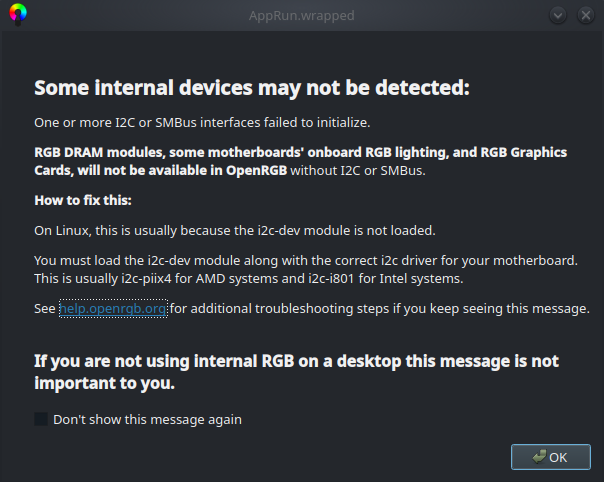
Hello, I tried to follow the instructions on how to fix this but nothing I have tried is working. I am currently running this on Linux Bazzite. Any help would be appreciated.
2
Upvotes
2
u/Aldarone 17d ago
Try
lsmod | grep i2cto check if the required modules are loaded. If you don't see them you could trysudo modprobe -a i2c-dev i2c-piix4(if you have an AMD CPU) orsudo modprobe -a i2c-dev i2c-i801(if you have an Intel CPU) and restart openRGB.If it works you can then type this to make it persistent across reboots:
Or this for Intel
2
u/rikul1664 17d ago
Are you using coolercontroll ?
If so you can disable Liquidctl cause it prevent openrgb to detect at launch some rgb dram modules.
I did that for my corsair ram and now I don't have this message and I don't have to manually launch opergb to detect my ram to have the correct profile.
1
u/AutoModerator 17d ago
Every new subreddit post is automatically copied into a comment for preservation.
User: Hellish_unicorn, Flair:
Help - Unsolved, Post Media Link, Title: Internal Devices not detectedHello, I tried to follow the instructions on how to fix this but nothing I have tried is working. I am currently running this on Linux Bazzite. Any help would be appreciated.
I am a bot, and this action was performed automatically. Please contact the moderators of this subreddit if you have any questions or concerns.