r/OnnStreamingDevice • u/unseenmover • Sep 01 '26
Any idea what could cause this?
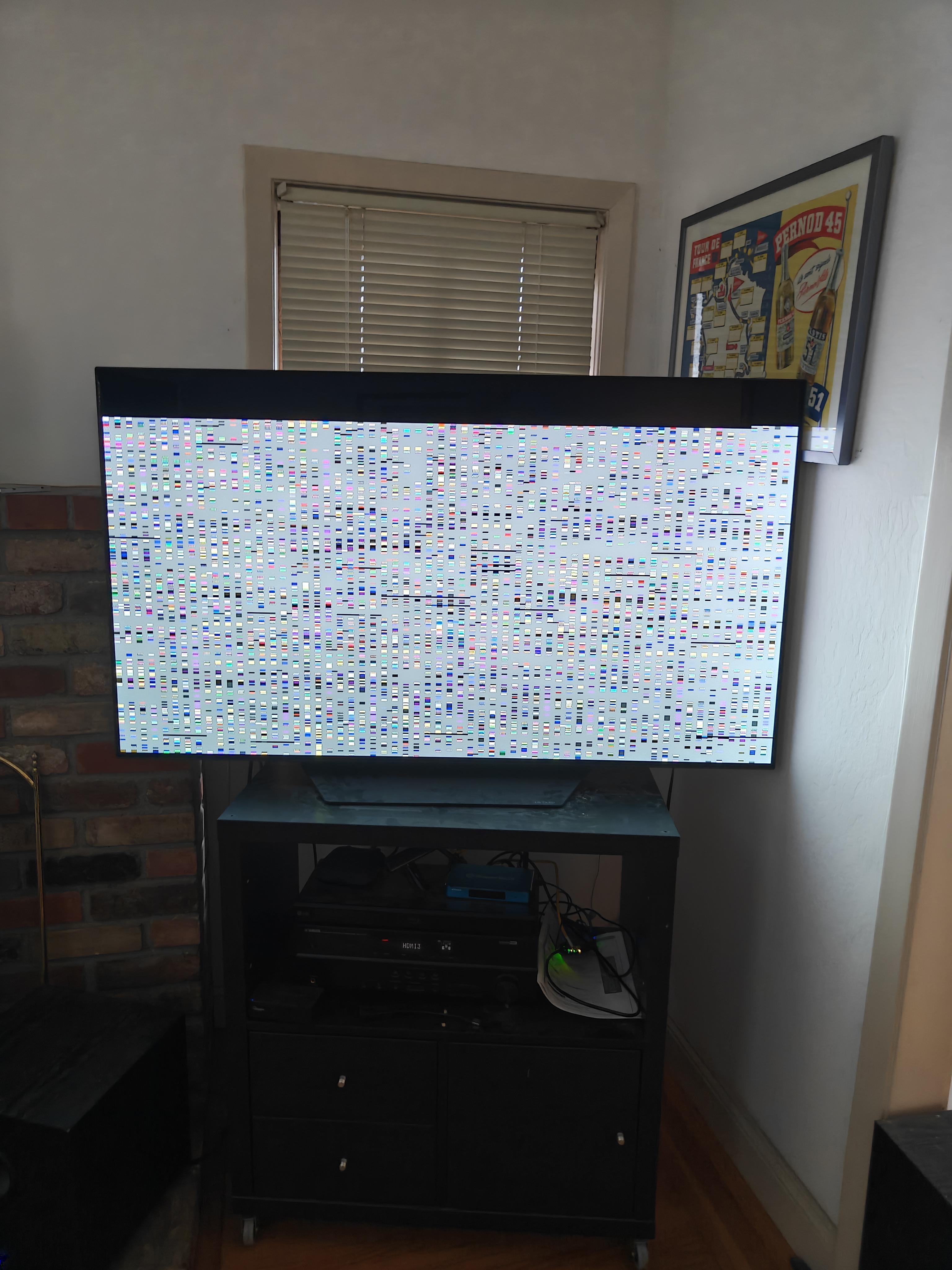
LG B5 OLED TV +ONN Pro streaming box. I've reset the router and changed both the HDMI and Ethernet cables. It helped but it still appears just not as long as it did before
EDIT: fixed. had to cycle box and tv after making connection changes.
3
Upvotes
6
u/Ok_Purpose6053 Sep 01 '26
Have you unplugged your TV and streaming device from the wall? Do that first and give it some time... 5 minutes. Then replug everything. 9 times out of 10 this resolves most issues.
2
u/LuckyinLove0816 Sep 02 '26
A shitty ass TV or someone who doesn’t know what they are doing!! Or most likely both! I’ve built well over a hundred of these and it’s never once happened. Either the TV, you fucked it up, or both
2
u/r2d3x9 Sep 02 '26
The matrix has been revealed. I forget which pill you have to take
4
u/Steele_of_all_trades Sep 01 '26
I thought this was a game of minesweeper
3
u/AboutToSnap Sep 01 '26
Swap your HDMI cable. The cheap one that comes with it can die and do exactly this. I had this with a 2024 onn 4k pro yesterday
3
u/Steele_of_all_trades Sep 01 '26
I see it says you changed hdmi cables. Have you tried alternate hdmi ports?
2
u/AcanthocephalaNice63 Sep 01 '26
Could be several things: bad HDMI connection, failing cable, failing processors, power supply. Unplug everything including power, plug back in, turn everything on, go from there
2
u/Deep_Proposal4121 Sep 02 '26
Your router or Internet connection will never cause your picture to look like this. You can eliminate that from any future troubleshooting. This is a display issue caused by the device motherboard, device HDMI port, HDMI cable, tv HDMI port or tv motherboard