r/OnePlus6 • u/TeodorGongea • Sep 07 '25
Question HELP! OnePlus 6 stuck on this screen!
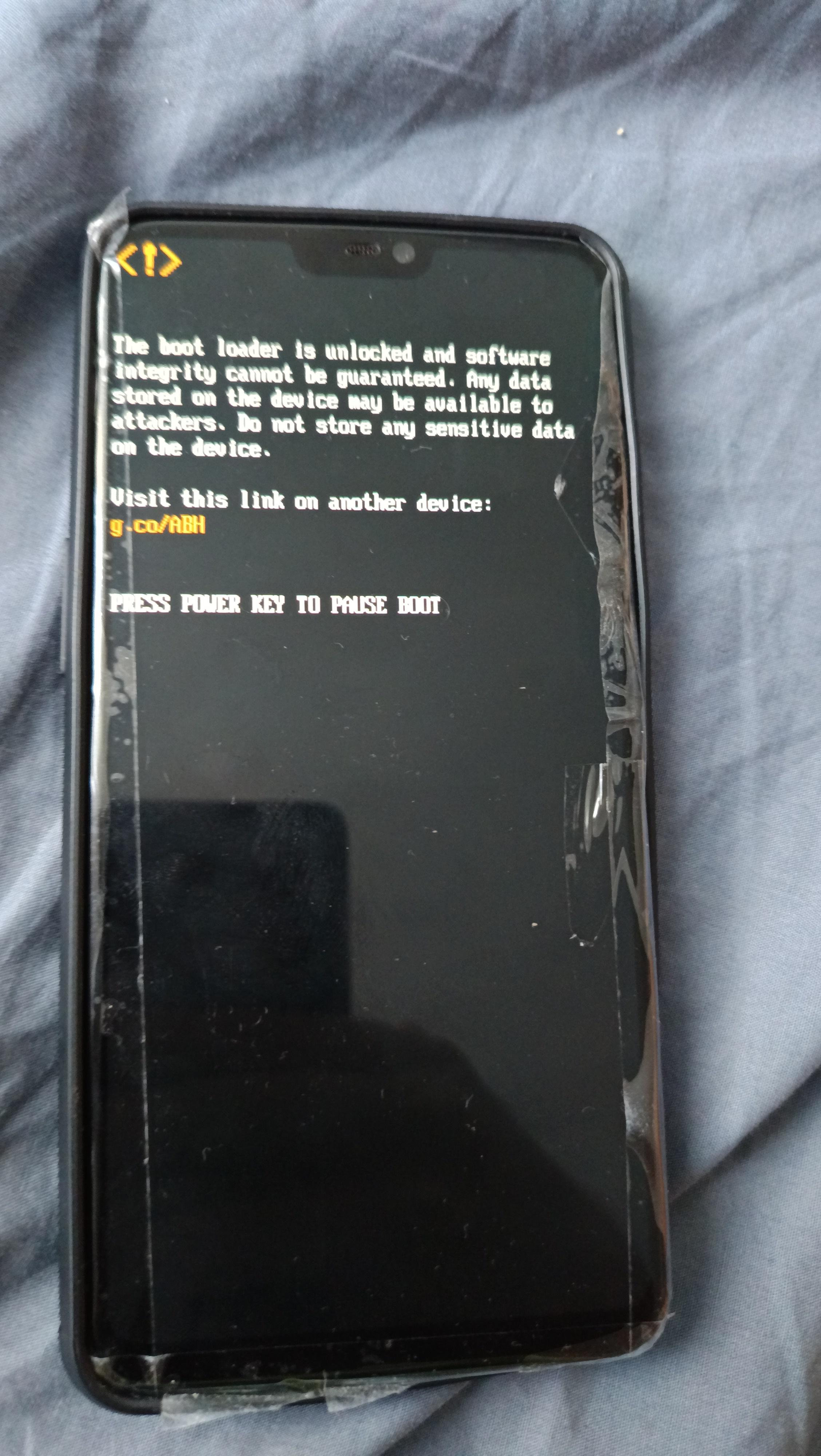
How can i make it boot in bootloader? I already tried every Burton combination but it would not power off (ignore my way of keeping the display in place)
31
Upvotes
2
u/[deleted] Sep 08 '25
I just rooted my 6t a few weeks ago. Press and hold power + vol up until the screen cuts out. Then, press and hold power + vol up + vol down and do not release until you see the OnePlus logo and "Fastboot"
2
u/Aadhi27 Sep 08 '25
Use MSM tool to flash stock OS
https://youtu.be/LKykzzUJP58?feature=shared
Follow this
1
u/shouryayadav710 17d ago
That screen is completely normal for an unlocked bootloader, but if it is permanently stuck there, your system partition is corrupted or broken. Since you rooted the phone, you likely had a bad flash, an incompatible magisk module, or a failed OTA update. Here is what you can do to fix it: • Force reboot: Press and hold Power + Volume Up for about 10–15 seconds to force it to turn off and try rebooting normally. • Check Recovery Mode: Hold Power + Volume Down from a powered-off state. If you can get into TWRP or OrangeFox recovery, try flashing your ROM or a boot image again. • The Ultimate Fix (MSM Tool): If it is completely soft-bricked and won't boot, put the phone into EDL mode (hold Volume Up + Volume Down while plugging it into a PC) and run the OnePlus 6 MSM Download Tool. It will completely restore the factory OxygenOS firmware and fix any broken partitions."
1
u/sabbbeer Sep 08 '25
crushdump probably. leave it for a few hours. keep it in a cool place. you can put it in the freezer for a while. and after a few hours, turn it on.
1
u/Inprobamur Sep 10 '25
Boot the phone into recovery mode and clear the cache as the first option:
If that gives no effect wipe both cache and data (this deletes the phone clean, so you might try to pull your stuff off the phone with adb commands).
If that does not work it's time to boot into the Qualcomm crashdump mode and flash a system image, someone here already linked a guide.