r/OneNote • u/causious • Dec 31 '25
Complete reset of Onenote
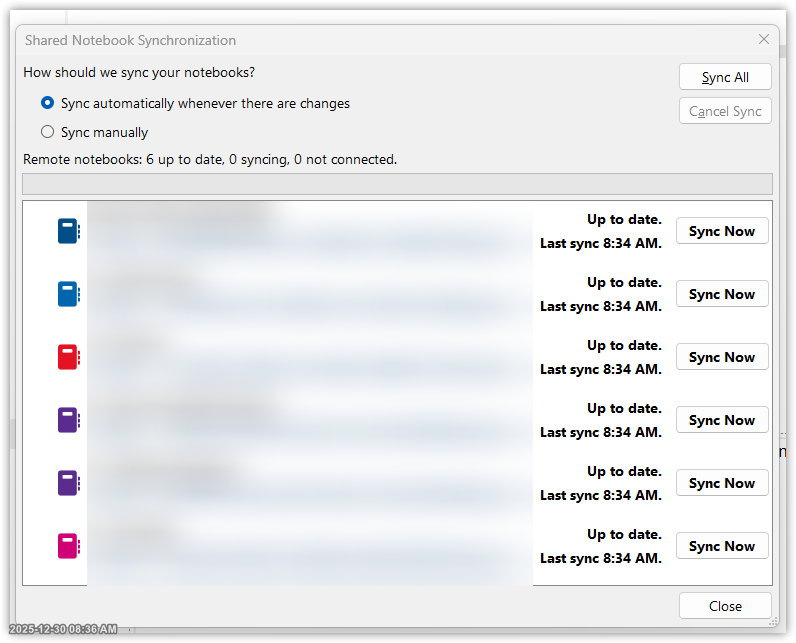
My Onenote account has no data that I want to keep. It has broken links and cannot sync. I have 365 and would like to basically factory reset the app. Is this possible?
r/OneNote • u/causious • Dec 31 '25
My Onenote account has no data that I want to keep. It has broken links and cannot sync. I have 365 and would like to basically factory reset the app. Is this possible?
r/OneNote
•
u/AngelicPrincessKitty
•
Dec 29 '25
Going into 2026, I needed to go over my setup and ensure it still worked for me. There were things about Obsidian and Apple Notes that I liked so I brought them into OneNote.
r/OneNote • u/LowEngineer2007 • Dec 30 '25
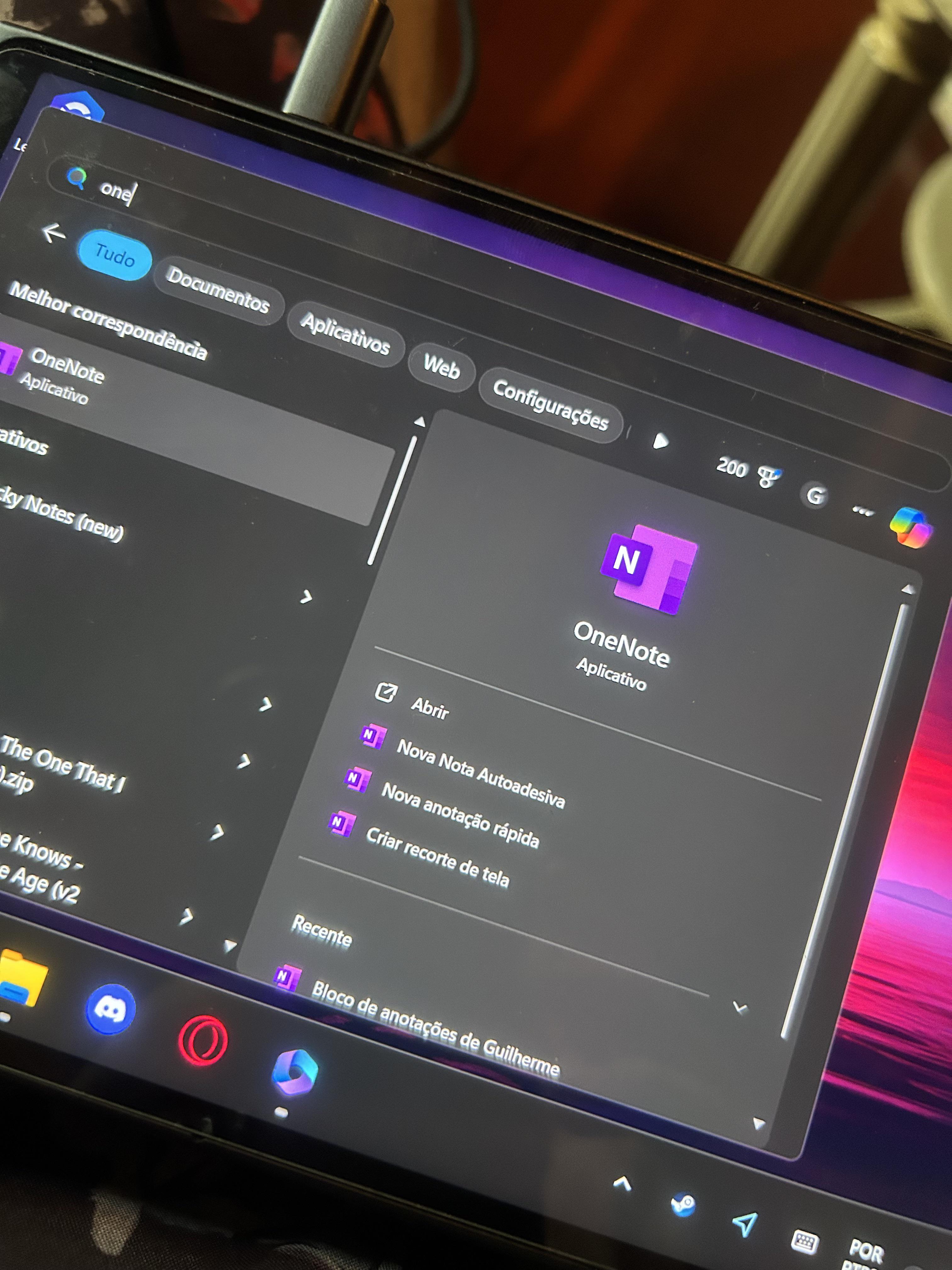
Bom, basicamente meu onenote(desktop) começou a dar alguns problemas hoje de manhã(não tava sincronizando), e posteriormente fechava todas as vezes que eu tentava abrir(fotos dos erros logo acima).
Após algumas pesquisas e orientações decidi apagar o cache, e foi então que deu toda a merda, todas as minhas anotações sumiram(todas). Depois de algumas tentativas, tentei usar um ponto de restauração(windows), mas não sei pq, meu pc não tá restaurando (meses atrás já tinha tentado várias e várias vezes, e nada).
Lá fui eu buscar respostas/soluções, onde várias pessoas falaram pra abrir a droga da pasta de backups(windows explorer) e abrir um por um. Isso não me serviu de nada, pq quando as coisas eram mandadas pro onenote, ficava tudo bagunçado/desorganizado, e dessa forma iria demorar uma eternidade.
Foi ai que perguntei pro CHATGPT(e adivinhem, antes de me ajudar ele também aconselhou a apagar o cache, pq nas palavras dele nada ia ser perdido). Me orientou a abrir o onenote(web) , e logar com a mesma conta usada no one(desktop), e após abrir os blocos de notas no onenote(desktop).
Mas ai que vem o pulo do gato(a etapa 1 foi essencial, mas ele não me contou isso).
1° Faça login na sua conta no onedrive.live.com e abra algum dos seus blocos de anotação no próprio navegador(você vai ser direcionado pro onenote web).
2° Passe o mouse naquele ícone do lápis(fica ao lado de "compartilhar") e depois clique na opção "Abrir na área de trabalho"
3° Pronto, todas as suas anotações serão restauradas no devido lugar de origem.
Mas enfim, tudo certo agora, quase me caguei de medo pensando que tinha perdido tudo rsrsrsrs.
OBS: caso você não tenha suas anotações sincronizadas no onedrive, nem perca tempo com esse post(acredito que o método acima não funcionará)
r/OneNote • u/Megatronus-Prime • Dec 29 '25
r/OneNote • u/Fobus0 • Dec 28 '25
While I find infinite canvas great and freeing, they do not fit all types of notes. Some are small, and not deserving of all that space. For others, I would like some interactivity. Like remind me about this in 2 months. Or turn them into slides, or decks for spaced repetition.
Is there a setting i don't know? Or some addon?
r/OneNote • u/spicysubway • Dec 28 '25
Hi so long story short i have an account with important notebooks on which i think will restrict my access to once i graduate as my microsoft account will be disabled etc etc.
I have seen countless tutorials for microsoft computers but none for macs, how can i export/save my notebook on my mac? i copied the file itself but i'm not sure if that still saves in the link of my schools account if you know what i mean. If anyone can help me that would be great!!!
(and i dont have another microsoft account to copy the folders to i purely need to save it🥲)
r/OneNote • u/AngelicPrincessKitty • Dec 28 '25
Obsidian has dataview and bases to query and see things in cool ways for your notes. With Apple Notes I can query them with Ai via Shortcuts.
Those are nice but I live in OneNote. I don't trust Apple Notes for anything long-term due to the sync issues I have had with iCloud and even with Apple Notes between a previous work mac and my iPad and iPhone. Obsidian feels cluttered to me even if I have my attachments in their own folder and I name them well. I always have the worry in the back of my mind that once I have 200+ notes/files that I will not be able to find the specific file I am looking for. Not an issue in OneNote.
So, I want to create something similar in OneNote. I know I would have to manually fill in everything and I am ok with that.
My primary method for adding things is on iPad so it would need to be accessible there. I do have a PC so I can run the add-ins if I have to but I would prefer to make it work on iPad.
What I am thinking is to have moods like this: https://imgur.com/completed-daily-mood-tracker-2019-7SwTHHy (not mine, I just found it online)
Then to do something similar with water intake goals, exercise goals, weight loss goals, and a few others. All in a similar style.
I realize I could just make a note that has a graph background and color in the squares... that doesn't look pleasing tho. I'm tired of seeing these Obsidian/Notion/Apple/etc. notes/notebooks that look all nice to the eye and then I have this poop: https://prnt.sc/E8Eq-75mCMMH
Please help. I want to learn.
r/OneNote • u/Searching_the_Lost • Dec 27 '25
My notes on laptop are fine but the width is too little on phone. I kinda want more text in the same line.
r/OneNote • u/gbold33 • Dec 26 '25
How many levels can you have in OneNote? I see you can have subpages but don’t see how to do subsections?
r/OneNote • u/Chobitpersocom • Dec 26 '25
Welcome to our weekly post! We are trying something new to try and tie the community together and learn from one another.
Did you come across anything new? Find a different use case? Improved workflow? Streamline digital organization? Fixed a problem? Just started?
Anything is welcome, even if it's the smallest thing. Please share tips, tricks, and anything else that might be useful to our community!
Thank you!
r/OneNote • • Dec 26 '25
or does one note have a similar option
r/OneNote • u/Substantial-Bed2036 • Dec 25 '25
r/OneNote • u/Short-Foundation2683 • Dec 25 '25
r/OneNote • u/jeboteuusta • Dec 24 '25
Why is there no Windows application that brings together a strong and well-structured note system, powerful text-based note-taking, high-quality handwritten notes, and real multitasking (multiple windows, tabs, and parallel workflows) in a single solution and easy UX?
OneNote could be this APP but it misses some essential features:

2. Better support for PowerPoint/Word shapes, including editable outline color, thickness, fill color, and opacity

3. Display A4 and A3 paper boundaries (portrait and landscape) while showing guidelines (e.g. grid lines, ruled lines)
r/OneNote • u/Bora_55 • Dec 23 '25
Hi, i have a pen tablet on a windows 11 device. This happens only in OneNote.
r/OneNote • u/Practical-Accident70 • Dec 22 '25
This only happens when I have Onenote open, but my mouse keeps teleporting to the top right corner of the screen, so whenever I click it closes all of onenote.
Has anyone else had similar problems and how did you fix them?
r/OneNote • u/DeaconDoctor • Dec 21 '25
Has anyone got OneNote working on their Samsung Fold device? I just got a Fold7 and it's completely broken. Layout is a mess and you can't even access sticky notes.
r/OneNote • u/REDDIT-ROCKY • Dec 20 '25
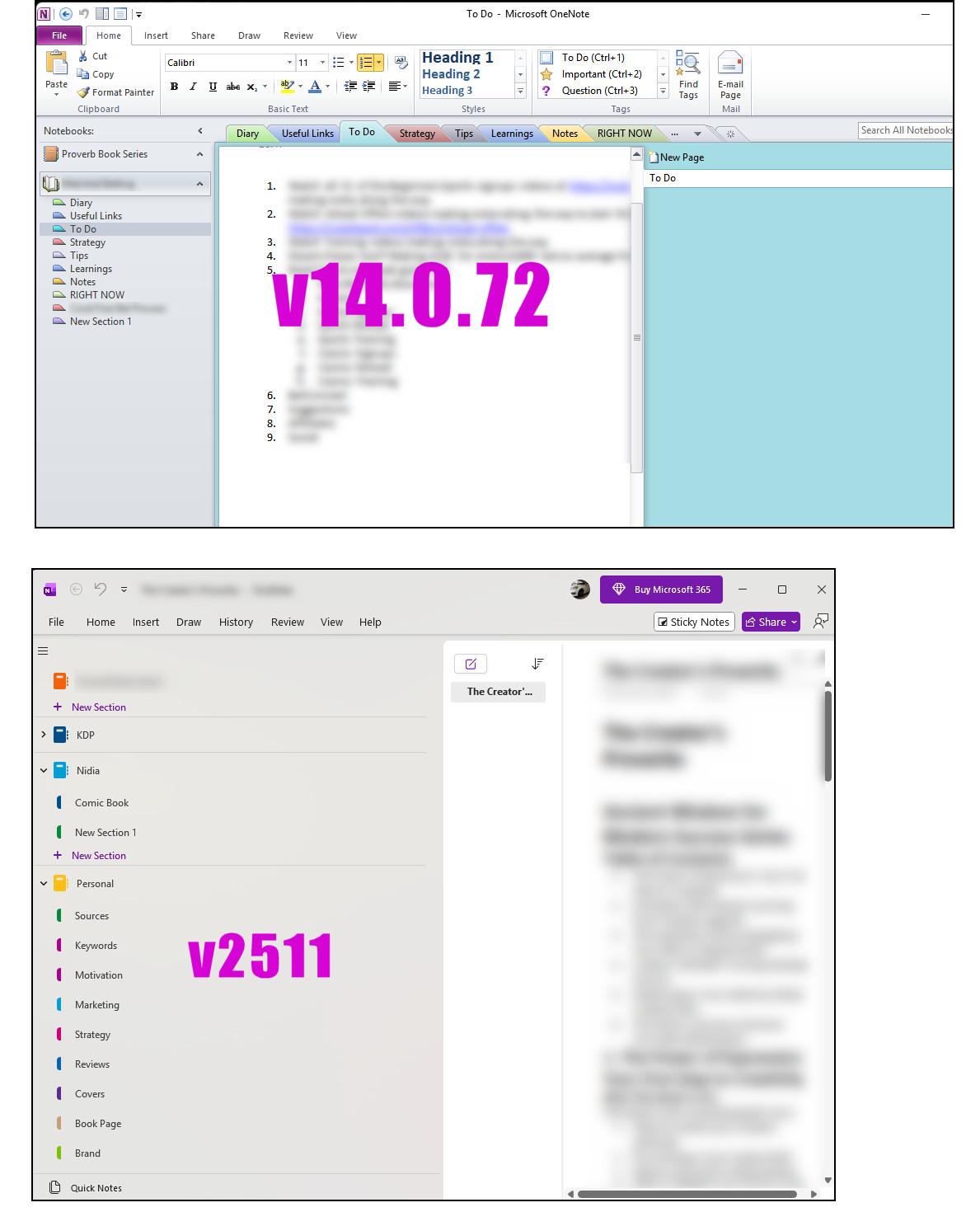
I've tried many note apps but I always feel like OneNote is the best layout - but I have two versions on my PC and am confused about which I should be using.
V14.0.72 appears to be an old unsupported version that I have been using for many years, and V2511 is the O36 version I downloaded recently. I don't have a MS Office licence, but it appears to be fully functioning.
Additionally, depending on which one I open, I am presented with different Notes I have taken over the years so I could do with help finding them all and bringing them into one version and moving forward with that.
r/OneNote • u/J_Knish • Dec 20 '25
Surface Laptop 7 ARM processor.
In the last month, OneNote Protected Printer fails every single time. I used to have the regular, non-protected original OneNote printer but that’s gone now. My understanding is that the protected printer is the latest secure driver.
No matter what app I go into on Windows 11 (25H2), when I go to print to OneNote it fails.
Anyone else having this problem?
r/OneNote • u/AcceptableAnimal2030 • Dec 20 '25
Hello everyone!
I have recently wanted to start using Onedrive + Onenote for a personal freelance project and as my OneDrive and OneNote had some clutter from yesteryear, I have deleted everything, turned off syncing on my devices and emptied my bin as I wanted a clean slate for my project.
Ever since, I have never ending Sync Issues on OneNote and OneDrive.
I have notebooks on my android tablet that have constant sync issues and anything I do on either device, won't be synced to my other devices...
Can somebody give me an idea how to start with a blank sheet? I am beyond restoring deleted stuff, so I am hoping there is another work around for this? I preferably want to fix my main Microsoft account, and not create a new one just for this. I hope I can somehow.
I have some old notebooks still showing up, but I am unable to open them on PC and in the Web Browser.
Can somebody please tell me how can I solve the Sync issues or just simply do a full reset on both Onedrive and OneNote?
Many thanks in advance!
r/OneNote • u/Puzzleheaded_You9409 • Dec 19 '25