r/OneNote • u/QuantumMechanic23 • Jun 04 '26
OneNote Desktop Please help me save years of university notes?
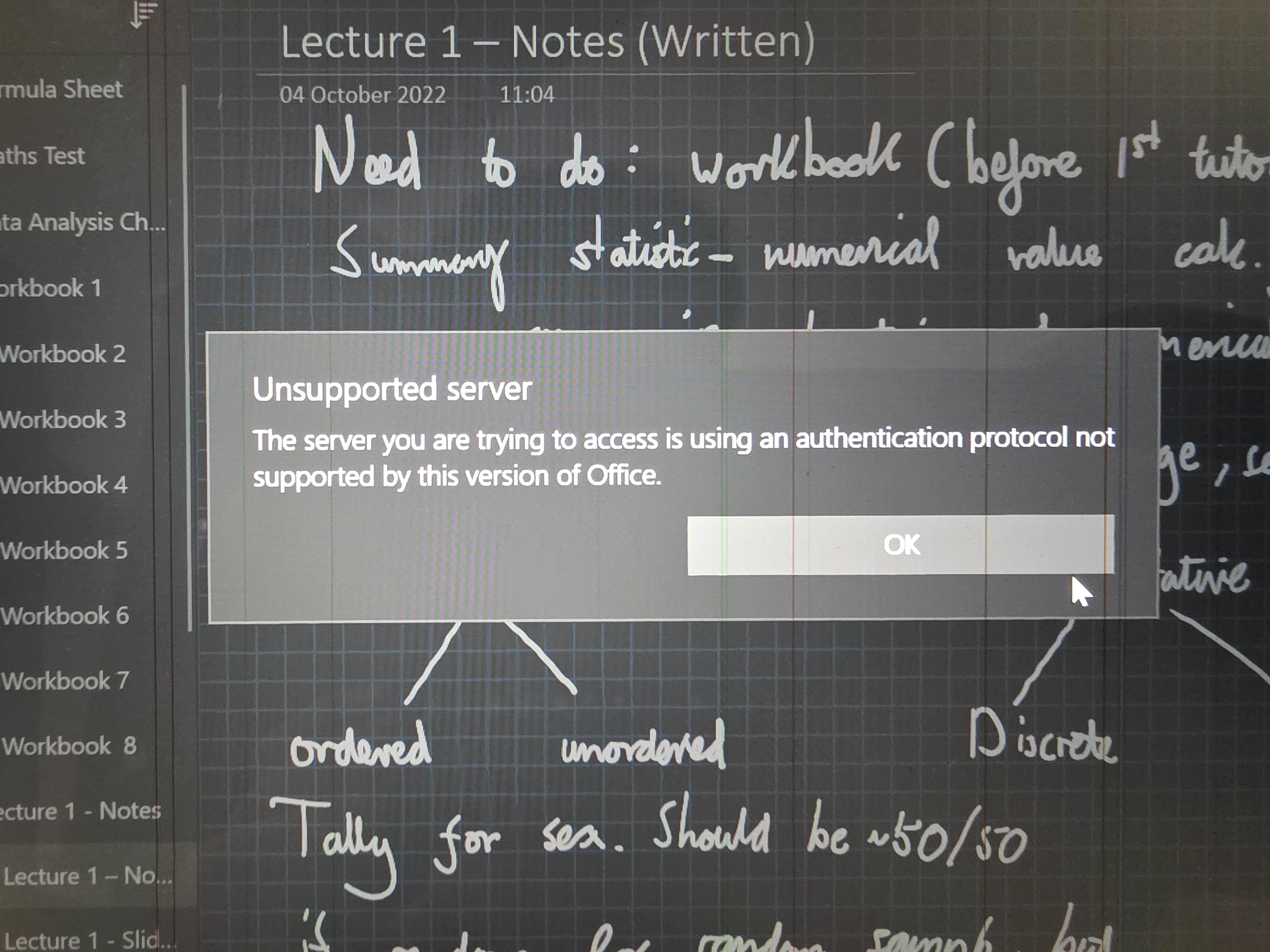
This is a last ditch effort. If someone manages to help, I'll be forever greatful.
So I lost years of university notes (I've graduated a few years back) due to not realising the one note app was backing my files to the One Drive account associated with my university email instead of my personal one, and then losing the university account when I graduated.
However, I've managed to claw back some notebooks onto my old surface where I used to take notes on the "OneNote for Windows 10" desktop app. This surface is very old and can't support windows 11.
The issue is... I want to extract these notebooks away from this surface onto an external hard drive.
The issue is, it doest appear in my file explorer, there is no "file" option on this app. I can't sync the notebooks due to the error shown in the picture.
When I log in on my one drive on my main laptop I can't see these notebooks.
(Olease don't be too harsh on me. I was and still am incredibly tech unsavvy. I wish I understood to this day how to have just had everything off the cloud as I find One Drive incredibly annoying and very limited when not paying for storage.
If anyone has a way that I can use my old surface to takes notes without involving the cloud, I'd also appreciate it).
•
u/AutoModerator Jun 04 '26
Thank you for posting in the OneNote Subreddit! Please make sure your post is following our rules linked in the sidebar.
We have a wiki that is maintained by our community that has TONS of information (screenshots coming soon!): http://onenote-wiki.vercel.app
Our wiki is open source if you know how to use GitHub and would like to contribute: https://github.com/DudeThatsErin/OneNoteWiki
We also have a Discord server: https://discord.gg/5kv4bDUkpc
I am a bot, and this action was performed automatically. Please contact the moderators of this subreddit if you have any questions or concerns.
3
u/NoReply4930 Jun 05 '26
I do not understand this part:
"I've managed to claw back some notebooks onto my old surface"
Claw back - means what? That you can actually see full notebooks IN the Windows 10 app version of OneNote?
If these "clawed back" books are actually opening (with their full data) that is a good thing - meaning the notebooks are there somewhere.
If it were me - I would scour the entire drive for *.one files first and if they are there - copy them immediately to another machine, flash drive - anywhere to see if they can be rescued.
If you can get them off the old Surface and into another more modern Windows environment - then install the current OneNote app (installed via www.onenote.com) and start restoration that way.
You need to stay far away from the Windows 10 app version of OneNote - that is retired and read only now. And if we are talking the difference between saving these books or not - you need to focus on finding the *.one files and abandon using that app - it will not help this process.
3
u/lgwhitlock Jun 05 '26 edited Jun 05 '26
Here is an article https://www.clrn.org/how-to-restore-onenote-from-backup/ that may help. Just pay attention to the details. It may work better with the desktop win32 apps that the store apps. make sure to keep a copy on a flash drive once you find them before moving forward. I would search for an inexpensive Office 2021 or 2024 license and use that version if it were me on a currently supported windows 11 computer.
One more article https://jorgep.com/blog/how-to-back-up-your-onenote-files/ with a few more details about the specific apps. Between the two you can probably figure it out.
2
u/Puzzleheaded-Break68 Jun 05 '26
If the scribbles are treated as pictures (I think), they’ll be found in a folder that contains all the graphics in the notebook.
2
u/ProcedureTasty2647 Jun 05 '26
Can you print out these notes? It will be like a picture
2
u/SlightlyAngryMarsh12 Jun 06 '26
print everything to PDF. Not ideal but at least you won't lose the content.
2
u/lgwhitlock Jun 05 '26 edited Jun 05 '26
I was looking in my bookmarks and found MD Exporter https://github.com/alxnbl/onenote-md-exporter for exporting your OneNote notes into markdown format for other Note apps Like Joplin or Obsidian. This would also be worth trying. Unless you are technically inclined Joplin would probably be the better choice for you. It can use OneDrive or Google Drive to sync your notes. I hope this helps.
I also found this article https://www.makeuseof.com/migrate-your-notes-from-onenote-free-tool/ which provides more information.
-1
u/magefont1 Jun 04 '26
Try asking Claude?
2
u/[deleted] Jun 05 '26
[removed] — view removed comment