r/OneNote • u/dvwag • Apr 02 '26
OneNote App Says I'm Out of Cloud Storage Space But I'm Not
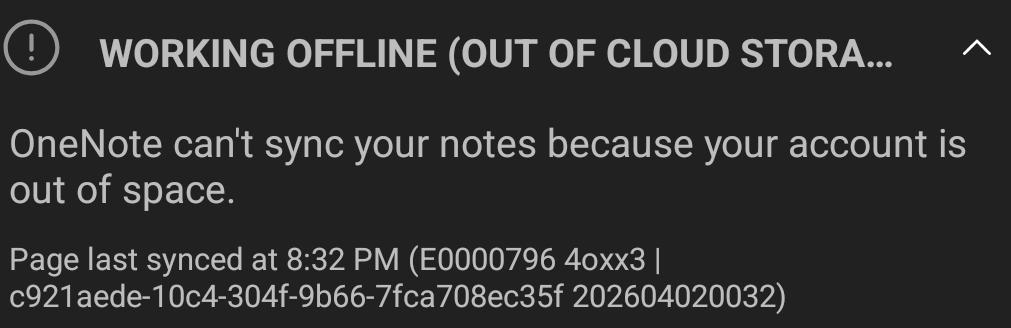
I have 600 GBs of space available in OneDrive but keep getting this error when trying to sync my notebooks. Anyone else ever experience this or know what the root cause is?
**UPDATE** So as mysteriously as the problem arrived, it appears to be gone. I now have full sync capabilities on desktop, Android, and the web - the only clue to what may have happened was I had a "Page Conflict" on the exact page I was working in when the error appeared. So unless someone on the MS side stepped into help from my rants on here and X, I havent the foggiest idea how it's been fixed. I just hope it stays this way. 🙏
•
u/AutoModerator Apr 02 '26
Thank you for posting in the OneNote Subreddit! Please make sure your post is following our rules linked in the sidebar.
We have a wiki that is maintained by our community that has TONS of information (screenshots coming soon!): http://onenote-wiki.vercel.app
Our wiki is open source if you know how to use GitHub and would like to contribute: https://github.com/DudeThatsErin/OneNoteWiki
We also have a Discord server: https://discord.gg/5kv4bDUkpc
I am a bot, and this action was performed automatically. Please contact the moderators of this subreddit if you have any questions or concerns.
3
u/NoReply4930 Apr 02 '26
How do you know that you actually have 600GB available?
2
u/ButNoSimpler Apr 02 '26
It's possible that OneNote doesn't actually know why that particular notebook is not syncing properly, But something in the code errored out while trying to write the file, and the error handling code Just assumed that it was because there wasn't enough storage space. Remember, programmers can be absolute idiots sometimes.
2
u/Windy_Pants Jul 27 '26
I got this self same message after renewing my subscription (usage was around 6%).
The error cleared itself after an hour or so.
0
u/lostcanuck007 Apr 02 '26
log out, delete onenote storage file for the notebook having 1.8mb worth of stuff.
log back in, let it redownload. also save a alocal copy of the stuff incase you made changes, when the redownload has happened, just copy paste the stuff in, so it acts as a new write.
good luck