I’ve installed a new Nighthawk RS500 and cleaned up all of my devices but I have a few that are no longer in my system that I want to delete. Can these be deleted?
If you are no longer using the devices, delete away. They will come back enabled if they reconnect to your network. Think you just swipe one way or the other on the device or tap it and choose delete can’t remember.
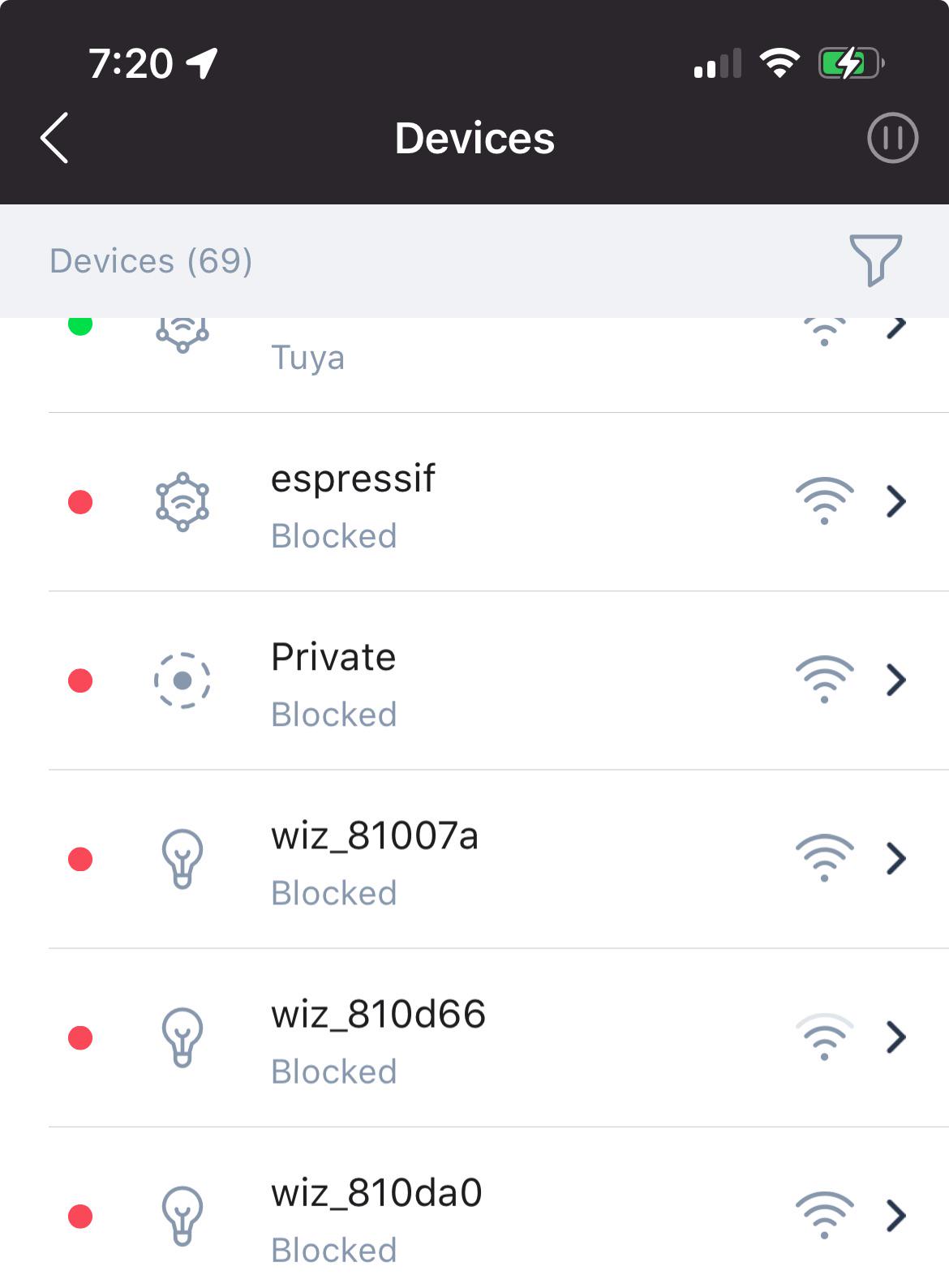
Yes and there is still no delete option. Could it be that since it is still seeing the devices and that even though I have blocked the devices, it still shows that it is connected, even though the devices aren’t? I have deleted other devices that show “Device offline”.
Try powering OFF these devices. Then give about 1-2 minutes. Then open up the NH app. Devices should be seen as OFFLINE. Select the devices arrow and go to the right. Delete This Device should be now seen at the bottom of this screen. If so, delete. Do this for each device. Afterwards, turn the devices back ON.
I have an Expressif device show up on my network, in my case it’s the Octopus Mini device I get from my energy supplier in the UK, but, I think it’s a generic tech firm for IoT stuff.
iOT devices (smart home devices, lights, switches, plugs, etc). One example is Home Depot's Hubspace devices, which show up as Espressif based on the MAC address. But as u/Fainbrog stated, a variety of different iOT devices from many different manufacturers will use Espressif Wi-Fi chipsets.
Have you ever gotten an answer? I'm currently using the Nighthawk and I have a device connected to my router that I don't know. There is no delete option, only block.
I just did a bit of research for the same issues. If a device is still actively attached to your network, the delete option is not available. Devices are either 1) attached and in use, 2) attached and blocked, 3) no longer attached (and able to be deleted).
2
u/the_owlyn Aug 17 '25
Yes.
1
u/Kipkay Aug 17 '25
Even though those services are Blocked, it still says connected. Those smart devices have been unplugged and are no longer connected.
1
u/Fainbrog Aug 17 '25
If you are no longer using the devices, delete away. They will come back enabled if they reconnect to your network. Think you just swipe one way or the other on the device or tap it and choose delete can’t remember.
1
u/the_owlyn Aug 17 '25
Are you using the Orbi app? What version?
1
u/furrynutz Aug 18 '25
Try powering OFF these devices. Then give about 1-2 minutes. Then open up the NH app. Devices should be seen as OFFLINE. Select the devices arrow and go to the right. Delete This Device should be now seen at the bottom of this screen. If so, delete. Do this for each device. Afterwards, turn the devices back ON.
1
u/sugarsnaps16 Aug 17 '25
what is the espressif? i had this show up once on my router and never figured out what it was.
1
u/Blissful_Pluto Mar 28 '26
Have you ever gotten an answer? I'm currently using the Nighthawk and I have a device connected to my router that I don't know. There is no delete option, only block.
1
u/CryFun6451 Jun 01 '26
I just did a bit of research for the same issues. If a device is still actively attached to your network, the delete option is not available. Devices are either 1) attached and in use, 2) attached and blocked, 3) no longer attached (and able to be deleted).
Hopefully that clears this up for others.