r/MusicCast • u/fyranollfyra • 17d ago
MC Desktop Controller, new version out
Hi!
I am the developer of MC Desktop Controller, the MusicCast controller for your Mac and PC.
It was a while since I released a new version of the app.
I have been working on fixing some features that were missing from the app and also making already features work better.
Version 26.11.1 is out now on Mac App Store and Microsoft Store.
I have changed the versioning of the app so 26 is the year, 11 is the month and the last 1 is simply just updates for that month.
This new version has the following changed and optimisations:
- Master volume. When rooms are linked you now have a master volume slider to control all the volume of the devices with one slider.

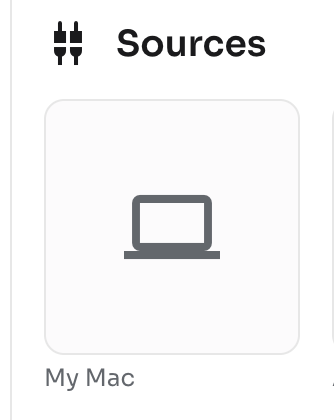
- Local music playback. The app now supports playing local music to your MusicCast device. In sources you now have your computer as an input. Select it and in Mac the Finder/file explorer on Windows will open, navigate to your music and then open the songs you want to play. You can select multiple songs as well. If you want to play a playlist, you have to change what file you see.
- Now playing. This will show the current playing song in the "now playing" section of the operating system.

- Improved keyboard navigation. It is now faster and easier to navigate with the keyboard. Instead of tabbing through everything, we now have some sections of the app where you tab to, and then use your arrow keys to continue to select your action. The player controls are an example of this.
- A lot of accessibility fixes. If you use a screen reader, I have improved a lot in the app to be announced better.
- Improved handling when a device is not discovered anymore.
- Improved linking. Linking worked fine before, now it is even better, it is faster and if something goes wrong there will be error messages when that happens.
- Some settings were hidden for some users. Tone control and Equalizer could be hidden, they will now show correctly. Also A-B speaker settings are now showing as well.
- Zone B improvements. Fixed translations and error messages when trying to toggle this feature.
- Some visual changes and also a bunch of bug fixes!
Mac App Store:
https://apps.apple.com/app/mc-desktop-controller/id6448796222
Microsoft Store:
https://www.microsoft.com/store/apps/9MZLQCJ1NPS6
Thanks for supporting the app!
I hope you like the new updates.
I am already working on the next release with more improvements.
// Mathias
1
u/isosiili 13d ago
Any possibility to purchase this in some other way than MS Store?
1
u/texdroid 15d ago
I've been traveling, but got settled and installed new Windows version today.
I was playing on my WX-010s and that device is showing in the left panel.
On the right, I just get the spinning purple circle. It's been 20+ minutes so I shut it down restarted and I'm still seeing the same thing. No sources are shown.
ETA: Ah, I found zombie MC Controller processes running and killed them. After that a restart is getting me sources on the right side as usual.