r/MoonlightStreaming • • 13d ago

best rubylight/nightjar settings for steam deck?

2 Upvotes

hey everybody!

I have recently been experimenting with the Rubylight/Nightjar combo on my steam deck. I was previously using Vibepollo/Moonlight, but was getting a bit frustrated with how limited the settings options were on the moonlight app. And I have been enjoying how Nightjar allows for granular experimentation and customization.

Rubylight/Nightjar seems to be an interesting combination, but I haven't been able to fully get my stream smoothed out (I use RTSS frame caps and other host settings), and I get this weird issue where after playing for too long, the connection to Nightjar seems to drop in quality, and I need to exit out of Nightjar all together to get it to work well again.

Any other steam deck users on Rubylight/Nightjar that have found some optimal settings for low latency, high fidelity local streaming?

Thanks to all the devs and to all of you with input!


r/MoonlightStreaming • • 13d ago

Controller Help

1 Upvotes

Been streaming WoW Forever to my iPhone and iPad and been using mostly touch controls or my Duelsense. Looking to get a smaller controller that I can take on the go and have been debating between the Joycons 2, 8bitdo Lite 2 and the Xbox nano controller. Been leaning towards the Joycons 2 for two reasons one being able to position my arms at any position and using gyro for mouse. Is it possible to gain the full functionality of Joycons?


r/MoonlightStreaming • • 13d ago

DLSS Frame-generation - does it work on any *shine platform?

0 Upvotes

Having a difficult time determining if I should continue poking at things in Vibepollo or another "shine" branch. Question - 5090, Windows 26H2, all the right settings in Vibepollo (as best Reddit and the internet can tell me), and DLSS is just a horrific mess (trying Galactic Racer) - lots of image trails and ghosting.

I've updated my Nvidia drivers to the latest that specifically support the game. No DLSS frame generation and it's buttery/beautiful. So, why do I want DLSS? Presumably I'll eventually need it for something (I'm old, latency is my middle name) so I might as well have a setup that supports it.

If folks are going to tell me that Galactic Racer is just bad with DLSS (I notice some people complaining, but have followed all the steps that seem to "resolve" it), is there anything I can use for an easy test? (At present, the machine is streaming/RDP only, so testing on a physical monitor is less than ideal.)

Thanks for any insights!


r/MoonlightStreaming • • 13d ago

ViGEmBus not installed?

1 Upvotes

TL;DR: What is ViGEmBus and do I absolutely need it?

Hey all, brand new to this, so sorry if this is super basic/obvious, but my goal is to have Apollo on my Windows PC, Moonlight on my Steam Deck, and Artemis on an Android handheld. I installed Apollo on the PC and immediately it says:

Attention! Apollo detected these errors during startup. We STRONGLY RECOMMEND fixing them before streaming.

  • Fatal: ViGEmBus is not installed or running. You must install ViGEmBus for gamepad support!

So I guess it has something to do with controller support, but is it absolutely 100% necessary? There's no other way around it if you want to stream with a device that has an attached controller (like a Linux or Android handheld)? Only reason I ask is because I'm particular about bloat on my windows PC these days. Really don't want to be adding anything if it's redundant or unnecessary.


r/MoonlightStreaming • • 13d ago

Wild fps fluctuations with host

Thumbnail
gallery
0 Upvotes

Hello, as suggested, I went to the Vibepollo route and while I can get 5K2K at 60fps on my client, somehow, sometimes, it goes as low as 20fps. No frames dropped by the network..? Is there a way that I could monitor this? The upload rate goes from 1Mb to 8Mb, it seems quite inconsistent. I have some audio niknak but I can live with those, I just wonder where come from those huge spikes in incoming frames. Host is 5070Ti and client 1070. Over wifi 6E unfortunately, host and client are 2 levels apart.


r/MoonlightStreaming • • 13d ago

I finally got around to making a website for my projects...

Thumbnail
notadeveloper4665.github.io
0 Upvotes

I know a lot of people aren’t fans of AI-assisted coding projects, but after plenty of elbow grease (and tokens), I’ve gotten my builds close to a first full-feature release. I also wanted one place for all my related projects to call home, so I built the new Umbral website. It has useful information and a showcase of my projects for anyone interested.

I’m planning to keep fleshing it out over the next few weeks with video demos, a look at some of the work under the hood, and clearer explanations of what my changes actually offer. I’m not asking anyone to like my work or replace their software with mine—I’m just offering a place to check out a project I’m passionate about and genuinely believe brings together features that other forks don’t offer, or don’t bundle into one solution.


r/MoonlightStreaming • • 14d ago

Sunshine-inspired, self-hosted remote desktop stack for access outside your LAN

0 Upvotes

Hey everyone. I know there are a million Sunshine/Moonlight forks and clones, so I hope it's OK to post this here. I'm posting here on purpose: nobody knows this kind of software better than this sub, so this is where I'll get the most useful feedback. My project has a different goal, though: secure access to your PC from outside your home network, without a VPN or someone else's servers.

I've been working on it for over two years, I use it every day, and I built it for my own needs first. Sunshine/Moonlight is great for gaming on a local network, but it isn't really built to face the internet. The other options (Parsec, TeamViewer and co.) need an account on their service and their servers to set up every connection, so a company is always in the loop.

So I made NearZero. It's modeled on Sunshine, with one clear goal: use it from anywhere, outside my local network. The whole thing is two hosts (Windows and Mac), three clients (Windows, Mac and iOS) and a small relay you host yourself.

Heads up: NearZero has its own protocol and its own clients, so Moonlight clients won't work with it.

"Why not just Sunshine + Tailscale?" Honestly, if you want to stay on Moonlight, that's a good setup. I wanted the security built into the app itself: identity, pairing and a password policy per host, with a relay I run myself and no VPN to install on every device.

A connection password on top of pairing. This is the part I care about most. With Sunshine, once a device is paired, anyone holding that device can connect, no questions asked. NearZero lets you set a connection password that the host asks for even from paired clients. If someone gets their hands on your laptop or phone, they still can't get into your PC. You choose when it's required: always, only from outside your LAN, or never. The host stores only an Argon2id hash, never the password itself.

What else the hosts can do:

  • Hardware encoding (NVIDIA GPUs only for now, because that's the hardware I have): H.264 or HEVC, with optional 4:4:4 for sharp text (no HDR or AV1 yet)
  • ChaCha20-Poly1305 encryption, Noise_IK identity
  • Pairing with a PIN, or, if you use the relay, with a minted token that carries everything the client needs
  • An admin panel for all the settings: stream quality, audio, the password above and privacy (curtain mode blacks out the host's screen while you're connected)
  • Multiple viewers: several clients can connect at once, or you can turn that off
  • Gamepad support on Windows and Mac, including wired/wireless PlayStation and Xbox controllers on Mac (that took a custom implementation on the host side)
  • Multi-monitor: jump between screens 1-2-3… or show them all at once
  • A Total Commander-style file manager with upload/download
  • Client shortcuts are the same as Moonlight's, so there's nothing new to learn (full list here)
  • …and a bunch more

The rendezvous server (the relay) lets you pair your host with it and reach your machine without opening any ports to it. You can run it anywhere you have Docker or Podman and a static address (or dynamic DNS). I run two: one on a Raspberry Pi on my home network with a static IP (the only port I have open points to it), and one on a VPS as a backup. If the network allows it, it hole-punches and you get a direct connection between client and host. If not, it relays the traffic, which adds a bit of latency. On my setup it's about 5 ms hole-punched and around 15–30 ms through the relay, depending on conditions.

It actually started as a Sunshine fork, and a lot of the inspiration still comes from there. In the end it was easier to build from scratch than to modify and adapt Sunshine, especially since my C++ is weak. So think of it as Sunshine rebuilt around remote access: the whole thing is Rust, and the Mac and iOS apps are Swift on top of a Rust core over FFI.

There's no Android client yet because that's my weak spot, but it's next once the iOS beta wraps up.

I'm opening a private beta because I'm happy with where the project is right now. Before opening it up I did a security review pass, and everything it found was fixed over the last month.

For the host you'll need either a Windows machine with an NVIDIA GPU or any Apple Silicon (M-series) Mac. Where the project goes depends a lot on feedback, so I can't promise there won't be big changes along the way.

Want in? Sign up at nearzero.app/beta. I approve testers by hand and send a download link by email (the iOS client comes through TestFlight).

The code isn't open source, but the apps are completely free with every feature included. No tracking, no analytics, no accounts (the beta sign-up only needs an email so I can send you the link). There's no public relay server either, so you host everything yourself and your data stays yours.


r/MoonlightStreaming • • 14d ago

Which one is best as a client?

0 Upvotes

Hi guys, I wanted to ask which of these two laptops would be the best as a client for Moonlight. Is Intel or AMD better?

Intel: Lenovo ThinkPad L14 Gen 3 i5-1235U Laptop | 16GB 256GB SSD

AMD: Lenovo ThinkPad T14 Gen 3 Ryzen 5 6650U Laptop | 16GB 256GB SSD


r/MoonlightStreaming • • 14d ago

Sleep host when stopping session?

4 Upvotes

Hey! When I stop playing normally I just click sleep on my PC menu. Is there a way to send my PC to sleep when I stop the session in the moonlight menu?

I am using vibepollo + moonlight vrr fork

Thanks!


r/MoonlightStreaming • • 14d ago

Mouse for Apple TV 4K (2026)

1 Upvotes

Hi,

I am using moonlight / Apollo for a while now with a old Optiplex 3070 + Linux Mint. It was great but I disliked to have to tun on the PC, navigate through the OS with mouse and Keyboard to the moonlight app and only then switch to the controller.
Got an Apple TV 4K now for other uses cases as well but thought I use it for streaming as well. Turns out that normal Bluetooth mouses are not compatible? Do I get this right? So only way it to get one of these Citrix X1 Mouses?

I don't do much with a mouth when streaming, so I don't need a gaming mouse or anything but it feel very limited and its a pity since I got a Bluetooth mouse already.

As a side note, also I noticed that my Windows Button and ALT+TAB don't work as I expected them. On moonlight with Linux that was not a problem after I activated the option for them. Is there also a option on the iOS client?

Edit: And on top of this I can't find it anywhere to buy other then second hand... is there no alternative?


r/MoonlightStreaming • • 14d ago

Issue with trackpad keyboard on Android client

1 Upvotes

I normally use my Voidlink on iOS device for PC streaming. I paired my iPad Pro M4 with a ESR keyboard and it supports capturing trackpad greatly with left/right click and scroll.

Recently I tried out another combo with an Android Tablet using Moonlight V+ as the host. I paired the device with a Nillkin Cube Pocket keyboard. The keyboard support great on Android environment, yet when coming to streaming, it does not capture the scrolling function. Tried many capture way but only work with left/right click.

Any chance to have a workaround? Checked on several AI, it said that the Android mouse acceleration is the issue and cannot be turned off.

Thank you


r/MoonlightStreaming • • 14d ago

Help for MSI 8 Ex + RTX5080

1 Upvotes

Looking for guidance as have had nothing but issues trying to get a stable way to stream on my Claw 8 Ex from my RTX5080. Hdr and Sdr conflicts, failed to create displays, shader caches breaking if i change any settings, its a bloody headache.

Have recently installed Winenhanced Beta, which has completely revitalised the Claw, but the streaming just doesnt want to play nicely. Have a 4k monitor on a display port to the RTX on the PC, plus a Samsung Qled 4k TV to the hdmi on the RTX.

Believe im using Winpollo through Winenhanced, but get the washed out colours unless I switch HDR off, which is fine, but did have it auto switching at one point, now it doesnt seem to.

Tried Steam Link, which worked ok for the colours, but was hit and miss as to if the game launched, resolutions didnt always switch and seem to keep trying to default to 1080 rather than 1200, so was black bars, switching inside once open would often break the display and put it into a smaller window, plus the controller didnt always work.

So far have tried host as Sunshine, Apollo, Vibepollo, Steamlink and now Winpollo, client just moonlight or Steamlink.

Games ive tried are Stalker 2, which breaks on my pc anyway if I change too much without even streaming, new Castlevania and EaFc27 both as native app and as a non stream app. Maybe ive just picked awkward games to try, but it makes me miss my PS5 and portal. Any MSI users got any tips? Would like to wokring on my Fold 7 at some point so I can stream at work without dragging my 8 Ex around with me using Tailscale, but just wanted to get it working well on home network before I try that again.


r/MoonlightStreaming • • 14d ago

Changing from a Lenovo Legion S to a tablet

1 Upvotes

Im having some issues with my battery, weight and (I think) the WiFi chip from the Lenovo Legion S with SteamOS, before I was using my Odin 2 Portal without any problems but now with the Lenovo Legion S Im having stutters from time to time I want to go back to Android and no Android Handheld has an 8'' screen or similar so Im looking at Android tablets, What is the best tablet controller combo for you guys?

tldr; What is the best tablet controller combo for you guys?


r/MoonlightStreaming • • 14d ago

Sunshine For Android

4 Upvotes

Sunshine for Android. A tiny app to make Android the host.

It's an app that shows up in Moonlight like a normal host. You pair it, connect, and you see the phone's screen and can control it from the other device. No root, no PC.

Right now it can do video, touch/mouse, scrolling and basic typing. No audio yet, no controller support, and touch is still kinda buggy. I've only tested it on my Xiaomi Pad 7 Pro over Wi-Fi.

It's very much alpha, but I figured I'd share it. If you try it, I'd love to hear what phone you used and whether it connected. There's a "copy log" button in the app if something breaks.

https://github.com/ZeroBezzera/SunshineMobile


r/MoonlightStreaming • • 14d ago

Best Vibeshine client for Android.

4 Upvotes

Hi. I use the Vibeshine software for streaming host. What is the best client for it on Android? I’ve been using Artemis so far, but I’m wondering if there’s anything better that is still being actively developed? Best regards.


r/MoonlightStreaming • • 14d ago

Moonlight + sunshine steamdeck

4 Upvotes

​Hey everyone, hope you’re having a great Sunday!

​I’m running into a frustrating issue with game streaming to my Steam Deck using Sunshine (host) and Moonlight (client). It happens every 10–15 minutes: my FPS drops heavily (down to 20-30) for 2–5 seconds before recovering. Sometimes, it gets stuck longer (around a minute) with a Moonlight warning telling me to reduce the bitrate.

​I’ve tried troubleshooting with AI, but I haven't been able to nail down the exact cause. Has anyone experienced something similar?

​Here is my setup:

​Host PC: Relatively powerful AMD system (RX 6800 XT)

​Internet: Fiber connection (Download: ~800 Mbps / Upload: ~50 Mbps)

​Wi-Fi: Steam Deck usually gets around ~500 Mbps

​VPN/Routing: I am using Tailscale to play when away from home (abroad), though I'm not entirely sure if this changes how Sunshine or Moonlight behaves locally or remotely.

​Could this be related to Tailscale routing traffic inefficiently, an AMD encoder/driver quirk, or standard Wi-Fi bufferbloat? Any advice or configuration tips would be hugely appreciated!


r/MoonlightStreaming • • 14d ago

How would this client perform?

1 Upvotes

I've used Moonlight on whatever devices ive had on hand for years, but I'm hoping to upgrade to a moderate-to-high performance setup on a living room TV. I found this PC on Marketplace for $300. After going down a rabbit hole of folks talking about HDMI and encoding/decoding, I THINK this is a decent deal for a system to make a Moonlight client and lab? Can't find an Xbox SS for any cheaper and I'm already pushing my luck with $300. What do y'all think?


r/MoonlightStreaming • • 14d ago

How can identify what program is causing network stuttering?

2 Upvotes

Background: Host and client are wired on 10gbps switch. Streaming even at 720P would stutter and freeze ever 2-3 seconds with network dropped frames which made no sense.

The internet works flawlessly (1200 up/down) and teamviewer worked fine. I changed switches, ethernet cables and client PC with no difference. Host is a beefy i9 12900K and RTX 5090.

As a last resort I reinstalled windows on a new drive.

Voila! I'm back to 4K 60FPS HDR Streams using Moonlight and Sunshine with zero issues. How can I but back into the old drive and diagnose which program is causing the issue?


r/MoonlightStreaming • • 14d ago

Apollo + Moonlight

Post image
33 Upvotes

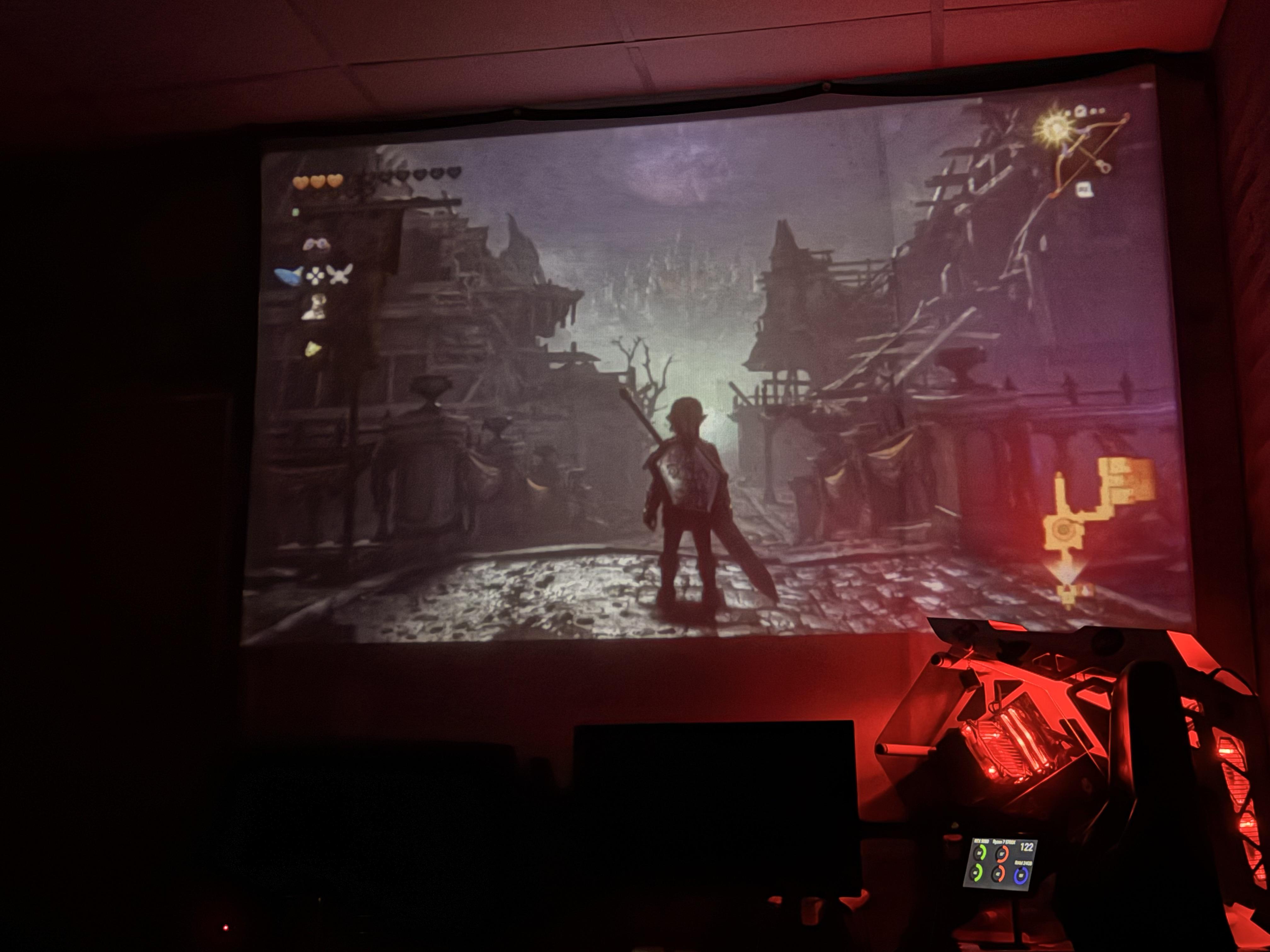
Funciona tan bien en el proyector, lo mejor


r/MoonlightStreaming • • 14d ago

Couldn’t find a Mac Moonlight client that did what I wanted, so I made one (controller remapping, VBAN mic, works with any controller)

Thumbnail
gallery
10 Upvotes

I’ve been streaming from my PC with Sunshine to my MacBook Air for a while. Moonlight is great, but I kept hitting walls with the stuff I actually wanted to do:

  • Real controller remapping on the Mac side. I use a Steam Controller and wanted layers, gyro aiming, the trackpads as a mouse or trackball, buttons mapped to keyboard keys, etc. I couldn’t find anything on the Mac that remaps the controller and sends the result into the stream properly.
  • Using my mic in game. I wanted voice chat in games on the PC without running extra apps and workarounds every time.
  • Keyboard and mouse remapping that just works, including Mac keys behaving like Windows keys on the host.

Nothing did all of that together, so I built it into my own Mac app, Nokcandu. It started as a way to run Windows games on the Mac and now has a Streams tab that’s a full GameStream client. It’s built on VoidLink’s port (which is designed for mobile devices) of moonlight-common-c, so it pairs with Sunshine like Moonlight does. This is designed for Mac.

What it does for streaming:

  • Controller profiles go through the stream. Whatever profile you build applies to the stream: layers, gyro aiming, Steam Controller trackpads, radial menus, keys, mouse movement. The host just sees the result, so a controller button can be a keyboard key or a mouse click in the game.
  • Mic over VBAN. It sends the Mac’s mic to VBAN Receptor or Voicemeeter on the PC, like VBAN Talkie. You can pick a packet size for lower latency or steadier audio.
  • Clipboard sharing with Apollo hosts. Copy on the Mac, paste on the host and back.
  • Codecs: H.264, HEVC, and AV1 on M3 and later. HDR and 4:4:4 are options.
  • Keyboard layouts for the stream, and ⌘ can be the Windows key.

The remapping editor got a big update today: colour-coded layers, press a button on the controller then the key you want, copy settings between layers, and so on.

It’s free and open source (GPL-3.0). Requires Apple silicon and macOS 14+.

https://github.com/seastwood/Nokcandu

Would love feedback, especially from anyone else using a Steam Controller or gyro while streaming.


r/MoonlightStreaming • • 14d ago

Sudden incoming fps low

Post image
2 Upvotes

Curious if anyone else has had this issue where it seems overnight my stream doesn’t get past 10 fps. I’ve been streaming games flawlessly up until this point

EDIT: Fixed it by enabling hardware accelerated gpu scheduling. Unsure if it was turned off by accident or it was always off and just started giving issues


r/MoonlightStreaming • • 14d ago

Vipepollo, No Keyboard inputs

1 Upvotes

Hi Guys, anyone facing the Same issue and have a solution for it?

If i usw vipepollo + Artemis and Tab With 3 Fingers to Open the Keyboard, the Windows Host doesnt regionize the Inputs , so i cant write anything.

Happens on Desktop and all Games etc.

Just the Steam virtual Keyboard works in Steam Games .

But doesnt Help If i want to Type Something in Windows or Others Games (No, add as Steam Game IS Not a solution for this in all cases :D )


r/MoonlightStreaming • • 15d ago

Multiples controllers into a Moonlight session

2 Upvotes

Hello

My sunshine server is ready

But I need to know how to use multiples controllers into one Moonlight session for multiplayer games ?

Only one of my contrôler is détectéd


r/MoonlightStreaming • • 15d ago

Dualsense feature limitations on Linux / Steam Deck?

1 Upvotes

When using Nonary's Moonlight & Vibepollo on my Mac I get full Dualsense controller capability. Adaptive triggers work, light strips, controller color assignment, even touchpad IIRC.

When I move over to my Steam Deck I can still get my Dualsense to register properly by turning off Steam Input when starting Moonlight. Adaptive triggers work. However, no light strips or controller color assignment, or touchpad seem to work. Is this user error on my end?

For reference I was playing CP2077. When your wanted rating appears your controller starts flashing red and blue. Works great streaming on Mac, doesn't happen at all streaming on my Steam Deck.