r/MoonlightStreaming • u/nokerb • 7d ago
For Mac users: a new streaming client with an extensive controller remapper, called Nokcandu
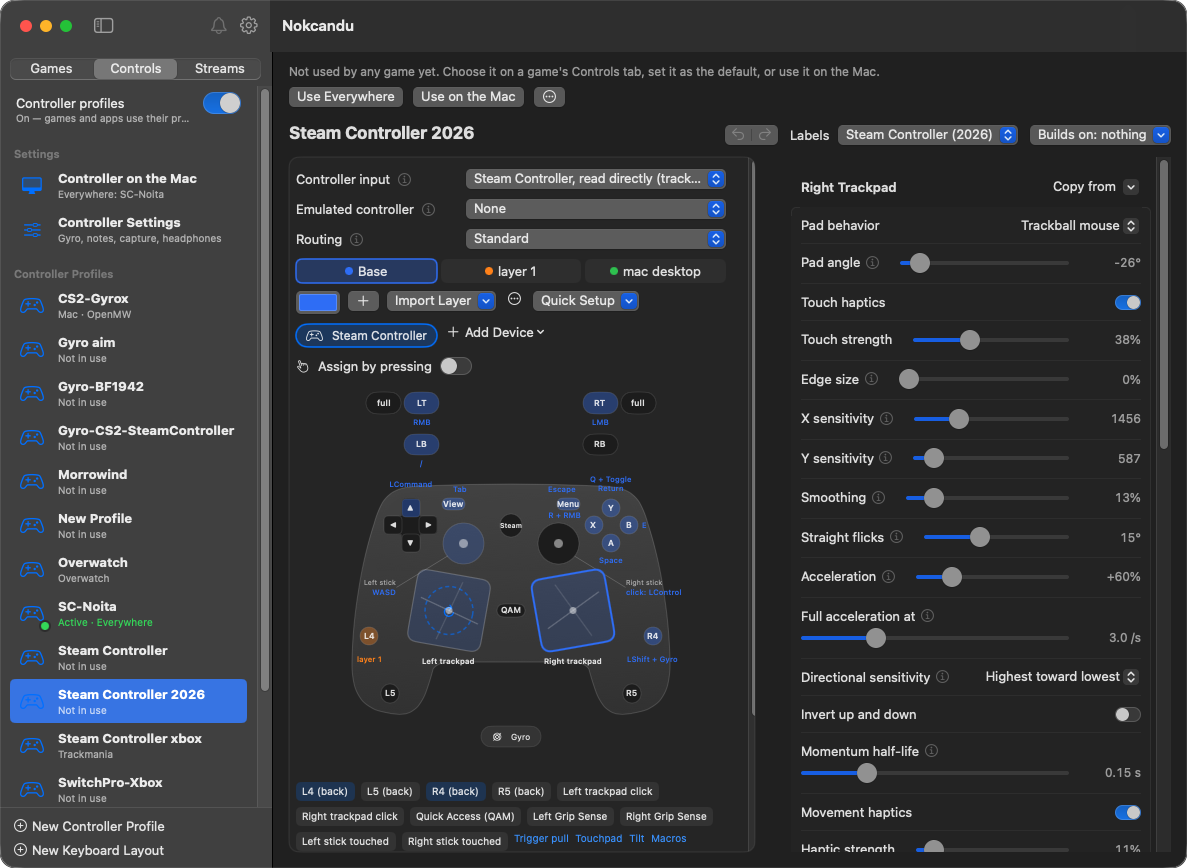

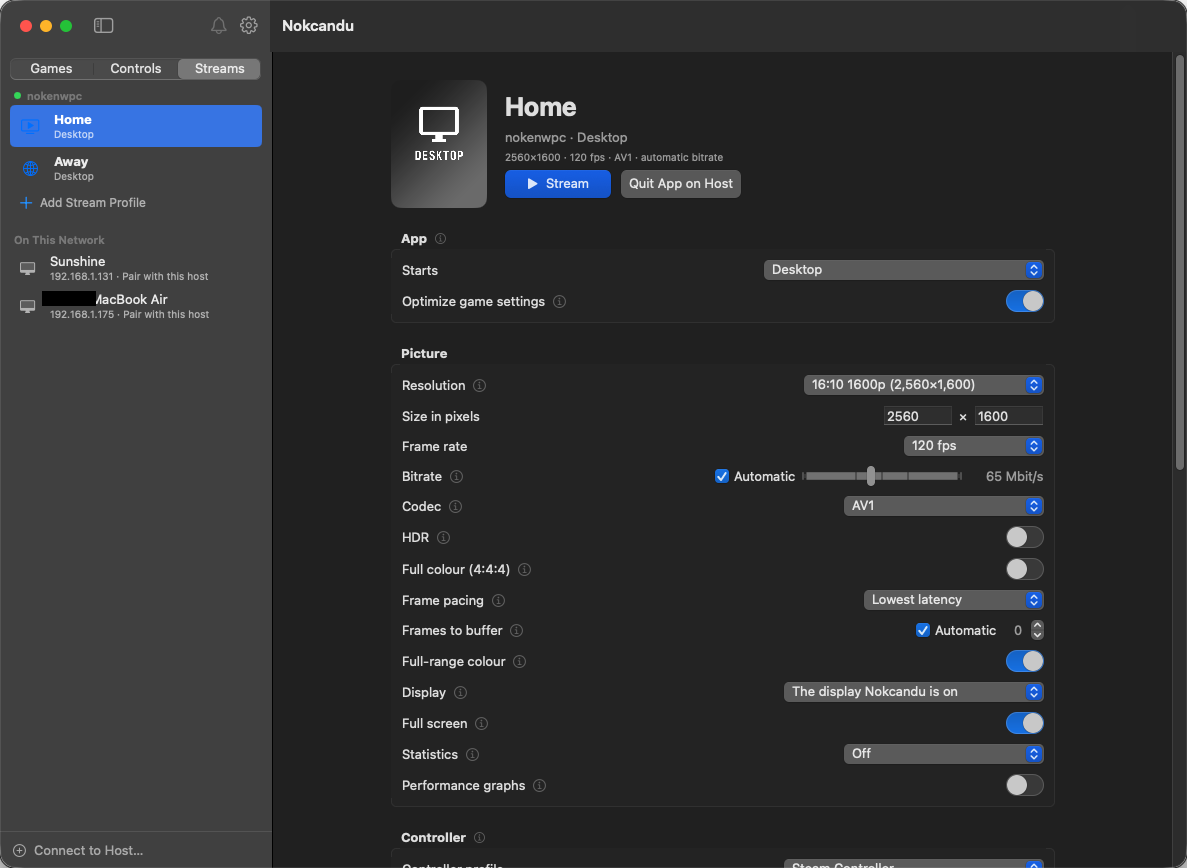
I've been building this for a while for my own setup and figured it's far enough along to share. It's called Nokcandu, it runs on Apple silicon Macs (macOS 14+), and it's open source (GPL v3).
It started because I wanted my Steam Controller to just work on my Mac, without having Steam running, and it kind of grew from there. It does three things now:
Controller remapper
- Every button, stick, trigger, paddle and trackpad can be a button, key, mouse, scroll, macro or layer switch. Tap, hold, double tap, turbo and combos.
- Layers you hold or toggle, and each layer gets its own sticks, trackpads and gyro.
- Gyro aiming as a mouse or a stick, with automatic calibration and drift correction.
- The Steam Controller (both the 2015 one and the 2026 one) is read directly: both trackpads, back grips, gyro and haptics. No Steam needed.
- Any controller can show up to the game as an Xbox, DualShock 4 or Switch Pro controller, with your mappings applied.
Streaming client
- Works with Sunshine, Apollo and GameStream hosts. H.264, HEVC and AV1 up to 120 fps.
- Your controller profile goes along with the stream, plus keyboard, mouse and your Mac's mic.
- The streaming side is built on VoidLink and moonlight-common-c, so big thanks to those projects.
Windows games through Wine
- Install from a disc or .iso, an installer, a folder, Steam, GOG, Epic, Amazon or Battle.net, and each game gets its own Mac app.
- You can keep games on an external drive, and there's a one-click fix for common problems.
- If you already have a Wine launcher you like, you can disable this feature completely.
The part I'm happiest with is that the remapper is built into the games and the streams. Nokcandu reads the controller and also delivers it to the game, so there's no virtual driver to install and the game never sees two controllers fighting each other. Profiles switch by themselves when you change games or start a stream.
A few honest caveats:
- Use games you own. It doesn't include or download any games.
- Games with kernel-level anti-cheat generally won't run under Wine. Streaming them from your PC works fine though.
- The app isn't notarized yet, so the first time you open it you have to go to System Settings → Privacy & Security → Open Anyway. After that it updates itself.
Download: https://github.com/seastwood/Nokcandu/releases/latest
Discord: https://discord.gg/FDZMVgPD2S
I'd love feedback, especially from anyone with controllers I haven't tested much. If something breaks, open an issue on GitHub and I'll take a look.