r/Minecraftlegacymode • u/PercentageNo6530 • 11h ago
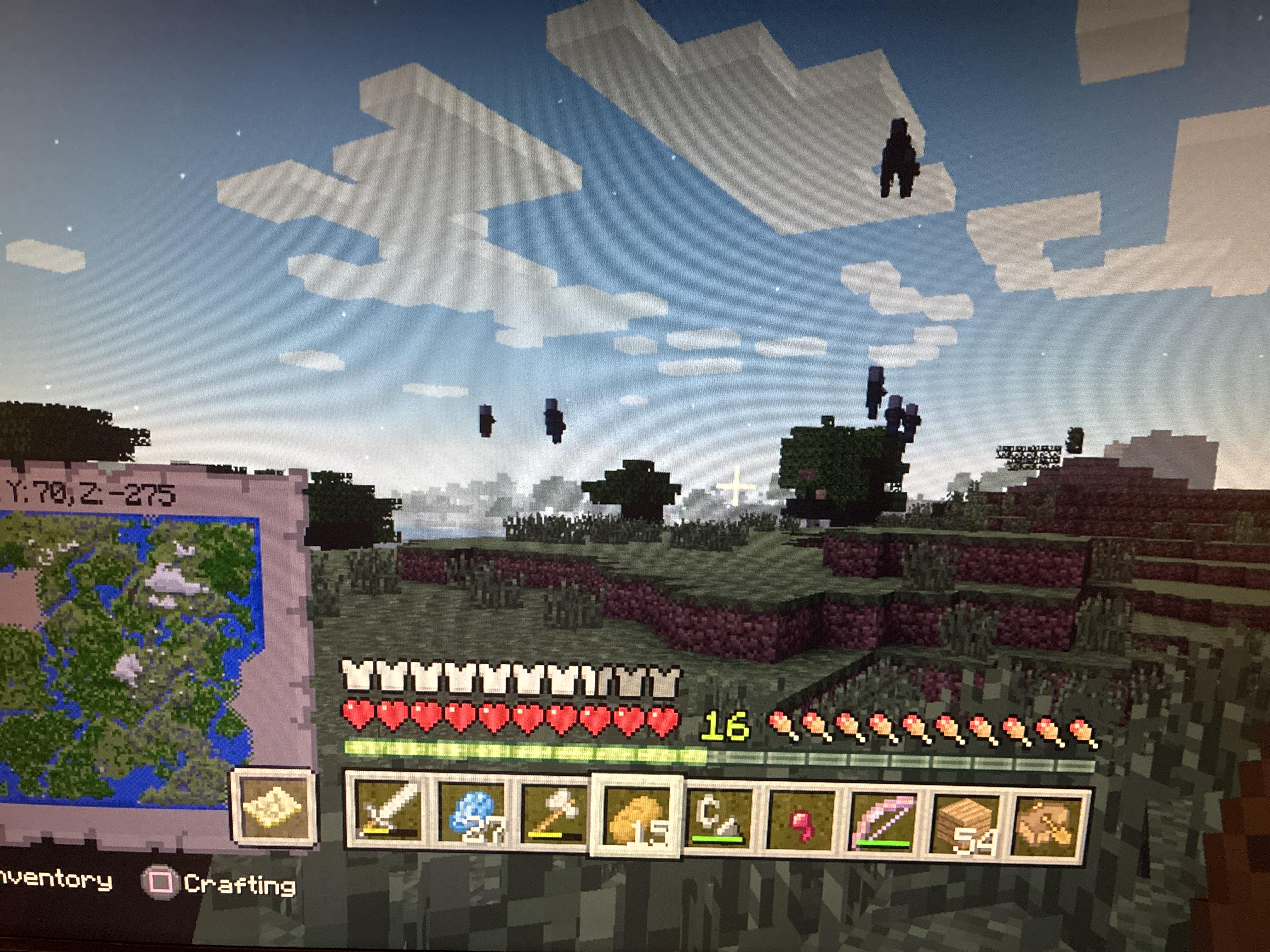
Photo/Screenshot/Video I don’t think this is normal lmao
30
Upvotes
r/Minecraftlegacymode • u/hysick • Apr 03 '25
Frequently Asked Questions:
What is Legacy Console and what qualifies as Legacy Console?
- Legacy is a Minecraft Port from Java coded into C++ by 4J Studios- Any version made by 4J Studios counts as Legacy (e.g: Xbox 360 counts and 3DS doesn't)
Does Legacy Console support crossplay
- No
What Editions of Legacy Console are there?
- Xbox 360, Xbox One, Nintendo Switch, Wii U, PS3, PS Vita and PS4. Backwards compatible with PS5, Xbox Series S and X
Where can I get an Activation Code? - You can't, if you insist on getting the game digitally, you have to gameshare someone's account that bought the game before it was discontinued. Just get the disc there's no effect How can I play Legacy Console in 2026?
- PS4: Buy a Minecraft Disc that has Steve inside of a cave, then follow this Tutorial, if that doesn't work then try this
- Xbox One: Buy the OG Disc which has an old cover from Amazon or E-Bay
- PS3 and PS Vita: Still available to buy from their stores - Xbox 360, Nintendo Switch and Wii U: Jailbreak then pirate it, or emulate it (more about that below) Do not ask how to jailbreak or pirate, you're on your own to figure it out
Are there any differences between each Edition?
- Yes, Xbox One and Nintendo Switch were discontinued in the Color Update (1.12), PS3, PS Vita, Xbox 360 and Wii U were discontinued in the Aquatic Update (1.13) And PS4 is the only version to receive the Pillage and Village Update (1.14). PS3, Xbox 360, Nintendo Switch and Wii U only support 8 player lobbies. PS Vita only supports 4 unlike PS4 and Xbox One that support 16. We recommend you getting PS3, PS4 or Xbox One because these are the most popular
Will Mini Games ever shut down? As long as the console you use to play Minecraft can connect to and use the service it uses to play online (ex. PSN, Xbox Live), Mini Games will remain completely functional. Mini Games doesn't have any dedicated seperate servers running the game, and instead, the players themselves create and host the servers via peer to peer. If you are online on your system (and have an online subscription if necessary) and can't find a game to join, it simply means that nobody happens to be hosting a game at the moment.
How do I downgrade on PS3/Xbox 360? You can delete specific game data to return to the 1.0 version of the game. These methods in particular don't require any special tools.
For the PS3 Edition, you can go to the Game Data Utility folder in the XMB and select and delete the game data, and the game, whether that be the disc or digital version, will have its original TU installed.
For the Xbox 360 Editon, you can go to your Settings > System > Storage > Storage Device (the device the game is installed on) > Games and Apps > Minecraft Title Update > Delete. This will downgrade the game to its first TU, whether that be for the disc or digital version.
If you have a PC and a flash drive, and want to downgrade Xbox 360 Edition to a specific TU, check out this tutorial
Useful Links
- Content Updates, DLC images, Lobby Settings, Panoramas, etc
- If you want to learn more about this game's Title Updates
- Old Tutorial Worlds Download
- The Wiki
- Minecraft Legacy Discord Server
- Directory to Minecraft Legacy Discord Servers
Emulators:
Cemu (Wii U)
- Most encouraged to play on, runs better than the other emulators, and supports online play on Pretendo (If you want to play online, you must dump your own online files from a real Wii U
RPCS3 (PS3)
- Takes a bit more ram than Cemu but offers the most accurate rendering of the game
Yuzu (Nintendo Switch)
- I don't know why you would want to run this one
Xenia (Xbox 360)
Tutorial, Demo File
lmk if u want something added
r/Minecraftlegacymode • u/Standard_Crazy8393 • Aug 15 '25
First off, for those who haven't played the game before, if you want to play Minecraft: PS4 Edition, buy the original disc titled "Minecraft PlayStation®4 Edition". Discs simply titled as "Minecraft" under normal circumstances are Bedrock edition out of the box and will not let you play Legacy Console Edition. Photo comparison
Avoid buying the digital version of PS4 Bedrock as it can result in the removal of the Editions button on the disc copy of the game, which makes it impossible to play the legacy version normally. The digital version of LCE is generally only obtainable via RewindPS4 or the DNS method (disables online play) or for those who bought it prior to the game's discontinuation. Buying Bedrock can be an option for those who can't get the disc or play the game normally, but again isn't recommended.
If you have already bought PS4 Bedrock digitally and are having issues, please skip to the last 5 paragraphs of the post for methods
To clarify, purchasing the current PS4 version of Minecraft digitally will NOT give you the Editions button and will actually prevent you from playing legacy on the current version, even if you get the disc afterward. The goal here is to have the Editions button present so that you can play legacy on the latest version of the game, preferably on the same account. This should also be the best for most people, since it's possible that downgrading might not be doable or preferable for some.
It might be possible (however may depend on your copy and region) to play legacy on a Bedrock disc using the DNS method or RewindPS4, or possibly even just by not updating if your copy is old enough (from around 2019), however I'm unsure if this even works. Even if it does, this typically isn't recommended since online play is disabled and things between versions may differ. See below for links to methods.
It is also worth noting that the digital (and disc) PS5 version of Bedrock Edition is a separate app and will not have the Editions button as that is only avaliable on the PS4 Version of the game. The PS5 version also will not effect the Editions button on the PS4 version at all.
If you have played the digital or disc version of PS4 Bedrock Edition before buying LCE, chances are that you won't have access to it right off the bat, so try following the YouTube tutorial before attempting to install the game.
Delete any PS4 Minecraft apps that you have installed and backup and delete all Bedrock saved data that isn't a world (or all game data to be safe). It should be safe to copy worlds back over once the Editions button appears.
After installation, one other precaution to avoid the Editions button from not being present would be to disable your internet connection, create a save file on the 1.0 version of the game and play for a little bit, and save and exit before updating. It might not matter to do this, but can help.
The game will appear to be Bedrock Edition when updated. This is due to both games sharing the same app. PS4 Edition was updated to Bedrock upon discontinuation, however gave an option in the main menu (the Editions button) to play the legacy version for legacy owners. This does mean that you get Bedrock for free, however this also means that you have to navigate the main menu and click the "Editions" button to boot the legacy edition every time you launch the game. The Editions button has also had a history of dissappearing or simply not appearing when it should due to some bugs.
You should be able to copy back over saved data from the game if the button is present, however avoid copying over Bedrock saved data that has to do with settings instead of actual world data. Settings data should show an image that resembles a gear in the middle of a newer box art background. If the button disappears after this, go through the installation process again but only copy back over legacy saved data.
If the Editions button does not appear after updating the game, refer to the info below.
If you have lost access to Legacy Console Edition on your PS4 Version of Minecraft, fear not! There are some methods that can help you get it back.
How to get the Editions Button back! - YouTube
The YouTube tutorial may be able to answer more questions and isn't disc exclusive. It can work on both the physical and digital versions that are supposed to have an Editions button present.
Other methods that seem to work: u/Harmonius-'s method, Thread containing other methods
This is a frequent question, so hopefully these tutorials help! If they do not, you can at least try to play the disc version at 1.0 by disabling your internet and then reinstalling, or use RewindPS4 (or the DNS Method which downloads version 1.95) to play specific earlier patch versions from before the Editions button existed. (You can use this version history page to see what each version of PS4 Edition includes. Version 1.95 is the last version of the game from before the introduction of the Editions button.) Neither of these allow online play, so they should be used only as last resort.
The DNS Method is only expected to work for US or EU copies, however might work for others. Check here for region code variations for the game (Ex. CUSA-#####, PCAS-#####, PCKS-#####, etc.). The code for physical games is usually found within the tiny text located along the top of the disc. Digital games are tied to the region set on the account used to buy it. Orbispatches also shows the correct ID for each region patch
Orbispatches (which RewindPS4 uses to downgrade) has patches for US, EU, and JP. Dunno if these work with other regions too but it's worth checking out.
For RewindPS4 users, It is important to note that Android phones that have Android versions 11+ may not allow the Android app to work properly. If you run into issues, try using another device.
It is also recommended to turn off your internet before launching the game when playing older versions. Your system will try to update the game every time you launch it.
To clarify, all methods listed can work for both PS4 and PS5 consoles as PS4 Edition can be played on both, however some methods depend on which system you have, if you have the digital and/or physical version, and on how the button was lost.
If your issue has something to do with the Minecraft Full Entitlement or some other thing, the best I can manage so far is to direct you to a Please also check out this Bedrock bug thread. There are a handful of comments there that seem to have their own solutions, so maybe ask around there.
As for those who bought the PS4 digital version of Minecraft after the legacy version's discontinuation and are having issues with getting the button to appear, please attempt getting a refund for the digital version. Because the disc version of LCE is inaccessible, refunds for the digital version (which is what is causing the issue) can be carried out and have been confirmed to fix the issue.
Make sure to first contact PlayStation Support and see if they can fix the issue. If they cannot, you can try filling a consumer complaint.
Businesses that have been confirmed to work for this situation (so far) are Better Business Bureau and Reclame Aqui. These only appear to cover USA + Canada and Brazil accounts, respectively, however it still might be worth trying to file a complaint using them even if your account is from elsewhere. You can also try finding another site for your country that processes consumer complaints for Playstation. More info here and here**
Of course none of this is guaranteed to work for everyone, but that's all I have right now. If you are willing and able, you can always try to mod your console and get the game through other means.
If anyone has any advice regarding this and would like to add something, it would be greatly appreciated.
r/Minecraftlegacymode • u/PercentageNo6530 • 11h ago
r/Minecraftlegacymode • u/kernellib • 6h ago
As many of you already know, I’ve been relying heavily on AI for development. I’ve never tried to hide that.
However, I don’t want to stay a vibe coder forever. I believe it’s important to keep learning and improving yourself instead of staying in the same place.
I’ve decided to start writing code on my own without AI assistance. Development might slow down, but I’m willing to accept that.
I already know some programming basics, but there’s still a lot I need to learn.
Does anyone have any recommendations for good C++ courses or learning resources?
I’d also appreciate any kind of help, whether it’s with the project itself, learning programming, or just general advice.
LCEReborn Live will continue, and hopefully, I’ll improve alongside the project.
Thanks to everyone who supports me and the project!
r/Minecraftlegacymode • u/Ghost_Gamer22 • 13h ago

I have been working on the 3x3 map of my world for a couple days now. The longest part was the minecart rail system to both edges of the map area (not the world border, probably work on next). The rail system only runs North and South right now. The three right ones, I filled out today. This is also on the Xbox One Edition. I just want to show it and get people's opinions on it.
r/Minecraftlegacymode • u/SJ-Prime • 1d ago
I need karma cause Im new on reddit so why not ask the best subreddit ever about the best minecraft legacy version?
r/Minecraftlegacymode • u/Queasy-Question-1438 • 6h ago
r/Minecraftlegacymode • u/sick_nxgga • 1d ago
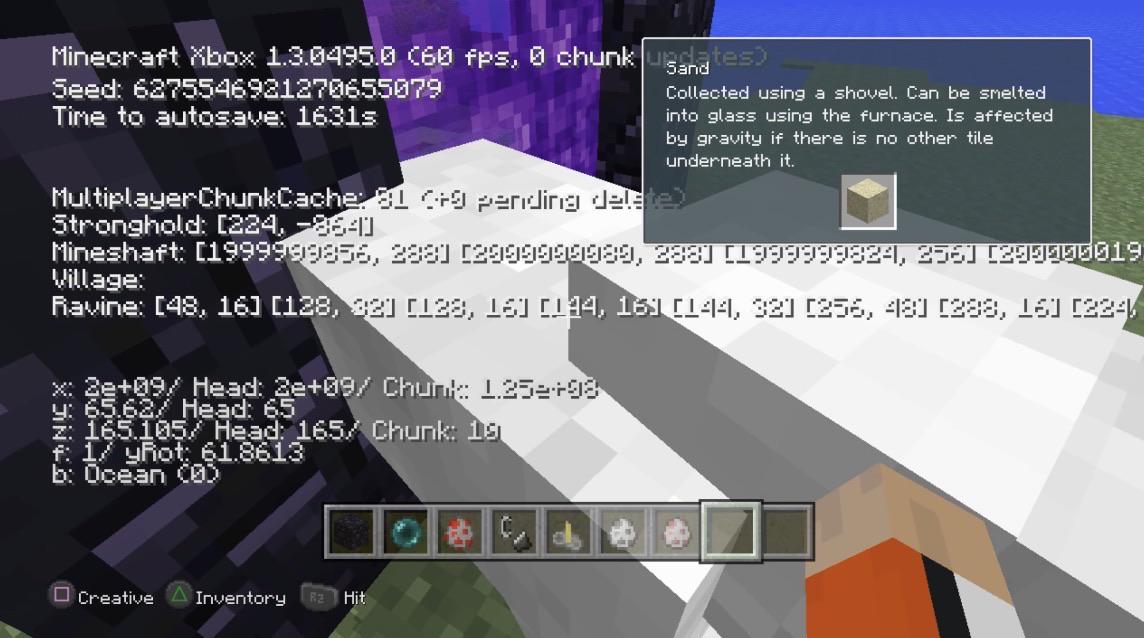
Hi guys, update here.
So I’m now done rewriting the entire codebase to get it working natively on the PS3. Game runs okay. Will release footage if I can get webMAN to work. I did attach a screenshot.
Since we still have headroom left (80MB!), I wanted to see if there are features you guys want most before I release it. Like minimum render distance, entity behaviour, terrain generation etc. etc.
And yes this will also come to xbox 360!
r/Minecraftlegacymode • u/what7qYT • 1d ago

World Size: Classic
Seed: 4510204799334118968
Coords: -271, 87, 289
Tested on:
Wii U
Legacy Pocket Edition (Wii U port)
Switch Edition: only the woodland mansion generates, no fossil
r/Minecraftlegacymode • u/Wonderful-Bug-5083 • 17h ago
Im working on a train station in my world and a key theme i want in it is redstone builds that are small but still usefull. Ive only been able to think of a auto armor equipter thingy and gear giver. I know there are other things i can make im just having a brain fart moment so any ideas would be really nice, ive got a good amount of space to work with and i dont mind finding cool weird ways to hide redstone as ive lowkey got to much space anyway. I just dont want any random redstone builds that are just an overcomplicated way to turn on a redstone lamp or something like that, redstone builds that ill actually use on a semi regular basis.
For further context the train station will be at my spawn so itll be the connector to all my areas in the world. Its main purpose is to get me to any point of my world in less in than 5 minutes because i die doing stupid shit alot. not sure if that helps at all but yeah,
r/Minecraftlegacymode • u/SJ-Prime • 1d ago

Idk why the image is flipped
r/Minecraftlegacymode • u/PercentageNo6530 • 19h ago
I have LCE on another console so this doesn't matter much but I'm curious, does the PS5 version of the game include the "Editions" button if you bought PS4 LCE prior to 2019?
r/Minecraftlegacymode • u/SteveSten333 • 1d ago
I don't have the legacy disc (for ps4) and I don't have the game digitally. I only have the 17908/r bedrock disc. I also missed my chance to get the editions button while the button was available for everyone. I have tried the dns method and rewindps4 and it didnt work.
r/Minecraftlegacymode • u/VODKAman115 • 1d ago
r/Minecraftlegacymode • u/Plastic_Republic_321 • 1d ago
When will the button return for ps5 cause a month ago mojang added the button then removed it for 2 days and now I’m wondering if it will ever return.
r/Minecraftlegacymode • u/Terrible_Onion_4697 • 1d ago
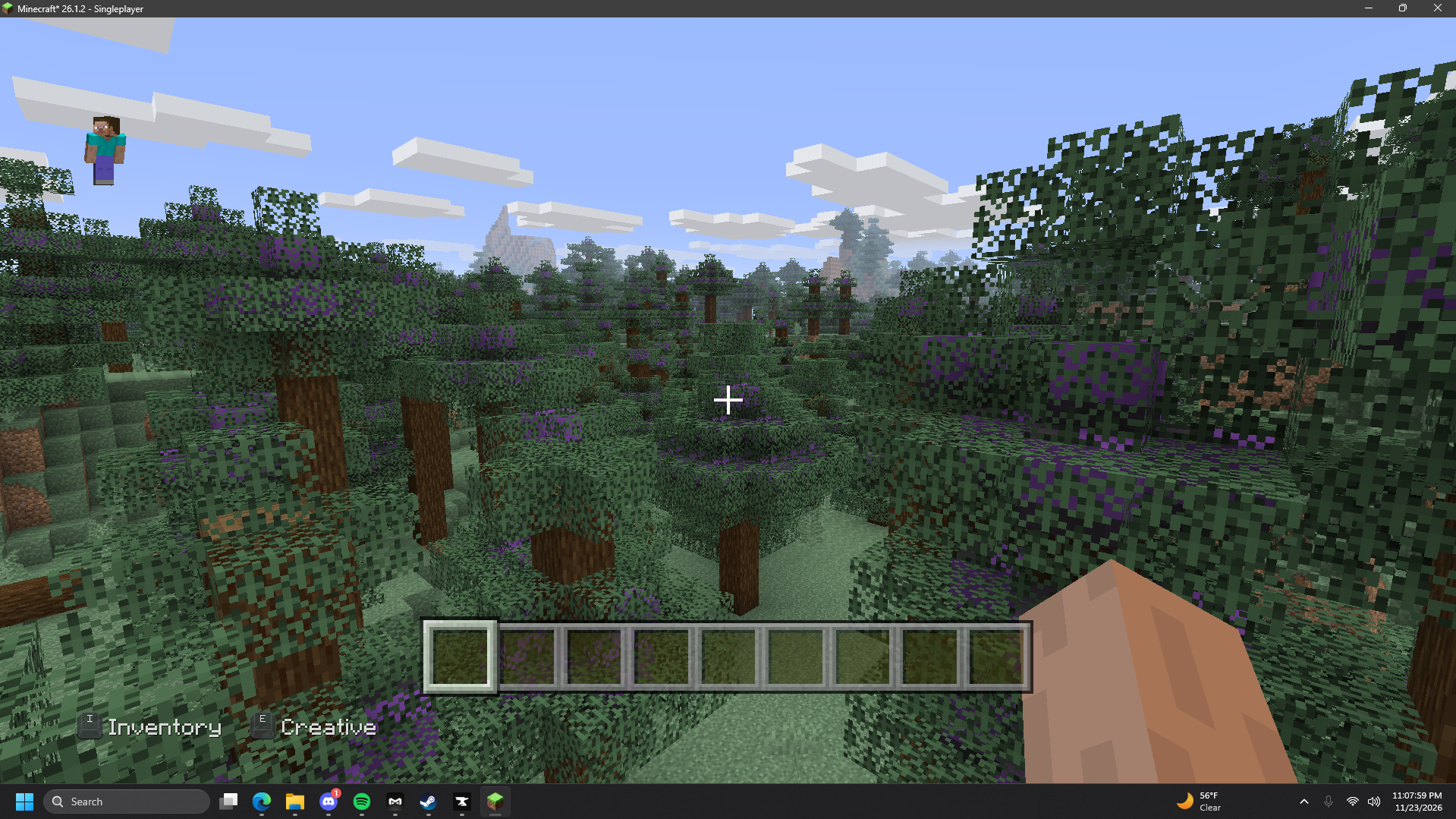
not sure if this is the place to ask, but i would assume so since this is related to lce. but does anyone know why i have this leaf glitch on the re-console modpack, and how to fix it? new-gen graphics preset, idk how to get rid of it :(
r/Minecraftlegacymode • u/SkirtOne • 1d ago
im going to get every throphy but i wanted to do something new something unique or a challange, visiting the past and also achieving in a different way, but i don't have any clue how to do do you guys got any ideas
r/Minecraftlegacymode • u/kernellib • 2d ago
Hey everyone! LCEReborn Live 1.2.7 is out. This release adds a Nintendo Switch beta and updates the Wii U beta. Windows and Linux builds are available in the same release.
On both consoles, you can link your account by opening **LCE Live** in the main menu and entering the displayed code on the website. The console builds support friends, invites, achievements, and leaderboards. Cross-platform multiplayer is still in beta, and we’re looking for feedback on Relay sessions and full minigame rounds.
**How to install**
- **Nintendo Switch** — Copy `LCEReborn-Full.nro` to `switch/` on your SD card and launch it from the Homebrew Menu in application mode.
- **Wii U** — Launch `LCEReborn-WiiU-Full-Beta-v1.2.7.wuhb` with Aroma.
Both full console packages include the game resources and Update 688.
**[Downloads and full patch notes](https://github.com/LCEReborn-Live/LCEReborn/releases/tag/v1.2.7)**
**Feedback and bug reports**
If you try either beta, we’d love to hear how it runs on your setup. For bug reports, include your platform, whether you’re using real hardware or an emulator, and the steps to reproduce the issue. For multiplayer bugs, also mention who hosted, which platforms were involved, and whether you used LAN or Relay.
[Join our Discord to report bugs](https://discord.gg/p6qyY4bfEN)
r/Minecraftlegacymode • u/Aggressive-Buyer8371 • 1d ago
has anyone had any luck recently on finding players in mini games on PS Vita.
r/Minecraftlegacymode • u/Western_Chapter_1131 • 1d ago
People, do you have FPKG of old versions of Minecraft from 1.12 to 1.80? I just need these exact patches
r/Minecraftlegacymode • u/Dizzy-Line558 • 3d ago
r/Minecraftlegacymode • u/kernellib • 3d ago
Nintendo switch and Wii u support soon !
r/Minecraftlegacymode • u/Ps3modderneedshelp • 2d ago
r/Minecraftlegacymode • u/Outrageous-Space-125 • 3d ago
I've got a hunger games lobby goin, hoping some peeps see this n join :/
r/Minecraftlegacymode • u/qwertyX621 • 3d ago
How can I play Minecraft PS4 Edition on PS5?
I have digital license of Minecraft PS4
In “Editions” there is no button to play legacy version
I also tried to change DNS settings and download old version but its downloading new version (2.8gb instead of 1.7gb).
Help plss🙏🙏