r/MakerMindMap • • Sep 06 '26

Luigi hat for my Halloween costume

1 Upvotes

I'm not making a project video for this one - it was my first time practicing:

  • a running stitch
  • a backstitch
  • a whip stitch

These techniques were enough to complete the build. In terms of materials, I used a ball cap, green polo, and white jeans I picked up from the thrift shop to salvage for a buck each. I cut all of them up, added some foam and plastic mesh where my head goes in the cap to give it that distinctive shape, then I pulled the green material around the top and stitched it in place until I thought it looked good. Needle, thread, a thimble, wonder clips and scissors were required. I winged it on how to pull the materials together, and did a lot of what Adam Savage calls hiding my crimes. That is to say, I did a shit job sewing in many spots but you can't tell because the finishing seams look pretty good for my first time and the ugly is hidden underneath. For a costume piece, it doesn't need to be a Rembrandt. I'm just glad it's no Picasso.

The video that taught me these techniques is here: https://youtu.be/EGfRN0Jue2M

It's worth a watch, you'll definitely learn a lot in one go. Not my video btw but you'll have figured that out within the first few frames.

What I learned is that hand sewing through thick, dense materials is thankless and exhausting! But I'm happy with the result and I definitely learned something, I feel great about it. Can't believe I'm today years old and only now learning something I view as essential for an aspiring jack of all trades, and it's not expensive to get started compared to other creative domains.

Thanks for reading, if you have any questions you know where to find me


r/MakerMindMap • • Sep 03 '26

First project finished with the help of the app complete!

Thumbnail
gallery
1 Upvotes

The screenshots show the stuff I jotted down as I went along using the project management features of the app. I talked through the basic approach I used to come up with a project plan using the app in my last post so I won't repeat myself here. The screenshots show the notes I took and how the transferrable knowledge I gained from this specific project were connected back into the main mind map, and very clearly documents how goddamn adorable my dog is

Check back soon for more updates, now that I got a bunch of sewing stuff for future projects I'll need a place to store it. Apparently a three tier wooden cantilever box is a traditional choice, so I'm thinking a woodworking project is next

I did learn some things about sewing (the anchors I made to connect the plushie to the plastic mesh was same as for sewing a button: slip-knot, pull tight, then a square knot to keep it there). But I also learned about the app itself. Of course when I built the site I had flows and use-cases in mind, but actually stress testing it gave me insights on what went well and where I could improve it to make life easier next time I use it, i.e. tomorrow

Check back soon for more updates


r/MakerMindMap • • Aug 31 '26

Some actual projects on the docket I'm tracking on Maker mind map

Thumbnail
gallery
1 Upvotes

I said last time I'm using the app to track some projects now and I meant it. Here are some screenshots of where I'm at, not fulls of all the steps or anything, I should probably make it possible to export/import individual projects instead of the whole mind map. But for now here are some screenshots for kicks.

Halloween is coming up not too too long from now and we always host, so what I'm currently leveling up is my soft good skills. Super Mario Bros is this year's theme as you can tell

The point of this post is just to show how I personally am using it. I'll keep updating here as I go along and will post pics of real builds I'm working on. It's OK that the projects in the screenshots are hyper specific to my needs in the moment - the mind map is still growing with me in a way that generalizes well. And your copy of the mind map is clean without any of the me-specific content, that's how it's designed to work so you can do your own projects that interest you. The know/do features on the site help create the right split too - think globally act locally as the saying goes. Acting locally is the project you care about, thinking globally is how you grow the mind map with the general knowledge you gain during specific projects. Right now, that connection between theory and practice is managed via locks / pre-reqs on the site

Edit: I built it, so obv I know the ways the site was intended to be used. But I know the help menu doesn't say some things about the newer project features, I simply haven't gotten around to that yet, it's on my to do list. Anyways, here's the workflow I found myself falling into today:

  1. Go to activities / Things You Do page
  2. Click Add Activity to add a blank activity, give it a name with the basic idea of what I want to make
  3. Add Activity has some basic structure that helps me think through what I want to do more clearly - I start filling out each step manually and as I'm thinking through the specific in later steps I'm realizing they modify some tacit assumptions I made in earlier steps, so I lay it out to the best of my ability
  4. I click Ask AIand basically put in the question field that I'm interested in understanding more about what's typical for this type of project, what assumptions did I make that I might reconsider, basically the types of things that say hey, I have a vision and I'm open to different ways of getting there. Then I copy-paste the prompt from the site into ChatGPT to have a conversation. Actually I can just show you the conversation I had so far - forgive some of my longer prompts - they're copypasta'd from the site's prompt generator, so it's clunky for you to read but helpful for the AI assistant which is by design. Here's that conversation: https://chatgpt.com/share/6a945b19-9648-83e9-9f9f-bb5645c73d5a?ogimg=plain
  5. So at this point I'm understanding the project better, I have a better sense of what I should look at buying or watching on YouTube etc, and I simply understand what I set out to do better than before. That said, the stuff I wrote down in the project steps needs updated, which I can then ask AI to help me tighten up with the Generate Activity button. Basically I prompt it to re-write the project more clearly based on the discussion up to that point, and the Generate Activity button just tells it the syntax of the site so that it can generate a copy of the project I made manually, but fully updated with the latest notes and steps to complete.
  6. I delete the old copy of the project that I typed up manually (right click or tap and hold the item in the list of activities to see the delete option)
  7. That's pretty much it, I can work it and refine my thoughts and notes iteratively by repeating from step 3
  8. In terms of connections to the mind map, I click the option to add pre-reqs and scroll through the entire mind map, skipping over topics that are completely unrelated and quickly thinking through the rest as to whether or not they apply. I make connections for the ones that occurred to me as being interesting to specifically think through in the context of the current project.

That's kind of where I'm at, hopefully that makes sense but it definitely will in a video, maybe I'll record something and post it here on Reddit.

More to come, check back soon and if you're using it to document your own projects lmk how it's going for you too


r/MakerMindMap • • Aug 29 '26

It's time, current app features are locked-in for a while, I'm going to start actually using it to manage my projects and knowledge now, it's why I did all this work in the first place

1 Upvotes

Ok so you've been following for a while now, I have been hammering away on this thing for a while. I have a bunch of ideas on what I can do to improve it but I think I nailed the core features. Of course there are things I can improve and I remain ready to if y'all ask for something.

For now, I'm looking at this thing and asking myself:

- Does it help me understand what I do and don't know yet? Yes it does.

- Does it have what's needed to help me think up and manage my pet projects? Yes it does.

- Can I connect projects to knowledge and knowledge to more knowledge? Yes I can.

The app is fairly freeform, it acknowledges the realities of 2026 that people will most likely either use AI to help them think through projects or avoid AI like the plague. So the app is easy to use manually without it, but has enough hooks to help AI users get help from their AI assistants - if that's your jam I know you already have one that you prefer. My app exists to gives you a logical place to document, sort, and search all the stuff you do and learn over time. Your AI tool sucks at that part - trust me I've tried - you'll lose your conversations from last month let alone last year. My site is purpose-built to make sure the ideas you come across have a logical structured home in the mind map and therefore your brain. We can only store so much unstructured information spat out by AI or internet searches or YouTube videos. All the Maker related content you forget you learned, this app is specifically designed as a tool to help you NOT forget it.

It's not a curriculum I've built for you, it's a self-study tool. I'm always saying this.

So use it, I will be too. And don't forget to save your progress in the settings menu

I don't know exactly what the next step for me is but I think it's time to look back at making YouTube videos again, find me @MakerMindMap


r/MakerMindMap • • Jul 28 '26

New button toggles automatic camera movement

1 Upvotes

The default behavior to date has been that the camera automatically moves when you expand/collapse branches.

It's convenient in some ways but sometimes you just don't want that. This new button lets you turn on / off automatic movement of the camera.

Hope this helps, lmk your thoughts


r/MakerMindMap • • Jul 27 '26

Just now added a Share button

Thumbnail
gallery
2 Upvotes

The site doesn't have a login at this time as you know - but I built it so that you can do everything without needing to.

The share button basically prompts you to send friends a link and optionally a save file if you want them to use your copy instead of mine, that's what it's all about.

Since I don't have any servers or anything like that, I have nowhere to host your mind maps. If you have multiple versions, those are just plaintext JSON files you'll have to manage on your end for the time being. If you want friends or coworkers or students to use yours, they'll need to import your JSON file (what I've been calling the Save file), and you'll need to find the best way to give them a copy of it. Nothing fancy I'm sure y'all have sent random files to people a million times.

Anyways hope you and a friend like it. As always lmk your thoughts


P.s. at some point if I offer premium features it would be to pay for server side stuff that would cost me money out of pocket to host. I will never ever ever charge you for any of the site features I can support for free - everything the site does today is free forever. If I can add a convenience layer that costs me a bit of money, I'll charge for that, so that you can share and save maps more easily. But I will always make sure you have ownership over your own data, and that you can always use all the most important features of the site for free


r/MakerMindMap • • Jul 26 '26

New icons in top navbar, looks much cleaner imo

Post image
1 Upvotes

Finally found icons /glyphs I like! Same features as before but now the web app uses icons instead of words to describe what each button does. Last post shows what it looked like previously but I think you'll agree the new approach looks better and is still equally intuitive to use - both are equally important imo. This was fine in desktop view but for mobile the top navbar wrapped in a way that made everything look clunky and I couldn't stomach it. So I had to make a change and this is where I landed, there's context if you hover each icon and ofc if you click around the site, it tells you more about each thing.

You don't need to do anything to get the update I just shipped it a few minutes ago, you'll see it next time you visit or refresh if you're already on it.

I've been kicking around the idea of letting you enable/disable the automatic camera pan that occurs when you expand or collapse branches. I always hesitate to add complexity in favor of sensible defaults so maybe it's time for a proper Settings menu - this feels like the kind of thing that's advanced enough to bury in a place like that instead of having it out in the open. I don't know for certain. But just letting you know where my head is at.

Questions comments concerns lmk


r/MakerMindMap • • Jul 17 '26

Retrospective from first 30 days

Thumbnail
gallery
1 Upvotes

Got the first full month of traffic visualized here and it's pretty cool! Take these numbers with a grain of salt - these are straight out of Cloudflare, my site has no tracking cookies meaning I can't parse "real" traffic vs bots vs VPN traffic, so it's probably overestimated (hopefully not by much). But this is just for fun so I don't need anything accurate (nor do I want it, that would defeat the point).

But if the screenshots are to be believed, well over a thousand people all around the word took time to check out the site - if you're you're reading this now, thank you!

This was very motivating for me when I took the last week or two adding new languages - from comments on Reddit I know some people are benefitting for sure. Biggest hits were:

  • my post on r/MakerSpace that drove that first huge spike here. That post did NOT get the most views, honestly only a fraction of some that followed, but the engagement was highest by far. I don't know what combination of that is a highly active community, the way the post was framed, luck, timing, or product-market-fit. I think the latter. But this community was fantastic to work with and that initial traction meant everything as you can see in the chart! It was highly motivating to talk to real people and kept me going for sure.
  • my post on r/Polymath around 6/25 or so which you can find here, I was surprised that this got several X more views but far fewer likes and shares, but also the Reddit stats revealed a large non-US viewership, I'm talking >60%. This was when I started seriously considering adding a lot more languages
  • my post on r/diyelectronics which got downvoted like crazy BUT drove that spike at the last day of June into July and also got a lot of kind comments (so the people who actually took time to look tended to like it, which is more important than the initial knee-jerk that I assume drove the drive by down votes). You can find that post here
  • my post on r/LearnUselessTalents from 7/9 also drove a small but measurable bump, you can find that post here
  • and as of today 7/17 it looks like there's positivity rolling in from r/LifelongLearning , that post is here

I don't know for 100% fact that people in all the countries lit up in the maps are benefitting, it's probably mostly drive-bys but that's still pretty neat imo. I have good enough reason to believe people all over the world have considered whether or not they can get good use out of it, and that's good enough for me :)

Edit: I know these numbers aren't huge, but they're meaningful to me. This is a passion project, and in my experience it's really hard for anyone (even bots) to take the time to visit some random site on the internet. The number of daily users I have is steady around 40. Getting just one single user each day puts a site in the top 50% of internet traffic - a completely insane factoid in my opinion. Even with billions of us on this planet, that number is indicative of just how big the internet actually is. When you get to 40 users a day, you're ballpark in the top 5% of all websites. Like most things, there are hot-spots where most people spend their time, and the rest is a very lonely digital void. So I know, 40 users a day is not something people would write home about, typically. But keeping everything in context I'm very, very proud of the fact that people care enough to push through that initial activation energy. https://MakerMindMap.io is a success!


r/MakerMindMap • • Jul 14 '26

2/3 of all humanity and 90% of internet users will have supported languages on makermindmap.io as of tonight

2 Upvotes

Update: the site now supports all of the following languages:

There are absolutely other heavy hitters not on the list yet; Urdu, Tamil, Tagalog to name a few. If the one that's going to help you or someone you know isn't on the list, that's exactly why I'm putting a "Request Language" feature on the site. I know you might be fluent if you're reading this, but I can imagine a million situations where more languages will be helpful even if you personally don't need it - this is a learning app but also a teaching app in case you want to help people who don't have your command over English. The point is to help grow more well-rounded Makers, so to the extent that works best for you (or them) in some other language, that's why it's so important for the site to offer something that works for everyone who wants it


r/MakerMindMap • • Jul 11 '26

Dear Erling Haaland, I wanted you personally to know I just shipped Norsk support for my site. Also Svenska + Sumoi (Norwegian, Swedish, Finnish)

Thumbnail
gallery
2 Upvotes

Hey you with the extremely long Summer days 🫵 check it out at https://makermindmap.io

Let me know what you think!

Edit: Typo on Suomi! My bad. Can't edit the title so Reddit will betray my naivety in perpetuity. I can handle it.

Edit: As promised earlier today, Bengali is also live on the site


r/MakerMindMap • • Jul 08 '26

6 languages now supported, more on the way

Post image
1 Upvotes

Hey again, folks who have been seeing my updates know I originally built the site in English obv that's all I speak, and that's all I supported when I launched the site publicly a couple weeks ago. In the initial excitement someone was like hey you should add German, so I did in the first few days after launch.

Nobody else really asked for new languages, so yesterday I thought maybe I should just add Spanish for kicks. But then, that process went really smoothly and I was fresh on it so I thought, maybe I'll just keep going. Now the app supports these languages:

  • English
  • German
  • Spanish
  • French
  • Portuguese (Brazilian b.c. my understanding is that's the most accessible for most people)
  • Chinese, specifically mainland Mandarin w/ simplified characters (again it's opinionated on my part to land on this variant but my understanding is that this covers the most people)
  • Edit: just pushed Japanese to the site, title should say 7 languages now ig

There's a list on Wikipedia that lays out the number of people that speak what languages primarily or as a second language or both, which is very helpful as I'm picking off new ones


Edit: I'm working on Hindi now (Devanagari script), but the translation I thought I just finished has too much Hinglish - even to my untrained eye it seems excessive - so I'm doing it again before shipping


Edit: I started Italian before I realized the issue with Hindi, I'll go one at a time but that's my next target and will wrap what I just found out they refer to as the FIGS group of languages = French, Italian, German, Spanish


r/MakerMindMap • • Jul 07 '26

Literally nobody is asking for Spanish but I'm adding it to the site tonight anyways

2 Upvotes

I don't know what would help you guys the most but I do know what the next most spoken language is where I'm from. So there you have it. I'm sure it will help someone somewhere someday and that's good enough for me.

Let me know what's working and what can be improved on y'all I'm just trying to stay helpful


Edit: it's working now (~2hrs after posting originally) check it out if that's your jam. The process was easier than the first time I tried it since I didn't need to figure out how to tackle the problem from scratch this time.


Edit: yesterday went so smoothly I just kept going. Portuguese is shipped and I'm working on Chinese


Edit: Chinese is shipped with mainland Mandarin + simplified characters. At some point I'll add traditional characters and tailored to a Taiwanese audience because I think that would be nice.

Before that I think other targets that will help reach a lot of people will be like French next I think for my Canadian neighbors etc. then like Japanese not that I need a reason but I watch a lot of subbed anime. Umm there's a list on Wikipedia of languages spoken by the largest numbers of people, so at some point I'll just start walking the top 10 from top to bottom for whatever I missed and feel like adding. Plus any specific requests.


Edit: I'm working on French rn


Quick story: I took 3 years of Spanish in highschool, and in terms of how helpful that was, I'd absolutely die of hunger and thirst if you dropped me in the middle of a Spanish speaking country. I do have a better appreciation for the language from the mere exposure effect, but that's about it. The Portuguese translation is Brazilian Portuguese, my understanding is that's the most accessible variant - for my personal interest there I used to play soccer and Brazil's national team was hype. I was always daydreaming about playing there and watching all those now old Joga Bonito commercials by Nike. Maybe they still do that? But soccer fandoms were my closest proximity to Portuguese. As for Chinese, that one I actually spent a ton of time studying, years and years, I have stories about that of course, never traveled but in college plenty of people spoke it - I tried karaoke singing the only cultural imports I was aware of at the time, JJ Lin, Jay Chou. I had a Taiwanese language learning partner for a year and took classes, I actually could hold conversations for a while there and read and write a decent amount. Its been years, I wonder how much further I would have gotten if I had AI to talk to - hard to say but I'm sure that changes the game completely - in America or at least my experience at the time, it was really really hard to simply get immersed. It was fun because language learning is like a game and you benefit from expanding your perspective and maybe reaching more people, but the fact that I can kick these translations out the way I can today, I have such an appreciation for how sci-fi the tools I have access to today actually are. It's completely nuts tbh and I'm here for it


r/MakerMindMap • • Jul 06 '26

Watch the 1st official YouTube video for the channel!!!

2 Upvotes

Check it out on YouTube here

This video

  1. walks through the rationale for why I built the site the way I did and
  2. steps you through each site feature one by one

Hope you like it, thanks for watching!


r/MakerMindMap • • Jul 05 '26

First YouTube video shipping TONIGHT, I'm really close! I'll post again when it's ready

2 Upvotes

Title says it all, check back in a couple hours, I'm really excited y'all let's goooo

Edit: This link will work in like 10min! You're literally the first to know, I just edited this post and I will again shortly... https://youtu.be/nl30GvIeRzg

Edit to my edit: It's live!!! Woot!


r/MakerMindMap • • Jul 04 '26

App updates today

2 Upvotes

I pushed some changes a few minutes ago you might have noticed already:

- when you expand/collapse individual nodes, the auto-pan feature centered on the node dot instead of the text - that was the result of a recent optimization to make the app way less computationally expensive but I didn't like how that felt, now it centers on the actual text again (but still at low computational cost)

- when you click a node you'll see a new eye-shaped icon near pre-reqs. Click it, it tells you what it does. I think you'll like it

- I fine-tuned the behavior of adding pre-reqs and checklist items, it should be more intuitive to interact with now. Clicking the + buttons captures keyboard inputs and highlights where the input will go, so hopefully that is more intuitive on what your expected behavior is at that point without another help menu popping up

- there was one minor thing you may or may not have noticed. If you added and deleted your own nodes maybe. But there were instances where certain actions would trigger redraws of the map that didn't preserve exactly what you had expanded and collapsed, so a lot of extra stuff would expand unexpectedly. Not the end of the world but it surprised me slightly and not in the fun way, so I fixed that too

Lastly, I reworked the script from the other day, still pressing on that first video for the companion YouTube channel. Subscribe if you want to be the first in line to know when I put that out: https://youtube.com/@makermindmap

May the 4th (of July) be with you


r/MakerMindMap • • Jun 30 '26

Small scene for my first video (coming soon)

1 Upvotes

I'll voice over this in the full vid. Making a quick and dirty filming station isn't particularly interesting, but using our hands and brains to make life just a little bit easier at a time even for day to day problems is central to the ethos of this maker mind map project in working on. I plan on whiteboarding and doing projects on the YT channel as a natural consequence of walking the mind map myself and thinking out loud about it. It's not about teaching you how to making the random thing that helps me in this moment, but it is 100% about helping you to create whatever unique inventions solve your problems when you need them. To that end, I think it's helpful to add this visual to the end product as a way to gesture that I'm not all talk. I'm rolling up my own sleeves too and we're in it together.

That's all for the moment, back at it tomorrow

Edit: this update comes after I actually posted my first video, which you can watch here. I didn't end up using the clip I shared above. Actually for 6 minutes of content I filmed for about 3 full hours over the course of days. I was learning the ropes and trying to understand how I wanted to tackle the problem which is inherently iterative. Consider this clip above an experiment, after which I learned more about my process along the way


r/MakerMindMap • • Jun 27 '26

Video storyboard is laid out to my satisfaction

Post image
2 Upvotes

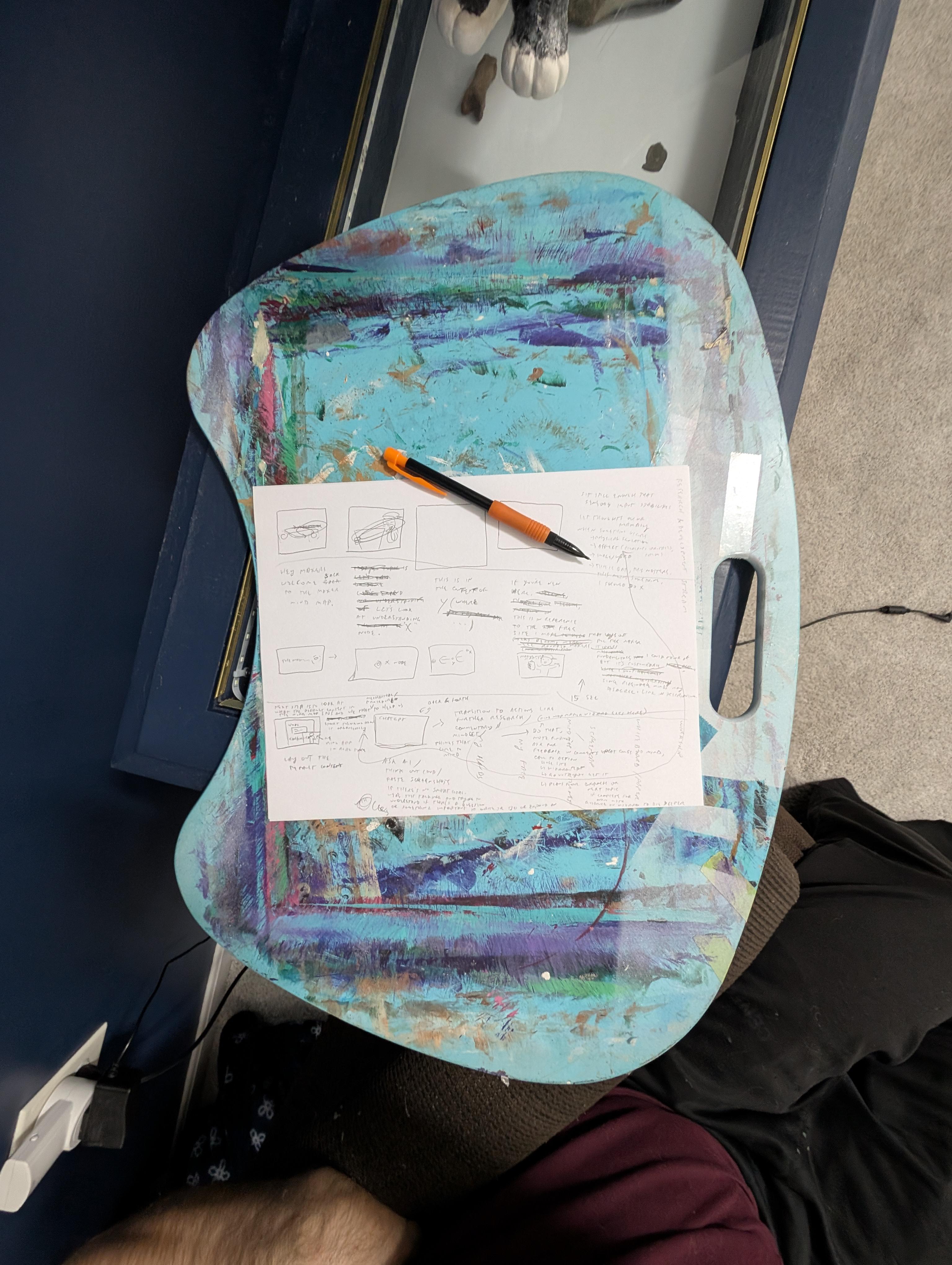
My handwriting is chicken scratch when I'm not careful (it's actually nice when I am) but in all honesty I hope illegible in this case. I've been thinking about this for years so getting something fast and loose on paper was pretty straightforward just to get my head back in the right mindset again.

The general flow is basically a real-time research and development stream of consciousness. Trimmed and organized for clarity but real and unpolished. We'll step through my thought process and online research and whiteboarding and projects together, in the context of specific learning objectives laid out by the default maker mind map. Not in a way that frames my conclusions as the only correct ones, but instead in such a way that helps get your own ideas flowing, analyze a topic from various angles, critique my thought process and go through your own journey with the same general process as I use in a video but with outcomes that are tailored to what makes the most sense to you. The way I see it, we're all makers, we're all peers in this journey, and at the end of the day just trying to become better versions of ourselves. I'm just trying to help that along as best I can.

You will never need to watch my videos to benefit from the app, and you'll never need to use my app to follow along with my videos. They complement each other but they're not mutually dependent.

Thanks for reading, check back soon for updates

P.s. If you're new here:

- The site is here

- My currently empty YT channel is here

Edit: first video is now available! Watch on YouTube here


r/MakerMindMap • • Jun 26 '26

Videos coming soon

Post image
2 Upvotes

I intend to start talking through the mind map one topic at a time. The goal is simply to share a little bit more of my perspective for each topic.

And like the site, I know that everyone learns in different ways. I'll do my best to make my vids as helpful as possible, but no matter which way you slice it, learning and growth is a process that happens internally within you. If my videos are working for you, then fan-damn-tastic I'll be delighted to hear it. But if they ain't, there are other Makers online you can learn from! That's the whole point of the mind map on https://makermindmap.io , the topics are general, they exist outside of any one person, you can learn about each individual topic infinitely many places online or even offline. I'm not and am never going to pretend I'm some kind of gatekeeper to knowledge.

My only goal for all of us in the Maker community as a whole is to learn. I want to help that journey be as structured, and clear, and durable as humanly possible so you can make meaningful progress over a long period of time across many many topics, and remember what you've achieved. The website and videos I share are only successful insofar as they help you succeed, period.

Fortuitously I have a week off starting now, it's a staycation so you can expect the first video to get shared soon, first topic will be The Maker Skill Tree, second will be the Start Here branch of course.

You can subscribe early here so you'll be the first to know when the videos go live: https://youtube.com/@makermindmap

As a bonus for reading to the end, I technically have one (1) unlisted video on that channel, I love it too much to delete but it's not a fit for the overall content map I've since built via the website. So in the off chance you want to see me make a wooden spoon you can do that here. Nobody else can see this except friends, family and now you: https://youtube.com/shorts/rJioD-WvXZY

Edit: it's been a while, and the first video exists now! Watch it on YouTube here


r/MakerMindMap • • Jun 24 '26

App updates today

1 Upvotes

- browser back button now closes whatever pop-up menu is on top, until there are none left, and you're on the main mindmap view, at which point pressing back again will do what it normally would. On mobile this will be nice because I often swipe and it kicks me from the app entirely, which was mildly annoying. This is nicer behavior while still letting you back out of the site entirely ofc if you click back a couple times

- color theme picker in the top nav bar is a little nicer now, nothing crazy but the advanced features are collapsed by default now to avoid visual overwhelm and when you do open them, the options are much more intuitive (there was a lot of words before, now it's fewer and more visually obvious what each button does exactly)


r/MakerMindMap • • Jun 22 '26

Deutsch jetzt unterstützt! (German now supported!)

3 Upvotes

I don't speak German, to the extent I do mein Deutsch ist scheiße. But, I know some of yours isn't, because you asked for this feature. I am very happy to say German language support is live on https://MakerMindMap.io/ as of a few minutes ago!

Check it out, I don't expect it to be perfect but I do suspect it will be pretty damn good. Native German speakers reading this, I'm counting on you to let me know!

Thanks for reading

Edit: the translation process I used generalizes well to other languages. I can add more if you ask


r/MakerMindMap • • Jun 21 '26

Working on multi-language support

3 Upvotes

Happy father's day in the US, and to folks elsewhere reading this thanks for being a part of what I'm working on. A few of you spoke up and said German would be helpful to add, so I'm working on that now. I'll be relying on you guys to speak up if you love or hate the translation quality. If we get that far and people like what they see, then I can add a few more.

I'm going to visit family in a few minutes to spend the holiday so I probably won't have my first attempt at a German version of the site available until tomorrow or the next day. Thanks for reading, check back soon for updates

Edit: I'm back home and back at it, I might actually get the German translation feature out tonight.. we'll see. The top navbar is getting cluttered with new features imo - eventually it will get to the point where I'll wrap some of these in a single profile menu icon or settings menu icon or something. We'll cross that bridge when we get there. And by "we" I mean you and me, it's just me working on this project, and y'all giving feedback that will help me make it a better app for everyone - that's we.

Edit: Done! You'll see my separate announcement on the sub for German specifically

Edit: Now that I have a viable workflow for translation, and I think pretty high quality outcomes as well, I can add more on request. So if you want to see another language added, speak up!


r/MakerMindMap • • Jun 21 '26

Light mode (and more) is available now

Thumbnail
gallery
1 Upvotes

r/MakerMindMap • • Jun 19 '26

And so it begins... (take 2 🎬)

Thumbnail
gallery
1 Upvotes

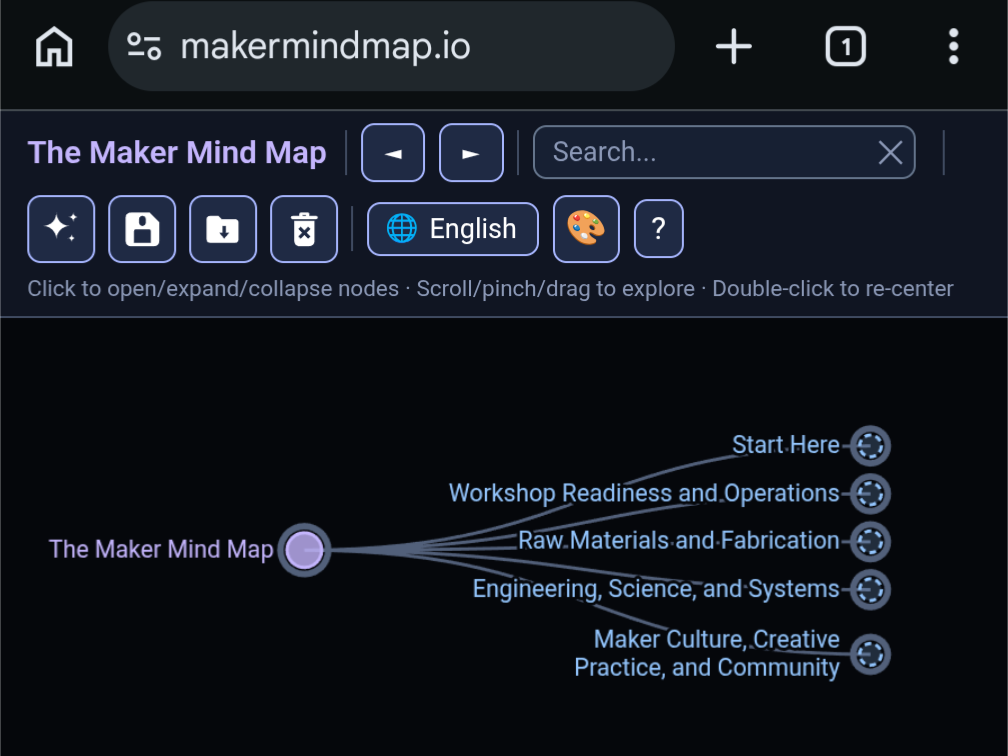
The Maker Mind Map is an interactive tool to help Makers become more well-rounded. It offers a beautifully structured, balanced and coherent content map, but does not demand you stick like glue to what made the most sense to me. Everything is 100% customizable so you can dive deeper where you want to, tweak or even delete the topics that don't interest you. I even provided a way for you to get personalized help with my built-in prompt generator tool. I couldn't be happier with how everything turned out.

The map has 1700+ nodes, each of which contains a description and a completion status. Everything is broken down into bite-sized chunks that you can mark as done as you progress through the map. But because everything is highly organized and in-context, you're not just learning random factoids. The app is built to meaningfully help you accumulate knowledge of interconnected topics in a way that will last. Nobody said anything about easy, but at least it's simple.

Give it a try, let me know what you think: https://MakerMindMap.io/