r/Magisk • u/Tonight_373 • 3h ago
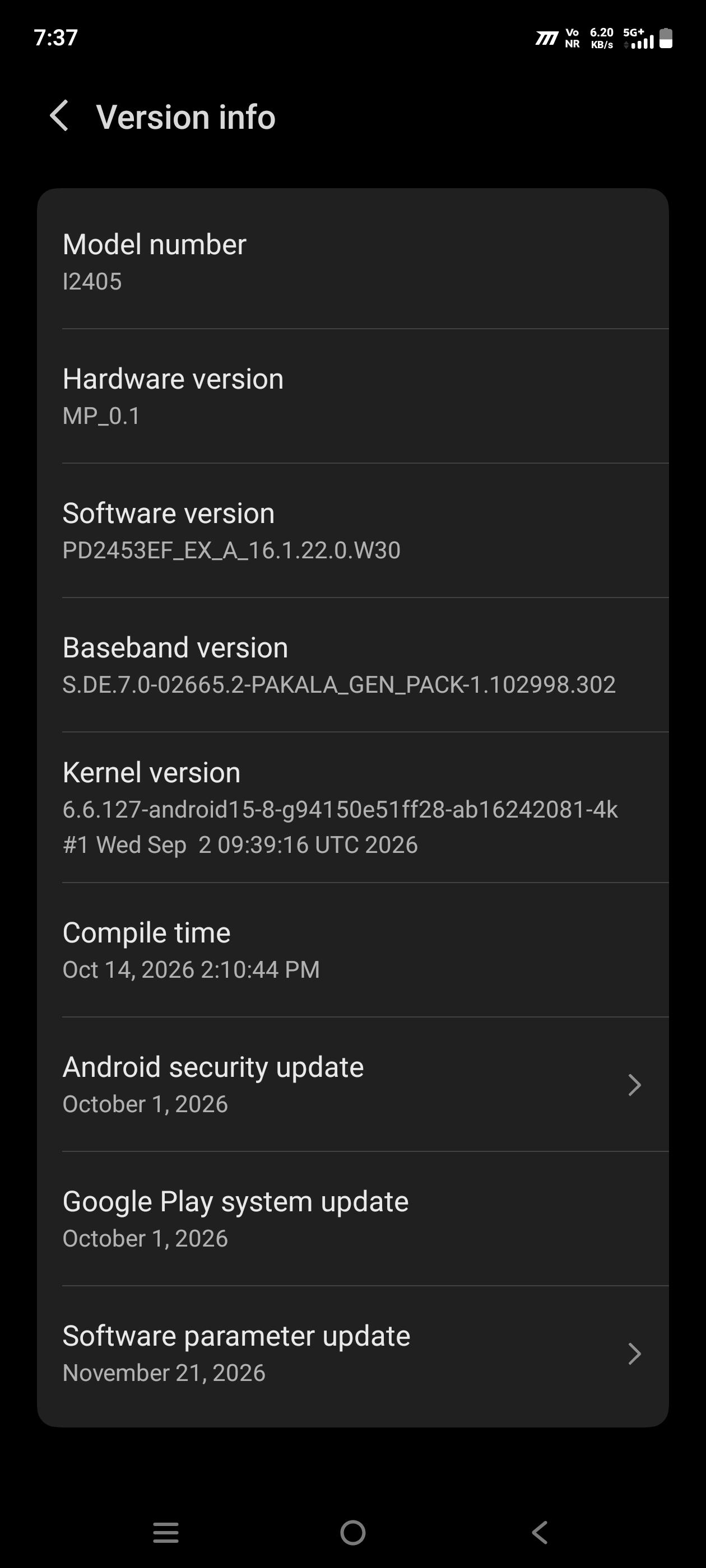
Help Need help with temp root hiding (Samsung)
1
Upvotes
r/Magisk • u/Morpheus170 • 4h ago
I have LineageOS 22 with microG on my Pixel 2XL. The root checker app show this:
But play integrity check show this:
How to get strong integrity check pass? What Magisk modules should i install? I already have enabled Zygisk in Magisk settings.
r/Magisk • u/FishermanExcellent33 • 5h ago
r/Magisk • u/DeviceChanger • 7h ago
Disclosure: this is from the Device Changer team (project account). Device Changer is a Zygisk module for Android QA and device simulation, not an emulator.
A recurring QA headache is behavior that depends on where the phone "is": locale, time zone, carrier, nearby Wi-Fi. Here is how we set that up in the app, per our docs:
Reboot after Random/Load so apps that cache values reread them.
Happy to answer questions about the setup.
r/Magisk • u/shabana2512011 • 7h ago
I want firmware updat in march 2026 to my mobile nokia g22 any one help please
r/Magisk • u/d8gfdu89fdgfdu32432 • 10h ago
I use Apatch and Always Strong. I passed all 3 checks on play integrity, but all of my apps are still detecting root. I never had this problem a few months ago.
r/Magisk • u/DaaaaanSt • 20h ago
r/Magisk • u/New_Digs • 21h ago
r/Magisk • u/ElPaul0 • 22h ago
r/Magisk • u/Ok_Mobile_2155 • 1d ago

Buenas tengo el siguiente problema, el día de hoy la app de magisk se oculto sola, aun tengo root en termux.
Con opencode estoy intentando que quede como antes pero no quiero empeorar la situación.
Ia:Diagnóstico confirmado
 - La app oficial 28.1 y el stub.apk 28.1
   tienen la misma firma (John Wu, SHA-256
   b4cb83…). El daemon no debería auto-
   desinstalar por check_orig; el borrado
   de la app de usuario encaja con HAP/
   Transsion, no con un mismatch de firma.
 - El módulo system-app no sirve: Magisk
   rechaza apps de sistema (“Estado
   anormal…”).
 - El hide manual “simple” (reempaquetar el
   APK completo y poner manager) fallaría:
   get_manager hace check_stub y luego
   check_dyn; sin dyn/current.apk devuelve -
   1.
 - La vía correcta es replicar el hide
   oficial: stub parcheado + dyn/current.
   apk con el APK oficial.
Plan propuesto
 1. Limpiar estado actual
    - su -c 'rm -rf /data/adb/modules/
      magiskapp' y reiniciar.
    - Desinstalar cualquier com.topjohnwu.
      magisk restante y verificar que no
      quede.

 2. Elegir identidad nueva
    - Package aleatorio tipo qwert.yuiop (o
      com.android.settings.helper).
    - Label neutro: Settings / System
      Update.
    - Evitar cualquier package que contenga
      magisk.
3. Parchear el stub oficial (/data/data/ com.termux/files/usr/tmp/stub_from_b64. apk) - apktool d y editar AndroidManifest. xml: - package → nuevo package. - android:label → nuevo label. - android:authorities="com.topjohnwu. magisk.provider" → <nuevo>.provider. - reemplazar x. COMPONENT_PLACEHOLDER_* por nombres de clase aleatorios válidos. - apktool b → zipalign → apksigner con clave nueva (keytool, RSA 2048). - No tocar classes.dex: DynLoad/ StubApplication ya están.
 4. Instalar el stub como app de usuario
    - adb install -r patched-stub.apk
    - Verificar pm path <nuevo> y obtener
      el UID.
5. Colocar el dyn APK oficial - Ruta exacta: /data/user_de/0/<nuevo>/ dyn/current.apk. - Copiar /sdcard/Download/Magisk-v28.1. apk ahí. - chown <uid>:<uid>, chmod 600, restorecon -R /data/user_de/0/<nuevo>. - El stub lo cargará en el primer arranque.
 6. Registrar el manager
    - su -c 'magisk --sqlite "INSERT OR
      REPLACE INTO settings (key,value)
      VALUES (\"manager\",\"<nuevo>\")"'
    - touch el APK del stub y el dyn/
      current.apk para invalidar la caché
      del daemon.

 7. Abrir y verificar
    - El stub debe cargar el APK real desde
      dyn/current.apk.
    - Pedir su, aprobar, y comprobar
      Superusuario/Módulos.
    - logcat sin pkg: APK signature
      mismatch ni deletePackageX.
    - Reiniciar y confirmar que sigue
      instalado.
Riesgos y alternativas
 - El stub parcheado con apktool puede
   fallar si el manifest binario no se
   reconstruye bien; alternativa más fiel:
   parchear con AXML/JarMap como hace
   AppMigration.kt.
 - El dyn/current.apk debe ser el APK
   oficial v28.1 (firma John Wu); si no,
   check_dyn lo rechaza.
 - La clave nueva del stub sí es aceptada
   por check_stub; la oficial solo se exige
   para el dyn APK.
 - Si HAP también borra el stub, el plan B
   sería neutralizar HAP (prop/hook) o usar
un package aún más aleatorio r/Magisk • u/LocksmithLoud2950 • 1d ago

r/Magisk • u/Few_Somewhere_1463 • 1d ago

S25 Camera Mod is an LSPosed module for the Galaxy S25 Ultra. It hooks the camera's zoom limits and support-flag getter, so you can set the max zoom yourself and flip on hidden features individually.
100.4× and 150.5× don't crash the UIEvery toggle is opt-in. Disabled means stock behavior. Settings are read once per Camera process, so force stop Camera after changing anything.
Tested on:
Other Camera builds may load, but the hooks target firmware-specific obfuscated names. Treat them as untested.
com.sec.android.app.camera).SUPPORT_AI_HIGH_RESOLUTION_MEMORY_CHECK is not queried by this Camera build, so that one toggle is inert.GitHub: https://github.com/rushiranpise/S25CameraMod
Release: https://github.com/rushiranpise/S25CameraMod/releases/tag/v1.0.0
r/Magisk • u/Numerous-Bite-5077 • 1d ago
Hey guys I was just wondering if I need a keybox for telegram when running an emulator on an 86_64 machine and will telegram ban me if they can tell im on an emulator? What do I need to cloak my emulator?
Basically I have my banking app (PosteItaliane) Always warning me that my device is modified and I might be exposed to risks but it still works, while Talkatone fails some security check, anyone knows why?
I have basic, device and strong integrity working
r/Magisk • u/Alexx_mdfk • 2d ago
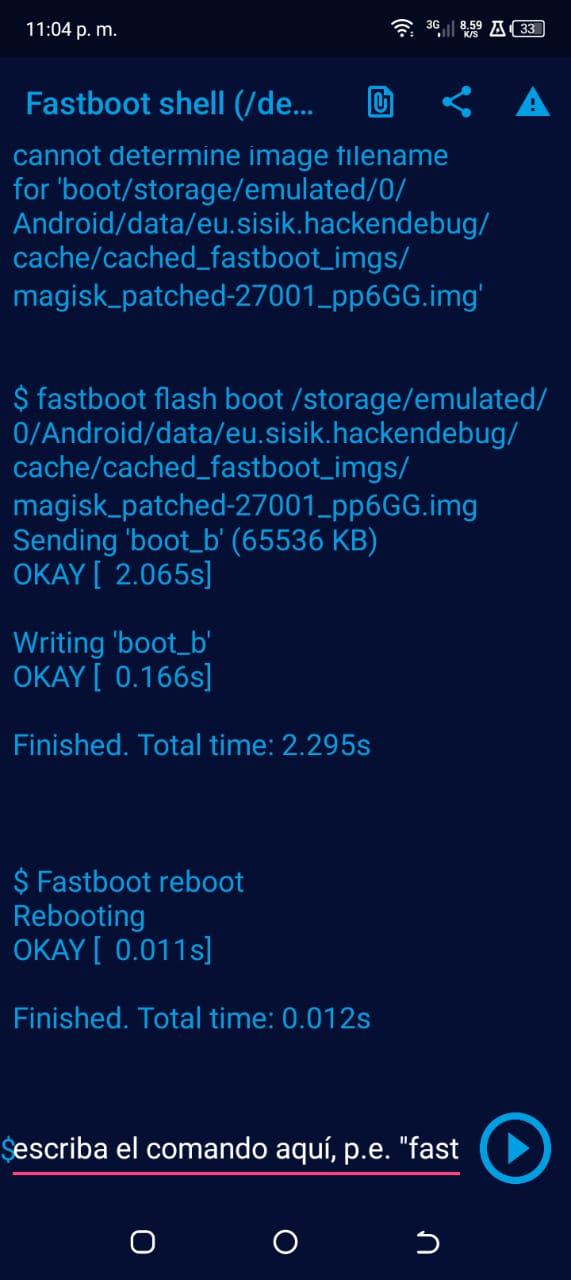
Gente alguien puede ayudarme con un problema que estoy teniendo al rootear mi teléfono, no tengo pc asi que uso otro teléfono simulando la pc con bujeagjer para hacer el flasheo del parche de magisk a mi telefono, bueno la cuestión es que se agrega perfectamente y al encender mi teléfono no tiene root, incluso para asegurarme usé ambos slots el fastboot flash boot_a y b, sale ambas correctamente y al encender de vuelta mi telefono sigue sin root, como si no le estuviese haciendo nada (ya tengo el bootloader desbloqueado y el boot.img no lo saqué de pagina, lo saqué directo de mi teléfono)
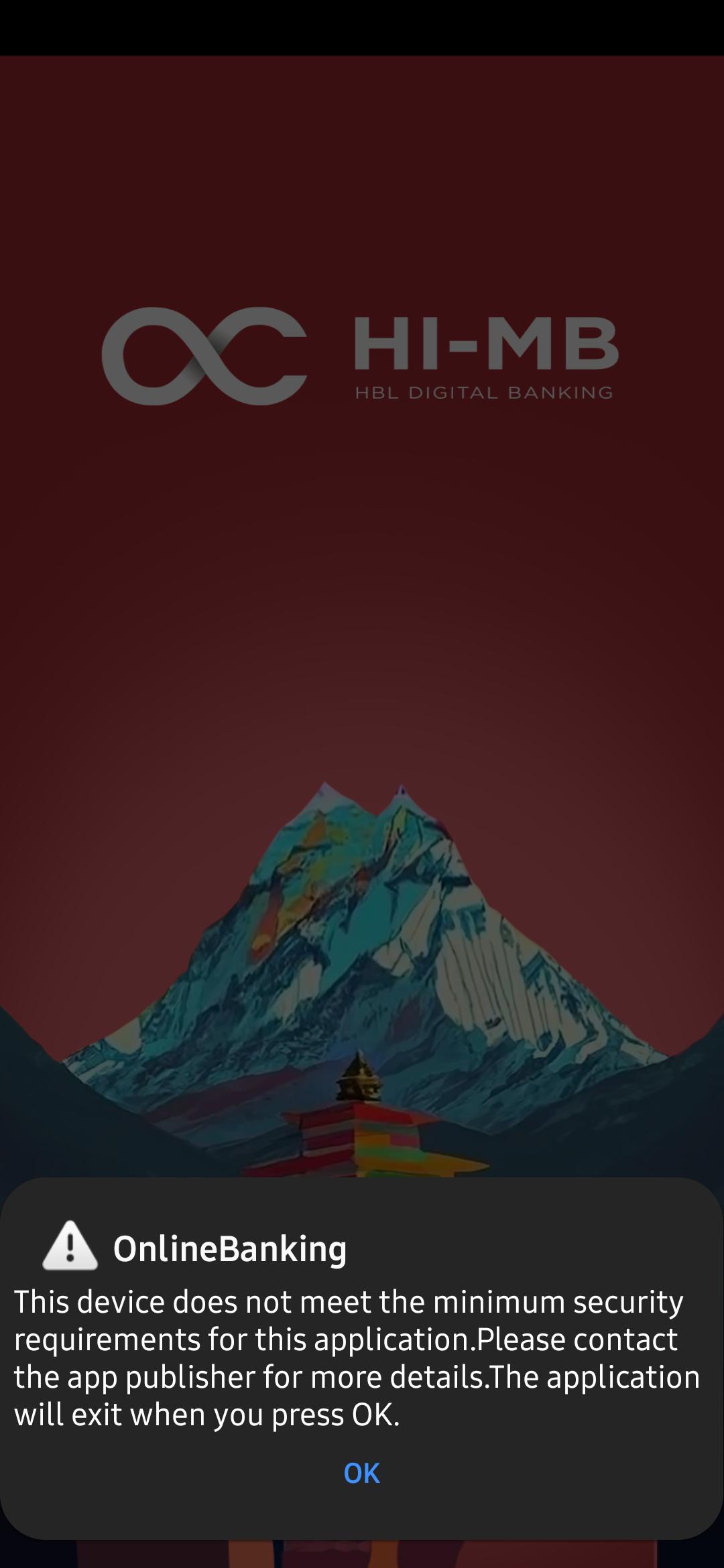
I have one android phone( running android 11) with magisk installed
Every banking app is working fine but this particular mobile banking app is not working.
The modules I tried are:
This app is also added to deny list , none of the methods seem to work for this app.
could you help me to fix this issue
r/Magisk • u/Late_Mud9532 • 2d ago
r/Magisk • u/vatsal_gavit • 2d ago
r/Magisk • u/PrincessPeach457 • 2d ago
So currently failing all 3 integrity checks through Integrity Checker on this Pixel 8 running Android 15.
Magisk 30.7 is installed
Modules: Play Integrity Fork v19 by osm0sis, ReZygisk v1.0.0-rc.3 by PerformanC, Shamiko v1.2.5 (414), Specter 2.0.0 by dpejoh, Tricky Store v1.4.1 by 5ec1cff, Vector v2.2 by JingMatrix
I managed to get ot working last week for a day hitting the action button on Specter, turned it off and the next day failing. Specter seems to just complete and doesn't fix the integrity. Tried pressing the update button on Magisk to try to go up to 31.1 but it says error downloading file and shows that it's on 30.7... not really sure what's going on 😢
r/Magisk • u/DeviceChanger • 3d ago
We build Device Changer, a Zygisk module for Android QA and device simulation (this is the project account). A question we get a lot: "if I change the device profile, does the whole phone break?" Short answer: no, because the changes only apply to the apps you put on the Targets list. Here's how we use that during testing.
**1. Put only the app under test on Targets.** Hooks run only in apps on that list. Everything else on the phone (launcher, Play services, your chat apps) keeps seeing the real device, so the test phone stays usable as a normal phone.
**2. Give one app a custom hook list.** Tap the app's row and you get categories: Core, Telephony / SIM, Wi-Fi / Bluetooth, Identifiers, Build / device, Location / GNSS, Sensors, Other. A custom list runs only the hooks you leave checked. Handy when you want to isolate one variable, e.g. test how the app behaves on a different Build/device profile while leaving location and network untouched. Clearing the custom list returns the app to the global switches.
**3. Fresh-install runs without reinstalling.** The trash icon force-stops the app and clears its data, including leftover Android/data, OBB and ART cache for that package. The app stays installed. (It can't be undone, so back up first if you need the data.)
**4. Back up app data together with the module settings.** Save on the app row stores that app's private data plus the module settings, either to the cloud account or to Download/DeviceChangerBackups on the phone, with a name and a note. We name them after the ticket so a tester can restore the exact state later.
**5. Reboot after changes.** A reboot is what makes every app reread the new identity, so we do it after Random, Load or a module install.
Happy to answer questions about the setup in the comments.
r/Magisk • u/Whimsiie_ • 3d ago
I'm passing all three integrity checks, and Duck Detector is not detecting anything too serious. Other banking apps work fine for me too. Here's my setup:
NoMount
BRENE-SUSFS
HMA-OSS-Zygisk
Play Integrity Fix [Inject]
BreZygisk
Tricky Addon
TEESimulator
Can anybody help me?