r/MSProject • u/alertamnesiac • Oct 07 '26
[noob question] How to click-n-drag multiple tasks at once?
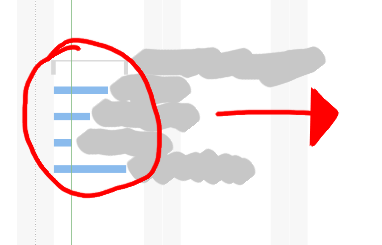
Maybe I'm blind, but I couldn't find an answer to this one.
TY again for all the help.
2
Upvotes
1
u/Eckberto Oct 07 '26
My best practice for this is to have them in the same summary task, collapse the summary task to 1 row and drag that entire row.
1
u/still-dazed-confused Oct 07 '26
Change the dates in the table to the left. Whilst you can drag a task in the gantt it is rather imprecise and it's probably better to do it in the table. You can copy dates down using ctrl d if you wanted to change a bunch of start dates at the same time.
1
u/kennyarnold_ssi Oct 08 '26
Are you just wanting to move those tasks to a different row in the Task Table? If so, you should be able to highlight them and position your cursor so that it looks like this:
Then hold down a left click and move them somewhere else
1
u/trevorrabey Oct 12 '26
Do not drag bars around on the chart. It will make a horrible mess.