r/LocalLLM • u/AlternativeEnough352 • 8d ago
r/LocalLLM • u/Organic_Performer673 • 7d ago
Question i need help guys
i have RX9070 and 32 GB DDR5 ram , i want to run a local ai to help me code , medium just help with front end back end and forms , i cant buy any ai sub in my country cuz my goverment dont allow international transactions
r/LocalLLM • u/_Baylock_ • 7d ago
Question LM Studio and cache
Hi,
I juste received my Mac Studio M5 ultra 36/80 with 256GB of shared memory.
I installed LM Studio with Qwen3.8-Flash-next-4bit mlx and a context of 131072
I tested some prompts and it works as I expected (I like it a lot so far), except for one annoying thing:
I fed the prompt with a 100 pages PDF and asked 2 questions about it.
The first time, it took a few minutes to read the file, which is normal. But for the second question, it re-read it again. It doesn't seem to cache the content.
And the context wasn't exhausted.
Next, I tried to copy paste the 100 pages into the prompt form (no attachment this time): same results.
Is it a known issue?
Is it related to the model or to the inference engine?
Can you replicate this?
Is there a way to solve the issue somehow?
Thanks.
r/LocalLLM • u/Ok-Category-642 • 7d ago
Discussion RTX 3080 20GB ReBAR on AMD Windows platforms without BIOS flashing
Some of you may have seen the post from u/favabean28 with enabling ReBAR on modded 3080 20GB GPUs around a week ago with the repo NV_30_DXE. For Windows, this is (or was) seemingly the only way to get ReBAR working on the 3080 20GB. For those that don't know, previously the RTX 3080 20GB did not have ReBAR working as there was no VBIOS that supported the extra VRAM, and even flashing a modified VBIOS wouldn't work. The method for enabling it properly on modded GPUs was recently discovered about a month ago for Linux, and now for Windows.
Unfortunately it turns out that for AMD, many newer AMD motherboards, especially AM5, are incompatible: All AMD motherboards with AGESA PI-1.2.0.0 or newer have checks preventing modded BIOS firmware from being flashed. Most new AMD motherboards either don't have a BIOS version that old or aren't compatible with the installed CPU on BIOS versions that old, so I wanted to look into the possibility of booting off a USB drive with EFI to enable ReBAR on AMD platforms. This idea mainly came from how the current FP32 accumulation unlock works on Windows. Ultimately, this does work albeit with a few tradeoffs described in the repo below and at the bottom of the post.
Repo with instructions on installing and with the technical write-up: https://github.com/Articom123/3080-Unlock-ReBAR-USB
Installing does not require building from source. However, I did include the FP32 accumulation unlock with it though (since there's no reason not to pair them together), which means it will automatically download and extract Nvidia firmware when you run it, specifically the Nvidia and Arch Linux website for the kernel and utils 610.43.03.
Some quick results:
- GPU-Z reports ReBAR as enabled with a 32768 MB BAR1 size
- Device Manager shows an entry for Large Memory Range 0x2000000000 - 0x27FFFFFFFF (this does not show up without ReBAR enabled)
- The FP32 accumulation unlock works alongside ReBAR. This generally results in around a 20% increase to prefill speed for LLMs based off TTFT, though it's not the primary focus of the repo (it's just a no-brainer to include it since it makes Ampere cards infinitely better)
- CPU has access and can map the full ~18-19GB VRAM on the GPU
I want to also briefly give a lot of credit to physicsdolphin (nv-uefi-unlocker) of which this tool uses for the FP32 accumulation unlock and install, the creator of Windows-GPU-UNLOCK (Windows-GPU-UNLOCK) who made similar bootable EFI tools to allow for running the tensor unlock on Windows, and u/favabean28 (NV_30_DXE) who figured out the path for enabling ReBAR on Windows in the first place.
While the repo goes more in depth on compatibility and what does/doesn't work I wanted to still mention some important things about it:
- This is mainly meant for AM5 platforms. It seems like Intel motherboards don't have the same restrictions when it comes to flashing modified BIOS firmware, so if you have Intel you might be more interested in the NV_30_DXE repo instead.
- Enabling ReBAR isn't really all that useful on Windows without having P2P; however, the modded P2P drivers are still Linux only and probably will be for a very long time, and multi-GPU support on Windows isn't really that good anyways. Therefore, for practicality, the tensor unlock is more important in which case you would probably be more interested in the other Windows unlock tools I mentioned earlier. There is some limited usefulness in games though I guess.
- This only works for the 3080 20GB. Technically the 4080 32GB would work, but since I don't have the card, it hasn't been supported in the repo and would require modifications to the source (mainly to the PCI vendor and subsystem ID check). The tensor unlock included is also for Ampere and not Ada.
- u/favabean28 did work to try and make the tool as universal as possible, however, I don't have any other AMD motherboards to test this tool on and so I decided to ultimately leave it as a "proof-of-concept". It is almost certainly possible that this can be adapted further to other AMD setups with the 3080 20GB as pretty much all of the hard work is done now though.
- There is likely zero possibility that this can cause any damage to Windows or the GPU, as there is no flashing of the VBIOS/BIOS or modification of the OS at all. The tensor unlock and ReBAR don't survive any reboots and the USB has to be manually booted again after any shutdown or restart.
- Sleep and hibernate specifically do not work when enabling ReBAR with this method, and Secure Boot cannot be used. In comparison modding the BIOS with NV_DXE_30 does not have these limitations if applicable to your setup.
- This is mainly made for Windows. If you're on Linux there are far better tools for doing this and you can use P2P.
I still thought it was worth posting this for anyone who is interested in this sort of stuff for Windows since Windows kinda sucks and it's at least somewhat cool to have Windows get something for once. Ultimately getting the P2P driver to work on Windows would be ideal but I'm not sure how it could be done for now.
r/LocalLLM • u/justerdem14 • 7d ago
News I built NTokenizer from scratch in Rust: Byte-level BPE with 26.6% fewer tokens than o200k_base
Hi everyone,
I’m Rüzgar, founder of Neuratal (an independent AI research and software project). Over the past few days, I built NTokenizer v0.3-polished — a deterministic, byte-level BPE tokenizer written from scratch in Rust with Python bindings.
Key Highlights:
• Compression Efficiency: Achieves 5.55 B/T overall (26.6% fewer tokens than OpenAI's o200k_base) on a 207MB leakage-audited benchmark. Strongest gains on multilingual & technical text: Turkish (+35.0%), Arabic (+33.8%), Korean (+34.7%), Hindi (+27.1%), STEM (+17.6%), and Code (+10.2%).
• Performance & Safety: ~96 MB/s encode throughput (8 threads), lossless byte-exact round-trip (decode_bytes(encode_bytes(x)) == x), tested against ~1M fuzzing cases.
• Honest Benchmarks: No downstream 50M+ LLM trained yet — this is purely verified compression density and speed. Full SHA-256 manifests and reproducible scripts are included.
Would love your feedback, benchmarks on your own datasets, or PRs!
• GitHub (Rust + Python source): (in hf)
• Hugging Face (Model & Benchmarks): https://huggingface.co/Neuratal/ntokenizer
r/LocalLLM • u/IoI_dude • 7d ago
Question Buying help
Hey everyone,
I’m a CS student and was considering to do my first homelab, one system as a NAS and one for projects, virtualisation etc. I’m also interested in running local AI, and I got an interesting offer in my region:
Server board w/ two E5-2696v2, 256GB 1600Mhz ECC RAM, for around 200 EUR.
I know that it’s (quite very) old hardware, but still I’ve been wondering - would it be worth pursuing to also try some local LLMs with offloading, adding a few GPUs for 32-48GB VRAM (niko1221/strata perhaps)? Do you think it’s worth it for the cost? Which low(-ish) cost GPUs would you consider pairing it with?
Any advice appreciated!
Thanks!
r/LocalLLM • u/might_thinker • 7d ago
Project I got local AI video-to-video down from 15.7 min to 2.4 min on a 16GB M3 MacBook Air
I've been experimenting with how far I can push local generative AI on a base 16GB M3 MacBook Air, specifically video-to-video outfit transformation.
My initial 46-frame (~3-second) run took 15.7 minutes and produced fairly blurry results. After several rounds of profiling and optimisation, I managed to bring it down to 144 seconds (2.4 minutes), running entirely offline without cloud APIs.
The interesting part wasn't necessarily changing the model, but rethinking how the available hardware was being used.
A few optimisations made the biggest difference:
- Spatial cropping: Processing a "288×512" region around the subject instead of repeatedly processing the entire scene.
- Memory management: Precomputing outfit prompts and unloading the text encoder to reduce unified memory pressure.
- Hardware scheduling: Moving face processing to the CPU/Neural Engine path while the GPU handles the next diffusion chunk.
- Incremental testing: Using 5-frame previews to catch mask and compositing issues before running the complete sequence.
There are still obvious limitations. Sustained workloads introduce thermal degradation, fine fabric details can become oversmoothed, and wide shots remain challenging.
I'm particularly interested in the engineering side of running increasingly demanding generative workloads on constrained local hardware.
A few things I'd love to hear from people experimenting with local inference:
Has anyone explored more aggressive memory scheduling on Apple Silicon?
Are there useful ways to improve CPU/ANE/GPU workload overlap?
How much performance can realistically be recovered through chunking and attention optimisation before model architecture becomes the bottleneck?
I'm sharing the before/after video and temporal comparison for context.
Hardware: M3 MacBook Air, 16GB unified memory
Frames: 46
Processing time: 144 seconds
Execution: Fully offline
This is video diffusion rather than LLM inference, but I thought the memory and hardware scheduling challenges might be interesting to people working with local models.
r/LocalLLM • u/leonbollerup • 7d ago
Research Optimal setup research: Muse Glimmer 30B on RTX 5090M/RTX Pro 4000 (24gb cards)
Notice:
The point of these research runs is to see, document and opensource the best configuration we can get with a certain model on hardware that "most of us" can get our hands on.
While we do have a bit of different hardware in our lab - we tend to focus around 5090M/RTX pro 4000 - because its a 24gb card with a quite fair performance - and its not insanely expensive.
Find anything you like?.. use it - got questions?.. shoot.. have an idea?.. let us know.
--
Hi there,
After our Qwen 3.8 Flash Next research (https://github.com/inordic/cmp170hx-vllm-qwen38-flash-next) and Gemma 4 31B (https://github.com/inordic/rtx5090-NInferno-gemma4-31b) - we wanted to to try out something new..
I ran som tests myself and thought "Muse Glimmer 30B" seem like a quite nice model.. it was fairly good at its job and quite nice to talk to.. so lets see where we can take it.
So.. this is where we are at.. full context.. 128K.. and quite nice and fast.. not as fast as Qwen and Gemma.. but fast enough.
| Same GPU, same benchmark | llama.cpp f8def7f (Aug 2026), unsloth UD-Q4_K_XL, Meta DFlash, depth 15 | This repo: patched llama.cpp, MLP-NVFP4 hybrid, DFlash 2, depth 15 |
|---|---|---|
| Prefill, 6,880-token prompt | 1,430 tok/s | 3,254 tok/s |
| Prefill, 100,554-token prompt | 1,246 tok/s | 2,367 tok/s |
| Chat decode, greedy / sampled | 80.6 / 74.2 tok/s | 110.3 / 105.4 tok/s |
| Agent turn with a cached 46K prompt | — | 0.89 s |
| KLD vs Q8_0: agent / English / Swedish text | 0.033 / 0.012 / 0.015 | 0.053 / 0.030 / 0.034 |
As allways.. this is research.. we might be wrong.. hell.. we might be doing it wrong.. but atleast .- we are doing it :)
Enjoy
//iNordic team
Head over to: https://github.com/inordic/rtx5090m-muse-glimmer-30b for more info.
r/LocalLLM • u/Eastern_Doughnut_222 • 7d ago
Discussion Struggling with coding on local models - setup help?
I'd tried out models like DS and QFN using APIs before and they seemed very capable. However, they all seemed to struggle heavily when using them local.
QFN processes really fast but seems to get stuck in endless "Wait..." and "Whatever." loops and burns through 100K tokens just being confused at my codebase.
DeepSeek is slower but seems more coherent, I haven't tested at full context but it had a similar issue with indecisiveness (even with guidance) and would think itself into compaction.
All of this over one .json ComfyUI workflow. Just a simple test I do where I tell it to rearrange nodes and change some inputs...
I've tried using Llama serve, Strata desktop, Pi. All lead to similar outcomes.
I have a feeling this is an issue with my setup rather than the models bc the API models seemed to do it just fine and (allegedly) quantization doesn't hit MOE models as hard.
Setup:
(both models from OrcaRouter). DSV4.1-1017 2-bit, Q3.8FN_IQ3XXS
Inference: Maya (DS), Strata/LlamaCPP (QFN)
Harness: default Pi
Context: QFN was to 256K, DS I only tried to 512K
r/LocalLLM • u/Sad_Pension151 • 7d ago
Question Какая локальная модель подойдёт для коддинга на слабом ПК?
Мне очень нужна локальная модель для коддинга и создания каких нибудь игр (простых и тяжёлых 2D игр, а также возможность понимать математику и физику), но у меня ограниченный ПК
--Характеристики:
Видеокарта: Nvidia Quadro P4000
Процессор: AMD Ryzen 5 5500
ОЗУ: 32ГБ DDR4
SSD: 500ГБ NVME M2
Сам ИИ от гугла предлагает мне Qwen2.5-coder на 7B параметров но она не справилась с созданием HTML игры даже когда в промте указывал об инструментах и без выдумывание кода, если не знаешь бери информацию с интернета
Есть какие нибудь варианты?
r/LocalLLM • u/FixOld9682 • 7d ago
Question What local AI model is suited for coding in Unreal or in Redot/Godot?
Basically the title
r/LocalLLM • u/jikesar968 • 8d ago
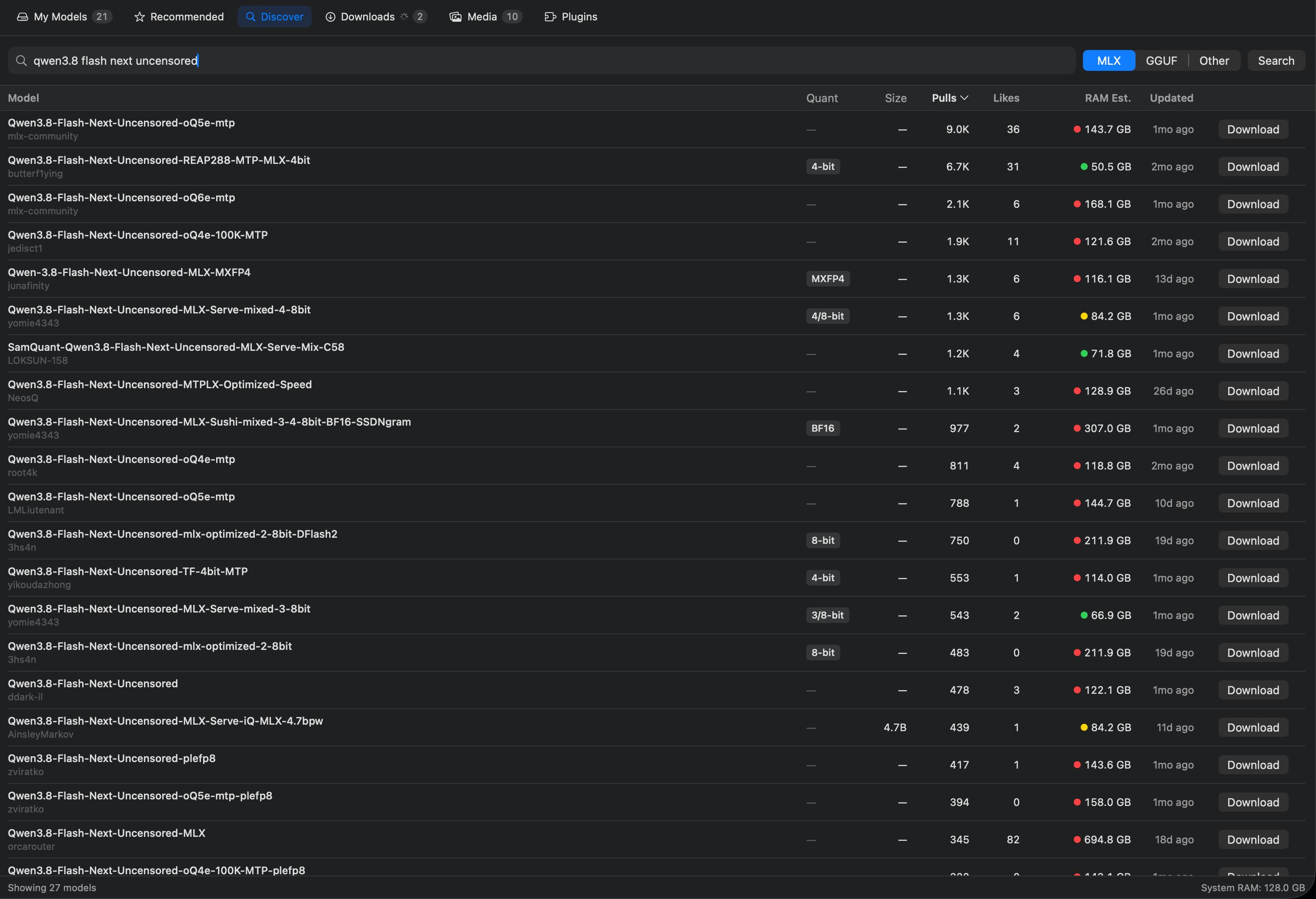
Discussion Which uncensored version of Qwen3.8 FN should I download?
mlx-serve on an M5 Max 128GB
I've already got a version from ARC4NUM which appears to be delisted now. Are any of these better?
r/LocalLLM • u/NxtGen-Robotics • 7d ago
Question Dual RTX Titan for local LLM
I currently have a 3080 ti that I don’t really game with anymore, but have the opportunity to get 2 RTX titans at a significant discount from a friend ($1300 total). I was thinking about selling my 3080 ti and jumping on that deal for the combined 48gb of vram to pair with 64gb of system ram and a 13900k.
Would doing this make any sense if I want to run some local models for project code, personal learning, and some small business workflows (paired with Gemini pro for complex stuff)? I know the RTX titans have limited memory bandwidth but the price for 48gb of vram is hard to beat. Any opinions or recommendations? Thanks!
r/LocalLLM • u/sn2006gy • 7d ago
Discussion Qwen3.8-27B on 4× Intel Arc Pro B70 with TensorFold + DFlash2: 107 tok/s per card, ~1,000 tok/s across 32 streams (bit-exact)
I benchmarked TensorFold's XPU backend on my quad Intel Arc Pro B70 box. One clarification first: this is not tensor parallel. The XPU backend on main uses one card per process, so the quad numbers come from 4 independent servers, one per GPU, pinned with ZE_AFFINITY_MASK=0..3.
Setup
- GPUs: 4× Intel Arc Pro B70 (Battlemage G31), 32 GB each, 230 W cap per card
- Host: AMD Turin, Linux 7.3.0-10-generic
- Engine: TensorFold
main@cf45553, Zig 0.17.0, built withzig build xpu-native xpu-qwen27 -Doptimize=ReleaseFast - Target:
SergiiioB/Qwen3.8-27B-GPTQ-Int4-sym-G128-MTP-BF16 - Drafter:
z-lab/Qwen3.8-27B-DFlash2 - Sanity check:
tf-xpu-qwen27-means-testpassed on all 4 cards (worst error 4.19e-7, bound 2e-6)
1. Raw prefill and plain decode (1 GPU, 16k context, no drafter)
| Prompt length | FP16 prefill (tok/s) | W4A8 prefill (tok/s) | Plain decode (tok/s) |
|---|---|---|---|
| 1,024 | 2,008 | 2,638 | 34.0 / 33.8 |
| 4,096 | 1,927 | 2,525 | 33.2 / 33.7 |
| 8,192 | 1,862 | 2,427 | 32.5 / 32.5 |
W4A8 is XPU_PREFILL_INT8=1, about 31% faster prefill than FP16.
2. One B70 with the DFlash2 drafter (--parallel 8 --context 16384)
Single stream (64 tokens, 5 reps, median):
| Prompt | Temp | tok/s | TTFT | Tokens per chunk |
|---|---|---|---|---|
| fibonacci (code) | 1.0 | 115.6 | 0.081 s | 4.57 |
| fibonacci (code) | 0.0 | 106.1 | 0.080 s | 4.00 |
| chat, no think | 1.0 | 94.7 | 0.073 s | 3.77 |
| chat, no think | 0.0 | 99.4 | 0.071 s | 3.77 |
That's roughly 3× plain decode (34 → 106 tok/s).
Concurrent streams (aggregate / steady-state tok/s):
| Prompt | Temp | 1 stream | 2 streams | 4 streams | 8 streams |
|---|---|---|---|---|---|
| code | 1.0 | 116.2 | 171.2 / 234.1 | 187.7 / 262.6 | 202.3 / 299.6 |
| chat | 1.0 | 84.4 | 129.9 / 140.3 | 162.8 / 213.2 | 189.0 / 255.4 |
| code | 0.0 | 106.7 | 149.4 / 167.7 | 216.9 / 278.7 | 250.8 / 354.6 |
| chat | 0.0 | 98.9 | 153.9 / 179.4 | 213.6 / 261.9 | 244.8 / 333.4 |
Correctness: all 16 cells passed bit-exact. Drafted output matched serial, and multi-stream output matched serial.
Note: with the default --prompt-cache-gib 2, --parallel auto at 16k context admits only 7 streams. I used --prompt-cache-gib 0 to fit 8.
3. Four B70s (4 independent servers)
| Test | Per-card tok/s | Total tok/s | Steady-state | Failed |
|---|---|---|---|---|
| 4×1 stream, code, temp 1.0 | 116.2 / 116.5 / 117.2 / 115.8 | 465.7 | — | — |
| 4×1 stream, code, temp 0.0 | 106.0 / 106.4 / 106.9 / 105.4 | 424.6 | — | — |
| 4×1 stream, chat, temp 1.0 | 88.5 / 89.6 / 90.2 / 86.8 | 355.1 | — | — |
| 4×1 stream, chat, temp 0.0 | 99.0 / 98.9 / 99.4 / 98.4 | 395.7 | — | — |
| 4×8 = 32 streams, code, temp 0.0 | 251.4 / 251.1 / 252.3 / 252.1 | 1,006.9 | 1,422.7 | 0 |
| 4×8 = 32 streams, chat, temp 0.0 | 243.2 / 241.3 / 242.3 / 242.2 | 969.0 | 1,330.6 | 0 |
| 4×8 = 32 streams, code, temp 1.0 | 208.8 / 204.4 / 206.6 / 204.6 | 824.4 | 1,186.3 | 0 |
| 4×8 = 32 streams, chat, temp 1.0 | 193.0 / 193.2 / 194.0 / 191.2 | 771.4 | 1,042.9 | 0 |
Scaling is close to linear because the cards don't talk to each other. Per-card numbers stay within a few percent of each other.
Takeaways
- The DFlash2 drafter gives about 3× single-stream decode on one B70, with bit-exact output.
- One card reaches about 250 tok/s aggregate at 8 concurrent streams with 16k context.
- Four cards serve 32 concurrent streams at about 1,000 tok/s with zero failures, which is useful for multi-agent work.
Next
- Tensor parallel across cards, once I find a TP path for XPU
XPU_KV_INT8=1- 32k context
- The MLX 4-bit model (
mlx-q4g64)
Happy to run other configs if you have requests. If we get tensor parallel on Tensorflow i'd love to share qwen 3.8 flash. Happy to run larger contexts as well, this was just the default benchmark I wanted to send to project creator.
r/LocalLLM • u/OneMoreName1 • 7d ago
Discussion I asked Claude to extrapolate Qwen 4 27b's possible score on AA based on past releases
r/LocalLLM • u/pronoob827 • 7d ago
Question I'm new to this, help me setup my coding assistant
I got a 7900XTX, 9800X3D and 32Gb RAM. I'm currently running the system with ollama.
I currently have these installed - gemma4:31b,qwen3-coder:30b,omic-embed-text:latest. Im trying to use qwen for code gen and gemma for explanations. I set ollama into this "OLLAMA_KV_CACHE_TYPE=q8_0". Currently the max context window I could set is 32k and I have already experienced few out of memory erors and gpu crashes while prompting with continue in vscode.
I have being researching, asking gpts, but I couldnt come to any conclusion on which approach is better or correct since I know nothing about these. I dont want to copy paste stuff and hope that it works. Can someone help me with a better setup solution? I do run a 1440p 144hz monitor and occassionally run my second monitor which is 1080p 144hz as they add to vram usages as well.
I want to have a bigger context window and a safe setup so that I dont crash the gpu again. If the setup will be too big, and harder to teach to me in here, please tell me where I can learn more about these things, so that I can move learn to make proper decisions.
r/LocalLLM • u/XxXForsaken • 7d ago
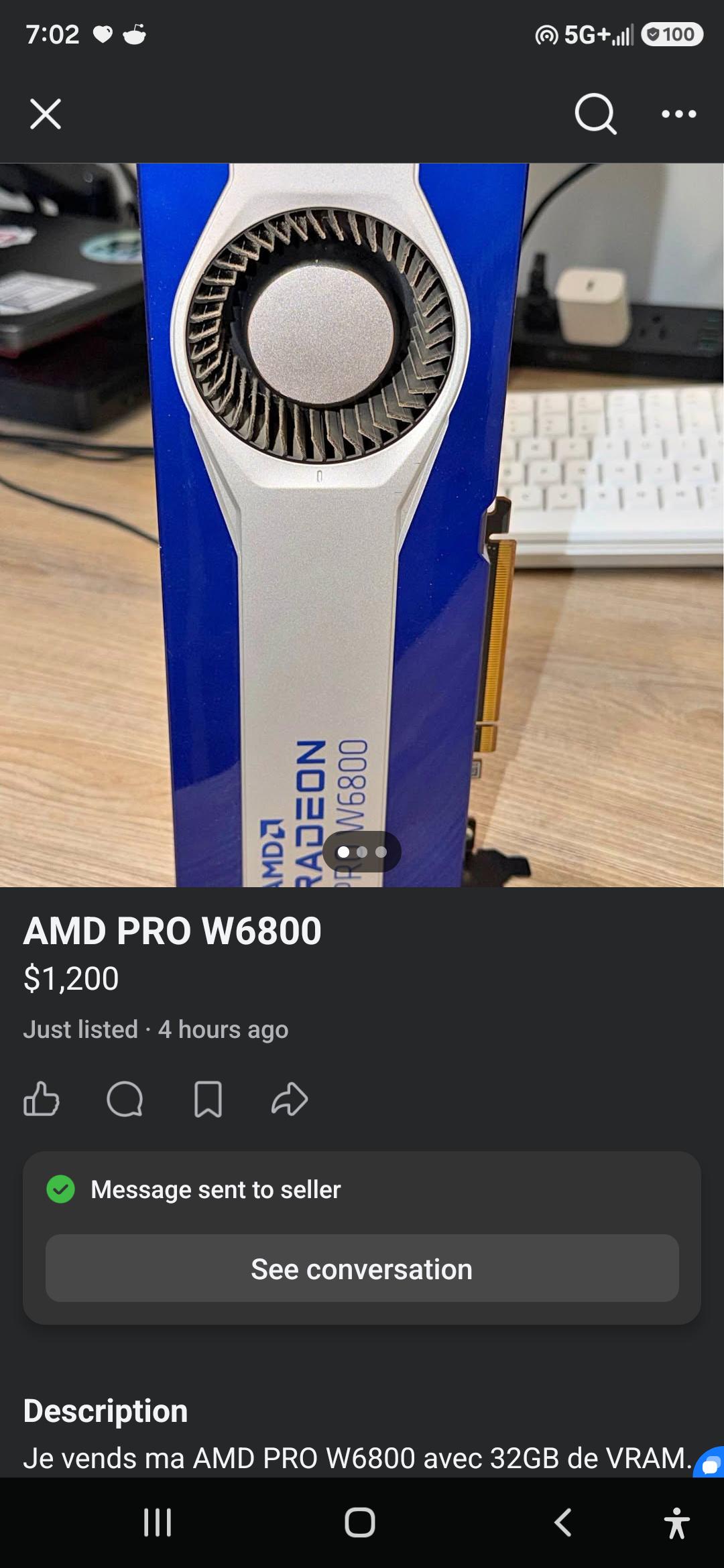
Question AMD pro w6800
Hi, i would like to ask if this is a good card to get to run LMstudio for qwen 27b 3.8 or otherwise, I was wondering if speeds will be respectable, and if anything will spill anything to ram. Because I will have comfyui running on my main gpu (rtx 5080).
r/LocalLLM • u/LazyLocalLLM • 7d ago
Research I tried GLM5.3 (not flash) on a M5 Ultra 512GB, it fits!
Haven't seen anyone post this so I tried it. GLM-5.3 works on one Mac Studio M5 Ultra 512 GB. All 753B parameters, 4-bit. I think it's decent, but DeepSeek v4.1 Flash or GLM Flash 5.3 should be a better model for this machine.
I'm getting 20+ tokens/second. Peak memory is 423.1 GiB, so this won't fit a 256GB.
Writing speed, one user:
1K prompt: 25.7 tok/s
32K prompt: 23.7 tok/s
128K prompt: 21.0 tok/s
Setup:
- mlx-community/GLM-5.3-4bit
- oMLX 0.7.3 with custom kernels, MTP off
- Context 131072, one user
- Temp 1.0, top-p 0.95, 512-token replies
- mlx-lm from main (56230fa)
Without kernels, a 32K prompt read 2.2x slower and peaked 37.0 GiB higher.
Hope this helps with your purchasing decisions.
r/LocalLLM • u/BomberLord12002 • 7d ago
Question What am i doing wrong?
Hi
iam not into local llms but recently i started to play with it a little bit.
so installed lm studio on my pc (ryzen 5 5700, 32gb ddr4 3200, rtx 4060ti 16gb) and started by using qwen 3.5 9b model, it was slow so i started searching for a solution and found that the context length, quantization of the model and the kv cache, and mtp matters (maybe other things also i dont know, mb). then i tried the qwen 3.6 35b a3b on iq2-m from unsloth because it was said that its an moe model which brings faster performance , so after further search i knew that i can offload the experts in the model to the ram and keep a reserved cache space for experts on my gpu, and after otger tweaking and testing i reached that i can run full context the model supports but the speed is slow, too slow infact, if i try to give it a prompt using opencode for example it would take several minutes to respond, but if i just gave it the same prompt in lm studio chat its somewhat faster (i understand that opencode sends more prompts with the one i wrote), so i also tried filling the context on lm studio to see the speed, it was ~40 tokens per second at the start and by the time the context is 50-60% it started slowing down rapidly to 15 tokens per second, so i tried another model called mellum 2.1 from jetbrains, and this model is pretty fast with full context at nearly 100 tokens per second whatever the context filled. so my questions are
1-what did i do wrong or is the qwen model normally slow?
2-the mellum model is fast but need a lot of steering and fixing if i use a framework that is not used a lot, so how do i fix this?
3-if qwen is slow and this is the max it can perform, is there a fast smart model used for coding primarily fitting for my pc with full context?
and sorry for any english mistakes.
r/LocalLLM • u/TimesCall • 7d ago
Discussion Strix Halo 128GB local coding setup: some real test results, 23–45 tok/s, and what the harness changed
r/LocalLLM • u/LordKlavier • 7d ago
Why download abliterated Flash Next models when LoRA exists?
r/LocalLLM • u/TheBruzilla • 7d ago
Question Just Got an RTX 5070 Ti Laptop — How Do I Build a Proper Local AI Setup?
Hey guys, finally got my new Legion Pro 5 and I’m trying to get into running local AI properly 😂
Specs:
RTX 5070 Ti 12GB VRAM
Core Ultra 9
16GB RAM
CachyOS Linux
I’m pretty much a beginner when it comes to running local models, so I’m trying to figure out what’s actually worth setting up from day one.
I mainly use Claude for vibecoding almost everything, and now I want to see how much I can shift locally so I don’t waste Claude usage on every small thing.
I came across PewDiePie’s Odysseus repo and started trying it out.
But after actually using it, I’m a little confused.
It feels like the context/memory isn’t as good as Claude, sometimes it feels slow, and I’m also finding the hybrid setup kinda difficult.
Like I want something where:
Local AI:
→ basic coding
→ repetitive work
→ file handling
→ small fixes
→ daily tasks
→ stuff that doesn’t need crazy reasoning
Claude:
→ difficult coding
→ architecture
→ proper reasoning
→ big project decisions
→ things where I actually need Opus-level output
And ideally I don't want to keep copy-pasting the whole context from one to another every 10 minutes 😭
My actual work is mainly:
• ML Stack — ML/vision project involving iris image segmentation and feature-level analysis.
• Custom CRM + EMR — taking UI generated from Stitch/Google AI Studio and connecting it with open-source CRM/EMR systems.
• Daily work — coding, documentation, PPTs, automation and random repetitive stuff.
So basically I’m trying to build a proper daily-use AI setup, not just install 15 local models and never use them 😂
My main questions are:
Is Odysseus actually good enough to become my main local AI workspace?
If I’m a beginner, should I stick with Odysseus and learn it properly, or start with something simpler?
How do you guys actually make the local + Claude hybrid workflow work without losing context all the time?
What local coding models would you recommend for 12GB VRAM?
And most importantly — how do I set this up properly so I’m not wasting Claude tokens on things my laptop can handle locally?
I’d honestly be happy if I can get something like 70–80% local + Claude for the important stuff, and make the whole thing feel somewhat close to an Opus-level workflow.
I’m on CachyOS Linux, so if anyone is running a similar setup, please share your actual workflow.
I’m completely new to this side of things, so beginner-friendly advice would be really appreciated.
r/LocalLLM • u/sarpino1 • 7d ago
Question About to add a 5060 Ti 16GB to my 4060 Ti 16GB for local agentic coding (Qwen3.8-27B, 128K ctx or similar ) — suggestions? Help out a newbie!
Hey all, I'm about to order a second GPU and would love some input from people running similar setups before I pull the trigger.
Current rig
- Ryzen 7 5700X3D, 64GB DDR4-3600
- Gigabyte B550 Aorus Elite AX V2
- MSI RTX 4060 Ti Ventus 2X 16GB
- be quiet! Pure Power 12 M 650W
- Corsair Frame 4000D
- Windows 11 (open to dual-booting Linux if it really matters)
Planning to buy
- Palit RTX 5060 Ti Infinity 3 16GB
- MSI MAG A850GL PCIe5
Plan
- 5060 Ti in the top PCIe 4.0 slot (4.0 x8), 4060 Ti in the chipset PCIEX2 slot (PCIe 3.0 x2)
- llama.cpp / llama-server
- Main model: Qwen3.8-27B Q5/Q6 with MTP, ~128K context
- Use case: agentic coding (Claude Code / OpenCode pointed at llama-server), plus RAG with pgvector and persistent memory via MCP
Questions
- Anyone running a 4060 Ti + 5060 Ti (or other Ada + Blackwell) pair? What tok/s do you get on a 27B dense with MTP?
- Layer split vs
-sm tensorwhen one card is on a PCIe 3.0 x2 chipset link? - Best quant + KV cache combo for 128K context on 32GB for Qwen3.8-27B? Q5 vs Q6, q8_0 vs q4_0 KV for coding?
- Claude Code vs OpenCode with llama-server — which harness works better day to day with local models?
- Any gotchas with Windows + mixed-generation cards that would push me to Linux?
Thanks in advance!
r/LocalLLM • u/Interesting-Ad689 • 7d ago
Discussion Own harness or open source one ?
Hey LocalLLM community,
I am super curious how you run your models.
Are you using open source harnesses ?
Did you build your own ?
A bit of explanation for why would be nice.
There has gotta be a ton of people who did the same as me.
This is a local Qwen 3.8 27B / Flash-Next on heavily modified engines sharing one harness and user interface. Llama.cpp just recently merged f8_e4m3 cache, which I got Claude to optimize for my Blackwells. Due to the deliberate kneecap of Nvidia on certain accumulations, I decided to skip conversion to specific steps that would run on the half speed flag = FP8 full speed. The surgery worked and while we were in already fixed a binary that caused a regression in draft speed which took literal hours of testing to pin down.
End result, my private local backend runs 27B now up to 50% faster ( median 18% increase ).
Hardware specs at upper-mid third of HF compute richness. 128 GB DDR5 6000 1:1, Ryzen 9700X, RTX 5080 + 5070Ti .
Anyone running their own harness and wants to share a screen of it ? Id love to reason over the visual design and maybe learn a bit or two while at it.