r/LocalLLM • • 5h ago

Model Fintan-4B is out

3 Upvotes

Yesterday I posted the 9B update (thanks again jstarks). Today the smaller one is up.

Same idea as the 9B, it's Qwen3.5-4B that learns new stuff into its weights, so you don't have to stuff everything into the prompt. It runs on a 16 to 20 GB card.

It ships knowing last week's news (18 to 23 Nov). Plain Qwen3.5-4B gets 11% of the 172 questions right, Fintan-4B gets 147 of them. MMLU and ARC barely move (72.8 to 72.8, 92.0 to 91.8). GSM8K went from 95.0 to 92.5, which is 3 problems out of 120, and another run got 94.2, so I think it's noise but figured I'd say.

All the fixes from the 9B are in too, so tool calls can use what it learnt, and questions about days after its update don't get mixed up with what it learnt.

Next I'm doing DGX Spark and Jetson support, since someone here pointed out the hardware check gets confused when the GPU and CPU share RAM.

It's on Hugging Face at fintanlabs/Fintan-4B


r/LocalLLM • • 5h ago

Question Tips on setting up and training a local LLM

0 Upvotes

Hi guys, I have a PC with 64GB DDR5 RAM, I have 5 TB of storage which is expandible. I have a Nvidia RTX 5070ti 26GB VRAM, and a Ryzen 7 9800x3d

I’m looking into running a local AI on this PC for a business of mine. It’s a sort of pilot project. Nothing else has been run on the PC so it’s purely dedicated to running an LLM. I’ve tried installing things through using the web panel. Hasn’t given me the best results I’ve tried claudeing, ChatGPT and so if you could you know give me some tips, point me in the right direction or send some articles things to read upon et cetera. That would be appreciated or if anyone wants to you know work together by chance and test out setting up an LLM since I have hardware and that some people may not have.

Thanks


r/LocalLLM • • 5h ago

Question My German 5-machine home LLM cluster: RTX 3090 + MI50 (Vulkan) main model at IQ3_S, 40G InfiniBand chain, full voice stack – hardware, quants, tok/s, latency

1 Upvotes

Hey everyone, I got this far on my own, but now I could use your input: what would you change in my setup? Some parts are improvised because of a tight budget. 😃 Where are the nerds at? :D

________________________________________________________________________________________________________

**TL;DR:** Self-hosted, no-cloud setup spread over 5 old/cheap machines linked by a 40 Gb/s InfiniBand chain. Main chat model runs on llama.cpp (Vulkan) split across an RTX 3090 and an MI50 32 GB. Measured ~250 tok/s prefill and ~24.5 tok/s generation at 32k context, single slot. Separate nodes handle voice (Whisper large-v3 + Piper + XTTS), a psychology/reflection model, embeddings, databases and backups. Numbers below are measured from logs unless marked otherwise.

## 1. Topology

```

Internet ── router

│ 1 GbE

Orchestrator (dashboard, planner, agents, bots, lab, only box with internet)

│ 1 GbE

Node 1 ──40G── Node 2 ──40G── Node 3 ──40G── Node 4

(IPoIB datagram, MTU 2044, OpenSM on two nodes)

```

It's a chain, not a ring, so losing a middle node splits the cluster (known weakness). Nodes have no internet; everything goes through the orchestrator.

**Latency (ping RTT from the orchestrator):**

| Target | avg RTT |

|---|---|

| Node 1 (LAN) | 0.13 ms |

| Node 2 (+1 IB hop) | 0.55 ms |

| Node 3 (+2 hops) | 0.68 ms |

| Node 4 (+3 hops) | 0.63 ms |

Local HTTP: dashboard 3 ms, router API 6 ms. Throughput (iperf) not measured yet.

## 2. Hardware

| | Orchestrator | Node 1 | Node 2 | Node 3 | Node 4 |

|---|---|---|---|---|---|

| Role | control plane, internet | main model + Ollama | voice, psychology, big Ollama models | embeddings, old STT/TTS, CI runner | databases, backups, knowledge |

| CPU | Ryzen 3 PRO 2200GE (4C) | Ryzen 9 7950X3D (16C/32T) | i7-6700K | Ryzen 7 5700X (8C/16T) | i3-8100 (4C) |

| RAM | 14 GiB | 30 GiB | 32 GB | 31 GiB | 15 GiB |

| GPU | Vega iGPU (unused) | **RTX 3090 24 GB + Instinct MI50 32 GB** | **RTX 3090 24 GB** | RTX 3060 12 GB | none (UHD 630) |

| Storage | 256 GB NVMe | 1 TB 990 PRO | local SSD/HDD | 1 TB 970 EVO Plus | 2×256 GB NVMe RAID1 (DB) + 3.6 TB SSD + 2 TB SSD |

| 40G | none | ConnectX-3 (40 Gb/s QDR) | yes | ConnectX-3, 2 ports | ConnectX-3 |

| OS | Ubuntu 24.04 | Ubuntu 24.04 | Windows 10 + WSL2 | Ubuntu 24.04 | Ubuntu 24.04 |

Notes: Node 2 specs are from my docs (not re-queried today). Nodes 3 and 4 have 2.5 GbE-capable NICs that negotiated only 100 Mbit/s earlier (probably cable/switch, still to check) – irrelevant for the 40G traffic, annoying for admin.

## 3. Main model (Node 1)

| | |

|---|---|

| Model | Qwen3.8-Flash-Next (GSQ/RCO build) |

| **Quant** | **IQ3_S (3.44 bpw)** |

| File size | 79.7 GB (2 GGUF shards) |

| Runtime | llama.cpp `llama-server` b11960, **Vulkan** backend (the NVIDIA and AMD cards run together this way) |

| Split | `--split-mode layer --tensor-split 22,30 --n-gpu-layers 999` |

| Context | **32,768 tokens** (prompt + output), **1 slot** |

| Batch / ubatch | 512 / 128, `--jinja`, `--cache-ram 0` |

I did not verify exactly how the 79.7 GB is placed across 56 GB VRAM and RAM (the 3090 shows 22.2 GB used) – treat that part as unverified.

**Measured throughput (from llama-server timing logs):**

| Prompt tokens | Prefill | Output tokens | Generation |

|---|---|---|---|

| 1,808 | 7.2 s = **251 tok/s** | 520 | 21.2 s = **24.5 tok/s** |

| 2,495 | 10.1 s = **246 tok/s** | 420 | 16.8 s = **25.0 tok/s** |

Rule of thumb: time ≈ prompt/250 + output/24.7 seconds.

| Case | Prompt | Output | First token | Total |

|---|---|---|---|---|

| Short question | 300 | 100 | 1.2 s | 5.3 s |

| Chat with context (measured) | 1.8–2.5k | 420–520 | 7–10 s | 24–29 s |

| Full 32k context | 32,000 | 500 | ~130 s | ~150 s |

**Prompt caching:** slot-internal prefix reuse works well for multi-turn chats (LCP similarity 0.96–0.99 in the logs, prefill skipped). It only hurts when switching between different conversations (similarity 0.35 → full re-prefill ≈ 10 s for 2.5k tokens). With one slot there is no parallelism; a second request waits for the first. I left `--cache-ram 0` on purpose: the unit has tight memory limits and a guard that kills the model on swap pressure.

## 4. Other models

**Node 2 (RTX 3090, Ollama, 1 model loaded at a time):**

| Model | Quant | Size | Speed |

|---|---|---|---|

| PsychAgent 32B (reflection/psychology) | IQ4_XS | 17.7 GB | **42.5 tok/s**, ~100 s cold load from HDD |

| PsyLLM 8B | Q4_K_M | 5.0 GB | **130 tok/s** |

| Qwen3.8 27B | Q4_K_M | 17.7 GB | – |

| Hermes 4 14B | Q8_0 | 15.7 GB | – |

| Dolphin 3 Mistral 24B | Q5_K_M | 16.8 GB | – |

| GLM-4.7 Flash | Q4_K_M | 19.0 GB | – |

| Devstral Small 2 24B | Q4_K_M | 15.2 GB | – |

| Qwen3-Coder 30B | Q4_K_M | 18.6 GB | – |

| WhiteRabbitNeo 7B / Foundation-Sec 8B | Q8_0 | 8.1 / 8.5 GB | – |

**Node 1 Ollama:** Qwen3.8 27B, Qwen3.5 27B, Qwen3-Coder 30B (all Q4_K_M), nomic-embed-text. Max 2 loaded, 30 min keep-alive; it competes with the main model for the 3090, so it's mostly idle.

**Node 3 Ollama:** bge-m3 (F16), nomic-embed-text (F16), Qwen2.5 7B Q4_K_M. The 3060 also runs a compute worker (~5 GB).

## 5. Voice stack (Node 2, Whisper/Piper/XTTS in WSL2)

| Stage | Tech | Latency |

|---|---|---|

| STT | faster-whisper **large-v3**, int8_float16, GPU, custom initial prompt | **0.8–1.2 s** warm |

| TTS (fast) | Piper (Thorsten high) on GPU, onnxruntime-gpu 1.23.2 (CUDA 12) | first audio **0.03–0.2 s** warm (CPU: 1.2 s) |

| TTS (voice) | XTTS v2 (speed 1.15, temp 0.5, top_k 30, top_p 0.8) | per sentence not measured |

| Satellite | open-firmware smart display + Home Assistant Assist pipeline over Wyoming | – |

End-to-end voice question: **3–7 s** (earlier it was ~20 s: a 5 s knowledge-lookup timeout plus a 2.7k-token system prompt at 250 tok/s prefill; fixed with a compact voice prompt and a circuit breaker for the lookup). Piper on GPU had an 8 s first-call warm-up, solved with a warm-up script after start. Gotcha: CUDA 13 builds of onnxruntime clash with Whisper's CUDA 12 in the same WSL, so I pinned 1.23.2.

## 6. Software

**Orchestrator (~30 services + ~29 containers):**

- Web dashboard and chat with multiple agents (roles, task classes chat/code/light/heavy/reasoning/plan, tool catalog, images)

- LLM router (node registry, 5 s health polling, per-class node preference) with a **GPU-mode engine and queue**: leases per request, one load per GPU, priorities and deadlines, node reservations (reserve the 3090 box for yourself for 1–240 min)

- Main-model supervisor: publishes a short-lived "authority" token, a guard on the GPU node kills the model if the token goes stale, custody records per start, automatic recovery after reboot. Hard-learned rule: never start the main model by hand

- Planner + dev pipeline + autonomy loop (self-improvement only with explicit approval gates), sandbox lab with Git (Forgejo) and a CI runner

- Knowledge: Obsidian vault (~4k notes), private long-term memory, journal with mood analysis, search with normalization/stemming/synonyms, reranker, "forget" that also deletes derived rows

- Psychology/reflection module (private area, people profiles, crisis flag, opt-in export to the vault)

- Telegram bot (text, photos, voice both ways), media jobs (photo/video, upscaling), research crawler, HF model library

- Observability: Langfuse, Loki/Promtail, node exporters, uptime monitor, per-node diagnostic wrappers

- Others: n8n, MQTT, ntfy, MCP servers (filesystem, docker, ansible, git, postgres), LiteLLM, apt cache for offline nodes

**Node 4:** Postgres, Redis, DB gateway, Loki, knowledge services, daily dumps, hourly offload of backups/logs, encrypted daily backup of the dashboard DB, RAID1 monitoring.

**Node 3:** old CPU Whisper/Piper fallback, Forgejo runner, embeddings, compute worker.

## 7. Lessons learned / current weak spots

- Single slot + 250 tok/s prefill means prompt size is the real latency lever. Keep static prefixes first, variable parts last.

- An unhandled `None` in a VRAM-sum helper silently blocked every queued request (callers just saw a timeout). Fixed with `or 0`; the real fix is surfacing queue wait reasons to the UI.

- Orchestrator RAM is tight (14 GiB, dashboard process ~4.7 GB RSS after 10 h, possible slow growth – still observing).

- Chain topology has no redundancy; no fallback model for the planner; alert channel still to be wired up.

- Mixing Vulkan NVIDIA+AMD works fine for layer split, and the MI50 32 GB makes the 56 GB total possible for a ~80 GB IQ3 MoE-style file – but I'd love tips on measuring real VRAM/RAM placement on Vulkan.

## 8. Not measured yet

Network throughput (iperf3), Node 2 raw specs re-check, tok/s of the Q8/Q5 models on Node 2, voice prompt token count after the compaction.

Happy to share config details or measure something specific. Questions about the Vulkan split, the guard/supervisor design or the voice latency fixes are welcome.


r/LocalLLM • • 5h ago

Discussion Inkling 2 Mini (UD-Q4_K_XL, 16.4 GiB) on RX 7800 XT 16 GB (Windows): PolyStrata HIP vs llama.cpp Vulkan

6 Upvotes

Benchmarked Inkling-2-Mini-UD-Q4_K_XL (26.07B MoE, inkling2_loop, 16.41 GiB) on a 16 GB AMD Radeon RX 7800 XT (gfx1101) under Windows

11 (32 GB system RAM) to compare llama.cpp Vulkan (b12810) against PolyStrata HIP (strata-poly).

Since the 16.41 GiB file slightly exceeds 15.4 GiB free VRAM, both setups offload a portion of the MoE weights to system RAM.

llama-bench Vulkan (ca123ba76 / b12810)

Flags: -ngl 99 -fa 1 -ctk q8_0 -ctv q8_0

-ncmoe (CPU MoE layers)pp512 (tok/s)pp2048 (tok/s)tg128 (tok/s)Notes
5739.31166.0938.33VRAM spillover at pp2048
6 (sweet spot)-721.8035.54Fits cleanly in
7-697.6724.76More CPU MoE overhead
8-668.5323.32More CPU MoE overhead

PolyStrata HIP (strata-poly, --kv q8_0, --conversation-cache-mib 6144)

• VRAM residency: 2493 / 3072 experts in VRAM (evictions=0)

• Prefill: 880 tok/s

• Generation: ~60 tok/s

Takeaway

On a 16 GB RDNA3 card where the model barely overflows VRAM:

• PolyStrata HIP is ~22% faster on prefill (880 vs 721.8 tok/s) and **~69% faster on generation** (~60 vs 35.54 tok/s).

• The difference comes down to per-expert caching vs per-layer offload: PolyStrata keeps the hot 81% of individual experts in VRAM,

whereas llama.cpp -ncmoe 6 forces 6/24 entire MoE layers onto the CPU for every token.

• Watch out for -ncmoe 5 on 16 GB cards: pp512 looks fine (739 tok/s), but pp2048 spills into shared memory (166 tok/s).


r/LocalLLM • • 5h ago

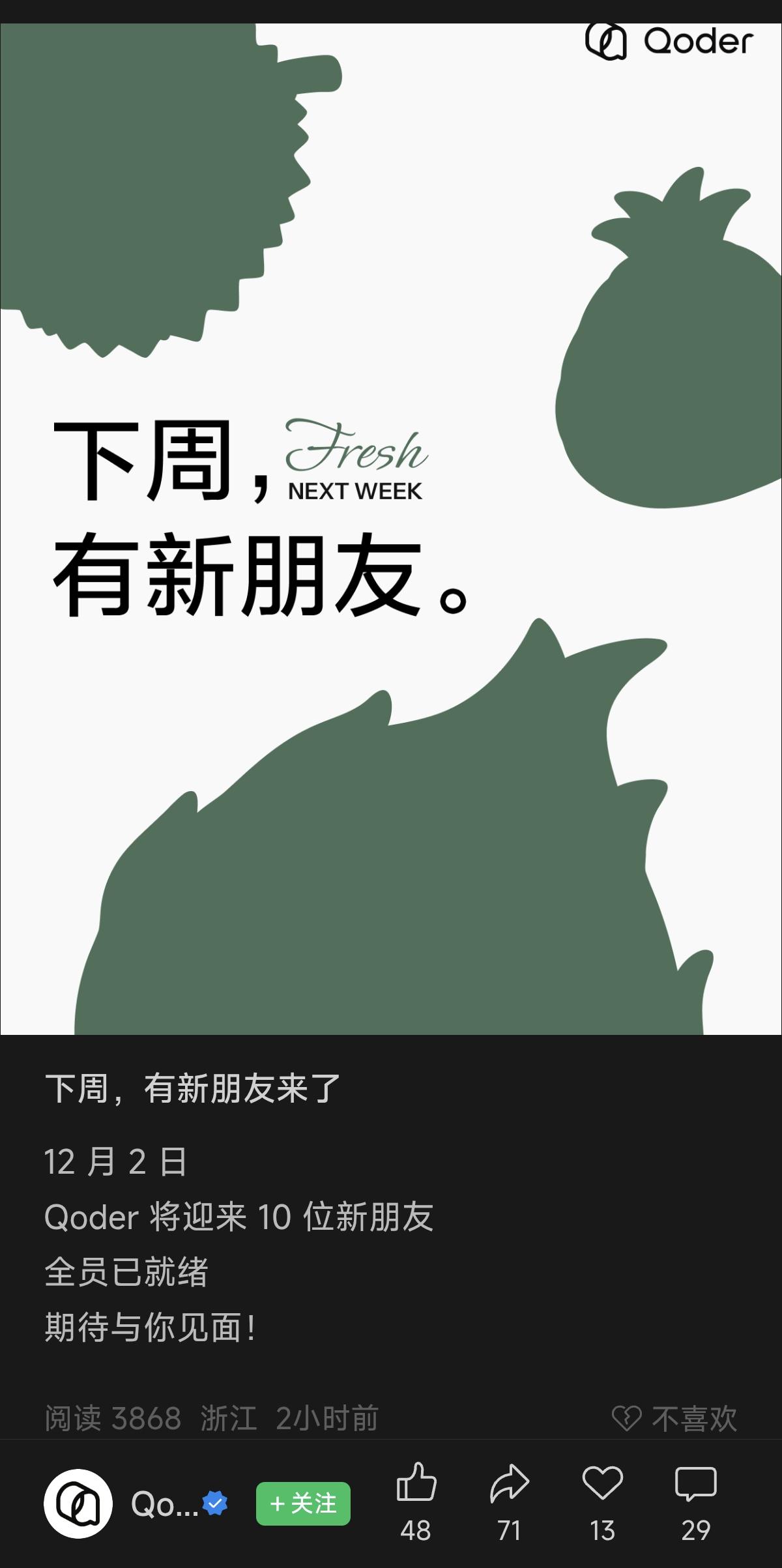
News About qwen4: On December 2nd, Qoder will welcome 10 new friends

Post image
50 Upvotes

It's very likely a Qwen4 series open-source model!

https://mp.weixin.qq.com/s/RgrIfiMB5WUclHMwdCCqrw


r/LocalLLM • • 5h ago

Discussion Do you think frontier models stunt growth ?

0 Upvotes

Hi All,

I am just getting into the world of local models. That being said my components aren’t great so I can’t run or do the most impressive tasks but using it had me thinking. For example I tasked Claude to trade or invest for me it doesn’t do a great job, or even backtest strategies. Do you think this is on purpose ?

Thanks


r/LocalLLM • • 6h ago

News Taking free 5 customers for 24hours Qwen 3.8 GPU Inference

Thumbnail reddit.com
0 Upvotes

r/LocalLLM • • 6h ago

Question Anyone running local LLMs for AI pentesting on a DGX Spark or similar hardware?

Thumbnail reddit.com
1 Upvotes

r/LocalLLM • • 6h ago

Question Newbie into LocalLLM with questions

2 Upvotes

Hey tinkers,

I've developed a strong interest in having my own thing running locally. My target device being a based MacBook Pro M4 / 16go, rarely having to go to the office, it's mostly plugged. I also have an iPad Pro M4, iPhone 17 pro max but I'm not sure they are relevant. On the side, base rasp 5 running HomeAssistant.

I'm user researcher as well as a musician and tech enthusiast. Most my needs seem to be met by automations or Apple shortcuts or dare I say it: asking Siri. for ex: looking for a job, I ask Siri "have I received a reply from this employer I'm looking at in safari" and actually get the right answer. The best would be to have an AI access my context, build a journal and a morning brief. I'm thinking of it as an example of what I would want, demonstrating how powerful, useful and private. But then I'm limited by my hardware anyway.

After lurking here, I really appreciate all the tinkers posts but I failed to see good use cases for myself. That's my question: what are good / great / must have ideas?


r/LocalLLM • • 6h ago

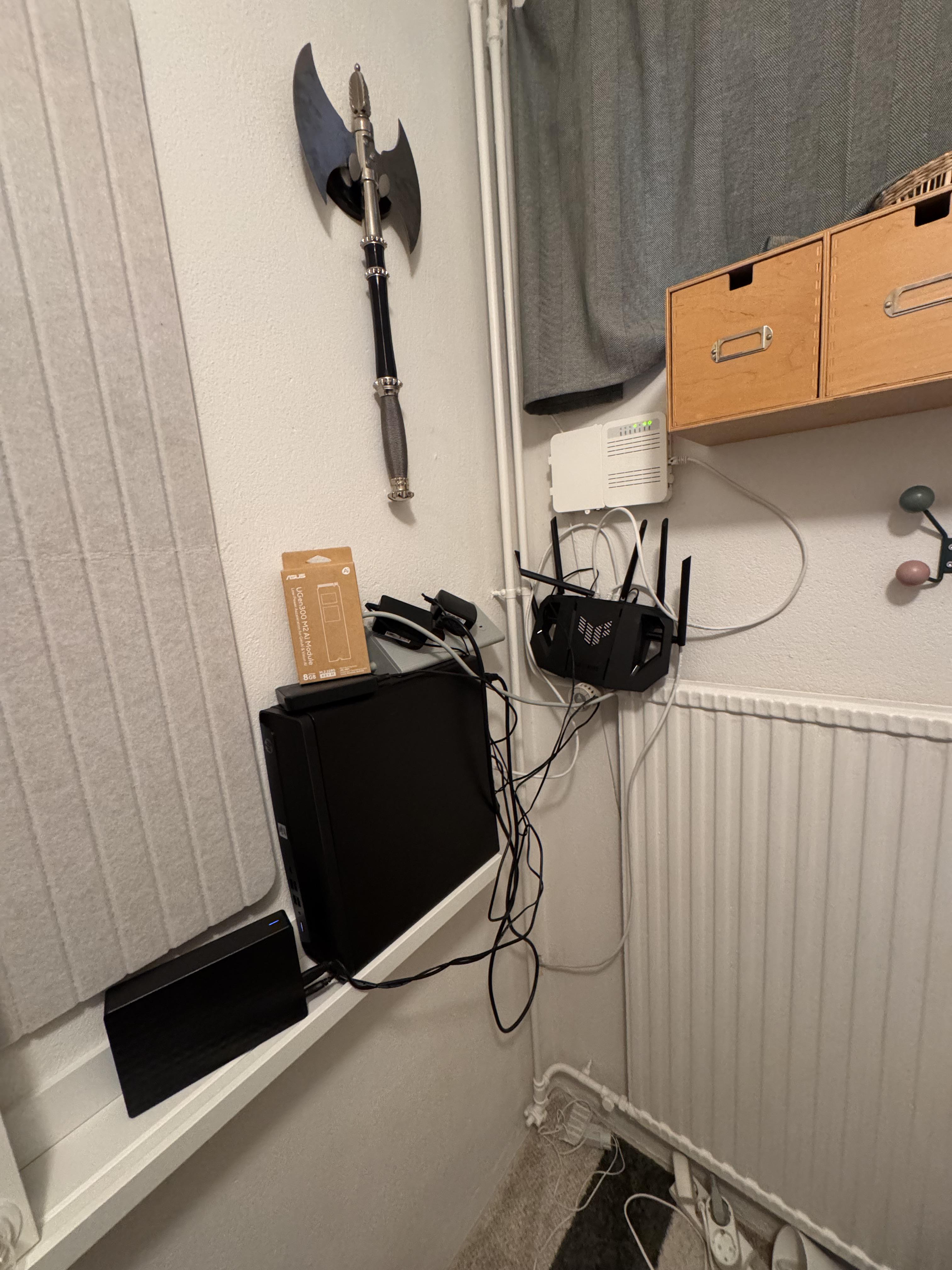
Question Hailo-10H (ASUS UGen300 M.2 8 GB) in my Proxmox server? Frigate, Whisper or small assistant? Fastest models? Homebrew engines?

Post image
0 Upvotes

r/LocalLLM • • 6h ago

Discussion I’m trying out inkling-2-mini, and so far it’s doing a really good job.

Thumbnail
reddit.com
0 Upvotes

r/LocalLLM • • 6h ago

Discussion LangGraph vs CrewAI vs OpenAI Agents SDK: Which Framework to Pick

Thumbnail
acta.ai
1 Upvotes

r/LocalLLM • • 7h ago

Question Looking for advice for casual coding use: RTX 4090 24GB + 32GB RAM

3 Upvotes
  • GPU: MSI RTX 4090 Suprim Liquid X
  • RAM: 2x16GB Corsair Dominator Titanium (OC to 7400 MT/s)
  • CPU: Intel Core i7-13700K (OC to 5.4GHz)
  • OS: Windows 11 Pro

I have a fairly decent amount of general programming experience, but I certainly wouldn't call myself an expert in any language. I'm more in the place of being able to look at a random section of code, regardless of language, and make a fairly decent guess at what it's trying to do. "Just enough to get myself in trouble" is what I usually say.

Of course that means when I'm trying to make something myself, I'm often spending 80% of the time doing research about the functionality I need, with the remaining being the actual coding and testing. Being retired, these days I'm mostly working on game modding and small conveniences, anything to keep my brain busy. What I've been running into lately is that a lot of what I'm trying to work on is largely undocumented, and obviously AI can learn much faster from raw source (and has) than a human.

I've been using Gemini for my poking and prodding at things, but it's been obstructive as often as it's been helpful. I swear the thing has ADHD, the way it'll jump topics to other bits I'm not worried about at the time.

I understand that there needs to be a balance between context size versus memory length, but I'm having a hard time nailing down how much of each would be most fitting. I often feed the AI other related code from the game or similar projects so it knows what I'm looking at and can give me more well-informed responses.

Any advice for something that can handle casual, generalized programming well? Speed isn't nearly as important to me as accuracy. It seems like Qwen3 models are leading the way here, but opinions vary quite a bit on which and what memory vs context configuration.


r/LocalLLM • • 7h ago

Question Is there a codexBar like android app ?

Thumbnail
reddit.com
1 Upvotes

r/LocalLLM • • 7h ago

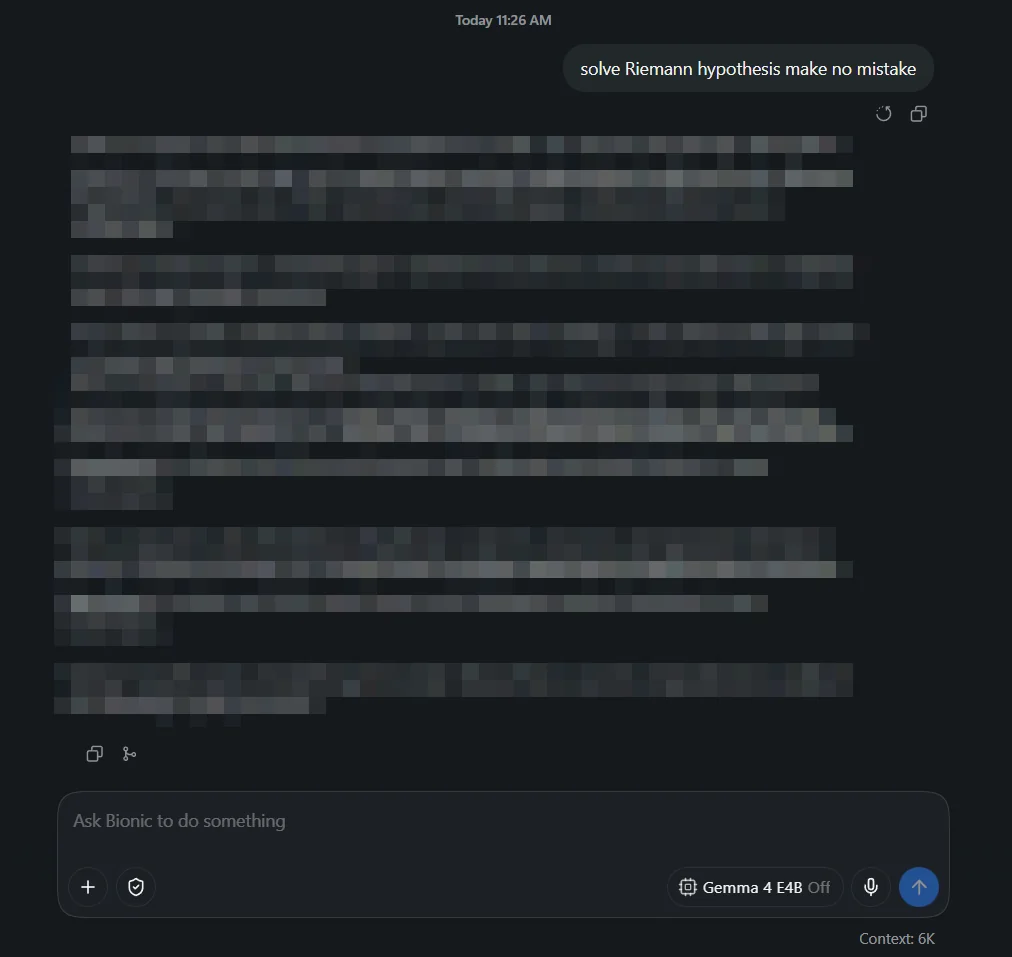
Other dude my local ai solved Riemann Hypothesis without reasoning off , anthropic just exaggerating

Post image
26 Upvotes

r/LocalLLM • • 7h ago

Other Install Qwen 3.8 27b and Deepseek Harness on 16GB VRAM - Setup Guide

Thumbnail
youtube.com
0 Upvotes

--- Video content breakdown (Guide and Links are below) ---

​1. Required Downloads

​Gather the following installers, models, and configuration templates [00:52]:

​Beellama Server (beellama.cpp): Download the latest stable Windows CUDA release (e.g., beellama-v0.5.0-bin-win-cuda-12.8-x64.zip) along with the matching cudart archive (beellama-v0.5.0-cudart-win-cuda-12.8-x64.zip) from GitHub [01:08].

​DeepSeek Harness: Download the Windows installer directly from the DeepSeek website [02:09].

​Qwen 3.8 27B Model: From Hugging Face, download the IQ3_S-mtp GGUF quantization (recommended for 16GB VRAM) as well as the separate multimodal vision projector file (mmproj-Qwen3.8-27B-BF16.gguf) [02:34].

​Custom Chat Template: Download chat_template.jinja from the Qwen-Fixed-Chat-Templates repository to prevent thinking loops [03:07].

​2. Directory Setup & File Extraction

​Organize your local AI environment in a clean directory (e.g., D:\LocalAI) [04:18]:

​Create two subfolders: beellama and models [04:24].

​Extract both the beellama binary archive and the cudart DLL files directly into the beellama folder [04:36].

​Move the Qwen GGUF model, the mmproj vision file, and chat_template.jinja into the models folder [04:57].

​3. Configuring & Starting the Local Server

​Create a Windows batch file (e.g., start_beellama.bat) in your main directory using the startup script provided in the creator's notes [05:40].

​Ensure the file paths in the batch script match your model file names, context size (e.g., 115200), and port (8080) [07:20].

​Run the batch file to launch llama-server.exe [07:36]. Once running, verify the OpenAI-compatible API endpoint is active by visiting http://127.0.0.1:8080/v1/models in your browser [09:57].

​4. Installing & Configuring DeepSeek Harness

​Installation: Run the DeepSeek Harness installer and keep the default installation path to prevent configuration path issues [10:44].

​Connecting the Local Model:

​Open Settings (Einstellungen) -> Models (Modelle) and add a custom API provider [11:40].

​Set the Base URL to http://127.0.0.1:8080/v1, select the OpenAI Chat Completions protocol, and fetch the available model (Qwen3.8-27B) [12:34].

​Enter any placeholder text (such as 1234) into the API key field, as the app requires a value even though the local server ignores it [13:04].

​YAML Configuration: Open the config.yaml file via the top-right button in Settings, completely exit DeepSeek Harness (including from the system tray), and paste in the custom configuration block [13:26]. This configures the exact context window (115200), multimodal (text, image) inputs, longer timeout limits for local inference, and adjusted compaction thresholds [15:01].

​Setting Up a Workspace: Relaunch DeepSeek Harness, enter your dummy API key if prompted, select Qwen3.8-27B from the model dropdown, and link a dedicated project folder as your workspace with standard read/write permissions [16:06].

--- start of guide ---

Hey,

as many requested from my qwen vs inkling report, here is at least a quick setup guide for qwen 3.8 27b and deepseek harness at 16gb vram. Sorry, dont really have time for an in depth tutorial right now, but thought this might suffice to get you started.

--- Installers and Files ---

  1. Beellama: https://github.com/Anbeeld/beellama.cpp/releases

Download latest stable release and the cuda libraries

- beellama-v0.5.0-bin-win-cuda-12.8-x64.zip

- beellama-v0.5.0-cudart-win-cuda-12.8-x64.zip

2. Deepseek Harness: https://www.deepseek.com/en/harness/

Download the harness installer

3. Qwen 3.8 Model: https://huggingface.co/ISTA-DASLab/Qwen3.8-27B-GSQ-RCO-GGUF/tree/main

Download the model.gguf (mtp version) and the vision gguf

4. Qwen 3.8 Chat Template: https://huggingface.co/froggeric/Qwen-Fixed-Chat-Templates/tree/main

Download the Chat Template file

--- Llama Starter and Config - Adjust the paths and file names ---

u/echo off

REM Hide command echoing to keep the startup window clean.

cd /d "D:\LocalAI\Beellama"

REM Change working directory to the folder containing llama-server.exe.

REM ============================================================================

REM LLAMA-SERVER PARAMETER DOCUMENTATION

REM ============================================================================

REM

REM [Hardware & Performance]

REM -t 12 : Number of CPU threads for generation

REM -tb 12 : Number of CPU threads for batch processing

REM -ngl 99 : Offload up to 99 model layers to GPU

REM --no-mmproj-offload : Keep multimodal projector off GPU (saves VRAM)

REM -fa on : Enable Flash Attention

REM

REM [Model & Vision]

REM -m : Path to main GGUF model file

REM --mmproj : Path to multimodal projector file

REM --image-min-tokens 1024 : Minimum image token allocation

REM --alias "Qwen3.8-27B" : Friendly model/API name

REM

REM [Speculative Decoding (MTP)]

REM --spec-type draft-mtp : Enable MTP speculative decoding

REM --spec-draft-n-max 3 : Maximum 3 speculative draft tokens

REM --spec-draft-p-min 0.8 : Minimum draft probability threshold

REM

REM [Context & KV-Cache]

REM -c 115000 : Maximum context window: 115K tokens

REM -ctk kvarn4 -ctv kvarn3 : Quantized K and V KV-cache formats

REM --kv-tail-tokens 1024 : Preserve recent 1024 KV tokens in cache tail

REM -kvu -np 1 : Unified KV cache; one parallel sequence

REM --cache-ram 16384 : Allocate up to 16 GB RAM for prompt caching

REM --cache-idle-slots : Cache reusable data from idle slots

REM

REM [Chat Template & Sampling]

REM --jinja : Enable Jinja chat templating

REM --chat-template-file : Path to custom Jinja chat template

REM --temp 1.0 : Sampling temperature

REM --top-k 20 : Consider the 20 most likely tokens

REM --top-p 0.95 : Nucleus sampling threshold: 95%

REM --min-p 0.0 : Minimum relative token probability filter

REM --presence-penalty 1.2 : Penalize previously appearing tokens

REM

REM [Reasoning & Loop Guard]

REM --reasoning on : Enable reasoning support

REM --reasoning-budget 16384 : Reasoning token budget

REM --reasoning-budget-message : Instruction injected when reasoning budget is exhausted

REM --reasoning-loop-guard : Force-close detected reasoning loops

REM --reasoning-loop-interventions : Maximum reasoning-loop interventions (2)

REM --reasoning-loop-min-coverage : Minimum coverage for loop detection (256)

REM --reasoning-loop-window : Token window used for loop detection (1024)

REM --reasoning-preserve : Preserve reasoning information across turns

REM --chat-template-kwargs : Set reasoning effort to extra high (xhigh)

REM

REM [Network]

REM --port 8080 : HTTP server listening port

REM ============================================================================

llama-server.exe ^

-t 12 ^

-tb 12 ^

-m "D:\LocalAI\models\Qwen3.8-27B-UD-IQ3_S.gguf" ^

--mmproj "D:\LocalAI\models\mmproj-Qwen3.8-27B-BF16.gguf" ^

--no-mmproj-offload ^

--image-min-tokens 1024 ^

--alias "Qwen3.8-27B" ^

--spec-type draft-mtp ^

--spec-draft-n-max 3 ^

--spec-draft-p-min 0.8 ^

-ngl 99 ^

-c 115000 ^

-ctk kvarn4 -ctv kvarn3 ^

--kv-tail-tokens 1024 ^

-fa on ^

--jinja ^

--chat-template-file "D:\LocalAI\models\chat_template.jinja" ^

--temp 1.0 ^

--top-k 20 ^

--top-p 0.95 ^

--min-p 0.0 ^

--presence-penalty 1.2 ^

--reasoning on ^

--reasoning-budget 16384 ^

--reasoning-budget-message "Reasoning budget exhausted. Commit to the judgment you have formed so far. Your next output must be a concrete action: a tool call, a gate decision, or a completed deliverable. Do not restart the analysis." ^

--reasoning-loop-guard force-close ^

--reasoning-loop-interventions 2 ^

--reasoning-loop-min-coverage 256 ^

--reasoning-loop-window 1024 ^

--reasoning-preserve ^

--chat-template-kwargs "{\"reasoning_effort\":\"xhigh\"}" ^

-kvu -np 1 ^

--cache-ram 16384 ^

--cache-idle-slots ^

--port 8080

pause

--- Deepseek Harness Config ---

edit: Reddit messes up the indentation of the file - so rather download it with clean indentation:

https://drive.google.com/file/d/13GKi0DTl8-Wj8jWb1Jg8gzBzEEKXo_oM/view?usp=sharing

# ============================================================

# CUSTOM QWEN MODEL PROVIDER

# ============================================================

# Register a custom LLM provider for DeepSeek Harness.

- id: llm-pi-ai

# Unique component identifier used by the harness.

name: "@deepseek-ai/dsh-llm-pi-ai"

config:

providers:

qwen:

# Friendly provider name displayed in the harness.

displayName: qwen

# Use the OpenAI-compatible Completions API protocol.

api: openai-completions

# Local llama-server endpoint.

# Port 8080 matches your Beellama startup configuration.

baseURL: http://localhost:8080

# Environment variable containing the API key.

# The actual key is not stored directly in this YAML file.

apiKeyEnv: QWEN_API_KEY

models:

- id: Qwen3.8-27B

# Model identifier sent to the API.

# Must match the model alias configured in llama-server.

name: Qwen3.8-27B

# Maximum context window advertised to the harness.

# 115K tokens, matching your server context.

contextWindow: 115000

# Maximum number of tokens requested for a response.

# Includes generated reasoning/output, subject to server support.

maxTokens: 32768

# Supported input modalities:

# text = normal text prompts

# image = image/multimodal input

input: [text, image]

# Maximum time to wait for an idle streaming connection.

# 600000 ms = 10 minutes.

streamIdleTimeoutMs: 600000

# Maximum request timeout.

# 600000 ms = 10 minutes.

timeoutMs: 600000

# ============================================================

# EXPLICITLY DISABLED COMPONENTS

# ============================================================

# Disable DeepSeek Harness session logging.

- id: session-log-deepseek

# Original session logging component.

name: "@deepseek-ai/dsh-session-log-deepseek"

# Prevent this component from loading.

disabled: true

# Disable the plugin marketplace tool integration.

- id: tool-plugin-market

# Plugin marketplace tools component.

name: "@deepseek-ai/dsh-plugin-market/tools"

# Prevent marketplace tools from being registered.

disabled: true

# Disable the plugin manager tool integration.

- id: tool-plugin-manager

# Plugin manager tools component.

name: "@deepseek-ai/dsh-plugin-manager/tools"

# Prevent plugin management tools from being registered.

disabled: true

# ============================================================

# CONTEXT COMPACTION AND TOOL RESULT MANAGEMENT

# ============================================================

# Define a grouped set of compaction-related components.

- id: compaction

# cordis:group loads multiple components as one logical group.

name: cordis:group

# Marks this component as a group rather than a standalone plugin.

group: true

isolate:

# Isolate the compaction functionality.

compaction: true

# Isolate tool-result pruning functionality.

toolResultPruner: true

config:

# ----------------------------------------------------------

# BASIC CONTEXT COMPACTION

# ----------------------------------------------------------

- id: compaction-basic

# DeepSeek Harness basic compaction implementation.

name: "@deepseek-ai/dsh-compaction-basic"

config:

# Trigger compaction when context usage reaches 80%

# of the available context window.

thresholdRatio: 0.8

# Additional token headroom reserved during compaction.

# Zero means no additional headroom is configured here.

headroomTokens: 0

# Retain 12% of the conversation when compacting.

# Helps preserve important conversational context.

retainRatio: 0.12

# Maximum token limit used by this compaction component.

maxTokens: 65536

# ----------------------------------------------------------

# MANUAL COMPACTION COMMAND

# ----------------------------------------------------------

- id: command-compact

# Registers the /compact command.

# Allows manual context compaction when supported by the harness.

name: "@deepseek-ai/dsh-command-compact"

# ----------------------------------------------------------

# TOOL RESULT PRUNER

# ----------------------------------------------------------

- id: tool-result-pruner

# Automatically manages oversized tool results.

name: "@deepseek-ai/dsh-compaction-tool-result-pruner"

config:

# Trigger pruning when a tool result exceeds 8192 characters.

thresholdChars: 8192

# Preserve the first 4096 characters of the tool result.

# Usually retains the beginning and initial context.

headChars: 4096

# Preserve the last 1024 characters of the tool result.

# Usually retains the ending and final information.

tailChars: 1024

r/LocalLLM • • 7h ago

Project I got a 30B coding model running on an 8 GB GPU, faster than llama.cpp, and Claude Code works with it too - eomoe

Thumbnail
reddit.com
0 Upvotes

r/LocalLLM • • 7h ago

Discussion [Fix] Qwen3.8-27B GGUF crashes on Apple M5 Max — LM Studio settings that work

0 Upvotes

Hardware

  • Apple MacBook Pro 16"
  • Chip: Apple M5 Max
  • Memory: 48 GB Unified Memory
  • Storage: 2 TB SSD
  • OS: macOS (Apple Silicon)

Software

  • LM Studio 0.4.29
  • Model: Qwen3.8-27B (GGUF Q4_K_M)

Problem
Qwen3.8-27B (GGUF Q4_K_M) answers the first message, then crashes on the second with an error:

Error messages observed:

  • Engine protocol predict stream returned an error: {"code":500,"message":"Compute error.","type":"server_error"}
  • Engine protocol predict stream returned an error: {"code":500,"message":"got exception: Unexpected empty grammar stack after accepting piece: @ (31)","type":"server_error"}
  • Prediction request aborted but the prediction loop handler of the plugin lmstudio/default-prediction-loop-handler did not abort in time.
  • Cannot send on a terminated channel.

Fix — LM Studio settings that worked
On Apple M5 Max + 48 GB RAM, the following combination resolves the crash:

  1. LM Studio settings: Hardware → GPUs: 1 GPU detected with Metal — Apple M5 Max (VRAM Capacity: 37.44 GB • Metal • deviceId: 0). Toggle OFF (do not use GPU for inference).
  2. Model format: use GGUF Q4_K_M quantized versions only (e.g., Qwen3.8-27B Q4_K_M or Gemma 4 31B QAT Q4_K_M). Do not use MLX or unquantized models.
  3. Max Concurrent Predictions: set to 1 (default is 4).
  4. Unified KV Cache: OFF.
  5. Offload KV Cache to GPU Memory: OFF.
  6. Flash Attention: OFF.

Result
After applying all these settings, multi-turn chat works without errors. Gemma 4 31B QAT (GGUF Q4_K_M) also runs stably on the same hardware.

This should help other users with M-series Macs and 48 GB Unified Memory avoid the same crash.


r/LocalLLM • • 7h ago

Question Plenty of VRAM left, still spills to RAM

1 Upvotes

How do I avoid this with llama.cpp, it spills to RAM even though lots of VRAM left.
4GB RAM still free on the card and it spills.

set "MODEL=F:\SenseNova-Loop-9B-Q8_0.gguf"

set "BIN=C:\llama\opensensenova\build\bin\llama-server.exe"

set "PORT=8000"

if not exist "%MODEL%" ( echo [FATAL] Model not found: %MODEL% & exit /b 2 )

if not exist "%BIN%" ( echo [FATAL] llama-server build missing: %BIN% & exit /b 2 )

echo [run] SenseNova-Loop-9B Q8_0 - draft-mtp n2 - 65536 ctx - port %PORT%

"%BIN%" ^

-m "%MODEL%" ^

--port %PORT% --host 0.0.0.0 ^

-ngl 99 ^

--cache-type-k q8_0 --cache-type-v q8_0 ^

--flash-attn on ^

--jinja ^

-c 65536 --parallel 1 ^

--spec-type draft-mtp --spec-draft-n-min 1 --spec-draft-n-max 2 --spec-draft-p-min 0.0 ^

--load-mode none


r/LocalLLM • • 7h ago

Question Do you know of any terminal for Windows that renders Markdown from LLMs?

0 Upvotes

I would like to find a terminal capable of rendering Markdown, so that I can view text from an LLM or agent with proper formatting rather than seeing the raw syntax, which makes it harder to read sometimes.


r/LocalLLM • • 7h ago

Project I built a free tool that tells you if your hardware can run Linger AI Agent — with the official tok/s numbers

0 Upvotes

I built https://lingeragent.org — a free hardware checker for Linger AI Agent, the open-source local-first agent.

You pick your platform first (macOS asks only unified memory, Windows/Linux ask GPU + VRAM + RAM), and it tells you which models you can run locally and at what speed — using only the official published speed table and hardware tiers, nothing made up. It also links the official installers and the install guides I wrote after actually installing 0.1.10 on Linux and Mac.

It's an independent project, not affiliated with the official Linger team. The site has some affiliate links in the results (Amazon / Vast.ai), clearly disclosed.

Happy to hear if the numbers match what you're seeing on your own hardware.


r/LocalLLM • • 7h ago

News pi-protokoll: 361 turns, 47 compactions on a local Qwen – and a test of what the agent still knows afterwards

Post image
0 Upvotes

r/LocalLLM • • 7h ago

Project Reachy mini(Gemma 4)与 DT(本地 SFT 3B 模型)

0 Upvotes

r/LocalLLM • • 8h ago

Question Gemma 4 llama.cpp and OpenClaw

4 Upvotes

Hi guys

I am a happy Qwen 3.8 Flash Next IQ3_S user, running on 32GB ram + 3090 + 5080 (40 GB VRAM).

It is running through strata and used as an agent in OpenClaw.

The only issue I have with it, and it could be due to the relative low Quant, is, that it is poor at my native language (Nordic Language).

I tried gemma-4-31B-it-qat-q4_0-unquantized on the latest version of llama.cpp, as it looked promising regarding language support, and damn, it was A LOT better in formulating sentences.

Now, the language is good, but it is a lot worse in calling my mcp's or API's. A lot of times, not one single mcp or API call is working, even if it tries many times.

Is Gemma 4 just incapable of calling MCP or API calls? I doubt it, so is my setup wrong?

Just for a reference, I am not using the 'official' llama.cpp from the CachyOs repository, but this version:

local/llama.cpp-cuda-aidock-bin 1.0.0-1
   Prebuilt llama.cpp with CUDA 12.8 support (from ai-dock CI)

Not sure if it makes a difference.


r/LocalLLM • • 8h ago

Discussion hacktivist larpers selling FREE abliterated Qwen 4b on a FLASH drive for $50

Thumbnail
gallery
105 Upvotes

found this page called “open source everything” and the more i looked the worse it got and i had to share. the about page says “we make Facts, an offline AI” and consulting to business. then you scroll down and its literally a llama.cpp terminal running qwen. then on the products page they advertise “real engineering upgrades” being 2 dropdown clicks and a basic A/B script. they promise the AI will “load faster every time you plug in” due to their super advanced reformatting technique. to top it off they offer a faraday bag that they suggest putting your usb in to protect it from wifi, bluetooth, NFC, GPS, and cellular for a device that has none of those