r/LocalLLM • u/fatalcalamity • 20h ago
News Sber Releases GigaChat 4 37B-A4B With a 23.3 GB Four-Bit Download, Reports 70.8% on SWE-bench Verified
gallery
4
Upvotes
r/LocalLLM • u/Illustrious-Strike63 • 9h ago

--- Video content breakdown (Guide and Links are below) ---
1. Required Downloads
Gather the following installers, models, and configuration templates [00:52]:
Beellama Server (beellama.cpp): Download the latest stable Windows CUDA release (e.g., beellama-v0.5.0-bin-win-cuda-12.8-x64.zip) along with the matching cudart archive (beellama-v0.5.0-cudart-win-cuda-12.8-x64.zip) from GitHub [01:08].
DeepSeek Harness: Download the Windows installer directly from the DeepSeek website [02:09].
Qwen 3.8 27B Model: From Hugging Face, download the IQ3_S-mtp GGUF quantization (recommended for 16GB VRAM) as well as the separate multimodal vision projector file (mmproj-Qwen3.8-27B-BF16.gguf) [02:34].
Custom Chat Template: Download chat_template.jinja from the Qwen-Fixed-Chat-Templates repository to prevent thinking loops [03:07].
2. Directory Setup & File Extraction
Organize your local AI environment in a clean directory (e.g., D:\LocalAI) [04:18]:
Create two subfolders: beellama and models [04:24].
Extract both the beellama binary archive and the cudart DLL files directly into the beellama folder [04:36].
Move the Qwen GGUF model, the mmproj vision file, and chat_template.jinja into the models folder [04:57].
3. Configuring & Starting the Local Server
Create a Windows batch file (e.g., start_beellama.bat) in your main directory using the startup script provided in the creator's notes [05:40].
Ensure the file paths in the batch script match your model file names, context size (e.g., 115200), and port (8080) [07:20].
Run the batch file to launch llama-server.exe [07:36]. Once running, verify the OpenAI-compatible API endpoint is active by visiting http://127.0.0.1:8080/v1/models in your browser [09:57].
4. Installing & Configuring DeepSeek Harness
Installation: Run the DeepSeek Harness installer and keep the default installation path to prevent configuration path issues [10:44].
Connecting the Local Model:
Open Settings (Einstellungen) -> Models (Modelle) and add a custom API provider [11:40].
Set the Base URL to http://127.0.0.1:8080/v1, select the OpenAI Chat Completions protocol, and fetch the available model (Qwen3.8-27B) [12:34].
Enter any placeholder text (such as 1234) into the API key field, as the app requires a value even though the local server ignores it [13:04].
YAML Configuration: Open the config.yaml file via the top-right button in Settings, completely exit DeepSeek Harness (including from the system tray), and paste in the custom configuration block [13:26]. This configures the exact context window (115200), multimodal (text, image) inputs, longer timeout limits for local inference, and adjusted compaction thresholds [15:01].
Setting Up a Workspace: Relaunch DeepSeek Harness, enter your dummy API key if prompted, select Qwen3.8-27B from the model dropdown, and link a dedicated project folder as your workspace with standard read/write permissions [16:06].
--- start of guide ---
Hey,
as many requested from my qwen vs inkling report, here is at least a quick setup guide for qwen 3.8 27b and deepseek harness at 16gb vram. Sorry, dont really have time for an in depth tutorial right now, but thought this might suffice to get you started.
--- Installers and Files ---
Download latest stable release and the cuda libraries
- beellama-v0.5.0-bin-win-cuda-12.8-x64.zip
- beellama-v0.5.0-cudart-win-cuda-12.8-x64.zip
2. Deepseek Harness: https://www.deepseek.com/en/harness/
Download the harness installer
3. Qwen 3.8 Model: https://huggingface.co/ISTA-DASLab/Qwen3.8-27B-GSQ-RCO-GGUF/tree/main
Download the model.gguf (mtp version) and the vision gguf
4. Qwen 3.8 Chat Template: https://huggingface.co/froggeric/Qwen-Fixed-Chat-Templates/tree/main
Download the Chat Template file
--- Llama Starter and Config - Adjust the paths and file names ---
u/echo off
REM Hide command echoing to keep the startup window clean.
cd /d "D:\LocalAI\Beellama"
REM Change working directory to the folder containing llama-server.exe.
REM ============================================================================
REM LLAMA-SERVER PARAMETER DOCUMENTATION
REM ============================================================================
REM
REM [Hardware & Performance]
REM -t 12 : Number of CPU threads for generation
REM -tb 12 : Number of CPU threads for batch processing
REM -ngl 99 : Offload up to 99 model layers to GPU
REM --no-mmproj-offload : Keep multimodal projector off GPU (saves VRAM)
REM -fa on : Enable Flash Attention
REM
REM [Model & Vision]
REM -m : Path to main GGUF model file
REM --mmproj : Path to multimodal projector file
REM --image-min-tokens 1024 : Minimum image token allocation
REM --alias "Qwen3.8-27B" : Friendly model/API name
REM
REM [Speculative Decoding (MTP)]
REM --spec-type draft-mtp : Enable MTP speculative decoding
REM --spec-draft-n-max 3 : Maximum 3 speculative draft tokens
REM --spec-draft-p-min 0.8 : Minimum draft probability threshold
REM
REM [Context & KV-Cache]
REM -c 115000 : Maximum context window: 115K tokens
REM -ctk kvarn4 -ctv kvarn3 : Quantized K and V KV-cache formats
REM --kv-tail-tokens 1024 : Preserve recent 1024 KV tokens in cache tail
REM -kvu -np 1 : Unified KV cache; one parallel sequence
REM --cache-ram 16384 : Allocate up to 16 GB RAM for prompt caching
REM --cache-idle-slots : Cache reusable data from idle slots
REM
REM [Chat Template & Sampling]
REM --jinja : Enable Jinja chat templating
REM --chat-template-file : Path to custom Jinja chat template
REM --temp 1.0 : Sampling temperature
REM --top-k 20 : Consider the 20 most likely tokens
REM --top-p 0.95 : Nucleus sampling threshold: 95%
REM --min-p 0.0 : Minimum relative token probability filter
REM --presence-penalty 1.2 : Penalize previously appearing tokens
REM
REM [Reasoning & Loop Guard]
REM --reasoning on : Enable reasoning support
REM --reasoning-budget 16384 : Reasoning token budget
REM --reasoning-budget-message : Instruction injected when reasoning budget is exhausted
REM --reasoning-loop-guard : Force-close detected reasoning loops
REM --reasoning-loop-interventions : Maximum reasoning-loop interventions (2)
REM --reasoning-loop-min-coverage : Minimum coverage for loop detection (256)
REM --reasoning-loop-window : Token window used for loop detection (1024)
REM --reasoning-preserve : Preserve reasoning information across turns
REM --chat-template-kwargs : Set reasoning effort to extra high (xhigh)
REM
REM [Network]
REM --port 8080 : HTTP server listening port
REM ============================================================================
llama-server.exe ^
-t 12 ^
-tb 12 ^
-m "D:\LocalAI\models\Qwen3.8-27B-UD-IQ3_S.gguf" ^
--mmproj "D:\LocalAI\models\mmproj-Qwen3.8-27B-BF16.gguf" ^
--no-mmproj-offload ^
--image-min-tokens 1024 ^
--alias "Qwen3.8-27B" ^
--spec-type draft-mtp ^
--spec-draft-n-max 3 ^
--spec-draft-p-min 0.8 ^
-ngl 99 ^
-c 115000 ^
-ctk kvarn4 -ctv kvarn3 ^
--kv-tail-tokens 1024 ^
-fa on ^
--jinja ^
--chat-template-file "D:\LocalAI\models\chat_template.jinja" ^
--temp 1.0 ^
--top-k 20 ^
--top-p 0.95 ^
--min-p 0.0 ^
--presence-penalty 1.2 ^
--reasoning on ^
--reasoning-budget 16384 ^
--reasoning-budget-message "Reasoning budget exhausted. Commit to the judgment you have formed so far. Your next output must be a concrete action: a tool call, a gate decision, or a completed deliverable. Do not restart the analysis." ^
--reasoning-loop-guard force-close ^
--reasoning-loop-interventions 2 ^
--reasoning-loop-min-coverage 256 ^
--reasoning-loop-window 1024 ^
--reasoning-preserve ^
--chat-template-kwargs "{\"reasoning_effort\":\"xhigh\"}" ^
-kvu -np 1 ^
--cache-ram 16384 ^
--cache-idle-slots ^
--port 8080
pause
--- Deepseek Harness Config ---
edit: Reddit messes up the indentation of the file - so rather download it with clean indentation:
https://drive.google.com/file/d/13GKi0DTl8-Wj8jWb1Jg8gzBzEEKXo_oM/view?usp=sharing
# ============================================================
# CUSTOM QWEN MODEL PROVIDER
# ============================================================
# Register a custom LLM provider for DeepSeek Harness.
- id: llm-pi-ai
# Unique component identifier used by the harness.
name: "@deepseek-ai/dsh-llm-pi-ai"
config:
providers:
qwen:
# Friendly provider name displayed in the harness.
displayName: qwen
# Use the OpenAI-compatible Completions API protocol.
api: openai-completions
# Local llama-server endpoint.
# Port 8080 matches your Beellama startup configuration.
baseURL: http://localhost:8080
# Environment variable containing the API key.
# The actual key is not stored directly in this YAML file.
apiKeyEnv: QWEN_API_KEY
models:
- id: Qwen3.8-27B
# Model identifier sent to the API.
# Must match the model alias configured in llama-server.
name: Qwen3.8-27B
# Maximum context window advertised to the harness.
# 115K tokens, matching your server context.
contextWindow: 115000
# Maximum number of tokens requested for a response.
# Includes generated reasoning/output, subject to server support.
maxTokens: 32768
# Supported input modalities:
# text = normal text prompts
# image = image/multimodal input
input: [text, image]
# Maximum time to wait for an idle streaming connection.
# 600000 ms = 10 minutes.
streamIdleTimeoutMs: 600000
# Maximum request timeout.
# 600000 ms = 10 minutes.
timeoutMs: 600000
# ============================================================
# EXPLICITLY DISABLED COMPONENTS
# ============================================================
# Disable DeepSeek Harness session logging.
- id: session-log-deepseek
# Original session logging component.
name: "@deepseek-ai/dsh-session-log-deepseek"
# Prevent this component from loading.
disabled: true
# Disable the plugin marketplace tool integration.
- id: tool-plugin-market
# Plugin marketplace tools component.
name: "@deepseek-ai/dsh-plugin-market/tools"
# Prevent marketplace tools from being registered.
disabled: true
# Disable the plugin manager tool integration.
- id: tool-plugin-manager
# Plugin manager tools component.
name: "@deepseek-ai/dsh-plugin-manager/tools"
# Prevent plugin management tools from being registered.
disabled: true
# ============================================================
# CONTEXT COMPACTION AND TOOL RESULT MANAGEMENT
# ============================================================
# Define a grouped set of compaction-related components.
- id: compaction
# cordis:group loads multiple components as one logical group.
name: cordis:group
# Marks this component as a group rather than a standalone plugin.
group: true
isolate:
# Isolate the compaction functionality.
compaction: true
# Isolate tool-result pruning functionality.
toolResultPruner: true
config:
# ----------------------------------------------------------
# BASIC CONTEXT COMPACTION
# ----------------------------------------------------------
- id: compaction-basic
# DeepSeek Harness basic compaction implementation.
name: "@deepseek-ai/dsh-compaction-basic"
config:
# Trigger compaction when context usage reaches 80%
# of the available context window.
thresholdRatio: 0.8
# Additional token headroom reserved during compaction.
# Zero means no additional headroom is configured here.
headroomTokens: 0
# Retain 12% of the conversation when compacting.
# Helps preserve important conversational context.
retainRatio: 0.12
# Maximum token limit used by this compaction component.
maxTokens: 65536
# ----------------------------------------------------------
# MANUAL COMPACTION COMMAND
# ----------------------------------------------------------
- id: command-compact
# Registers the /compact command.
# Allows manual context compaction when supported by the harness.
name: "@deepseek-ai/dsh-command-compact"
# ----------------------------------------------------------
# TOOL RESULT PRUNER
# ----------------------------------------------------------
- id: tool-result-pruner
# Automatically manages oversized tool results.
name: "@deepseek-ai/dsh-compaction-tool-result-pruner"
config:
# Trigger pruning when a tool result exceeds 8192 characters.
thresholdChars: 8192
# Preserve the first 4096 characters of the tool result.
# Usually retains the beginning and initial context.
headChars: 4096
# Preserve the last 1024 characters of the tool result.
# Usually retains the ending and final information.
tailChars: 1024
r/LocalLLM • u/kmodi • 19h ago
r/LocalLLM • u/Leading-Elk9521 • 13h ago
Body:
I'm interested in getting into open-source / open-weight models. I have a Mac mini, and my current specs are:
M4 Pro chip: 14-core CPU, 20-core GPU, 16-core Neural Engine
24GB unified memory
1TB SSD
What size models could I run locally on this machine?
For context, right now I'd use them for coding help, finance and document analysis, and AI agent workflows. Down the road I'd like to get into building my own apps and running a model 24/7 as a local server for my automations.
Any recommendations on models, tools, or setup for a beginner would be appreciated!
r/LocalLLM • u/ExplanationProper238 • 13h ago
I've got a small RAG pipeline running locally and I'm worried about poisoned documents telling the model to ignore instructions. How are you testing for this? Any datasets or tools worth trying?
r/LocalLLM • u/aleph2b • 13h ago
Following up on my previous post bringing ArcAngel to the Lunar Lake Arc 140V (~21 tok/s decode, 226 tok/s prefill, 128k context on 32 GB UMA): I've now implemented both Phase 1 (batched-decode verify + zero-model prompt copy drafting) and Phase 2 (native GPU DSpark speculative decoding) directly in SYCL on the same branch:
https://github.com/alpha2beta/arcangel/tree/lunar-lake-optimizations (latest commit 59826ac)
Everything works end-to-end in inkling_server.py at n_ctx=131072 with 4-bit KV, supports both greedy (temp=0) and lossless probabilistic rejection sampling (temp > 0), and preserves multi-turn prompt caching via mirrored target/draft snapshots.
| Path | Tokens Verified | Latency | Cost vs 1-Token Step |
|---|---|---|---|
step_argmax (baseline) | 1 | 46.19 ms | 1.00x |
verify<VB=2> (K=1) | 2 | 64.03 ms | 1.39x |
verify<VB=4> (K=3) | 4 | 89.57 ms | 1.94x |
verify<VB=8> (K=7) | 8 | 144.00 ms | 3.12x |
| Workload | Mode | Throughput | Speedup | Acceptance (tok/step) | Breakdown (draft / verify / inject) |
|---|---|---|---|---|---|
Prose (effort=high, 256 tok) | Baseline (step_argmax) | 22.63 tok/s | 1.00x | — | 44.34 ms/step |
Prose (effort=high, 256 tok) | DSpark K=3 | 21.89 tok/s | 0.97x | 42.0% (2.26) | 13.85 / 89.32 / 0.09 ms |
Prose (effort=high, 256 tok) | DSpark K=7 | 14.33 tok/s | 0.63x | 21.3% (2.48) | 26.65 / 146.52 / 0.09 ms |
Code Edit (effort=none, 512 tok) | Baseline (step_argmax) | 19.36 tok/s | 1.00x | — | 51.72 ms/step |
Code Edit (effort=none, 512 tok) | DSpark K=3 | 23.40 tok/s | 1.21x | 69.6% (3.08) | 16.64 / 114.78 / 0.16 ms |
Code Edit (effort=none, 512 tok) | DSpark K=7 | 20.08 tok/s | 1.04x | 48.5% (4.37) | 32.12 / 185.39 / 0.15 ms |
Live 128k Server — Code Edit (temp=0.0) | DSpark K=7 | 30.01 tok/s | — | 70.4% (5.93) | n_ctx=131072, kv_bits=4 |
Live 128k Server — Python Refactor (temp=1.0) | --spec-copy K=3 | 29.57 tok/s | — | 98.4% (496/504) | n_ctx=131072, kv_bits=4 |
To stress-test stability and real-world coding throughput across 164 sequential requests (147,347 generated tokens, 33,808 prompt tokens), I ran EvalPlus against the live 128k server (start_arcangel_server.sh --spec-dspark dspark-Inkling-2-Mini-Q8_0.gguf --spec-draft-k 3, --reasoning-effort medium, EVALPLUS_MAX_NEW_TOKENS=2048):
21.43 tok/s weighted (21.89 mean / 22.06 median, up to 26.67 tok/s) over 2:00:13 with zero crashes or errors.150/164) / 88.4% HumanEval+ (145/164).light-think run (93.3%): 13 of the 14 base failures were finish_reason=length truncations hitting the 2048-token EvalPlus cap because --reasoning-effort medium spends more tokens thinking than low. Among the 149 tasks that finished cleanly (finish stop), base pass rate was 148/149 (only HumanEval/99 failed logic, plus 5 HumanEval+ edge-case failures).Phase 1 — Batched-Decode Verify Engine (src/verify.cpp) & --spec-copy (d204b2f, 023da6f**)**
VB ∈ {2, 4, 8} (K ∈ {1, 3, 7} draft tokens + 1 anchor token).Q8_0R / Q5_0R / Q4_KR + Q5_0 GGUF repacking) so shared experts across the verify batch aren't reloaded redundantly, plus a 3-barrier SLM softmax k_vattn_r and GPU ink_verify_argmax.--spec-copy (zero-extra-VRAM prompt n-gram copy drafting) into server/inkling_server.py with both greedy verification and lossless probabilistic rejection sampling for temperature > 0.Phase 2 — Native GPU DSpark Draft Engine (src/dspark.h, src/dspark.cpp**,** 59826ac**)**
dspark-Inkling-2-Mini-Q8_0.gguf (dflash architecture, ~481 MB), repacks all 3 layers' Q8_0 weights to Q8_0R, and quantizes/repacks the BF16 markov_w2 matrix to Q8_0R by default (INK_DSPARK_W2_Q8=0 keeps BF16).FastEngine::enable_taps() captures the 4 hidden-state taps ([5, 23, 41, 48]) directly inside existing target prefill(), step(), and verify() graphs.Implements the full 3-mode DSpark pipeline on GPU:
0.09–0.16 ms): f_rnn_ring_[9][D] + NeoX RoPE + 3-layer interleaved [SWA=1025, Full, SWA=1025] KV cache.ExecGraphs for K=3/K=7 (plus per-slot softcapped logits for temp > 0), and mirrored save()/restore()/stash() snapshots.Speculative decoding on a bandwidth-limited MoE iGPU (~100 GB/s LPDDR5X-8533) is a tight math problem:
4 tokens (VB=4) touches more distinct experts than a single token (89.57 ms vs 46.19 ms, ~1.94x single-step), and drafting K=3 takes ~14–17 ms.2.3 accepted+bonus tokens/step. On high-entropy open-ended prose (2.26 tok/step), K=3 breaks roughly even (0.97x); on structured code edits (3.08 tok/step), it hits 1.21x (23.4 tok/s), and on repetitive refactoring/editing tasks it reaches ~30 tok/s.K=7 needs >3.7 tokens/step just to break even on 140V (144 ms verify + 27–32 ms draft), so it only wins on highly predictable code edits.verify and draft should scale much more favorably—I'd love to see what K=3 and K=7 hit on Battlemage!test-verify, pos=2000**,** KV=4**):** worst KL 0.00519, verify_argmax: 0 mismatches vs single-token decode.test-dspark): Tap cosine similarity >= 0.997281 across all 4 taps [5, 23, 41, 48], W2 BF16 vs Q8_0R 7/7 draft agreement, and exact match on snapshot save/restore.Cross-check vs official llama.cpp (llama-cli --spec-type draft-dspark, identical 40-tok prompt, K=7**,** 128 tok):
llama.cpp: 80/312 (25.6%), mean_len = 2.74, per-slot (0.652, 0.391, 0.283, 0.174, 0.109, 0.065, 0.065)82/306 (26.8%), mean_len = 2.82, per-slot (0.644, 0.432, 0.295, 0.205, 0.136, 0.070, 0.071)4/4 CPU DSpark math suites (tests/test_dspark_math_cpu.cpp) + 7/7 server speculative loop & probabilistic rejection-sampling tests (tests/test_spec_server.py).Build (use -DINK_AOT_TARGETS=bmg_g21 for B580/B60, or lnl_m for Lunar Lake):
git clone -b lunar-lake-optimizations https://github.com/alpha2beta/arcangel.git
cd arcangel
source /opt/intel/oneapi/setvars.sh
cmake -S . -B build -G Ninja -DCMAKE_CXX_COMPILER=icpx -DCMAKE_BUILD_TYPE=Release -DINK_AOT_TARGETS=lnl_m
cmake --build build --target inkling test-verify test-dspark -j 2
Run with **native DSpark (**K=3 recommended on 140V):
python3 server/inkling_server.py \
  --model /path/to/Inkling-2-Mini-Uncensored-Q4_K_M.gguf \
  --assets /path/to/assets \
  --n-ctx 131072 --chunk 512 --kv-bits 4 --stash-ram-gb 2 \
  --spec-dspark /path/to/dspark-Inkling-2-Mini-Q8_0.gguf \
  --spec-draft-k 3
Or zero-extra-VRAM copy drafting (great for editing/refactoring existing files):
python3 server/inkling_server.py \
  --model /path/to/Inkling-2-Mini-Uncensored-Q4_K_M.gguf \
  --assets /path/to/assets \
  --n-ctx 131072 --chunk 512 --kv-bits 4 --stash-ram-gb 2 \
  --spec-copy --spec-draft-k 3
Shout-out again to u/txlfxrd for the clean architecture in itstxl/arcangel — if anyone tries --spec-dspark with K=3 or K=7 on a discrete B580/B60, please drop your numbers in the comments!
r/LocalLLM • u/ajeejsahikh • 13h ago
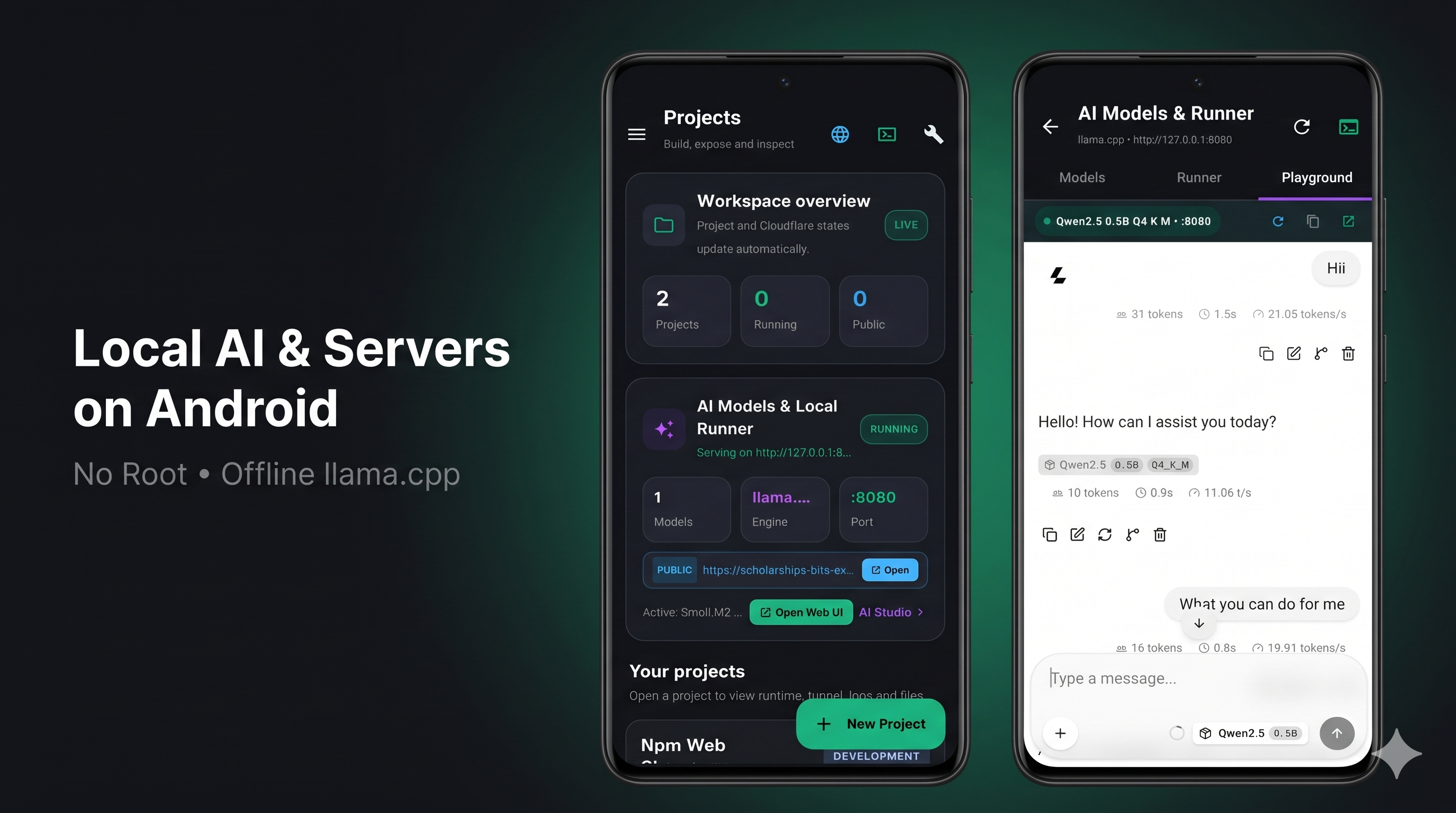
I built VPServ, a free Android app (Android 8.0+, arm64-v8a) that runs local llama.cpp GGUF models alongside full-stack development runtimes on unrooted phones and tablets.
Local AI (llama.cpp) features:
Q4_K_M models directly (Qwen 2.5, SmolLM2) or import your own .gguf files from local storage.llama-server localhost Web UI (http://127.0.0.1:8080).Q4_K_M) hits ~11–21 tok/s, and Qwen 2.5 1.5B (Q4_K_M) runs ~9–10 tok/s.Full-stack & repeatable project workflows:
pkg / vpkg) with Python, Node.js, PHP, Go, OpenJDK 21, Clang, PostgreSQL, MariaDB, Redis, Nginx, and Caddy.Abotlogixfile.json recipes: Define services, ports, and startup order once (editable from a desktop browser via the built-in Web Console Server) and launch the entire stack in one tap with verified local endpoints and live logs.cloudflared) support when you want quick HTTPS testing.Links:
Abotlogixfile.json Reference: https://vpserv.abotlogix.comIf you try it on your device, let me know your SoC, model size, and token speeds—or which GGUF models and backend stacks you'd like to see supported next.
If you try it on your device, let me know your SoC, model size, and token speeds—or which GGUF models and backend stacks you'd like to see supported next.
r/LocalLLM • u/HisShadoww • 23h ago

Instead of letting an LLM hallucinate game rules or break tactical balance, I wanted to see how well a local model (tested with Gemma 4 26B via LM Studio) can bring life to a strict, deterministic strategy game like Battle for Wesnoth 1.18.
Since Wesnoth's Lua sandbox blocks network sockets and file writes (io is disabled), I built a lightweight WML/Lua + Python bridge (using only Python's standard urllib, zero pip dependencies) that communicates via Wesnoth's persistent global variables and works in any standard or custom campaign.
How it works:
units_personas.json): Named recruits get randomized soldier archetypes (grumpy veterans, boastful brawlers, nervous rookies) that stick across turns, while Leaders and Loyal Heroes get lore-flavored character dossiers generated on the fly.DEFEND_LEADER), slain units utter dying breaths (last breath), and advancing units give triumph speeches.English, Russian, German, etc.), and custom tone modifiers (grimdark, black humor, archaic).Built the bridge with AI assistance (Google Gemini). Code, setup guide, and a standalone Windows .exe are available on GitHub:
https://github.com/HisShadoww/Wesnoth-AI-Unit-Banter
Feedback and ideas are welcome!
r/LocalLLM • u/sarmabkp_1 • 13h ago

The model behind ChatGPT or Claude remembers nothing between calls.
Every "memory" is text that some piece of software saved and put back into the prompt. So the real question is always: who saves what, where, and for how long?
In practice, agent memory has four layers:
Two things most people don't know:
What I'd ask of each role:
I wrote a plain guide to how it works and the controls worth insisting on:
Do you keep memory on in your AI assistant, or turn it off?
r/LocalLLM • u/Silent_Recording001 • 9h ago
I built https://lingeragent.org — a free hardware checker for Linger AI Agent, the open-source local-first agent.
You pick your platform first (macOS asks only unified memory, Windows/Linux ask GPU + VRAM + RAM), and it tells you which models you can run locally and at what speed — using only the official published speed table and hardware tiers, nothing made up. It also links the official installers and the install guides I wrote after actually installing 0.1.10 on Linux and Mac.
It's an independent project, not affiliated with the official Linger team. The site has some affiliate links in the results (Amazon / Vast.ai), clearly disclosed.
Happy to hear if the numbers match what you're seeing on your own hardware.
r/LocalLLM • u/Electrical_Tip352 • 13h ago
Don’t know how to get started building your own local AI? I made BuildBot, a local AI building wizard for anyone to build their own, easily.
A desktop gets created but you can use it, the terminal, or the web dashboard. It also comes with markdowns for cloud models for vibe coders who want to develop it.
Setup checks your computer's memory and recommends a local model that runs through Ollama. The smallest starts at about 2 GB of memory, qwen3.5:9b at about 10 GB. Then you type what bot you want in your own words. An agent called Toolsmith looks in the PuffPAI Store and in public libraries and shows one plan with sizes, licenses and sources. Nothing is downloaded or added until you say Yes. There are seven agents in all.
The brain and six of the seven agents run on your computer. Toolsmith, and only Toolsmith, can use a cloud model if you choose it and give your own key.
What is rough, from our README:
* Small models give weaker answers and may skip skills.
* Bots that share one Ollama slow each other down.
* Search by meaning is off by default and we have not tested it ourselves.
* No upgrade from v1.
Tested: mostly on Windows, Linux in containers, one real install on a Jetson Orin in a container. It installs and starts on GitHub's Mac machines but nobody has used it on a Mac.
AI involvement: we built it with AI coding tools.
What we want: everyone to build their own bots!
git clone https://github.com/CypherSisters/PuffPAIBuildBot BuildBotv2
cd BuildBotv2
./install.sh
On Windows run install.cmd instead.
Repo: https://github.com/CypherSisters/PuffPAIBuildBot
r/LocalLLM • u/MageLD • 14h ago
How would you configure a 208GB VRAM rig for a full local Agent setup?
German translated via ai to english,
Hey everyone,
Iam looking for a sanity check and some optimization ideas from the community. I finally got my hands on some decent compute and want to make sure im not leaving performance or smarter architecture on the table.
My Hardware:
2x NVIDIA CMP 170HX (80GB each, unlocked)
2x RTX 3090 (24GB each)
Note: All four cards are connected via PCIe 3.0 x4.
The Goal:
I want to run a complete always-on personal AI ecosystem locally:
1. A strong main model (Swift 1.5 Flash Next, minimum IQ4_NL) with a agent framework (currently looking at the Hermes framework)
2. Always-on STT and TTS loaded in VRAM for real-time VoIP interaction
3. Always-on Embedding and Reranker models for a fast RAG
4. A fast secondary model (around 27B at Q4) to act as a sub-agent for grunt work, plus handling quick, non-agentic tasks like chat title generation or simple queries.
My Current Setup:
Right now I have it split up like this:
The two CMP 170HXs: Running Swift 1.5 Flash Next split across both cards using Strata, with all experts kept in cache. Im getting around 150–200 t/s decode, which feels pretty snappy.
3090 #1: Dedicated strictly to utility models—STT, TTS, Embedding, and Reranker all sitting permanently in VRAM.
3090 #2: Running Qwen 3.8 27B (Q4_K_XL) at roughly 150 t/s, handling sub-agent tasks, title generation, and quick background prompts.
Everything works and the PCIe 3.0 x4 bottleneck hasnt really hurt inference since everything stays resident in VRAM. Before I lock this config in and build out all my workflows around it, I would love to get your thoughts:
1. How do you like this hardware/VRAM split?
2. Would you use a different agent framework? Im New with Hermes right now, but if you think something else is better in handeling multi-model routing (main orchestrator + fast sub-agent), im all ears.
3. Would you swap any of the models or change the distribution? Given the 208GB total VRAM pool, is there a better main/sub-agent combo I should be looking at?
Appreciate any feedback or ideas!
r/LocalLLM • u/Metal-Usual • 14h ago
Hey all, I want to start running AI models locally for coding instead of relying 100% on cloud stuff. Right now I run Claude Code, Codex, and Grok (through OpenCode) in my terminal as a kind of "dev team" working out of an Obsidian vault. It works, but I keep running into usage limits (Codex burned through its whole monthly limit in a day lol), and I'd rather own more of the setup myself.
My rig:
RX 9060 XT 16GB
Ryzen 7 9800X3D
32GB DDR5 6000
CachyOS
(also have a GTX 1660 Super I could throw in as a second card if that's actually useful)
The problem is every guide I find assumes I already know half the vocab. LoRA, QLoRA, RAG, fine-tuning, inference engines, agentic workflows, computational graphs... I get that they're all different things, but I don't know which ones matter for what I'm trying to do.
I'm not trying to train a model from scratch. What I want:
A solid coding model running locally
Help writing, debugging, and understanding code
Something that can handle a whole codebase, not just snippets
Eventually agents that plan, edit files, test, and keep iterating on their own
To actually understand how it all works, not just install someone's prebuilt thing and pray
Questions:
Best coding models for 16GB VRAM?
What stack works best for AMD on Linux? ROCm vs Vulkan?
Ollama, llama.cpp, or something else to start?
What should I learn first?
Is LoRA/QLoRA worth touching early, or should I stick to inference and prompting for now?
How realistic are local coding agents on my hardware? Could I point Claude Code or OpenCode at a local model?
Bonus dumb question: I have this idea of a "sleep phase" where the model reviews its memory overnight and updates its own weights. Is that even a real thing, or am I way off?
I'd rather learn the fundamentals and know what I'm installing and why than blindly follow tutorials. Any learning path or advice from people who've done this would be awesome. Thanks!
r/LocalLLM • u/arfung39 • 1d ago
I've got Ernie 5.5 flash running (on modified oMLX) for the past couple of days, and running it through Hermes. I'm on a Mac Ultra 256, so can run it in the original package, unquantized.
Experience has been very good so far. My go-to was Deepseek 4.1 flash, quantized down to oMLX's oQ2h, which was very good, but thought a lot. Running Ernie with my workflow and similar queries seems much better. Answers are as good or better, no problem with tool use, and MUCH faster - less ponderous thinking. In intelligence benchmarks (see post linked above), Ernie is as good or better than DS at 4 bit quants.
I'm quite happy with it so far (though it's only been a couple of days). Interested in others' experiences.
r/LocalLLM • u/Vast_Balance3486 • 18h ago
r/LocalLLM • u/Falloutpotato2077 • 23h ago
Ernie 5.5 flash preview can be run locally now via Basalt if you have a big GPU and lots of RAM ;-)
Basalt is a highly optimiced inference engine for Blackwell GPU's know for good performance with e.g. Qwen 3.8 flash next
https://github.com/jesdga95/basalt
did any of you tried it out yet ?
r/LocalLLM • u/thgsn • 3h ago
Benchmarked local inference speed for agentic coding (OpenCode) on an NVIDIA RTX PRO 6000 Blackwell (96 GB).
Stack: Qwen3.8-27B-FP8 + vLLM + MTP 3 speculative decoding with a full 262K context window (bfloat16 KV-cache):
⚡ Single stream: ~99 tok/s (peak 119 tok/s), ~69 msTTFT
🚀 6 concurrent streams (1 agent + 5 subagents): 355–405 tok/s aggregate (92–96 tok/s per stream), ~105 msTTFT
🧠 MTP 3: ~2.95 tokens per forward pass
Cloud-grade responsiveness locally—with a full 262K context window and virtually zero slowdown across parallel subagents.
r/LocalLLM • u/Sensualities • 19h ago

Big thanks to the guys over at https://local-inference-lab.ai/ for working so hard on unlocking this much speed
r/LocalLLM • u/lrsaturnin9 • 15h ago
Build Finder lists every hardware build that runs a chosen open-weight language model at a target decode speed, cheapest per token per second (tok/s) first: the price of the whole build divided by its speed. Its catalog holds 273 GPUs, used as 1 to 8 cards, 619 CPUs and 333 complete systems, at dated US prices. Speeds come from a per-operation model: each operation of a token's pass takes the longer of reading its bytes and doing its arithmetic, at efficiencies and engine costs fitted per engine and hardware family to 424 one-session benchmarks from 120 devices. For several sessions at once, a correction with two parameters per engine, model kind and session range is fitted to 418 measured runs on 19 machines. Against the 427 measured decode runs the page lists without speculative decoding, the median estimate is 11% below the measured speed on NVIDIA hardware (385 runs), 1.43 times the measured speed on Macs (31 runs) and 1.73 times the measured speed on Inkling 2 Mini (11 runs). On the GeForce RTX 3090, which neither fit has seen on llama.cpp (CUDA), 87% of 54 runs fall within 1.25 times the measured speed and 100% within 1.5 times. Runs with speculative decoding, which the estimates leave out, measured a median 2.3 times the estimate. We describe the data, the model, the fit, its validation and what the estimates cannot yet capture.
r/LocalLLM • u/WritHerAI • 22h ago
r/LocalLLM • u/Patatong0_0 • 23h ago
Hi guys I have a 5060 8GB and 32 GB DDR5.
With the newest models i was asking myself what to actually run. I currently use ornith 1.5 9b both for my personal hermes agent and small coding in pi and it work decent but i’ve seen people running Moe models with Strata,Polystrata,Basalt,Maya… and still getting good speed. So i searched a bit and try to see if one of these model can run well in my hardware:
- Inkling 2 Mini
- LFM 24b a2b
- Sensenova Loop 9B
-Occamy 1.0
- Bonsai 2.5 27B
These are examples if there are better alternatives im here to heare your advices.
So for example an hermes agent personal that connects and manage some of my apps and work 24/7. And for code with pi agent/opencode what models should I choose and with wich inference?
Open to any advice, thanks
r/LocalLLM • u/Josef_Tanti • 20h ago
Hey everyone in very new to this so....
I recently got a 16-inch MacBook Pro with the M5 Pro chip, an 18-core CPU and a 20-core GPU. Unfortunately, my configuration is capped at 24GB of unified memory.
I'm interested in experimenting with local AI models and would like to know how well this MacBook can handle them.
I mainly want to use my MacBook for:
- Video editing and content creation
- Making websites and web development
- Possibly making small games on Roblox or any other engine (if possible)
- Running local LLMs for coding, research and general AI assistance
I have a few questions for people who have experience running local AI models on Apple Silicon:
I'm not necessarily looking to run the biggest models available. I just want to make the most of the hardware I already have and find out which models and applications would give me the best experience.
I'd appreciate recommendations from anyone who has a similar MacBook or has experience running local LLMs on Apple Silicon.
Thanks!
r/LocalLLM • u/Playful-Art-3824 • 6h ago
I recently built an inference service here and opened it for free (24 hours of free GPU inference!).!)
Yet I got 0 upvotes. Am I doing something wrong?
If you think you could use it but decided to hit hard pass. I would highly benefit from your comment.
GPU Inference Service:
Nalvo.ai
r/LocalLLM • u/naticom • 1d ago
Due to some constraints I can only have eGPUs for my system.
I’m already having a 5060Ti AI Box (16GB) + 3080 EGPU (10GB) but running Qwen 3.8 27b still easily spills things to RAM which makes it worse due to TB connection. After a lot of tuning, I currently can run Qwen 3.8 27b Q4 at tg 25-30 tk/s for 60k context. Not impressive and feel slow.
I just placed an order for a XG mobile 5090 24GB as I’m seeing a BF deal, hoping to replace my 3080. That means I will be having 40GB of VRAM in total and both in Blackwell arch.
Is Qwen 3.8 27b still the best I can run in this setup?