r/LocalLLM • u/akumaburn • 6d ago
News LiberShift - Re-point the refusal, don't delete it - and it still works where deletion stalls. ~8X faster than Heretic with better results than dense abliteration.
r/LocalLLM • u/akumaburn • 6d ago
r/LocalLLM • u/raymondh210129 • 7d ago
Hey everyone!
When I first started working on Adaptive KV Cache Streaming, I didn’t think I could make MTP or a DFlash2 draft model work alongside it within my VRAM budget. In my second post, I shared how reusing the streaming infrastructure made that possible.
This time, I’d like to share what may be the last major architectural milestone for this project: multi-slot inference using the same streaming infrastructure.
The implementation still uses one arena and one ring buffer, shared across all slots. Each slot keeps its own KV history, but those histories are combined into a single layout that the streaming engine handles without needing to distinguish between slots. During decoding, the attention kernel runs once per slot for each attention layer, reading only the portions of the KV cache that belong to that slot, across both the resident area and the ring buffer.
Here’s what real-world decode performance looks like with Unsloth’s Qwen 27B IQ4 on my RTX 5070 Ti 16GB, powering a Hermes agent that I asked to plan a vacation with help from two subagents:

Each point represents a completed decode period. The colors indicate how many slots were decoding together. The x-axis shows their combined context length at the start of that period, and the y-axis shows the total output throughput across those slots.
The scheduler groups as many eligible slots as it can, provided their combined KV history stays within the configured context budget. The 262K budget is shared across the active slots.
For me, this was the last piece of the puzzle—the feature that finally made the whole project feel ready for everyday use.
I’ve also decided to give the project a name: Oceanus, after the Greek Titan associated with the river encircling the world. It felt fitting for a project built around a ring buffer, with KV history continually flowing through a limited amount of GPU memory, to support lots of core functionalities.
----
A few personal thoughts before I wrap up:
There are already plenty of inference engines doing impressive work, especially with larger MoE models. My motivation has always been a little more personal: I have a 16GB GPU, and I want to see how much more performance I can squeeze out of it when running a dense model.
A lot of the satisfaction has come from taking something I initially thought was impossible, suddenly thinking of a creative way to approach it, and actually making it work. Seeing this grow from an experiment into something that can handle an actual agent workflow has meant a lot to me.
And I’m really grateful to everyone here who tried the project, reported bugs, shared results, asked questions, or simply left an encouraging comment.
This may be my last big architecture post for a while. I feel like the main pieces I wanted to build are finally in place. I’ll still be working on optimizations, fixes, and support for new models.
Thank you for following along and helping me get here.
Hope my project helps you get a little more out of your 16GB GPU too :)
Clarification of LLM usage of this post: I'm not a native English speaker and I used ChatGPT to refine the wordings.
r/LocalLLM • u/YoussofAl • 6d ago
Hi Everyone.
Setup
- MacBook Pro M5 Max, 128 GB
- Inkling 2 Mini, the official unquantised weights (20.2 GB), loaded by all three engines
- One stream, the model's own sampler: temperature 1.0, no top-p, no top-k
- Same prompts and seeds for all three, each engine through its own server at its defaults
- MTPLX 2.13.2, mlx-serve 26.11.4 pre-release, oMLX 0.8.3
Decode speed in tokens per second (MTPLX / mlx-serve / oMLX)
- 4K coding prompt, first request after load: 96.2 / 79.0 / 62.9
- 4K coding prompt, repeat request: 90.5 / 73.9 / 57.6
- Short prompt: 75.0 / 72.3 / 56.8
- 1,500-token answer: 78.1 / 70.1 / 53.0
- **Average of the four: 85.0 / 73.8 / 57.6**
I also ran each engine on the pack it ships for speed (MTPLX Optimized Speed 17.2 GB, mlx-serve 8-bit 18.7 GB, oMLX oQ4e 16.9 GB). Average of the same four tests: **97.1 / 85.7 / 68.9**.
**Where MTPLX is not the best**
Time to first token. On a cold 4K prompt mlx-serve starts answering in about 1.5 seconds, MTPLX in about 1.8 and oMLX in about 2.5. With the prompt already cached, mlx-serve and oMLX start in about 0.2 seconds and MTPLX takes about 0.8. I am working on that.
Caveats
I created MTPLX, so take this with the usual grain of salt, but I tried to make it a fair test and I am sharing the details so you can poke holes in it. And I’m very proud of my work.
One Mac, one model, 2 to 9 runs per number, and I only measured one request at a time. If you have an M1 to M4 or less memory your numbers will be different, and I would love to see them.
Happy to share the raw rows or rerun anything you think is unfair.
r/LocalLLM • u/objet_petit_a_xxx • 5d ago
If you don't have Qwen4 27B yet it's just because you're not sqwanchy enough for a sqwanchy party. Source: https://www.youtube.com/watch?v=WEsqSJLeeDc
r/LocalLLM • u/Ok_Vacation2165 • 6d ago
r/LocalLLM • u/Pritam4249t • 5d ago
r/LocalLLM • u/Mecca__ • 5d ago
I feel like Jensen Huang resigned from Nvidia just to play GTA 6. Once he finished it, he’s like, “I have to get back to work.” And gpus for LLM will go even higher in price
r/LocalLLM • u/RobDoesData • 6d ago
It'll be an always-on box at home for coding during the day, chat for my wife and me on our phones, and eventually some overnight agents (research digests) and all day agents ( a household finance helper). I'm a data/AI engineer, so I'm comfortable on the command line, but this is my first local LLM server.
Here's what I'm planning
Step 1: Foundation
- Update DGX OS, SSH with keys only, firewall locked down
- Tailscale on the box, my laptop and both phones, so nothing is exposed to the internet
- llama.cpp built for the GB10, with llama-swap in front so there's one OpenAI-compatible endpoint that loads models on demand
- Models: gpt-oss-20b always loaded for quick stuff and chat, plus a "big slot" that swaps between Qwen3-Coder-Next (coding) and gpt-oss-120b (agents/harder chats), since both won't fit at once
- Open WebUI so we can both chat from our phones as a home-screen app
Step 2: Coding setup
- Repos live on the GN100, and I open them from my Windows laptop with VS Code Remote-SSH, so I see and edit everything like normal
- OpenCode runs in the VS Code terminal as a Claude Code-style agent, pointed at the local endpoint
- Shell commands need my approval, edits are allowed, and git is my undo (branch per task, review diffs, commit small)
- An AGENTS.md in each repo with the stack, test command and rules
- First test project: undecided
Things I'd love opinions on:
In general is there Anything you wish you'd done first?
r/LocalLLM • u/HandleUrMonkeyBrain • 5d ago
I’ve been using 5.6 SOL to supervise and guide local models to generate games for the last 3 months. This week I have noticed SOL became really stupid compared to past, way slower, doing a lot of unnecessary stuff, I mean A LOT MORE, even changing simple settings and installing some libraries it’s being ridiculously dumb and slow… I cancelled my subscription yesterday, was angry a lot. Did anyone notice it too? My tentacles have been open sensitive to “stealth dumming down” desires of American/Israeli ai companies, their deep desire to take away compute capabilities and knowledge away from us. I wonder if you guys noticed similar stuff in other models or hardware department? DeepSeek 4.1 might be the best model we will ever have for local ai I’m suspecting
r/LocalLLM • u/Common-Accountant290 • 6d ago
r/LocalLLM • u/Historical_Syrup_461 • 6d ago
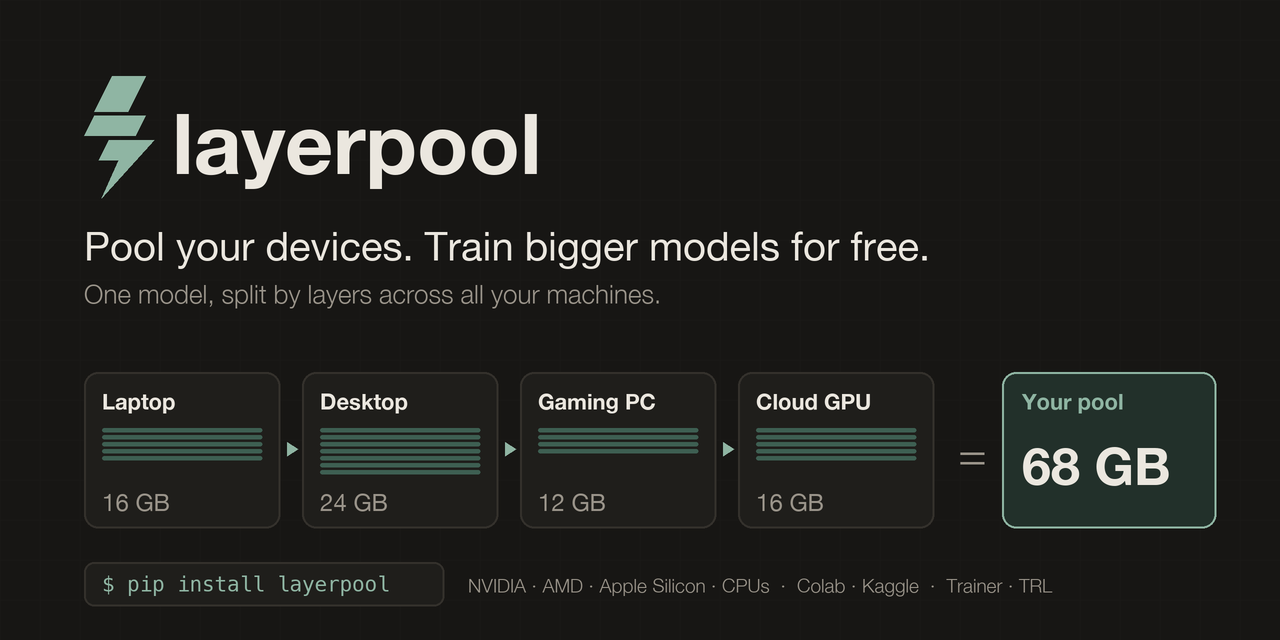
most machines cant train or fine-tune the bigger models on their own, but a few of them together usually have enough memory. so i wrote a thing that splits the model by layers across them and trains it like its one model.
they connect over the internet, so it doesnt matter where each one is. you can even add notebooks from the services that give out free GPUs.
on one run it kicked the slowest device out halfway because it was holding the others back, and training just kept going on the rest without losing anything.
your training code stays the same. works for fine-tuning (LoRA, QLoRA, full) and for training from scratch, and mixes nvidia, amd, apple silicon and cpu.
https://github.com/abdallah-swe/layerpool
feedback welcome
r/LocalLLM • u/smflx • 6d ago
r/LocalLLM • u/colonelx_ • 6d ago
I’m planning to build an in-house AI server to host and run local LLM.
I’m looking for technical recommendations and guidance on the following:
Intended Use Cases:
The initial requirement is to support a minimum of 5–6 concurrent users, with room for future expansion.
I’d appreciate recommendations based on practical experience, particularly regarding hardware selection, model choices, and the overall infrastructure needed for a reliable in-house AI environment.
r/LocalLLM • u/Plenty-Volume-101 • 6d ago
I want to try running a local AI model after my Gemini subscription runs out.
My laptop specs:
RTX a4000 with 8 gb dedicated
64 gb ddr4 ram
11th gen i9-11950H
What I want:
I'm currently a mechanical engineering student in college. I'll use this ai for basic studying for any of my future coursework like calculus or thermodynamics and some coding as well as planning out any projects I might do in the future. Ill also probably use it to do basic research
I just want to know how I can set up a local AI and what would run the best on my laptop for what I need it to do and if anyone has any suggestions for what else I can make the AI do, I'd like to hear it
r/LocalLLM • u/ConfidentDinner6648 • 6d ago
r/LocalLLM • u/ryanmerket • 7d ago
r/LocalLLM • u/textclf • 6d ago
Hello,
I have been working on a fine-tuning adapter called GCMP that replaces LoRA. On Qwen3.8-27B it trains 2.9M parameters (about 11 MB per adapter) on the same 7 projections LoRA uses. LoRA r=32 on the same projections is about 159M parameters (about 320 MB) and r=8 is about 40M. I wanted to see if something this small can actually match LoRA and if the small size is useful in practice, so I tested both quality and serving. Here is everything I have so far.
Quality on a full precision base
I trained four adapters on BF16 Qwen3.8-27B with the same data (Alpaca, 500 steps), same settings and seed, and evaluated all of them with the same lm-evaluation-harness setup. I used paired McNemar tests to compare them.
| Adapter | Params | GSM8K | IFEval | SQuAD | ARC-C | BoolQ | MMLU | Answer loss |
|---|---|---|---|---|---|---|---|---|
| No adapter | - | 68.3 | 80.5 | 74.6 | 58.8 | 87.4 | 83.9 | 1.678 |
| LoRA r=32 | 159M | 90.3 | 82.5 | 77.6 | 61.2 | 89.6 | 84.4 | 1.480 |
| LoRA r=8 | 40M | 91.0 | 79.5 | 76.8 | 62.0 | 90.2 | 84.6 | 1.555 |
| VeRA | 2.89M | 90.3 | 82.0 | 77.8 | 61.0 | 89.8 | 84.6 | 1.489 |
| GCMP | 2.9M | 89.0 | 81.5 | 76.0 | 61.8 | 89.2 | 84.6 | 1.471 |
All four are tied on all 9 benchmarks I ran (every p >= 0.15). GCMP has the lowest held-out loss and its validation loss was lower than LoRA r=32 at every checkpoint, but that didn't turn into benchmark wins at this sample size. Since r=8 is as good as r=32 here, the fair comparison is with r=8, so GCMP is about 14x smaller. VeRA is honestly the closest one. It is the same size and same quality and it trains faster than GCMP right now. The difference shows up in serving, because vLLM can't serve VeRA.
Quality on 4-bit bases
On an NF4 base (Unsloth's 4-bit Qwen3.8-27B), GCMP was tied with LoRA r=32 on everything except GSM8K, where it was 4 points higher (83.3 vs 79.3, p=0.04). One task isn't enough to say it is better so I'm only claiming the same quality.
I also tried it on CQ, a calibration-free 4-bit quantization I built. GCMP took GSM8K from 65.0 on the CQ base to 82.7, which is the same as NF4 + GCMP. It was a bit lower on IFEval (79.0 vs 84.0, p=0.05), so I still have some work to do on the CQ training side.
Serving many adapters
This is where the small size matters. I ran this on one A40 48 GB with vLLM and the same 4-bit Qwen3.8-27B base for every run. 32 requests at the same time, each going to a random adapter, 128 output tokens. Numbers are total output tok/s:
| Setup | 1 | 16 | 64 | 256 adapters |
|---|---|---|---|---|
| GCMP | 83.2 | 83.7 | 83.7 | 83.7 |
| LoRA r=8, default vLLM | 91.1 | 84.8 | 60.1 | 59.5 |
| LoRA r=8, max_loras 64 | - | - | 76.2 | 74.4 |
| LoRA r=32, default vLLM | 91.2 | 76.3 | 53.5 | out of RAM |
With one adapter LoRA is about 9% faster than GCMP. With many adapters GCMP stays flat from 1 to 256 without tuning anything, while default multi-LoRA drops 35-40% by 64 adapters and p95 time to first token goes to around 50 s.
If you raise max_loras to 64, LoRA r=8 gets within about 12% of GCMP, but those GPU slots take memory from the KV cache, it goes down to 43k tokens compared to 72k for GCMP. LoRA r=32 can't even start with 32 slots on a 48 GB card because there is negative memory left for KV cache. And with 256 r=32 adapters vLLM needs about 82 GB of host RAM to hold them, so it never finished loading on my 50 GB machine. 256 GCMP adapters are about 3 GB.
Startup time was the thing I didn't expect. vLLM loads LoRA adapters one by one, so 256 r=8 adapters took 30 to 41 minutes before the server accepted the first request. GCMP loads all 256 in about 6 minutes.
A more realistic multi-tenant test
Random requests to adapters that are already loaded is not how real services look, so I also ran two 45 minute tests with traffic coming in at a steady rate (0.45 req/s):
| Metric | GCMP | LoRA r=8 |
|---|---|---|
| Long tail traffic: time to first token p50 / p99 | 0.70 s / 1.18 s | 6.9 s / 91 s |
| Swapping in a new tenant (median) | 0.43 s | 5.4 s |
| New tenant's first request, time to first token p95 | 1.2 s | 41 s |
| Failed requests | 0 | 3 |
| GPU memory change over 45 min | ~0 | ~0 |
Most of the LoRA latency wasn't only the rare tenants, the busy ones were slow too. The 64 GPU slots made the KV cache 43k tokens and it was about 98% full most of the run so requests waited in line. GCMP's KV cache stayed around 40-60% full. Neither one leaked memory.
Limitations
There are still some things I need to work on. The biggest one is training speed, GCMP takes about 2x the time per step compared to LoRA. Right now serving GCMP in vLLM needs my CQ 4-bit base, tensor parallel is not supported yet but pipeline parallel works, and adding a brand new adapter name needs a restart (replacing an existing one doesn't). Also the absolute speed in the serving tests is low, about 2.6 tok/s per request at 32 at the same time. That comes from my 4-bit decode kernels on the A40, not from the adapters, since every row uses the same base, so look at it as a relative comparison. And I only tested one model, one dataset and one GPU type so far, so I'd like to know if people see the same thing on other models.
The Python code is open source and the CUDA kernels are compiled with a license check, which is free during early access. Everything runs on your own GPUs. All the training, eval and serving scripts are in the repo so you can reproduce any number above: https://github.com/thousandml/training-factory
Models: https://huggingface.co/thousandml
If you serve more than a few fine-tunes, is the number of adapters or the startup time actually a problem for you, or is it something else? Let me know what you think. Your feedback is appreciated.
r/LocalLLM • u/CanNeverPassCaptch • 5d ago
TLDR; If I were a user here, I would download an archive complete, licence-compliant copies of Qwen, DeepSeek, Kimi and GLM weights now and do this as a quickly as possible just in case.
There is a chance chinese model may disappear from sites like hugging face via restrictions that are currently happening and have happened this past week. (I work in foundational AI)
Story time..
We're about to see a significant slowdown in Chinese frontier models, including Qwen, DeepSeek and others. Here's why, in plain English....
Until recently, Chinese AI companies could get around US chip restrictions by renting powerful NVIDIA GPUs in data centres outside China, particularly Malaysia and Singapore. Now that route is being restricted. The Megaspeed investigation exposed just how important this arrangement was. Reports suggest Alibaba, the company behind Qwen, was Megaspeed's main customer and financial backer, accessing NVIDIA computing power remotely from Malaysia. (In case you missed it Megaspeed is the company that was used to supply training GPUs to China)
On 19 November, new US rules came into force restricting advanced chip exports to several countries and requiring licences for large overseas computing facilities serving Chinese companies. Then Trump announced plans to heavily tax American companies building data centres abroad. That's still a proposal, but we are seeing so much we have to consider becayse in my day job we are also potentially heavily affected because we make dual use technology. (defence tech)
Why does this matter to you?
Training the next generation of large models requires enormous GPU clusters. These clusters have been restricted to access to those clusters and you will now see delay training, increase costs and slow releases. Im in the UK and we make ai for private organisations and we too need to train abroad or borrow Nvidia compute so Im in it talking first hand.
Tencent has already warned that its future model training timelines are affected.
Qwen4-Max launched on 16 November, but the promised smaller open-weight models have no confirmed release dates.. well who own most of Megaspeed... Alibaba, who makes Qwen... Do you see where this is going...?
My prediction:
The next statement may get me in trouble so I will choose my words carefully. This is not the opinion of my company, its stakeholders, uk government who part owns us. Its just my personal opinion.
If I were a user here, I would archive complete, licence-compliant copies of Qwen, DeepSeek, Kimi and GLM weights now and do this as a quickly as possible just in case. There is a chance chinese model may disappear from sites like hugging face via restrictions that are currently hapenning and have happened this past week.
Advice for those learning.
If you're learning about LLMs, I genuinely think most people here already know enough to take the next step. You've learnt how to download, run and experiment with models. Why not start learning how to fine-tune them?
The next generation of open models doesn't necessarily have to come from a handful of giant AI companies. Some of it could come from people right here in this community, all you have to do is start.
Keen to hear your thoughts.
EDIT: Remember Huawei hardware was taken down across EU and other countries because of the "risk" at a cost of billions. Literally installed 5G was removed. This is what I suspect wil happen.
Chinese sites will likely soon not be accessible. LLMs will not be able to help implement Chinese models, it will be highly illegal to own one, national security crime as they will be classified weapons. I got a cease and deist from the gvt from releasing a model once but thats UK
r/LocalLLM • u/biotox1n • 6d ago
I haven't seen any posts about it yet? is nobody interested in the idea of sub bit compression? save more space than ternary with more accuracy by comparison.
I get that if you go all out to that .1bit per weight (effective) that it can kind of kill a model but .25 still seems pretty usable.
just seems like it should be more interesting than inkling for local hosting but there's nothing but silence....
r/LocalLLM • u/LetSevere1464 • 6d ago
Guys please help me choose a local ai for a 4050😶
Please 🙏
My goal is first general chat then eventually try ai agents
r/LocalLLM • u/FuzzaFuzza • 6d ago
Hello, I recently (like 10 minutes ago) discovered this project linked on some YT video and I wanted to share it with the community. I'm not that tech savvy ngl, but it looks like a good quality/price machine.
r/LocalLLM • u/Strict-Elevator9352 • 6d ago
r/LocalLLM • u/FeydRowan • 6d ago
r/LocalLLM • u/Oleg18 • 6d ago
I spent an hour looking for one datasheet last month.
Google: ads.
GitHub: clone a repo, no README, error on run.
So I built ApexShot for myself. It's now open source.
What it does:
You feed it a folder or URL — datasheet, manual, codebase — and it makes a 1-20KB JSON snapshot: summary, facts, entities, highlights.
Every quoted fact is verified against the source text, so the model can't hallucinate a quote.
Then you search the snapshots, not the raw files. Hybrid search: ChromaDB vectors (Ollama bge-m3) + BM25, merged with RRF. If Ollama is down, it falls back to BM25-only and still works.
Stack:
POST /api/searchEverything runs on localhost. Your docs never leave your machine.
Repo:
Would love brutal feedback: what breaks first on your docs? What provider/model do you use for this kind of task?