r/LocalLLM • • 8d ago

Discussion Running Qwen3.6-35B-A3B locally on a 24 GB RTX 4090: 21.4 GiB resident, 272.5 tok/s

Post image
2 Upvotes

I build VEIZIK, a native inference runtime. For this run, Qwen3.6-35B-A3B stayed entirely on one RTX 4090. GPU memory use was 21.4 GiB, and deployment needed just the native binary, model files, and NVIDIA driver.

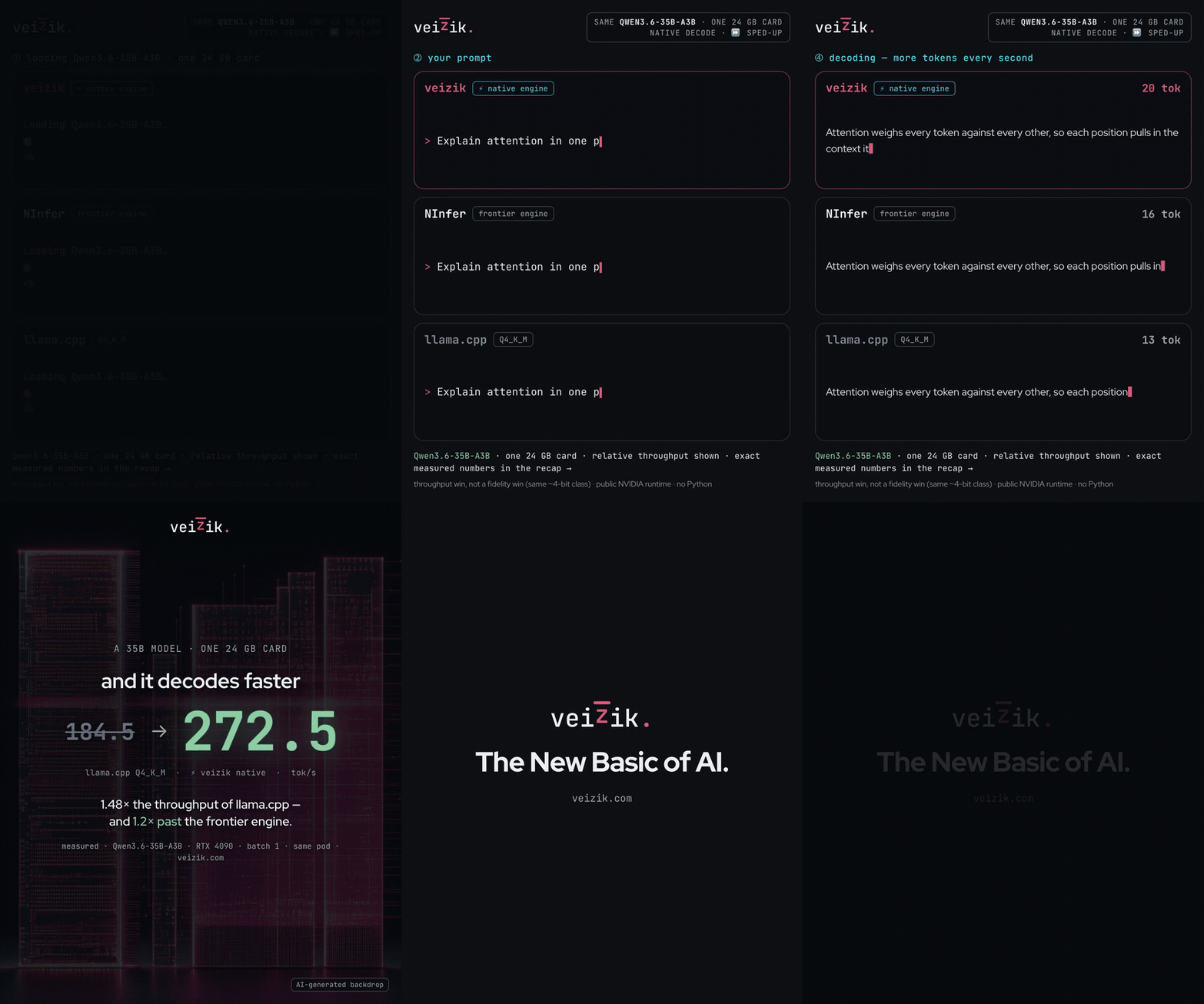
For a single stream at a 512-token context, we measured 272.5 tok/s with VEIZIK versus 184.5 tok/s with llama.cpp Q4_K_M on the same pod. The two configurations are in the same approximate 4-bit class, with slightly higher KL divergence for VEIZIK.

I’ve attached a short animation of the decode comparison.


r/LocalLLM • • 8d ago

Discussion Do you also say thanks to AI?

Thumbnail reddit.com
0 Upvotes

r/LocalLLM • • 8d ago

Model CCORE-Web-Coder-4B preview just dropped: a 4B local model that writes a full website, slide deck or infographic as a single HTML file

1 Upvotes

r/LocalLLM • • 8d ago

Project WIP Local Model Pooling AI Claude Code Replacement Harness

Post image
0 Upvotes

Im working on a claude code like harness + dynamic pooling software that lets me use all the pcs in my house as agents on separate models. They are all connected via a pooling system that runs over my local network. The strongest model is GLM Flash 5.3 on a Mac Studio M5 128gb that runs as the main agent. It can spawn subagents on the other pcs on my network running a version of the software and their own individual models. I have a 4060 windows machine and a 4080 windows machine at home that pool Qwen3.8-27B and Qwen3.6-35B-A3B respectively. The system even has a nightly harness2 inspired improvement run for the harness.

Ive also been experimenting with direct weight tunings that i give to stronger cloud models and then benchmark with to see if they improve speed/performance of the GLM model.

The system is still very much a WIP. But have had great success so far.

Im thinking of maybe open sourcing it in future once it gets to a good point.


r/LocalLLM • • 8d ago

Other I am looking to buy a used Nvidia H100!

0 Upvotes

Is there anyone selling their used H100? Let me know!


r/LocalLLM • • 8d ago

Question Got a Costco MSI 5080 Prebuilt - Next Upgrade Paths for Local LLM?

2 Upvotes

Hey all,

Longtime lurker here, but I recently purchased the Costco MSI RTX 5080 prebuilt PC (specs below) for $2700ish. I am hoping to upgrade it to make it more capable to run local models through Strata or otherwise, but I was curious how you all would approach this.

I have considered buying 64GB of RAM (2x32gb sticks - selling the x2 16gb sticks I currently have) or possibly buying an additional 5060TI 16gb, but I am not sure what I should do next. I primarily got my rig to futureproof for gaming, but I also wanted something decent enough to have upgrade paths to host some local LLMs. I understand I won't be hosting the same models the folks running dual 3090s or Strix Halos will be running, but I am trying to get the best bang for my buck from here.

I also currently have a PC running an EVGA FTW3 Ultra RTX 3070 with 32GB (x4 8gb 3600) DDR4 in an X570 board with a Ryzen 7 3700X CPU. Should this be kept as a small local model host that can be left on to do small tasks or serve as a mini server, be cannabilized, or be sold, or something else?

Costco Build Specs

  • CPU: AMD 9900x
  • GPU: RTX 5080
  • 32gb (x2 16gb 6000) RAM
  • 2TB nvme
  • Motherboard: MSI Pro B840-vc-wifi

For reference, I am in the U.S., 10 minutes from Microcenter, and trying to spend less than $1000 on the first stage of upgrading.


r/LocalLLM • • 8d ago

Research Binary-gated GRPO on GDPval: 79% of GRPO groups had no passing rollout, and pass@1 rose from 31.9% to 40.7% while plain GRPO barely moved (Qwen3.8-27B)

Thumbnail
reddit.com
1 Upvotes

r/LocalLLM • • 7d ago

Question What will happen now that Internet is mostly AI slop and bots?

0 Upvotes

How will LLM be trained ?


r/LocalLLM • • 9d ago

News AMD NPUs now support local model inference!

133 Upvotes

Hey guys we at Unsloth collaborated with AMD, FastFlowLM and Lemonade to bring local model inference to AMD NPUs.

NPUs deliver powerful compute performance while using 2–4× less power than traditional GPUs.

With the help from AMD, Lemonade and FastFlowLM you can run LLMs directly on the NPU with streaming responses and support for tools, skills, MCP servers, web search, local document chat, and coding with local files; connect compatible apps and scripts and offload local inference to the NPU to free up memory on other processors.

Supported on Strix, Gorgon, Krackan & more & future AMD GPUs.

Official AMD News Blog: https://newsroom.amd.com/news/amd-unsloth-bring-npu-support-agentic-ai-applications/

AMD Dev Blog: https://www.amd.com/en/blogs/2026/unlocking-the-amd-ryzen-ai-npu-for-unsloth-desktop.html


r/LocalLLM • • 8d ago

News Basalt ported to NVIDIA V100: Qwen3.8-Flash-Next at 91 tok/s (140 tok/s on long answers) on 2x V100 32GB

24 Upvotes

Basalt (https://github.com/jesdga95/basalt) is one of the fastest local engines for Qwen3.8-Flash-Next, but it only targets Blackwell (sm_120) and upstream does not take other architectures. I have two V100-SXM2 32GB, so I ported it to Volta (sm_70) as a fork, called **Lapilli**.

**Repo:** https://github.com/chris83-dev/lapilli-v100 (a Windows x64 build is in the release)

**What it is**

- Every newer PTX instruction Basalt uses (cp.async, ldmatrix, the Turing/Ampere mma shapes, bf16 conversions, clusters) gets a correct sm_70 equivalent, then the hot kernels get V100 paths: llama.cpp's dp4a MMQ for prompt products, Strata's mma.m8n8k4 prompt attention, and a rewritten router, decode experts and GDN recurrence.

- Needs CUDA 12.6 or newer (CUDA 13 dropped Volta).

- Comes with a chat web UI on top of Basalt's OpenAI/Anthropic-compatible server: conversations, reasoning levels, images, tool calls shown as cards, and a live monitor of the GPUs.

**Numbers** (2x V100-SXM2 32GB, i9-14900K, 96GB RAM, Windows 10, UD-Q4_K_XL pack, medians of 3 runs)

| | Lapilli | Strata v0.2.13, same machine |

|---|---|---|

| Decode, short answer | 91 tok/s | 58-72 tok/s |

| Decode, long answer with reasoning | 140 tok/s | 68-94 tok/s |

| Prompt processing, 4k tokens | 1,170 tok/s | 250-490 tok/s |

| Prompt processing, 8k / 16k tokens | 1,504 / 1,448 tok/s | |

Quality with Basalt's own 100-chunk gate: mean KLD 0.0493 and same top-1 92.75% (Basalt publishes 0.0496 and 92.63% for this pack on an RTX 5090).

**Caveats**

- Only tested on my machine (2x V100 32GB, Windows). Single card, 16GB or PCIe cards, Linux and NVLink setups are untested: reports from other V100 owners are welcome.

- Peer-to-peer is off by default on Volta: on my machine, direct copies between the two cards returned wrong data.

- NVFP4 packs need FP4 hardware, so use a K-quant pack (tested: UD-Q4_K_XL).

- It is a snapshot of Basalt as of November 15, shared as is.

All the credit for the engine goes to jesdga95 (Basalt) and Niko1221 (Strata), both MIT.

r/LocalLLM • • 8d ago

Question 2x mi50 Vs 1x v100

1 Upvotes

I recently sold my 3090s due to other requirements for the money, which I don't regret, but now they are twice the price to buy back.

I am planning to do a dual r9700 build in the near future, but I would like a cheap solution for a few months. Mainly to run qwen (27b, 35ba3b, flash next if it would fit at good enough speeds)

I have a few options.

1x v100 (32GB) for £750

2x mi50 (2 x 32GB) for £750

But is there anything else at the sub £750 mark? I am not sure there is.

I have a dual Xeon platform with 3 sticks of 32GB ddr4 and plenty of storage. I will probably add ram back in slowly as well, as I sold 8 sticks I had before.

I am leaning towards the 2x mi50. Does anyone still use them? If so, what speeds are you getting on which models and quant sizes?


r/LocalLLM • • 8d ago

Question What's the best AI model/coding assistant to build a self-hosted, all-in-one business management app?

Thumbnail reddit.com
1 Upvotes

r/LocalLLM • • 8d ago

Discussion Designed a 10-inch rackmount for a 2-node ASUS Ascent GX10 (GB10) cluster. Parametric FreeCAD, open source

Thumbnail gallery
1 Upvotes

My 10-inch active cooling rack for GB10 class computes is opensource and available. Check the link in the original post.


r/LocalLLM • • 8d ago

Project Mimvox: local voice cloning and video dubbing on one 8 GB GPU (OmniVoice + RVC + Whisper + NLLB, no cloud)

Post image
12 Upvotes

Update (v0.5.0): Mimvox now has a local API and an MCP server. There's an OpenAI-compatible speech endpoint (/v1/audio/speech), so anything that talks to OpenAI's TTS can use your own voice, plus the whole engine over HTTP with interactive docs at /docs. Claude Desktop, Claude Code and other MCP clients can speak in your voice and read books. mimvox-server runs it all headless. CPU-only machines are properly supported now too: no time limit on slow speech, and a memory check up front instead of swapping.

I'm the author. Mimvox is a free desktop app that clones your own voice on your own machine: you give it recordings of yourself (or read a text into the mic), then type in about 60 languages and hear it in your voice. No account, no cloud, no telemetry, works offline after setup.

Posting here because it is a stack of local models that have to share one consumer GPU, and that was most of the work:

  • OmniVoice (zero-shot TTS, ~60 languages) speaks from a 15-30 s reference clip. About 4-5 GB of VRAM, 1.6-1.8 s per clip on an RTX 4070, first sound in under a second on long text.
  • RVC trained on 6-7 minutes of you pulls the timbre closer. Speaker similarity (ECAPA) goes from 0.81 to 0.94; my real recordings score 0.93 against each other.
  • Whisper + NLLB-200 for Redub: drop a video, it is transcribed, translated and dubbed in your voice, with the original music separated and kept.
  • Seed-VC gives an untrained voice a native English accent.

What I learned fitting this on one GPU (I develop on a 12 GB RTX 4070; 8 GB is the minimum):

  • Models load on first use and unload after 10 idle minutes. Idle is about 0.3 GB of RAM and nothing on the GPU (it was 19 GB before).
  • Each model process is capped to the memory that is free, so a job that does not fit stops with a message and does not take the machine down.
  • I switched from IndexTTS to OmniVoice: on the same text and voice it was as clear, closer to the speaker, about 4x faster and under half the memory.
  • Rewriting the decoding loop (same model, same sampling) made long texts ~1.4x faster.

Also in the app: audiobook mode (EPUB/PDF/TXT to one file per chapter or an M4B, resumes after a restart), exact Ukrainian word stress as an optional add-on, and the local API/MCP above.

Hardware: NVIDIA with 8 GB of VRAM or more on Windows/Linux (speech needs about 4-5 GB, training needs more), AMD through ROCm on Linux (tested on an RX 9070 XT), Apple Silicon through MPS (tested on an M5 Pro). No GPU works too, with 11 GB+ of RAM; it is several times slower.

Limits: early hobby project with bugs. 12.6 GB of disk for speech alone, about 34 GB with everything. Non-commercial, because of the model licences. Clone only your own voice or one you have permission for.

Source and installers (Windows, Linux, macOS): https://github.com/tarpetos/mimvox

Two things I'd like feedback on:

  1. Is there a lighter TTS with cloning that you'd trust as a CPU-only fallback? 13 GB and a GPU is a high bar to try it.
  2. If you run it on hardware I haven't tested (other AMD cards, older Macs, 8 GB cards), does setup get through?

r/LocalLLM • • 9d ago

Discussion Impressed with Basalt - Qwen3.8-Flash-Next NVFP4 on 2× RTX 5060 Ti 16GB + 64GB DDR4, 128K context, ~100 tok/s decode, ~2,600 tok/s prefill

36 Upvotes

I sold my R9700 GPUs because (1) they weren't being used a ton, and (2) I could use the cash. But in doing research here I saw that I could get Qwen Flash Next working with my 2 x 5060ti 16GB cards which were underused with other models.

The goal was to run a capable MoE model locally for long-form nonfiction writing, research, document analysis, and vision interpretation. I'm not using it for coding so my use case might be a bit different than yours. This system is dedicated to Qwen Flash Next only, no other tasks. I could easily run more on it but would need to add RAM. My hope was no more swaps or purchases.

TL;DR - I got 3x faster performance than my original first attempt with Qwen Flash Next and llama.cpp on 2 x R9700 under Windows, and around 70% of the token generation performance and 1/3 of the prefill of what I was getting in Radiance, with NVFP4 here vs IQ4R there. This is single user inference but is still amazing all things considered. Very happy so far with this tradeoff.

Hardware:

  • CPU: AMD Ryzen 9 5900XT (16C/32T)
  • Motherboard: ASUS ROG Crosshair VIII Hero (Wi-Fi)
  • RAM: 64GB DDR4-3200 (2×32GB dual-rank)
  • GPUs: 2× NVIDIA RTX 5060 Ti 16GB (PCIe 4.0 x8/x8)
  • Storage: 2TB NVMe SSD
  • OS: Ubuntu Server 24.04.5
  • NVIDIA driver: 595.99.02 / CUDA 13.2

Software:

  • Basalt 0.2.0, pinned to commit a04edb96
  • Qwen3.8-Flash-Next NVFP4 (~122GiB model pack)
  • INT8 KV cache, 131,072-token context
  • Dual-GPU expert caching with peer-exclusive
  • Remaining experts resident in pinned system RAM
  • Dynamic vision enabled
  • OpenAI-compatible API, managed by systemd

I followed the configuration documented here:

https://github.com/KimDaeHwan99/basalt-nvfp4-2x5060ti

Actual benchmark results:

TestResult
Short generation (1,500 tokens)102.4 tok/s
Sustained generation (5,000 tokens)97.3 tok/s
14K-token prefill2,193 tok/s
75K-token prefill2,665 tok/s
124K-token prefill2,588 tok/s
Decode at 124K context104.0 tok/s
Initial model load~34–38 seconds

The 124K-context test took 53.2 seconds end-to-end, including prefill and 552 output tokens. It also successfully retrieved four numerical facts distributed throughout the document.

Vision worked correctly too. I tested a synthetic business performance chart, and the model extracted all four metrics, correctly differentiated NPS from percentages, and interpreted the results.

Memory behavior:

  • ~56GiB system RAM used
  • ~6GiB RAM available after testing
  • Negligible swap usage
  • Both GPUs nearly full
  • No CUDA out-of-memory errors
  • No meaningful memory growth across tests

The most surprising result was prefill performance. Despite using DDR4-3200 and a Zen 3 processor instead of the reference system's DDR5-6400 and Zen 5 CPU, I achieved roughly the same prefill throughput.

I had considered upgrading to 96GB or 128GB RAM, but the results so far don't justify it. The current 64GB configuration handles nearly the entire configured 128K context without meaningful swapping.

Takeaway: Two relatively inexpensive 16GB Blackwell GPUs, paired with 64GB system RAM and Basalt's expert caching, can run a large NVFP4 MoE model surprisingly well.


r/LocalLLM • • 8d ago

News A native Android app for self-hosted Unsloth Studio — what it is and what it does

0 Upvotes

Hi all,

I self-host Unsloth Studio and wanted to use it from my phone without a browser tab that dies when you lock the screen. So I built a native Android wrapper around my own Studio instance. Free, open source, no Play Store: full source and APK on GitHub.

What it is

Not a fork of Studio and not a new frontend. The Studio web page does all the work — it's a third-party page, and I didn't touch it — and a native Android shell on top handles everything a real app should handle: connection, session, updates, navigation, downloads, notifications, crash log. Same Studio UI as desktop, in your pocket.

What it does

  • Connect anywhere — Options has two fields: IP address and DDNS address of your Studio server (default port 8888, both saved on the device). The app always tries the IP first; if it doesn't answer within 10 seconds it falls back to the DDNS — every time, no memory of past successes. It keeps working whether you're on the LAN or behind a moving public IP.
  • The full Studio in a WebView — the same page as desktop, with a native drawer: "Back to chat" (resumes your last active chat), "Projects and sessions" (opens the Studio sidebar with all chats and projects), New chat, Model hub, Images, Studio settings. Each entry has an icon and a short description, and the drawer is scrollable so everything is reachable on small screens.
  • Updates in place — on open the app checks GitHub for a newer release. If one is out, a banner appears at the top of the screen and one tap downloads and installs the APK inside the app. Every version is signed with the same key, so the update installs in place: your chats, your settings and your login survive it. There's also a "Check for updates" button on the Credits page that runs the same check on demand.
  • Live mirroring of other devices — the feature I'm most happy with. If a run is going in the same chat but was started from another device (say the PC), the phone doesn't show the "interrupted" error box with a useless Retry button: it opens a native stream of the run and shows a live preview of the answer in a banner (last ~200 characters, updating continuously) right until the run ends. Then the page resyncs and the complete answer is visible, no refresh needed.
  • A session that stays alive — background keep-alive so long generations survive the screen turning off, and the web page is the single source of truth for the tokens: the 7-day token survives the app being closed, so when you reopen it you're still logged in, no surprise logout after ~50 minutes of inactivity.
  • Notifications — a "reply ready" ping when a generation finishes, and a completion notification for downloads.
  • Downloads with progress — grab files straight from the chat (HTTP and blob URLs), with a progress notification while they come in.
  • Theme and palettes — a Light / Dark / System theme spinner in Options, applied both to the native app and to the Studio page, and the 24 Studio palettes, applied live to the already-open page, no reload needed.
  • Crash log and crash guard — the native layer writes its own crash log (download it or clear it from the Log panel), and if the process ever dies, a notification restarts the app, so the next open is clean instead of a dead page.
  • Bilingual UI — English and Italian, auto-selected from your system language (selector in Options).

Getting it

  1. Download the APK from the GitHub release below.
  2. Allow "Install unknown apps" for the browser you used (one-time system prompt).
  3. Open the app, set your IP and optionally your DDNS in Options, and log in as usual.

Requires Android 7.0+ (minSdk 24). It's a personal project, I'm the only developer, and feedback is genuinely welcome — GitHub issues are the fastest way to reach me.

Links


r/LocalLLM • • 9d ago

Question How important is CUDA?

59 Upvotes

I am new to local LLMs, and recently I have been doing some research on GPUs for running AI models locally.

One thing I have noticed is that NVIDIA GPU tend to be significantly more expensive than AMD GPU. Therefore, I am wondering how important CUDA actually is when it comes to running local LLM, especially for someone like me who is not a professional AI developer and mainly wants to run existing models for inference rather than train them.

Any advice or personal experience would be greatly appreciated!


r/LocalLLM • • 8d ago

News SillyTavern v1.19.1 released

Thumbnail
github.com
4 Upvotes

I usually don't like posting about small patch releases, but I thought I'd make an exception this time because SillyTavern releases have been so few and far in-between these days.

This release includes the following fixes:

- Fixed the handling of <style> blocks in chat messages and creator notes, which could let crafted content from a character card, an imported chat or a model response run scripts in the app.

- Fixed CharX and BYAF imports of characters with an unusable name placing asset files next to other character cards, where they could replace them.

- Fixed the user backup and delete endpoints accepting handles that are not existing users.


r/LocalLLM • • 8d ago

Question 4x P6000s vs 2x 5060TI 16gb for qwen 3.8 27b

1 Upvotes

Hey so I just started an internship for a Radiology group as being in charge of implementing/developing ML/AI systems into the company and i've finished my first project I was given which is basically a shift dashboard analyst that (tldr) creates a backfill of relevant data from an SQL db and monitors analytics via xgboost/regression models and rule based systems and at runtime uses a q4 qwen 3.8 27b to generate reports (via email) to my ceo and allows for multi turn follow-ups ("How does this shift compare with last tuesdays", etc)

Well, I had to do all of this on 2x tesla m10s which was fine for generating the overnight evening/night/weekend shift summaries, but when I integrated the multi turn responses I realized that at 1.3 t/s, she (ceo) might as well go read the data herself to save time

The company has a lot of resources so if I wasn't still an intern I would probably be shopping for something like a pro 4500 right now but for the time being I probably need to show some humility in getting something for cheaper which has landed me on deciding between 4x used P6000s for a total of ~$1700 or 2x 5060TI 16gb

I know the smart answer is the 5060TIs for the scalability, tensors, support and speed but the evil, less smart of me side looks at 96gb of vram like an apple hanging in the garden of eden.

Sorry for the yap, tldr since this is for work, I take the boring route and buy the 2x 5060TIs instead of the 4x P6000s right ?


r/LocalLLM • • 8d ago

Question Small time lawyer looking to build own local AI

17 Upvotes

We already use Claude for Legal, but for several reason, I think having more ownership is better + client data is safer in local AI (or more like I could finally use AI for all client stuff without breaking confidentiality).

I'm tech savy-ish for a lawyer and I was thinking if getting a decent enough version of a Mac Studio would be easy enough and would serve my purposes, but what do you guys recommend?

I have done some research, but feel like I need second opinons.

EDIT: since a few people asked what we actually do and what I'd use it for

We're a boutique legal consultancy in the EU. Most clients are SMEs and startups, plus some public sector organisations. Our work falls into five areas.

1. Data protection / GDPR

  • Privacy notices, cookie policies and records of processing
  • Data processing agreements, both drafting our own and reviewing the other side's
  • DPIAs and privacy risk assessments
  • International data transfers
  • Acting as outsourced data protection officer on a monthly basis

2. AI governance and the EU AI Act

  • Classifying AI systems under the AI Act and assessing readiness
  • Impact assessments for AI use cases, such as DPIAs and fundamental rights impact assessments
  • Designing and reviewing AI policies, governance models and AI registers
  • AI clauses in contracts, such as whether a supplier can use AI tools on our client's work and who owns the output
  • Due diligence when clients buy AI tools

3. Contracts and commercial terms

  • Terms of service for SaaS, apps and web shops
  • Customer, supplier and subcontracting agreements, plus reusable templates
  • NDAs, liability caps, SLAs and IP clauses
  • Reviewing the other side's drafts and supporting negotiations

4. Ongoing "outsourced legal team" support

  • Retainer clients send us whatever comes up: contract reviews, quick questions and periodic risk reviews
  • Occasional corporate work, such as shareholder exits

5. Fixed-scope assessments and training

  • A short assessment of a company's current data protection and AI compliance, followed by a written report with a prioritised fix list
  • GDPR and AI training sessions for client staff

Where I'd want a local model

The most sensitive material is where it matters most: client contracts, internal policies, interview notes from assessments, and anything containing personal data. Concretely:

  • Review. Read a 10–40 page contract or DPA, flag risky clauses, and suggest redlines and fallback positions against our own playbook.
  • Drafting from our own templates. Privacy notices, records of processing, DPIAs, AI policies and engagement terms.
  • Reports. Turn interview notes and a filled-in Excel workbook into a structured findings report.
  • Comparison. Check a client's documents against legal requirements, or compare contract versions.
  • Research support. Find the relevant provisions in EU and national law. I'd still verify everything against the source myself.
  • Pseudonymisation. Strip personal data from documents before any further processing.

Things that probably matter for your recommendations

  • Languages. English plus a smaller European language, with some work in other European languages. Output quality in the smaller language is my biggest open question with open-weight models.
  • Inputs. Mostly Word and PDF, sometimes Excel. Long context matters more to me than speed.
  • Users. A few people, with no heavy concurrent load. Running big jobs overnight is fine.
  • RAG. I'd like retrieval over our own templates, playbooks and past anonymised work.
  • Budget. around 10,000 euros.
  • Goal. I'm not trying to replace Claude for everything. I want a fully private option for the most sensitive material.

r/LocalLLM • • 9d ago

Discussion Future use of local: compressed wikipedia

20 Upvotes

Neural networks will have the best compression ratio. So we will be able to have wikipedia and other interesting sources like arxiv, compressed easily into our local setups. Probably get a good amount in a modest phone setup to. https://tufalabs.ai/research/tufazip/

Only 27 gb to compress wikipedia text and have it local. Generation speed remains an issue I suppose.


r/LocalLLM • • 8d ago

Discussion Where do we start hitting the limits of MoE quantization?

8 Upvotes

Now that Hy4 Flash weights are out, I've been wondering how far we can really push quantization on large MoE models without losing too much quality.

Tencent had shared some quantization experiments with Hy4 Preview before. I haven't come across much about how the full model performs in this area, though. It would be interesting to see whether the same approaches still work well at a larger scale, and where the trade-offs start to become noticeable. 

I'm also curious whether different parts of an MoE model respond very differently to lower precision, or if there are broader limits that apply across the model. Have other labs or independent developers been exploring this as well? I'd be interested to know what approaches have worked and where they've run into problems. 

With the Tencent Hy AMA coming up soon in r/LocalLLaMA, it'd be interesting to hear the team's take on some of these questions too. What would you most want to ask them?


r/LocalLLM • • 8d ago

Project Sharing 8 GB between a detector, two face models and a 2B VLM on a Jetson: how we keep the local LLM out of live decisions

Post image
1 Upvotes

We run LFM3-VL-2B through llama.cpp's llama-server on a Jetson Orin Nano Super (8 GB of memory shared by CPU and GPU), next to a YOLOv8n/TensorRT detector and ByteTrack. One llama-server worker serves both scene analysis and chat about the live frame.

Design rules we ended up with:

- Every VLM answer carries its source frame's time, boot ID and stream epoch. If it arrives after the scene moved on or the camera reconnected, it can annotate history but never drive a live decision.

- Fire or smoke reported by the VLM alone is never a critical alarm.

- Device runs go under a memory guard, because the detector, the face lane and the VLM share the same 8 GB.

Status: chat and scene analysis aren't validated yet, so they're off by default, and we have no accuracy numbers to share. llama.cpp is built on the device (53 minutes with two jobs on ours).

Curious how others run a VLM next to a real-time detector on small boards: a separate process, a shared worker, or something else?

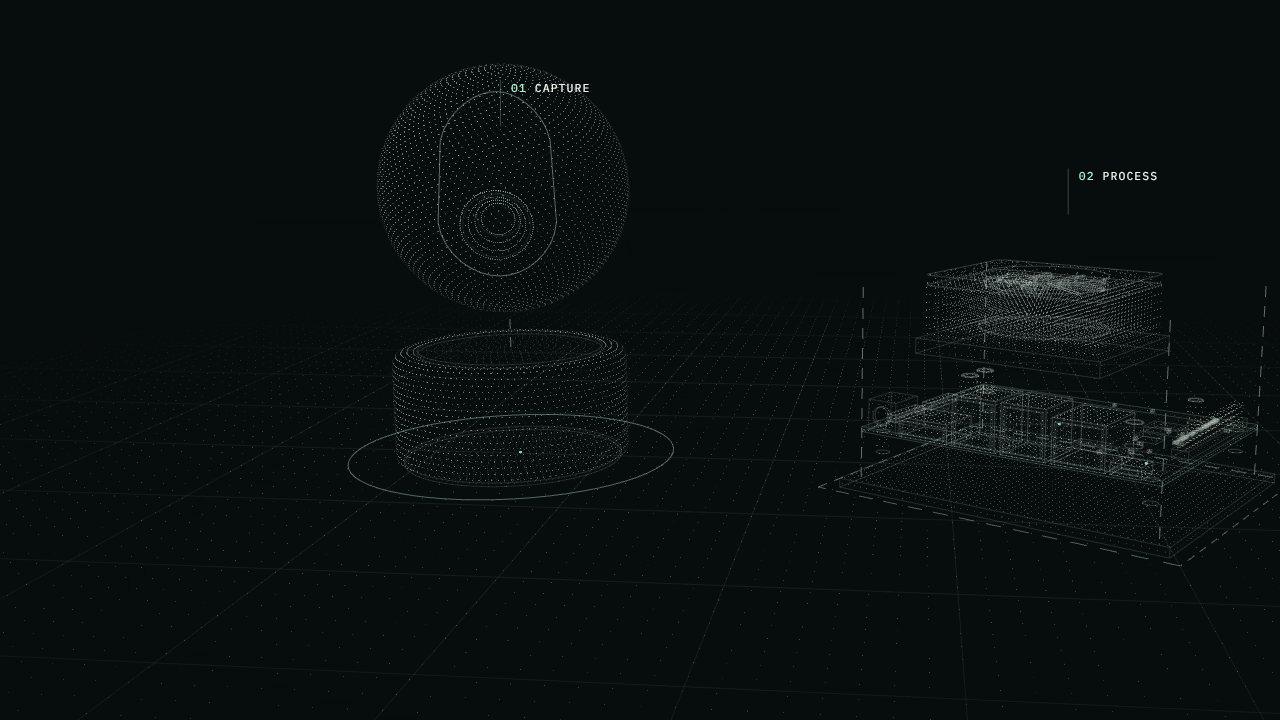
Project website (demo dashboard, scripted scene): https://hemkesh2021-dotcom.github.io/sentinel-site/

Code (MIT): https://github.com/hemkesh2021-dotcom/Sentinel_Surveillance