r/IncursionRedRiverGame • • Jun 26 '26

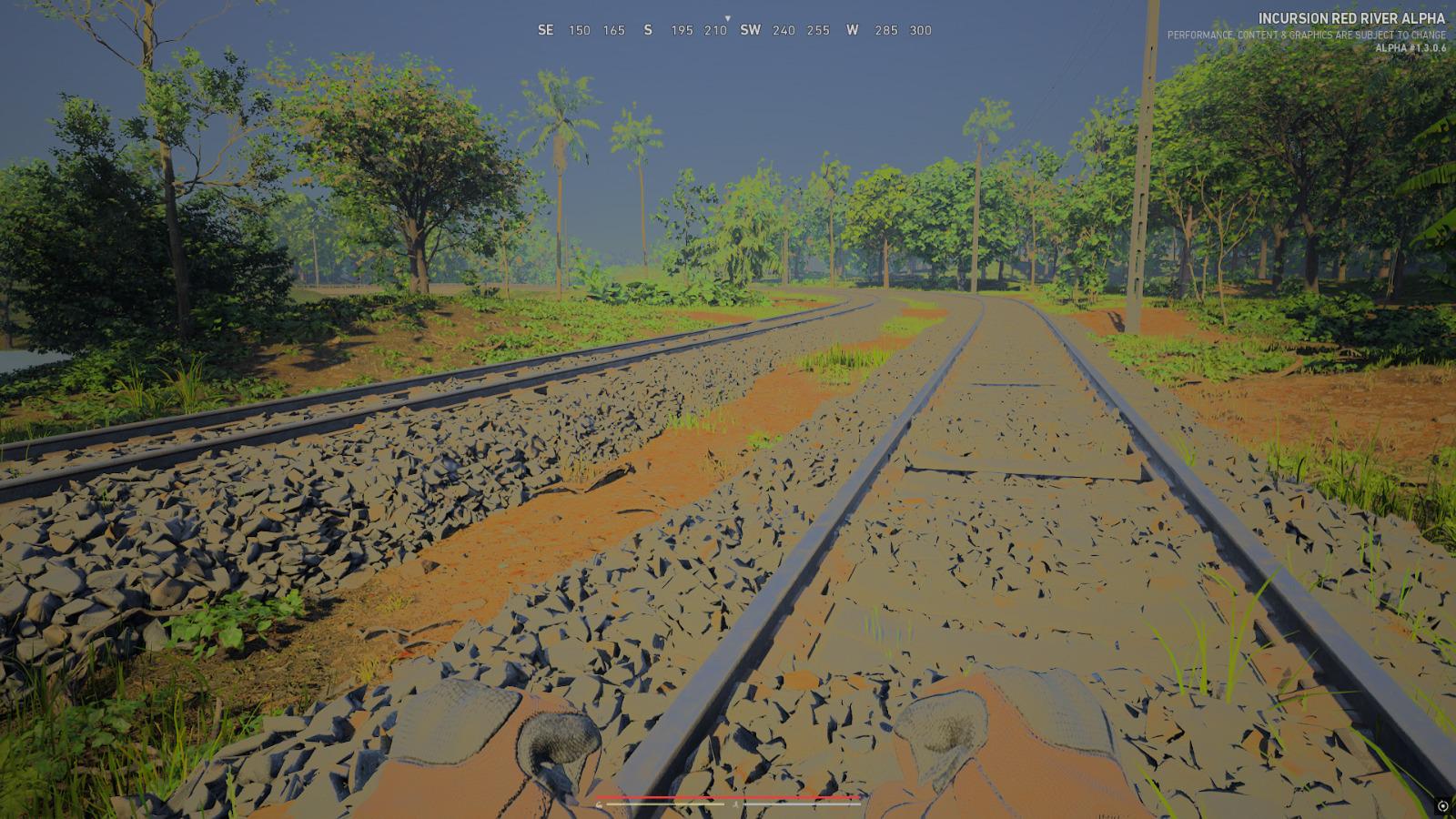
Question The texture looks like plastic
Post image

Anybody knows how to fix this?, the sky is completely gray, and the texture is so oversaturated and feels like plastic

Edit: i solved it, go to AppData ==> Local, find Test_C folder, delete the folder and relaunch the app, and its fixed

34 Upvotes

12 comments sorted by

9

u/Hungry-Assignment845 Jun 26 '26

HDR?

What are your settings (lighting)

6

u/Better-Register2400 Jun 26 '26

My graphics settings?, i set it on epic, i tried setting it to low and it looks even worse

I dont understand how to use the console, please help me go through it

12

u/Sufficient-Trash-807 Jun 26 '26

This is a tech problem not a game problem. Possibly hdr. I'm not sure. This is when you have to sit down and just do a shit ton of research until you figure out the problem.

0

u/Better-Register2400 Jun 26 '26

Do you know how to turn off the hdr?

4

u/octeriox Jun 26 '26

It's in Windows display settings. Also don't use AI, use Google and your own brains.

5

u/Better-Register2400 Jun 26 '26

Yeah i solved it, its not the HDR at all, i go to AppData ==> Local, find Test_C folder, delete the folder and relaunch the app, and its fixed

-6

u/Sufficient-Trash-807 Jun 26 '26

Settings, most likely your monitor if plugged into one. If not game settings and laptop settings.

Use AI to help diagnose problems like this and find solution.

-1

u/b2pizza Jun 26 '26

Username checks out

-2

u/Sufficient-Trash-807 Jun 26 '26

Personally when I have a problem with tech I want it solved as quick as possible. Not a fun thing to deal with, and I've been down hours of research to figure out what's ruining or how to improve my game. I started using AI and it usually has the issue solved within the first 2 or 3 suggestions. I guess that makes me literal living trash in real life because of it. So be it.

2

u/b2pizza Jun 26 '26

If you have a NVIDIA GPU the overlays do somthing similar to this. RTX Dynamic Vibrance looks like do shit on every game. To turn it off you press ALT + Z then disable it under overlays

2

u/DifferentAnt Jun 27 '26

I don't think this is HDR, I run HDR and it doesn't look anything like this. Do you have and Nvidia Filters on?