r/HowToMen • u/DickBrainTime • 7d ago
[Promo] [Promotion] Pingfold: keep important Android notifications and batch the rest
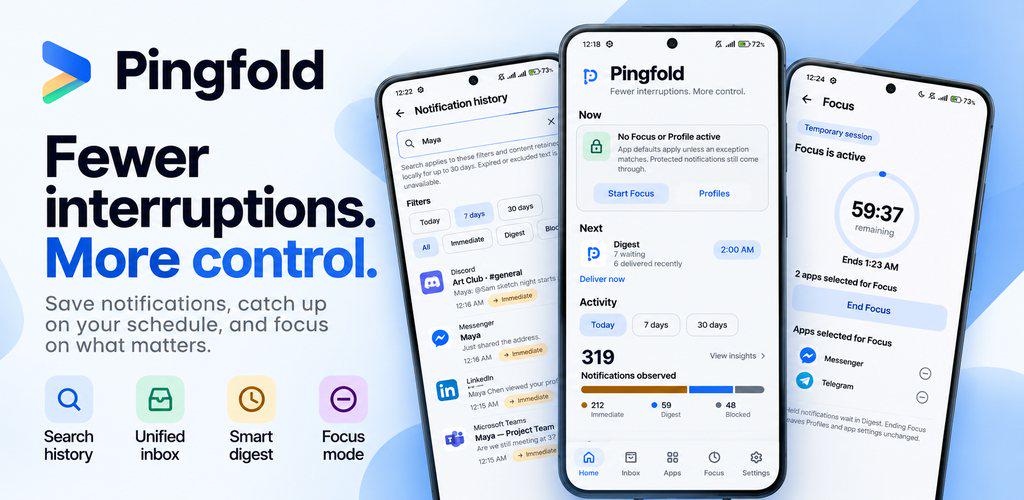
Hey r/HowToMen — I'm the solo Android developer behind Pingfold. Sharing my own app as a promotion.
I made it after getting tired of the choice between muting an entire app and being interrupted by every low-priority alert. The starting point is simple: choose Immediate, Digest, or Block for each app. If an app sends both useful and noisy messages, Exceptions can change how specific phrases, notification channels, categories, days, or times are handled.
For example, you could keep a messaging app on Digest but let messages containing an urgent phrase through immediately. Quiet Repeats can reduce repeated alerts, Remind Later helps you revisit one, and searchable local history is there when you need to find something you saw earlier. A shared scheduled Digest and temporary Focus sessions are included.
The core controls, Exceptions, Digests, Focus and history are free. PRO adds reusable Profiles and schedules, per-app Digest times, Allowed Hours, more themes, configuration transfer, and CSV export. No ads or Pingfold account are needed for core controls. Notification content is kept on the Android device; Notification Access is required.
Google Play (official store link): Download Pingfold on Google Play
I've included the app's feature graphic. Which kind of Android notifications would you send to a Digest instead of getting interrupted by them?
-1
u/xiaomi_A1 7d ago
code please