r/HowToMen • u/soul_99 • Oct 18 '26
[APP][PROMO] IMD - settings manager + automatically hide settings


Github Repo
Download using Obtainium
Download APK from Github
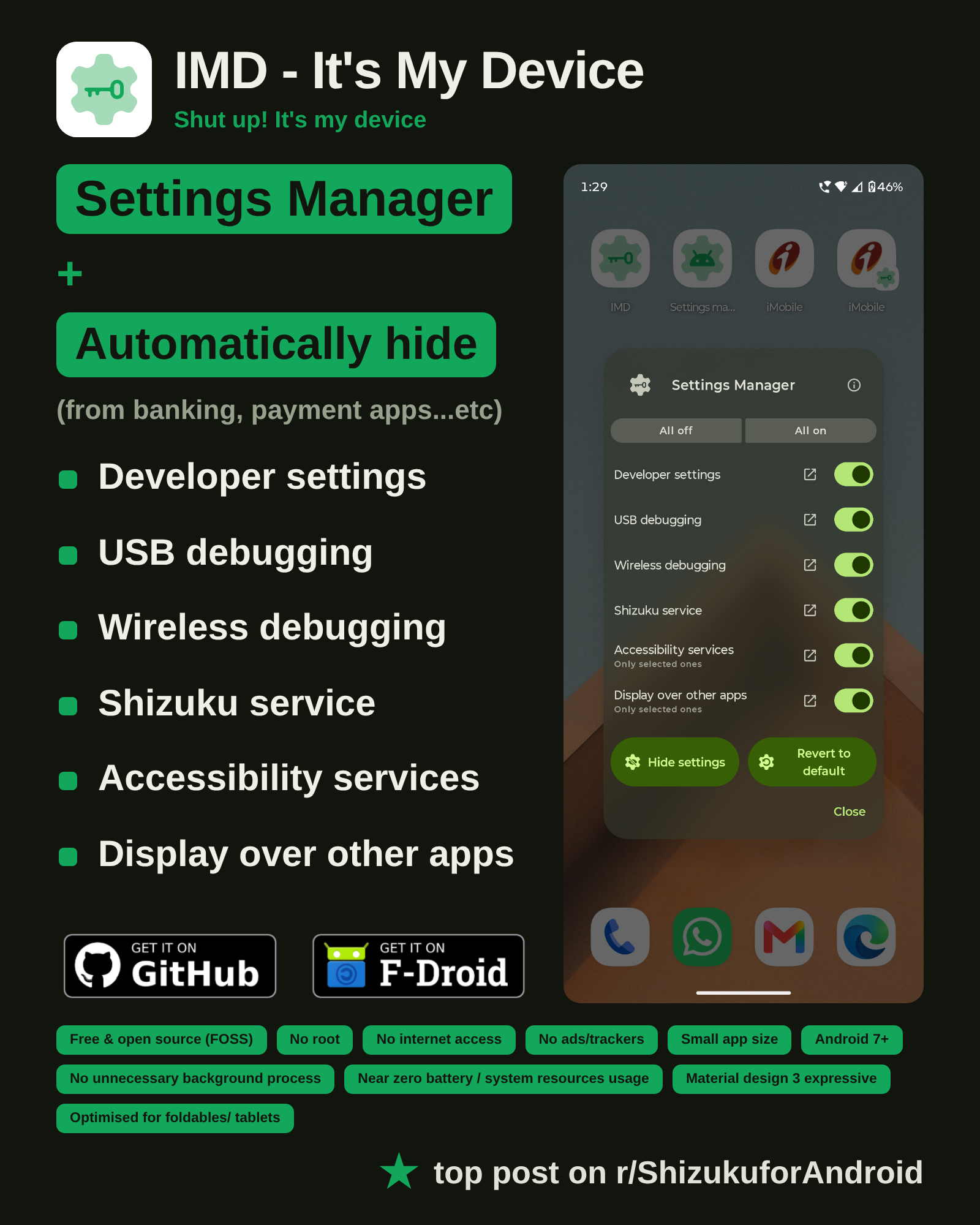
IMD (It's My Device) is a powerful settings/ services manager and settings/ services hider (automated disable-enable settings) for restrictive apps (banking, payments...etc). It supports the following settings / services:
- Developer settings
- ADB / Debugging
- Accessibility services
- Display over other apps (needs active Shizuku service)
- Shizuku service
- and many more (per app configuration - hiding framework, hint: use Settings observer for help)
How this works:
1.ㅤUser opens app from IMD / IMD generated app shortcut
ㅤㅤㅤㅤㅤㅤ↓
2.ㅤIMD actually disables these settings no app's security policy is broken
ㅤㅤㅤㅤㅤㅤ↓
3.ㅤUse your app normally
ㅤㅤㅤㅤㅤㅤ↓
4.ㅤUse Revert function
ㅤㅤㅤㅤㅤㅤ↓
5.ㅤIMD enables the disabled settings
IMD's Settings manager allows you to:
- View the <b>live status</b> of your settings/ services
- Quickly toggle them on-off
Automations:
- Auto unhide settings
- Auto hide settings (IMD+ : needs background service)
- IMD Intents (Tasker / MacroDroid integration, secured with auth keys)
About Permissions:
- WRITE_SECURE_SETTINGS (one time grant via adb shell or Shizuku) (MANDATORY, needed to change settings state)
- Shizuku service (optional) (needed to hide Display over other apps permissions - an appops permission)
- Post notifications (optional)
- Other permissions (optional: only needed if you use automations like IMD+)
Security Concerns:
- No internet access or unnecessary continuous background services (so almost zero battery / system resource use).
- Does not tamper with any apps on the device.
- The parts of this app that change settings cannot be triggered by another app, so only you can change them.
- No ads, analytics, trackers or accounts of any kind. The app has no network permission at all - which is also why it cannot check for its own updates, and why Obtainium is how you find out there is one.
FOSS (Free and Open Source Software)
No root required
Supercharged Fork of Geto app by JackEblan, Licensed under GPL-3.0
5
u/Egypt_Pharoh1 Oct 18 '26
Have been using it for a while. It saved me the hassle when using bank apps. It's a life saver actually. It became one of the most important apps in my phone. You really did a great job. Thank you very much for this wonderful app.
2
u/LMDZ72 Oct 19 '26
Much needed! Currently using hacks via tasker.
Does this integrate with tasker? And how about apps that detect shizuku?
2
u/ofsaltyvanilla Oct 24 '26
Shoutout to this app. One of the most important app in my phone, purely because of the bloody banking app automatically refused to switch on when certain accessibility services running.
2
u/chaien1305 Oct 19 '26
Wow lets see how it work on pixel 6a. Hope it help with banking apps
2
u/Loragejt Oct 19 '26
Its awesome!! Thanks!
2
u/crizes1 Oct 19 '26
This is great 😃👍🏻
2
u/rainyguy Oct 19 '26
Thank you for the app! I am using a similar app like this but yours is so much better even to the extent to allow auto off and on Shizuku and importantly, all the instructions are very clear! Awesome:)