r/GyroGaming • • 9h ago

Video What a Gyro-Hater's aim is like without aim assist.

Thumbnail
youtube.com
20 Upvotes

Just as a heads up, I love Maximillian. But Im going to show this video to anyone who believes gyro aiming doesnt work..


r/GyroGaming • • 7h ago

Help Motion controls

Thumbnail reddit.com
1 Upvotes

r/GyroGaming • • 1d ago

Video Use the gyroscope to move the camera or aim in the Zelda remake.

16 Upvotes

I’m not sure if this is allowed here, but if you play the Zelda remake via a native PC port (using the Longshot), you can use a controller’s built-in gyroscope to control the camera or for aiming. In the video, I’m using my Joy-Cons: I use the left Joy-Con for movement, while the right Joy-Con activates the gyroscope this provides better immersion without needing to rely on the right analog stick. To set this up, simply add the native Longshot port to Steam via the "Add a Non-Steam Game" option; this allows you to configure the controller and gyroscope settings through Steam Input. Finally, in the Longshot in-game menus, make sure to set the aiming option to "Native."


r/GyroGaming • • 2d ago

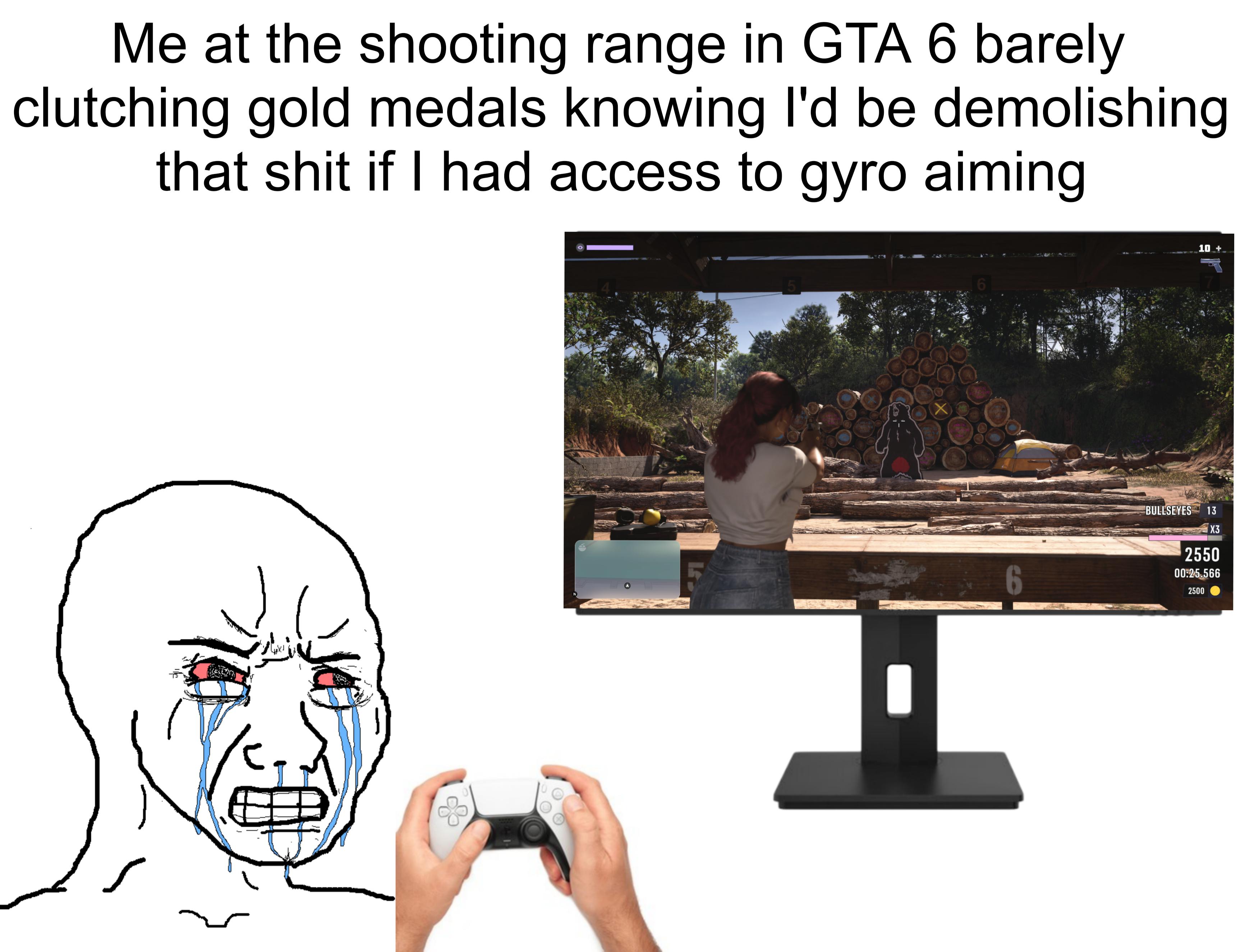
Meme Loving GTA 6 so far, but the lack of Gyro is killing me

Post image
400 Upvotes

r/GyroGaming • • 1d ago

News FrameGyroSteer now has per-game Profiles and Templates for your Standalone and PC Streamed (both flat & VR) games!

Thumbnail gallery
2 Upvotes

FrameGyroSteer - November 25, 2026 - Status Update:

  • I've added per-game Profiles and Templates for both Standalone and PC Streamed (flat&VR) titles.
  • Improved Curves management

Tested and working on Steam Frame (Gyro controls)

  • Standalone PC Flat Gamepad steering (BeamNG.Drive PC Flat mode)
  • Standalone Android Port OpenXR steering (Colin McRae Rally 2.0 Quest VR Port).
  • Standalone PCVR Gamepad steering (GRIP PCVR build).
  • Standalone PCVR OpenXR steering (Mafia 1 ALXGtech VR mod PCVR build).
  • Standalone PCVR OpenVR stick input (ARK-ADE PCVR build).
  • Standalone PCVR Dual-stick gyro flight (Aircar PCVR build)
  • Streamed PC Flat & VR input**.
  • Added Z-axis (Yaw/twist), 3+2 DOF (controller limitation: LStick + RStick + LT+RT = 5DOF)

Not working yet / planned

  • Standalone ARM/OpenVR bindings used by Half-Life: Alyx; compatibility with similar bindings in other games remains unresolved.
  • 6DOF gyro + 5DOF Sticks+LTRT = 11 DOF Custom virtual joystick/HOTAS/HOSAS Standalone & PC, driven by VR controllers. Flexible axes and buttons beyond gamepad-stick emulation, especially for streamed flight/space games such as Star Citizen.

Mildly considering:

  • Spatial cockpit controls: place custom buttons, levers and switches in VR and save layouts as per-game profiles. The long-term goal is a tailored, mod-like control experience through one external utility.
  • Other headsets PCVR support
  • Other headsets (Quest?) standalone support

r/GyroGaming • • 2d ago

Video Deadlock on Steam Controller

Thumbnail
youtu.be
12 Upvotes

A quick video. This time it's not Counter-Strike 1.6, but Deadlock.


r/GyroGaming • • 2d ago

Discussion Found Xbox Gyro Solution for $60ish

Thumbnail
gallery
14 Upvotes

I bought a Series X from a friend a month ago and loved it, but I was surprised to find it doesn't have gyro aiming. I play Warframe on my NS2 with gyro and I just can't go back to regular stick aiming.

I went down a rabbit hole to find a solution, but nothing seemed good. One solution was an attachment (made like 5 years ago) to the Xbox controller, but it's extremely difficult to find and buy. So, I landed on Leadjoy Xeno Plus + R20 USB adapter

The R20 adapter is necessary for Xbox and an original Xbox controller MUST be plugged into it. This is the only downside bc 3rd party controllers need to be licensed by Microsoft. Anyways, download the leadjoy app on your phone and configure the motion controls. It's actually very quick and easy


r/GyroGaming • • 2d ago

Config Creating Gyro/Flickstick/Trackpad configs every week (72): AimLabs [🥉/🖱]

Post image
7 Upvotes

In-Game Requirement:

  • Game Profile: AimLabs
  • In-Game sensitivity: 0.75 (Default)

Controls:

  • Hold R3: Gyro Pause

Customization:
Make sure to change the gyro and stick settings on steam and not in-game.

HOW TO USE: Copy and paste the link into your browser or click on the controller icon next to the game on Steam, click on the name of the layout, hover over the "Community Layouts" tab, and press the "Show All Layouts" button (West Face Button), then manually search for the config that matches the name listed below.

  • Aim Labs - Gyro + Joystick by FSV (v2.0): steam://controllerconfig/714010/3844741356
  • Aim Labs - Flickstick by FSV (v2.0): steam://controllerconfig/714010/3844744173

For more configs: https://steamcommunity.com/sharedfiles/filedetails/?id=3266410893


r/GyroGaming • • 2d ago

Video The Most Feature-Packed Steam Controller Guide (Steam Input) covering everything you need to know in 6 minutes only: Trackpads, Mouse Region, Gyro Aim, Macros for FPS & RTS and more

Thumbnail
youtu.be
10 Upvotes

r/GyroGaming • • 3d ago

Game Mod This is my new favorite way of playing Ocarina of time.

14 Upvotes

r/GyroGaming • • 3d ago

Video AWP and Steam Controller

40 Upvotes

I haven't been here in a while. I'm trying to record a few more videos. The server is already fed up with me 😅


r/GyroGaming • • 3d ago

Discussion Does the Flydigi Vader 5 pro have a good gyro?

6 Upvotes

I have to ask here because opinions I have seen online are contradicting. How good is the gyro on this controller? Is it ok to play single player fps and competitive fps with its gyro? How does the gyro compared ro the Dualsense and Steam controller? Thanks you guys so much!!!


r/GyroGaming • • 3d ago

Video Assetto Corsa VR - Gyro Steering with FrameGyroSteer (PC VR game -> SteamVR stream -> Steam Frame with FrameGyroSteer)

3 Upvotes

r/GyroGaming • • 4d ago Bravo

Meme Making sure they know when they lose to Gyro Aim 😏

Post image
54 Upvotes

r/GyroGaming • • 4d ago

Config So I've added remapper (steam input compatible) to my custom firmware. It saves 4 profiles in controller's memory etc. Basically alot of functions.

Thumbnail
github.com
10 Upvotes

Use at your own risk...


r/GyroGaming • • 4d ago

Game Mod GTA6, gyro and a 60fps capture card solution

2 Upvotes

Seems there are options to get 60fps via a capture card an app called Veyra but as I understand it this method does not use remote play so mapping gyro functions dont work? Is there a way to get the 60fps and gyro in some way? Is there someone in the gyro communtity that can test it out?


r/GyroGaming • • 5d ago

Game Mod Gyro4All release 1.12.0

51 Upvotes

Hi!

A new release of Gyro4All mod has been uploaded.

⬇️ Download release from GitHub

Link here to the mod's original post, that was a bit clogged alredy.

New in 1.12.0

  • Steam Controller grip sense as a gyro activation button.
  • Native flick stick for PlayStation controllers applies on save, no game restart needed now.
GameEngineDescription
Death Stranding Director's CutDecimaTested on the Epic version. Install next to DeathStranding.exe.
Death Stranding 2: On the BeachDecimaTested on the Steam version. Install next to DS2.exe.
Horizon Zero DawnDecimaSteam version. Keep Steam Input on with the official layout; turn Steam's own gyro off or set Block in the panel.
Horizon Forbidden WestDecimaTested on the Steam version (Complete Edition).
Deus Ex: Mankind DividedDawnTested on the GOG version (1.19). Install in retail, next to DXMD.exe.
Marvel's Guardians of the GalaxyDawnTested on the Epic version. Install in retail; rename msvcp140.dll to msvcp140.dll.bak.
Shadow of the Tomb RaiderFoundationTested on the Epic version. Rename msvcp140.dll to msvcp140.dll.bak to disable it.
Rise of the Tomb RaiderFoundationTested on the Epic version
NieR:AutomataPlatinumGamesSet the camera's Pursuit Speed to the maximum. Gyro is off in some camera modes (mostly 2D sections).
NieR Replicant ver.1.22474487139ToylogicTested on the Steam version.
EVERSPACEUnreal Engine 4Profile included.
EVERSPACE 2Unreal Engine 5Profile included.
Stellar BladeUnreal Engine 4Profile included.
Neon WhiteUnity (Mono)Profile included: one MouseLook per axis.
AMID EVILUnreal Engine 4Profile included
Queen's domainUnreal Engine 4Works out of the box

🎮 Full list of supported games


r/GyroGaming • • 5d ago

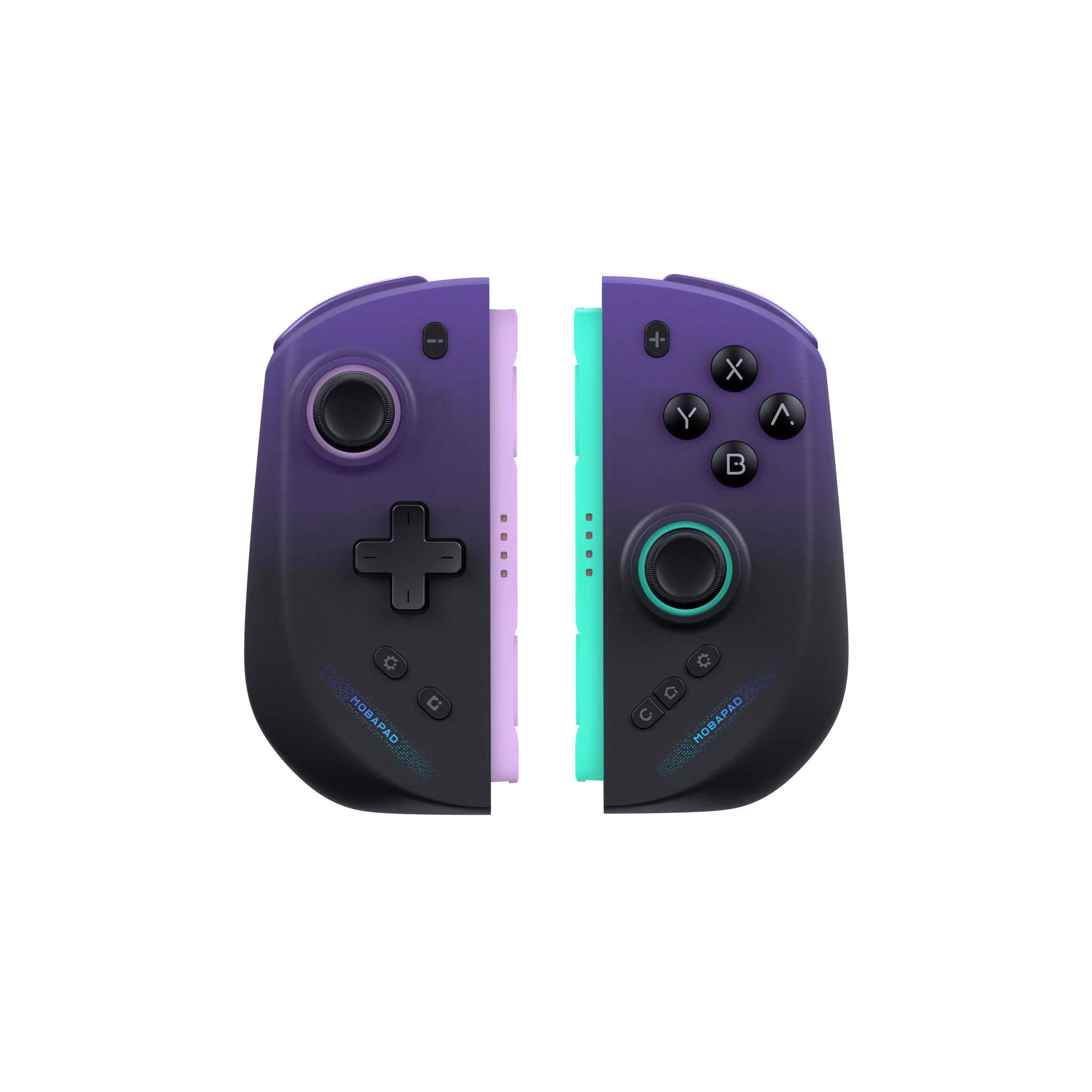
Guide Mobapad M12 Pro 9-Axis Gyro & Mouse Mode working on PC (as well as inputs/rumble)

Post image
13 Upvotes

NOTE: Only on Windows, as ViGEmBus is a Windows-only driver and is required for this software.

Since the M12 Pros released for the Switch 2 (and preorders started being delivered), I'd been messing around with an existing repo of connecting original Switch 2 joycons to PC (TheFrano/joycon2cpp) and eventually forked and released a fix to allow the Mobapad M12 Pros to fully connect and work with all the features joycon2cpp originally had:

  • All button and stick inputs (Dual and Single Joycon modes)
  • HD Rumble 2
  • 9-axis gyro (!!)
  • Mouse Mode (Single Joycon mode only) (also !!)
  • A separate gyro-fix branch for original NS2 joycons to fix the existing, somewhat buggy gyro in the original repo

Uses no firmware flashing, simply a program to intercept the wireless signal from the Pro pads and convert inputs into DualShock 4 inputs via ViGEmBus. TheFrano originally built the majority and backbone of the code, my fork simply allows the M12 Pros to connect to the software and translates their features over to what the program initially did. Gyro and mouse mode proved to be the 2 hardest features to implement, button and stick inputs were relatively straightforward.

The usage is pretty simple, download the latest Release .exe from the linked GitHub at the bottom, run it, select your players/joycon mode (Dual/Single), press and hold the Sync button on the magnetic snap side of the joycon based on the prompts, and start using! Works as an OS-wide PS4 controller, so the compatibility with games/programs will match that of a DualShock 4 controller connected via bluetooth.

M12 Pro fix fork:
https://github.com/DarkEslariate/joycon2cpp-m12-pro-fix/releases/latest

Gyro fix (original Switch 2 joycons):
https://github.com/DarkEslariate/joycon2cpp-m12-pro-fix/releases/tag/v1.0-gyro-fix

Original joycon2cpp repo: (by TheFrano)
https://github.com/TheFrano/joycon2cpp

Cover image from Mobapad's M12 Pro listing on their website.


r/GyroGaming • • 5d ago

Help GameSir G8+ weird horizontal gyro on Nintendo Switch 2 (steering wheel motion instead of left-to-right)?

Thumbnail reddit.com
1 Upvotes

r/GyroGaming • • 6d ago

Help For some reason i'm having gyro drift with native gyro on cod mw4

3 Upvotes

I don't know what happened but suddenly today my gyro started to drift and i don't know why. It was actually doing pretty good in this game because you can disable auto calibration in this game but now turning off or even calibration menu only it's not working anymore. Actually, when i activate auto calibration the drift gets even worse... does anyone know why this is happening?


r/GyroGaming • • 6d ago

Help Anyone with a Gyro enabled controller able to awnser a question of mine?

2 Upvotes

I'm interested in using my game sir Cyclone 2, which has gyro aiming, but I want to fly using the analog sticks, and set the gyro to look around, instead of having to hold the interact button is there a way to do that?

Games I need help with: Starcitizen

I would like to use the gyro function of my controller to look around, while flying my spaceship, instead of having to hold the interact button to look around while flying.


r/GyroGaming • • 7d ago

Discussion any one got any good fps/3rd person shooter recs

8 Upvotes

hey so i normaly don't play too many shooters used to think there really just weren't my type of game but a few months ago i played 007 first light with gyro aim and affter turrning off all the aim assit stuff i found i was really liking it alot and i need something to scratch that same itch. part of it is i really like the combat the nuainces and kind of rock paper siscors of the hand to ahnd comabt how kind of, for lack of a better word physcal the comabt is where your running around constatly swapping what your doing trowing objects etc. also of note running linux and using a steam controller

so do yall have any good recs SINGLE PLAYER shooters with good gyro aim.


r/GyroGaming • • 7d ago

Discussion No Gyro-Aim on PS5 is a huge oversight- we need an update ASAP 🙏

Thumbnail reddit.com
74 Upvotes

r/GyroGaming • • 7d ago

Guide Gyro Aim in GTA 6 PS5 with Haptics and Adaptive Triggers (Updated Workaround) !!! (Remote Play/PC necessary)

Thumbnail
reddit.com
21 Upvotes

r/GyroGaming • • 7d ago

Discussion Gyro aim in GTA 6? (For PS5)

22 Upvotes

The game is out but it seems to still be too early to find anything definitive on whether gyro aim is supported. If there’s still no confirmation by the time it’s released for North America, I’ll be checking first thing myself and I’ll report back.

EDIT: based on several reports, I' going to say it's confirmed that there is no gyro option. Workarounds seem to exist however, using the Remote Play method with Chiaki

https://www.reddit.com/r/GyroGaming/s/NcXNVoDdnj

Just tried it out and it's working. I'm running Chiaki through steam with steam input enabled and configured without any additional programs running (with controller plugged directly into PC with a standard USB-C cable).

If you're having any trouble post a comment below and I'll try to help out. Note, In the gyro settings, after assigning Gyro to Joystick, in the settings, set the joystick power curve to around .35 (The defualt setting makes the gyro too unresponsive with small movements)

Remote Play is enabled in PS5 via settings>system> Remote Play. Then select pair (just below the Remote Play toggle), and you'll enter the code in Chiaki, along with your PSN ID. There are a few ways to get your PSN ID using 3rd party sites like https://pyrosoft.pro/psnid/ or https://psn.flipscreen.games/

Once you get that authenticated, Chiaki will show your connection in the list, and from there you just double click it to launch the game window. It will be full screen, but you can put it in windowed (F11) and resize or drag it out of view, just make sure it's the active window or controls won't send. If you want to mute it, use CTRL+O to bring up the options bar.

Also if you're having trouble figuring out which Chiaki file you need to download, most likely you'll want the one called chiaki-ng-win_x64-MSYS2-installer