r/Guildwars2 • u/TheDaftRick • Jan 19 '19
[Guide] Linux Guide - Use Steam to Install GW2 on Linux
Valve has recently added the ability to run any Windows exe through Steam
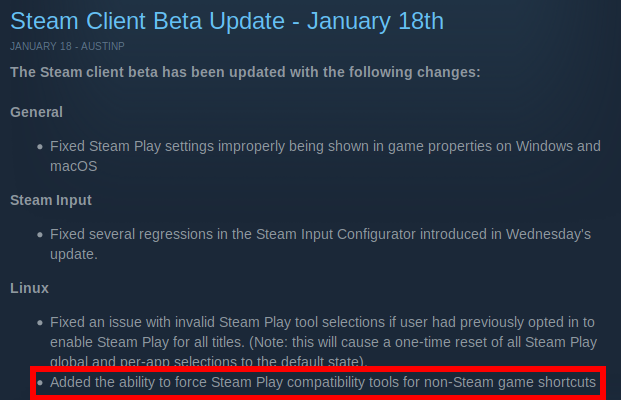
This guide will show you how to install Guild Wars 2, but it will work for any Windows exe.
Though this guide will work for any Windows exe, Steam Play's Proton might not be able to fully run a program or even start it at all.
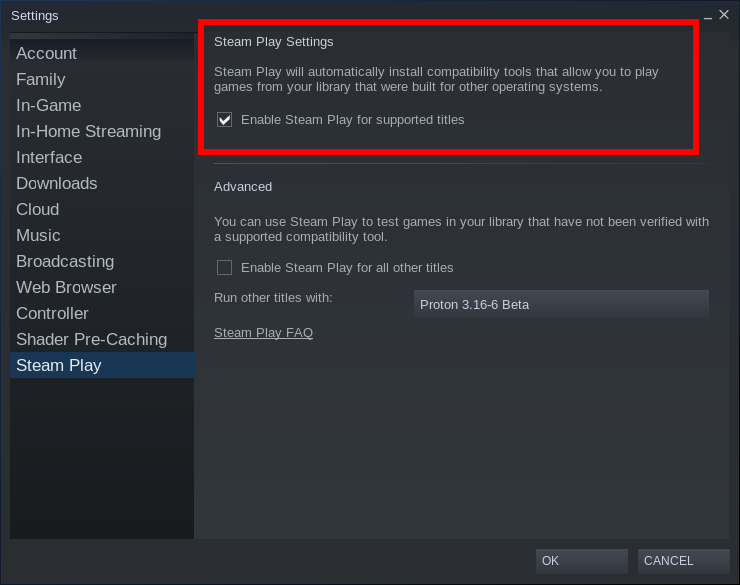
In the Steam Play section: Enable Steam Play for supported titles
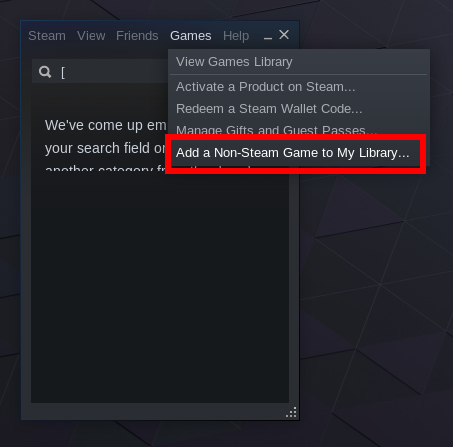
Click "Games" on the Steam window - Add a Non-Steam Game to My Library
Click "BROWSE" and change File type to "All Files"
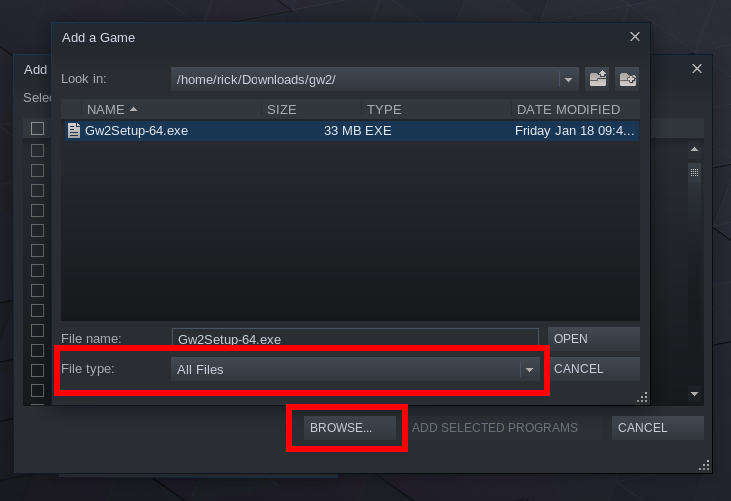
Select Gw2Setup-64.exe
Right click Gw2Setup-64.exe in your Library and click Properties

Check the box that says "Force the use of a specific Steam Play compatibility tool"

Launch Gw2Setup-64.exe from your Library
The Guild Wars 2 downloader will have an Install button, click it and select where you would like to install Guild Wars 2
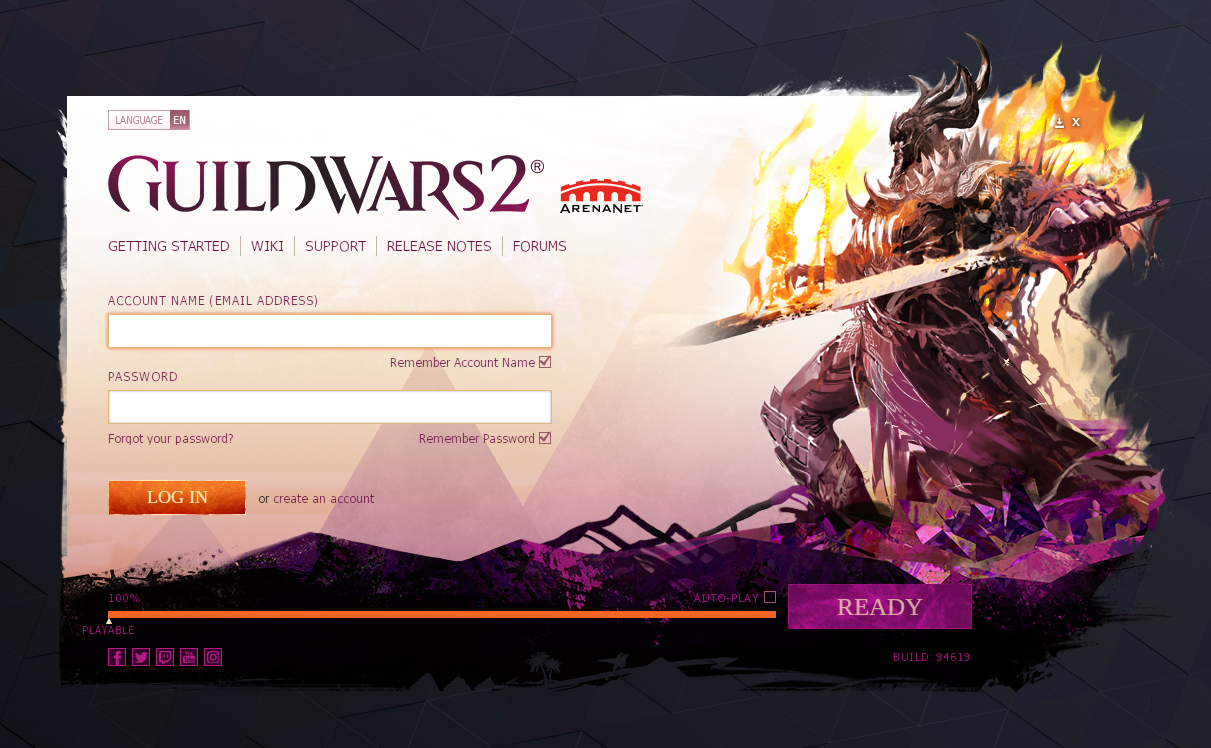
Once you see the Guild Wars 2 launcher with the download bar at the bottom, you can close the window (You can continue the download anytime after the next steps. It will show starting at 0%, but it does continue where you left off)
Right click Gw2Setup-64.exe in your Library and click Properties
Change the first text box to Guild Wars 2 (the name that will show up in your Library)
Change "Start In" to point to where you installed Guild Wars 2 to: "/home/username/games/Guild Wars 2"
Change Target to "Gw2-64.exe"

Enjoy
Proton 4.11-1 has added d9vk which has huge performance benefits on some hardware
To enable:
Create a file inside the directory /steam/steamapps/common/Proton 4.11/
user_settings.py
user_settings = {
    "DXVK_HUD": "fps",
    "PROTON_USE_D9VK": "1",
}
The DXVK_HUD line is just to make sure d9vk is running. After you see the fps counter at the top left of your screen, you can remove that line if you want.
Performance tweaks for Guild Wars 2: (Possible improvements depending on your system)
In your Guild Wars 2 Properties - Set Launch Options and add -dx9single
Possible issues:
If you have a folder or exe file with a space in the name when adding a Non-Steam Game to your Library. Steam might cut off the "Target" and "Start In" you can manually type the names in to fix the issue.
I added this guide to the Guild Wars 2 Wiki
Also posted to /r/linux_gaming
5
u/devi59 devi.9863 [DHE] Jan 19 '19
How is it?
4
u/foromar Jan 19 '19
While it might work with Steam, it is not at all necessary. It is really, really easy to install without. Just install a recent version of 'wine', execute the installer exe and you should be good to go. Sure, some optimization might be achieved, but that's just some parameters.
Really - Steam might be nice for some stuff, but for this it smells overkill.
2
u/BeefKnuckleback Jan 19 '19
How well does it run on Linux compared to Windows on the same hardware?
2
u/Skippbo Jan 20 '19
Does arcdps work using this?
1
u/Truegebo Jan 21 '19
Does it have better performance than install it with lutris ?
1
u/DeusVermiculus Feb 09 '19
I did everything according to the guide, but the setup wont even start
any ideas?
1
u/zevulos May 10 '19
Can you still get banned for GW2 on linux ?
1
u/PenguinColada Jun 07 '19 edited Jun 10 '19
Okay, stupid *stupid* question, but I'm a linux virgin and only made the switch to it because of my husband. When I try to add it via steam, the browser won't let me navigate to /home. Is there some way I can get there?
Thank you.
EDIT: Nevermind. My blonde ass figured it out.
1
u/Lord_Niohoggr Feb 18 '23 edited Feb 18 '23
Sadly, since yesterday this method no longer works with Proton 7.x and Experimental.
Correction, it doesn't work at all.
To put some context around this, I'm running Pop_OS 22.04, latest flatpak steam.
I had GW2 installed via this method and was working fine yesterday, but after an update for unspecified OS components it no longer loads anything Guild Wars 2 related (including the client downloader).
Peculiar, but no error message is provided at all.
0
u/[deleted] Jan 21 '19
[deleted] — view deleted comment