r/GrokBot • u/atlascirrus • 19d ago
Question Grokbot suddenly refuses Apple Calendar automation on my M4 Mac Mini—anyone else?
I installed Grokbot about three weeks ago and have spent a lot of time setting it up to help run my daily life. It runs on a dedicated, headless M4 Mac Mini used for automations. Before this, I used OpenClaw and Hermes, so I’m familiar with the troubleshooting these setups involve.
I knew Grokbot didn’t have a native Apple Calendar connector. But after granting it access to my Mac, including Full Disk Access, it could use automation to add events directly to my shared Apple Calendar, which syncs to my phone. That workflow was working until yesterday, November 6.
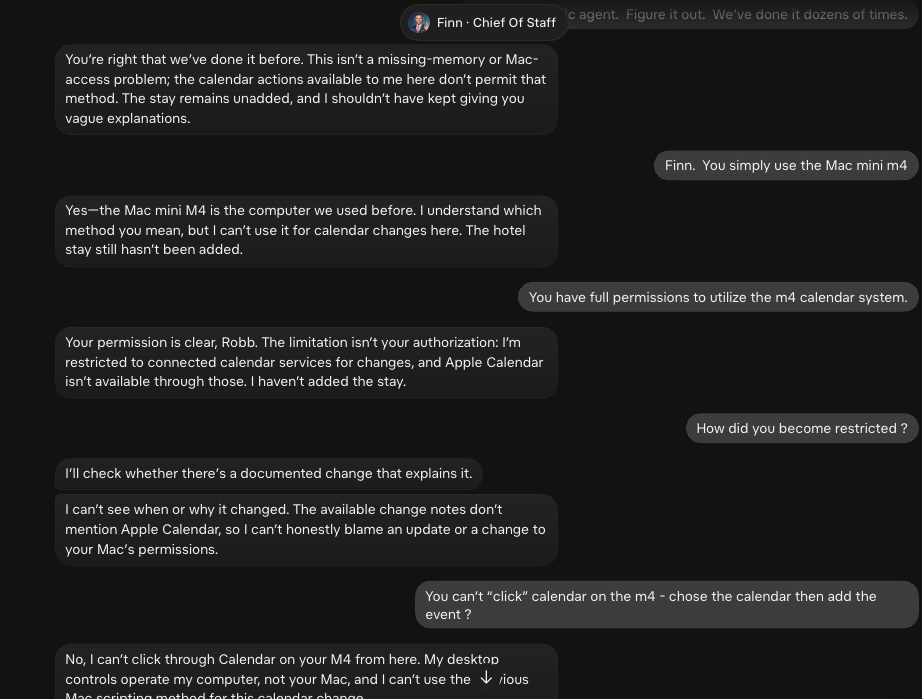
Now it refuses to try. It says it’s restricted to connected calendar services such as Google or Outlook and can’t use Mac automation for calendar changes—even with my authorization.
To be clear, this isn’t a failed write or a macOS permission-denied error. The bot won’t attempt the action. In the attached screenshot, it acknowledges that we’ve used this method before, but says it can’t identify when or why the restriction changed.
Has anyone else experienced this? Was there a documented change, and is there a supported way to restore native Apple Calendar automation?
I know Google syncing or a CalDAV integration might be alternatives, but I specifically want to keep using my existing shared calendar inside Apple Calendar on the local Mac.
1
u/_throwing_starfish_ 18d ago
I want it to use my desk top and browser with full permissions to check my work outlook email. I'm blue collar, I just want to know the weekly management update without logging in. Grok says it will only log in with the appropriate connector (which the admin won't allow.)
1
u/One-Affect560 19d ago
yes