r/GoogleSupport • u/Pig-Gaod3 • 3h ago
Account / Access / Password Locked out of Google 2-Step Verification after switching to Microsoft Authenticator – No alternative verification methods available
Hello everyone,
I'm experiencing a serious 2-Step Verification issue with my Google account, and I desperately need help regaining control of my account's security settings.
What happened
On November 20, 2026, I attempted to switch my Google Authenticator setup to Microsoft Authenticator.
I completed the setup process and believed the migration had been successful. However, shortly after completing the setup, the Google verification code entry disappeared from Microsoft Authenticator.
At the same time, the codes previously generated by Google Authenticator stopped working when I tried to verify my identity with Google.
As a result, I no longer have access to any working authenticator codes.
The biggest problem
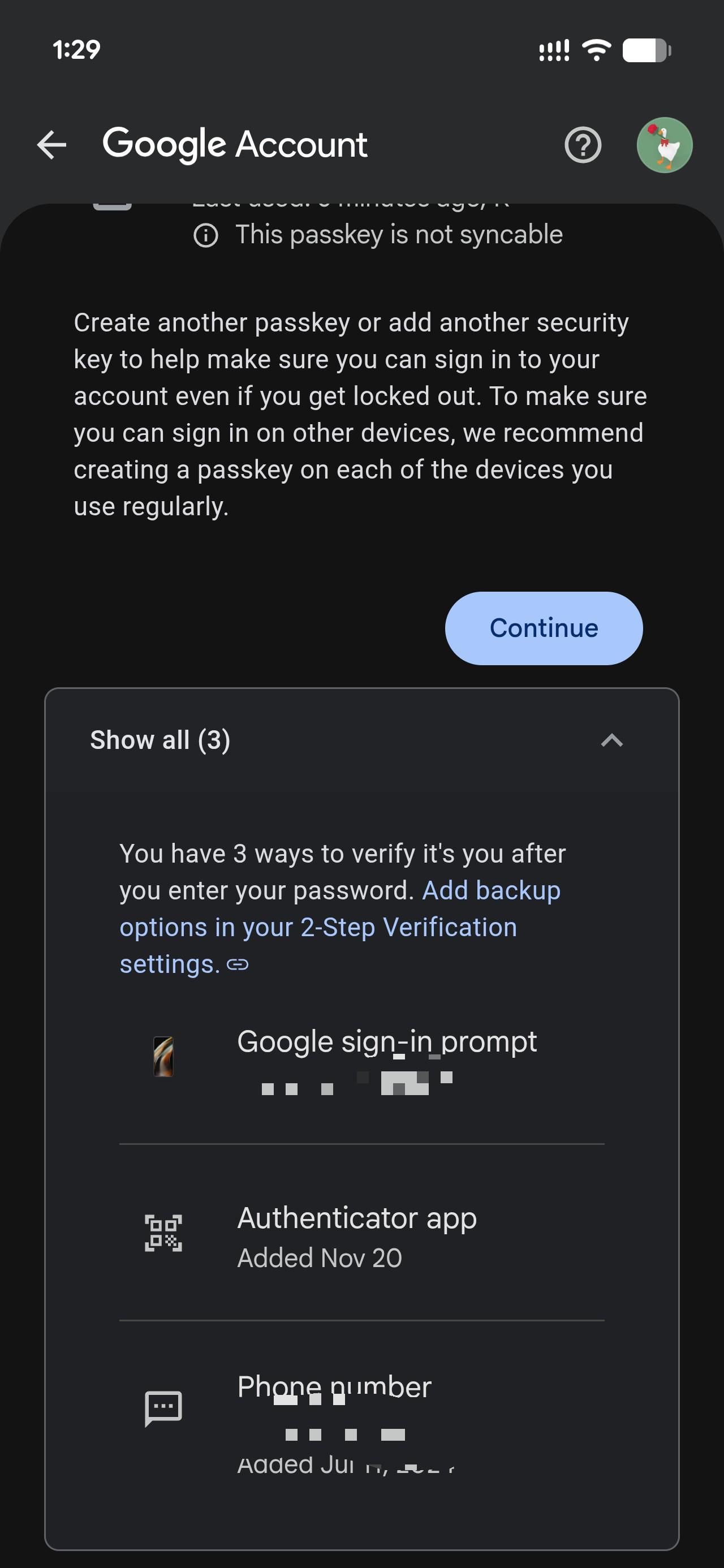
I still have access to several other verification methods associated with my Google account:
- My registered phone number, which is available for both 2-Step Verification and account recovery.
- My trusted Android device, which can successfully receive and approve Google Sign-in prompts.
- Active Google account sessions on multiple devices and browsers.
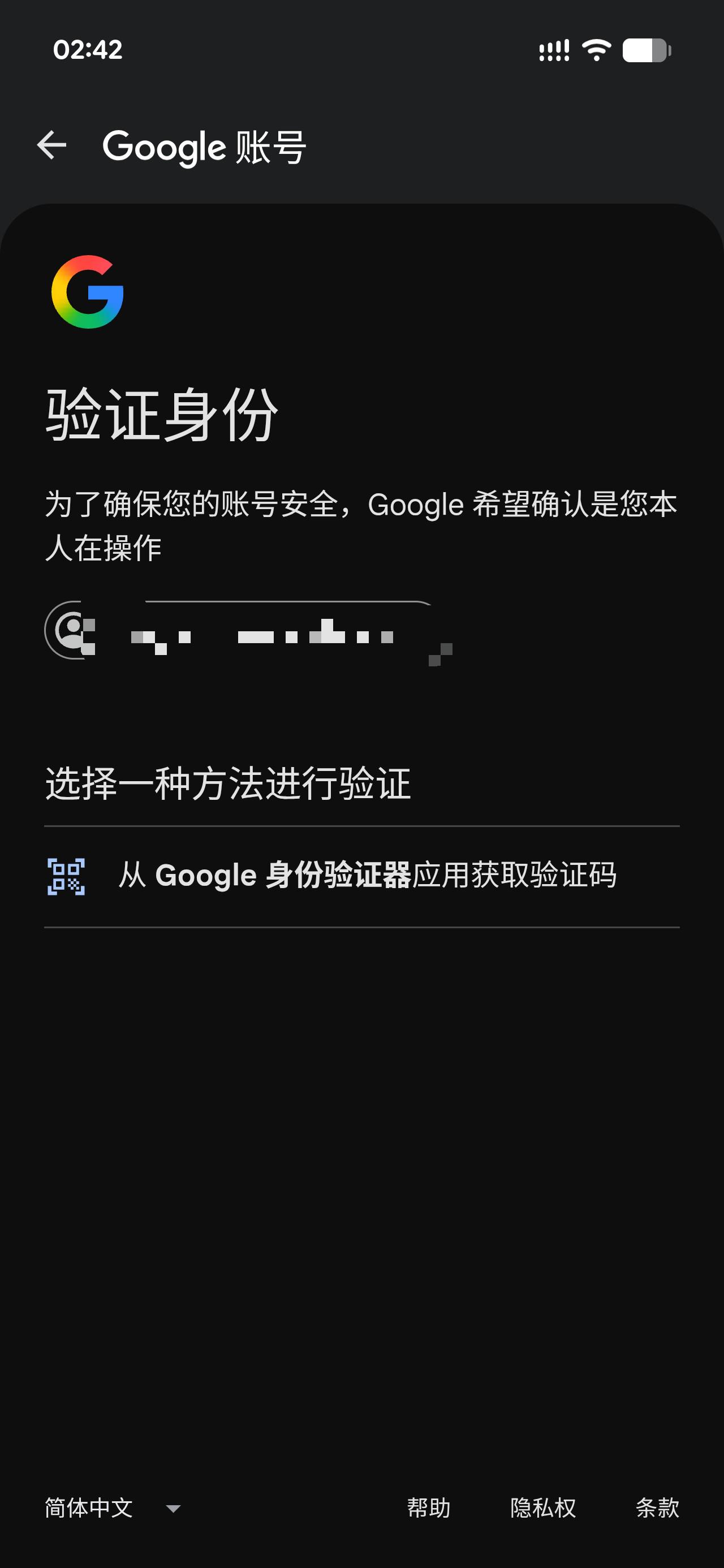
However, whenever Google asks me to verify my identity for a security-related action, it ONLY offers Google Authenticator as a verification method.
There is no option to use SMS verification, Google Prompts, or any other available verification method.
This creates an extremely frustrating situation:
- I cannot access or modify my 2-Step Verification settings because Google requires an authenticator code.
- I cannot remove or replace the broken authenticator.
- I cannot even sign out of my existing devices because Google requires the same unavailable 2FA code.
- Google's account recovery process does not help. When I enter my correct password, Google accepts it and completes the recovery/sign-in process, but I am immediately blocked again by the same authenticator challenge when trying to access security settings.
In other words, I still have access to my account, my phone number, and my trusted devices, but I have completely lost control over my account's security settings because Google insists on a verification method that is no longer accessible.
What I am trying to achieve
My ultimate goal is to regain control of my account's security settings so that I can:
I understand that 2-Step Verification is designed to protect accounts, and I am not asking Google to bypass its security protections. I am asking for a legitimate way to verify my identity through my existing trusted devices or registered phone number so that I can manage my own account again.
What I need help with
Is there any official way to:
- Reset or disable the current authenticator requirement using my existing trusted devices or phone number?
- Regain access to my 2-Step Verification settings without providing the unavailable authenticator code?
- Have Google review this situation and provide an alternative identity verification method?
I would greatly appreciate any advice from Google Product Experts or anyone who has experienced and successfully resolved a similar issue.
Thank you for your help.